Krisnack
(Krisnack)
1
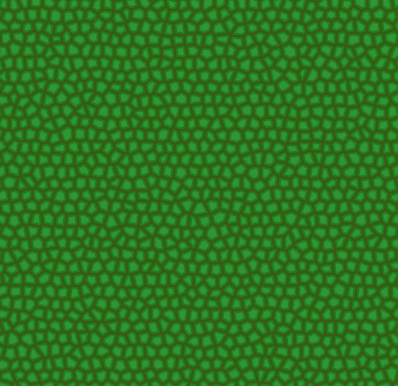
Using Photoshop Elements I’ve created a reptilian scale texture with the following method:
Set foreground color to R: 32, G: 124, B: 27
Fill:
Set foreground color to R: 67, G: 94, B: 24
Use a stained glass filter with the following settings: Cell size: 5, Boarder thickness: 3, Light intensity: 0
With the magic wand tool, click in one of the cells with the following setting: Anti aliased on, contiguous off, Tolerance: 5.
Select -> Modifiy -> Contract: 2
Create a new layer.
Set foreground color to R: 49, G: 149, B: 54
Fill: Anti aliased on, contiguous off
I’m wondering how I can improve it and make it more realistic. A bit of blurring, perhaps?
Attachments
you could do the same with blender
by using the veroni crackle texture
you can also find a scale pugin
and there are already some scale texture at the 3D repositoty for texture
Salutations
arexma
(arexma)
3
The shortcut:
http://blender-materials.org/index.php?action=view&material=196-reptile-skin
There you can take a look into the glorious blender procedural materials 
Krisnack
(Krisnack)
4
I’m not very impressed with the veroni effect, and there is only so much you can do with procedurals.
I guess I’m just looking for some good Photoshop help.
Ace_Dragon
(Ace Dragon)
5
Reptile scales are not that angular, you need them to be rounder, but tightly snug against each other.
Krisnack
(Krisnack)
6
I tried adding a gasuian blur, and I think it looks a bit better. Should I up the contrast a little?
Attachments

that’s a plug in for scale
see pic
SAlutations
Krisnack
(Krisnack)
8
I appreciate the effort, but I’ve already tried the scale plugin, and it didn’t work out for for what I was aiming for.