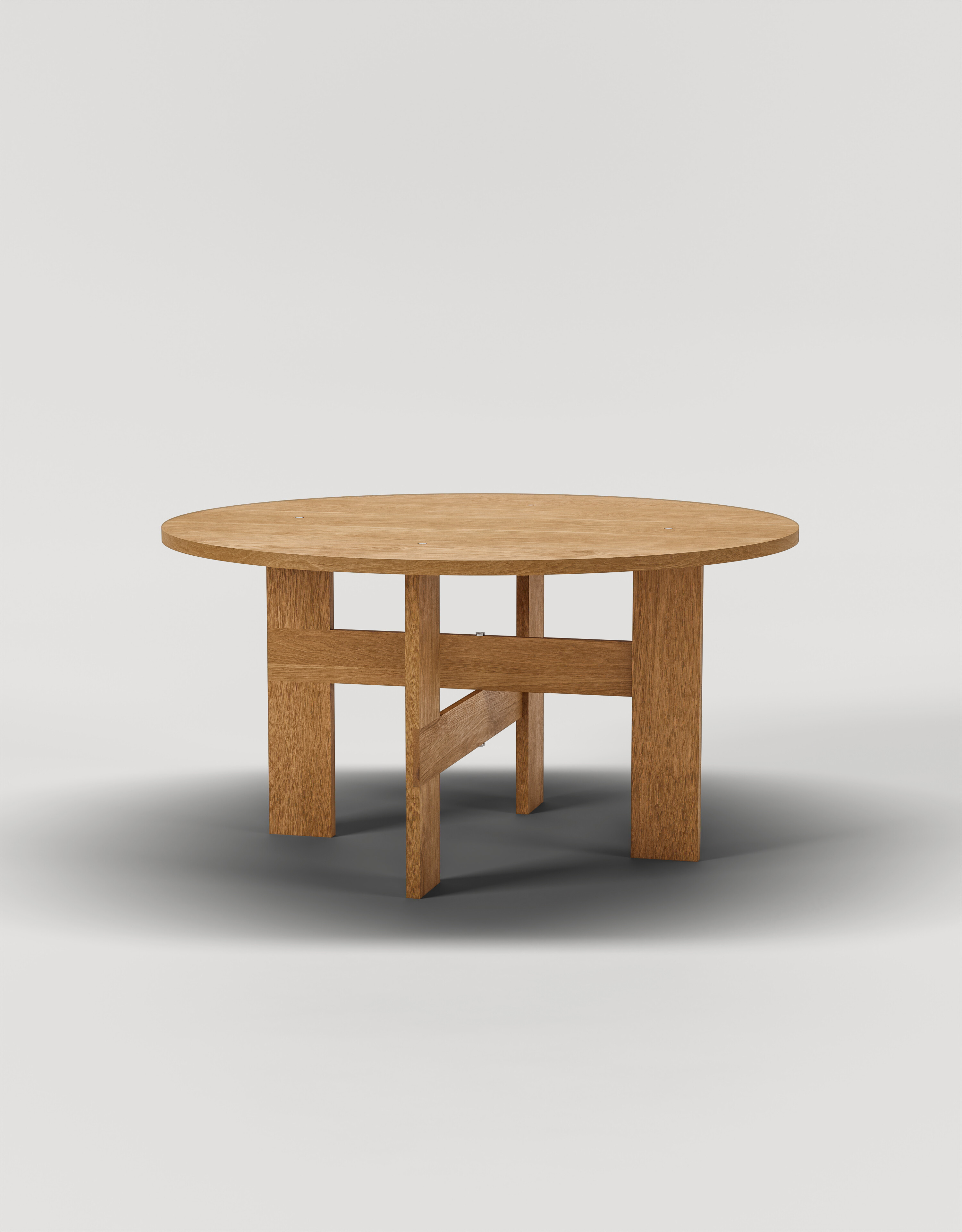
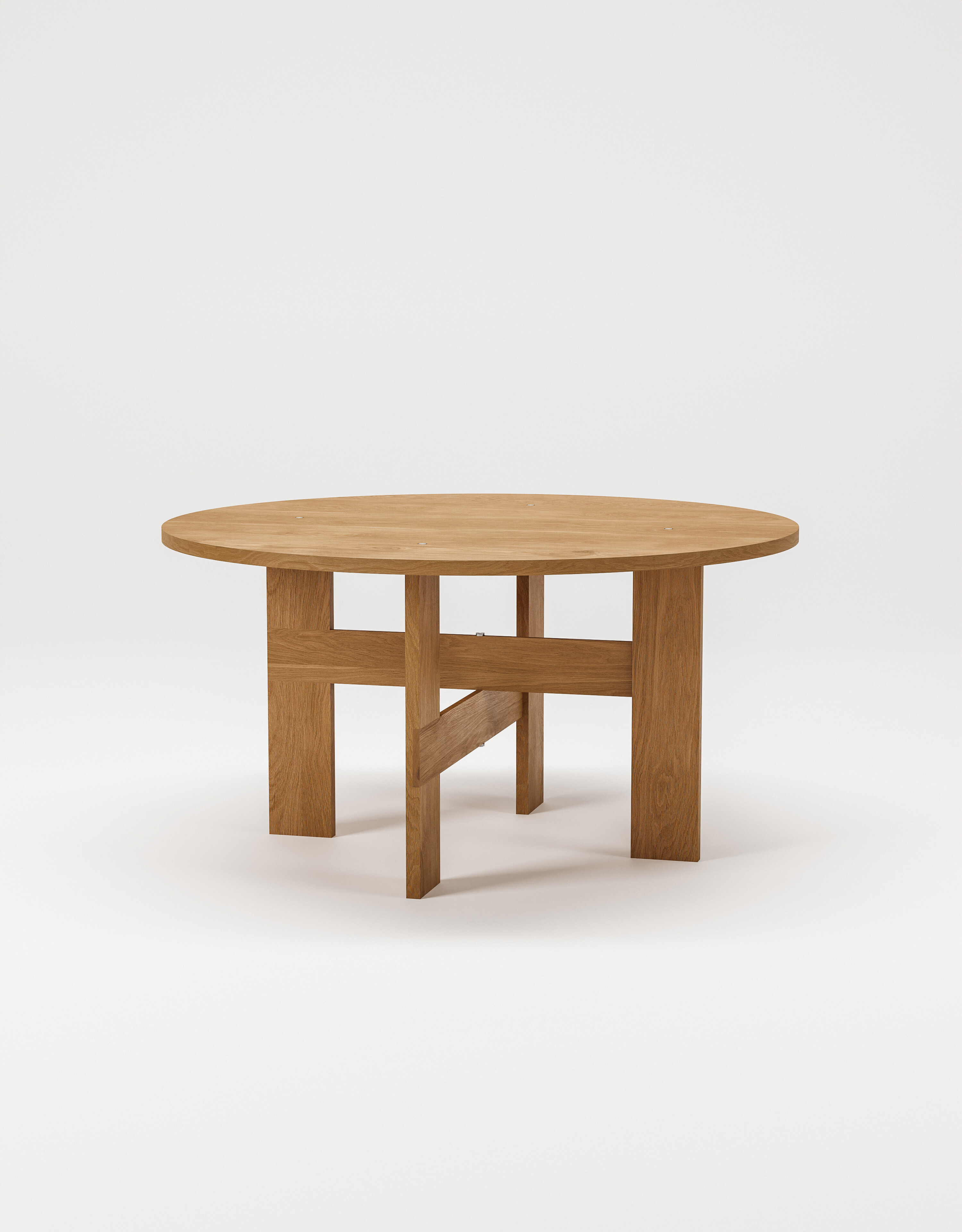
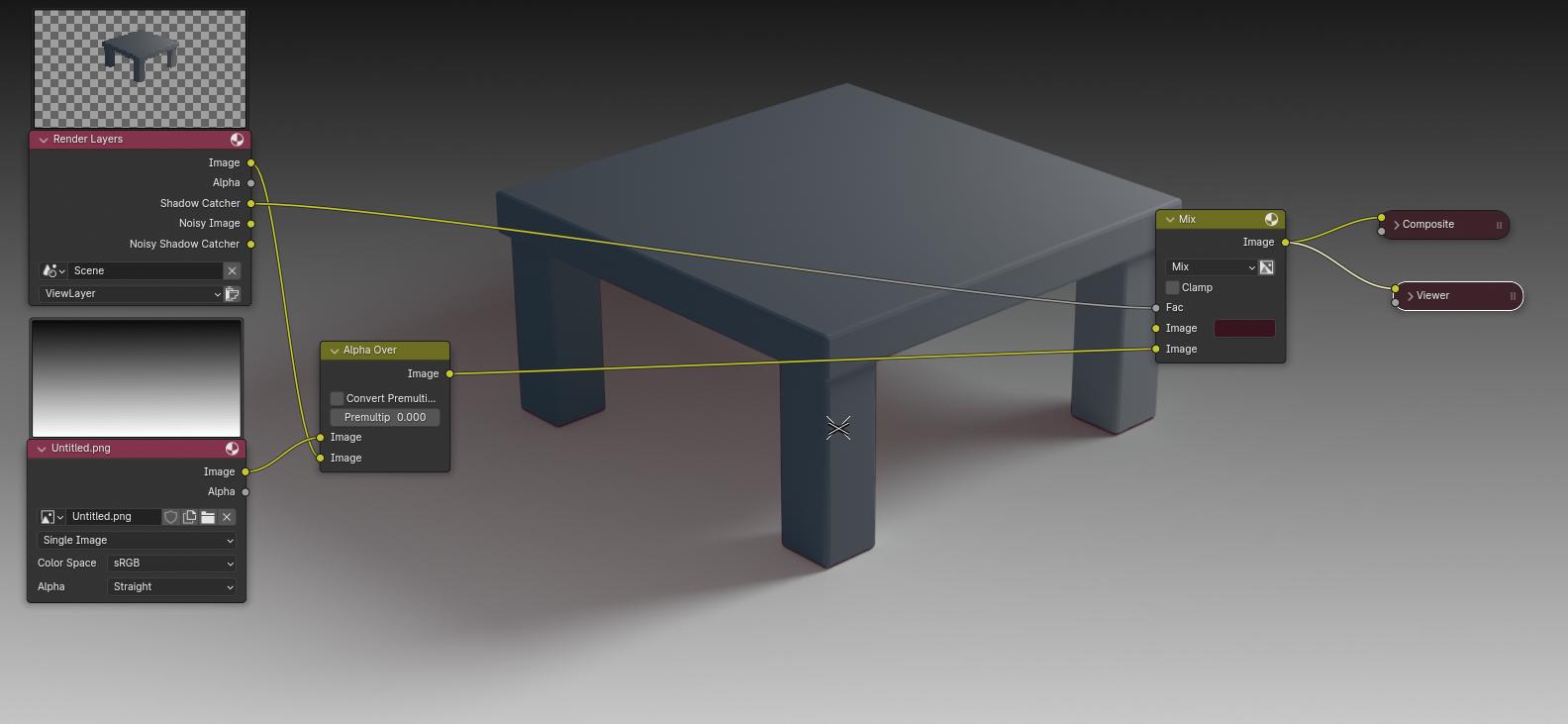
I have a problem when rendering with shadow catcher on a transparent background. I need the shadow, to be the exact same shadow as on the original render with background. Anyone knows what to do?
Attached file is test 1 which is with the shadow catcher and a new separate background from Photoshop and test 2 which is the original render with a background from Blender.
Thank you for the reference. I know how to setup the shadow catcher and the background - the problem is, that the shadow is getting too dark on the transparent background compared when rendering on a non-transparent background and that’s the problem I need to fix. I need the shadow on the transparent background to be as realistic as it is in the render with the original background.
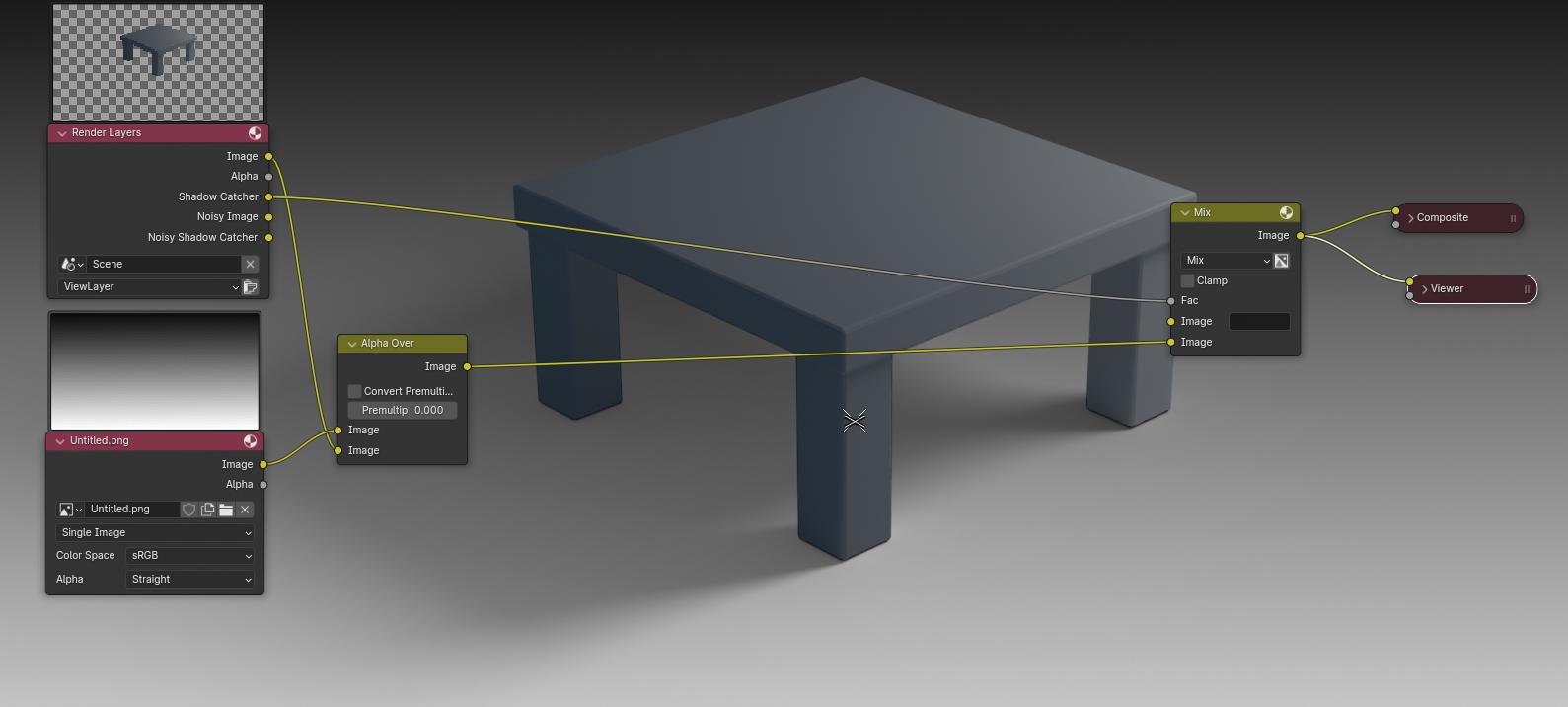
Enable the shadow catcher pass, and use that as a factor on the colour mix node in compositing. That way, you can have the shadow any colour and value that you desire.