Hey,
Im stuck with the problem that I want to convert a shape key animation to normal keyframes.
How or is it even possible ?
Hey,
Im stuck with the problem that I want to convert a shape key animation to normal keyframes.
How or is it even possible ?
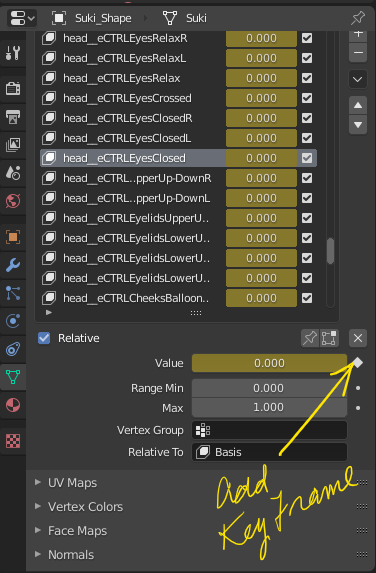
To apply keyframes From shape keys select shape key and change Value, click on Diamond to Insert keyframe. Then move ahead a few frames and change the shape key and repeat.
Cool thx for the tipp,
but is there a way I can bake the shape key animation like I bake physiks sims. into multyple keyframes ?
I just could not find an answer to that, there was one but it was so convoluted > in and out of edit mode etc etc, it just did not seem practical…sorry
It’s not possible because shapeKeys actually changes the position of the vertices.
Whereas in “normal” animation you are moving the global transform position/rotation/scale.
Hi,
there’s this script which may or may not work but aims to write out all of the fcurves and keyframes.
I’m looking for something similar but more professional and stable myself.
Ian