Sidebar Tab Glide
Sidebar Tab Glide extends Blender’s native Sidebar shortcut without replacing the Sidebar itself.
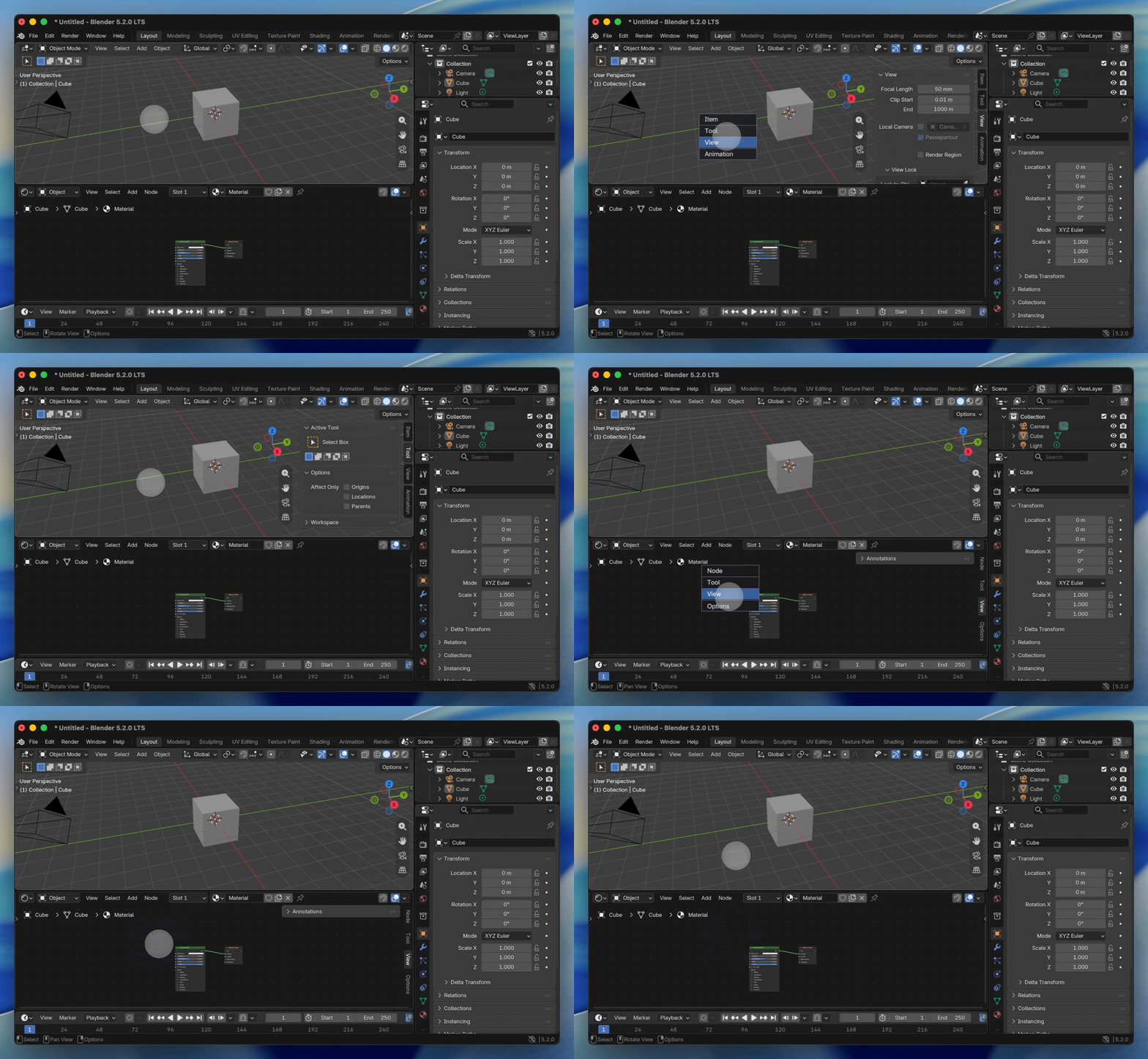
- Tap the shortcut to toggle the Sidebar exactly as before.
- Hold the shortcut until the GPU list appears.
- The list opens focused on the current Sidebar category.
- By default, moving over a category previews it immediately; release on a row to confirm it. This can be disabled in the extension preferences.
- Release without hovering, or outside the list, to cancel and restore the original category.
- Press
Escor the right mouse button to cancel. - Use the mouse wheel when the category list is longer than the visible panel.
- When Blender’s Region Toggle Pie keymap option is active, drag before the Hold gesture begins to invoke the native
WM_MT_region_toggle_pie.
The extension mirrors active keyboard wm.context_toggle items whose data path is space_data.show_region_ui, or Blender’s corresponding wm.call_menu_pie item for WM_MT_region_toggle_pie. In the latter case the gesture becomes tap=Sidebar, hold=tab glide, drag=native Pie. It waits for Blender’s effective user keymap during startup, so disabled or remapped Sidebar shortcuts are respected. Use Refresh Native Sidebar Shortcuts in the extension preferences after editing the native keymap, changing the Region Toggle Pie option, or switching keymap presets.
Supported editors
The default configuration covers 3D View, Graph Editor, Image Editor, Node Editor, Dope Sheet, NLA Editor, Text Editor, Video Sequencer, Movie Clip Editor, and Spreadsheet.
Download
https://github.com/Pluglug/sidebar-tab-glide/releases/latest