Hello, I’m already using blender for quite some time and i still haven’t found a solution to my problem.
If i have vertices that have axis aligned edges how can i move them along their own edge axes if not all edges have the same axis?
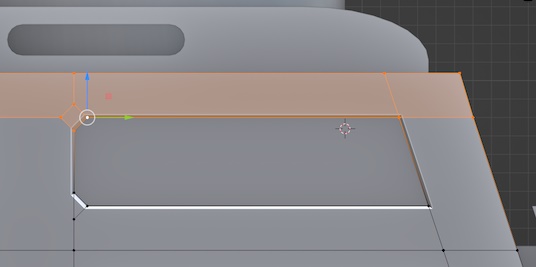
In the image i want to move vertices up by one unit while having vertices on the right side stay aligned to edge angle meaning they should slide along y axis to keep the same edge angle but with new Z coordinates.
When I try to move them manually/separately in local space they won’t align to the grid. you see there is space between grid and vertex that i cannot snap to.
Alternatively when i try to snap to the other already transformed vertices it snaps to them by local axis (Blue/Z axis arrow on the image) instead of global space.
Have you tried the hotkey GG? I’ve never worked with snapping on vertices so I’m not familiar with what the effect would be. In worst-case scenarios I will move (rotate) the entire mesh just to keep one part of it aligned with a given axis, then put it back, but I think that is unrelated to what you’re asking. Also don’t forget to look at the lower left menu after you’ve hit the enter key - I use this consistently when I need to bevel vertices. I know there is a hotkey for that but people are strange critters and here I like to do it the hard way.
to snap when sliding you have to restrict the axis… the keys hit are G and Z…
…so in your example you might first select the left vertices and then move them up and for the right… ohh wait… this might be a little complex…
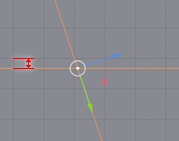
you have to extrude some “refererence line”… for the left just move; for the right : with pivot point to cursor extrude a vertex in place (with no value just RMB ) and scale a bit out then snap to the left vertices like before…

 …
…