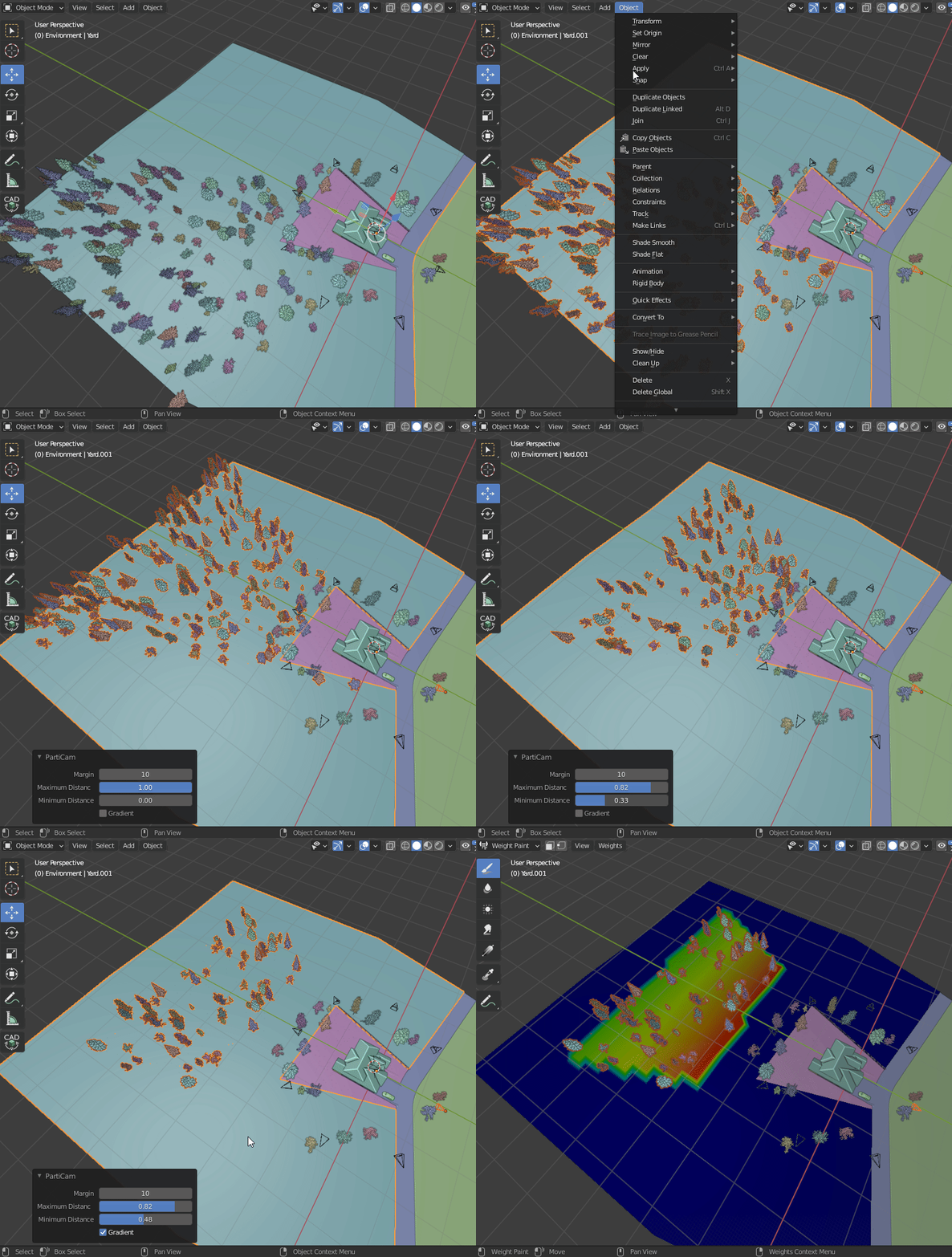
I tried to keep the functionality simple and intuitive. To use it you select both the camera(s) and the objects that have particle systems and run the tool. The redo panel has a margin parameter that you can use to adjust a bit of a buffer outside the camera space.
The addon generates a vertex group on each object that is weighted to the bounds of the camera(s) view and sets the vertex group as the density vertex group for each particle system on each object.
I may add some more functionality in the future such as a way to decrease the weighting further away from the camera if there is interest.
Oh wow. I am constantly doing doing tedious weight paints from my camera view because I use a potato to render. I can’t wait to use this. Thanks very much!
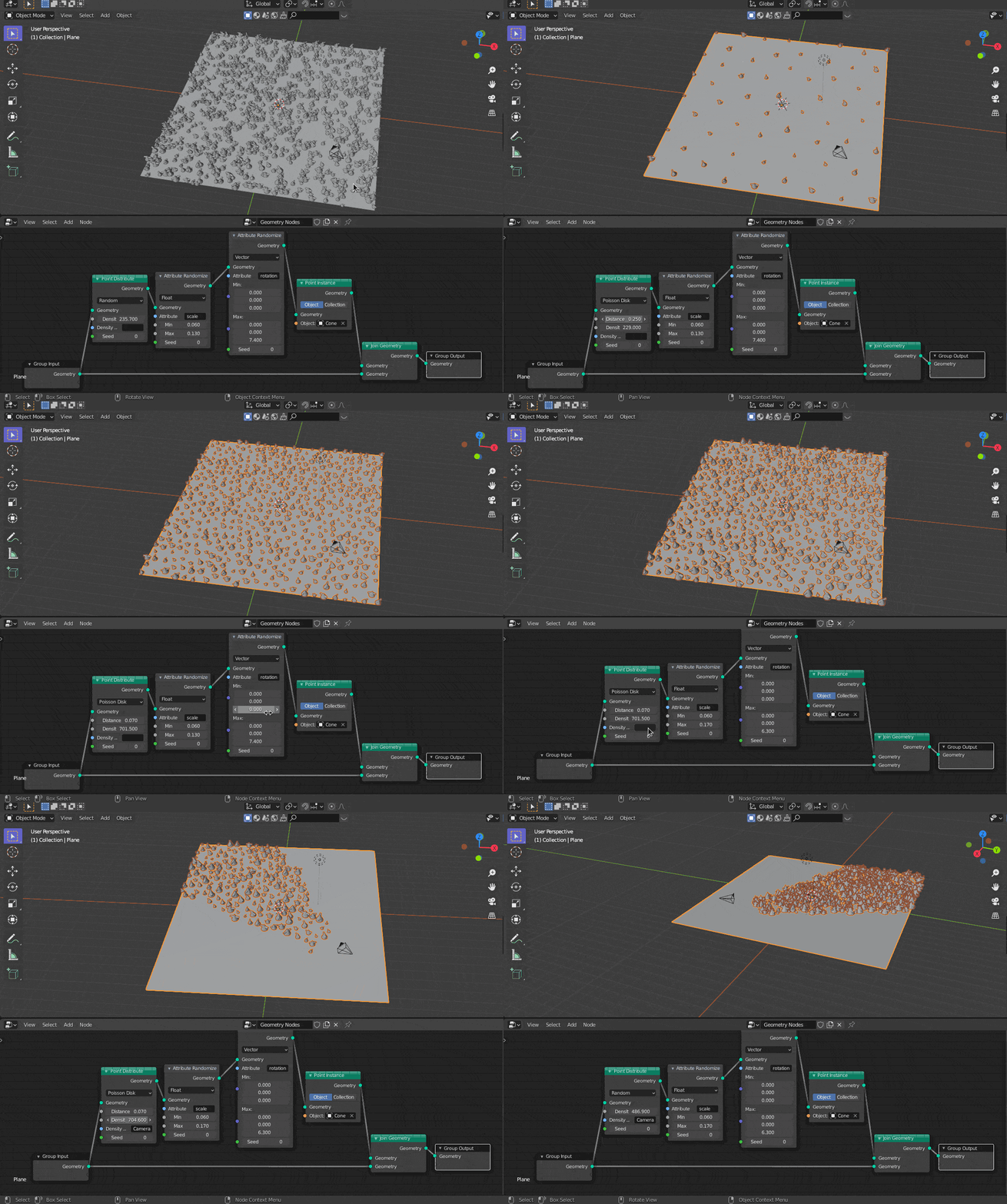
The best would be to implement this using geometry nodes, that way the particles don’t change position when changing the vertex weight map and the solution is useful for animation too
Pleasure! Do check out the particle density addon by @jendabek as well, it works well to keep the density of particles in check regardless of the area the camera sees.
I added some new functionality.
In the redo panel there is now sliders for minimum distance and maximum distance, so you can have the active zone within the camera view start or end a specific distance from the camera. Currently it’s implemented as a ratio of the furthest and nearest vertices.
Also added is a gradient toggle that will then weight the vertices within the min to max zone with a 0 to 1 vertex weight based on the distance between minimum and maximum, this allows you to have a more sparse particle system further away from the camera.
Next I plan to add specific falloff types to control the gradient but for now the maximum distance ratio is only soft maxed at 1 so if you type in a higher value you can stretch out the gradient beyond the current maximum value.
As always, your ideas and feedback is appreciated and if you run into any problems with the addon, please let me know.
This is really useful - thanks for creating! I’ve actually just used to it mask out some fairly large landscape meshes created in Gaea - removes a lot of wasted polygons (saved me so much faffing!).
I’m planning a bunch of extra functionality that I’ll add systematically when I get a chance. Among other things I want to create a system that allows you to specify weight sets for specific particle systems on an item for instance if you want separate areas for trees and grass and I want to look at integrating a system for render layers as well to allow you to designate areas for foreground and background passes.
I’ve noticed some inconsistencies with the particle density addon as well, so I’ll probably integrate something along the lines of what @Botoni was showing, that should make the addon work with animations, which I’m sure some may find useful.
I’m not a developer so please bear with me as I figure out best practices with packaging an addon, it’s kind of a mess right now…
With geometry nodes out in the new release, I’ll see if I can do something interesting with integrating the addon with @Botoni 's node setup over the weekend. Thanks again for the idea and the example!
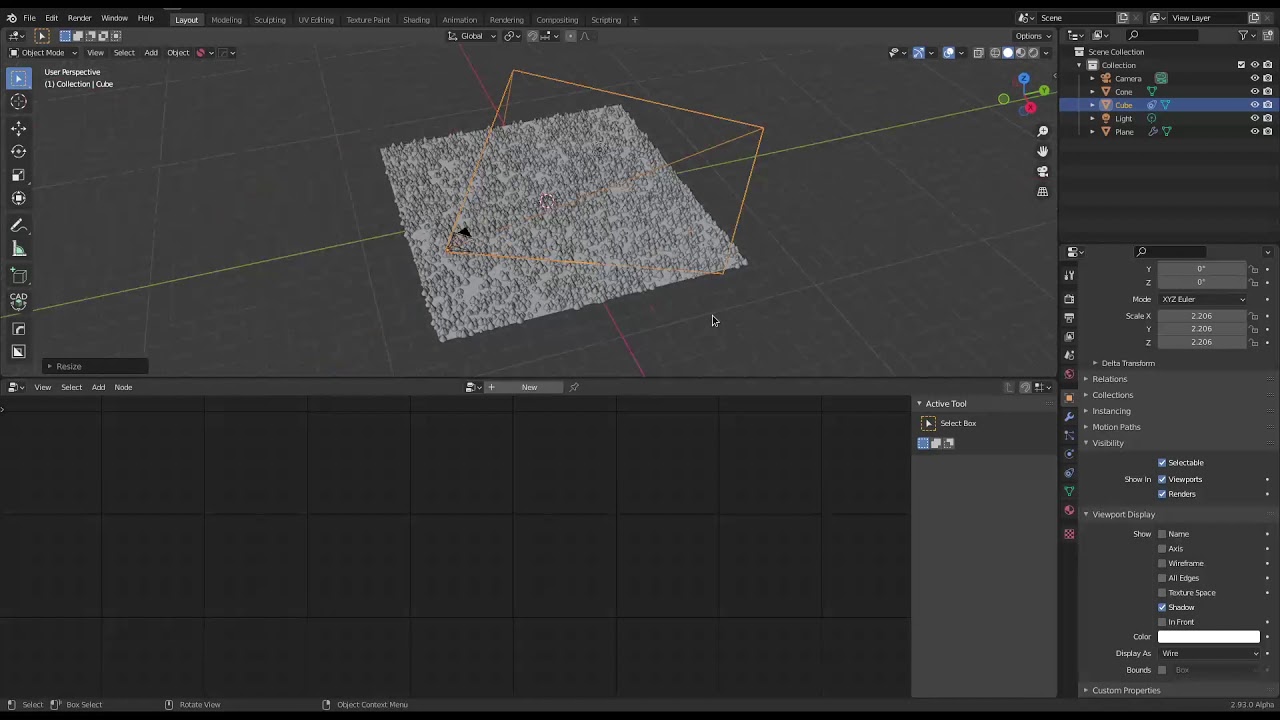
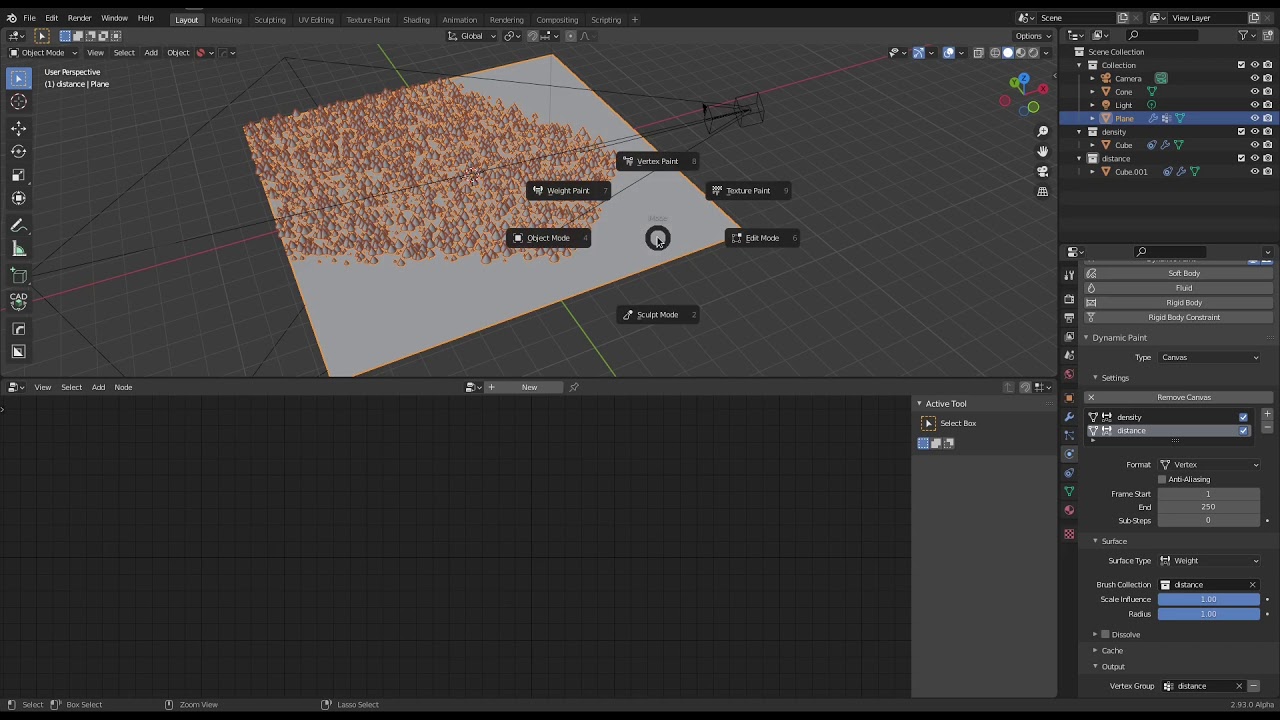
I didn’t even think to do it with a volume and dynamic paint, that makes a lot of sense. I think I’ll do some performance tests to see how it compares with the way my script does it.
My script relies on a bpy_extras.object_utils.world_to_camera_view(scene, camera, coordinate), which returns a vector containing the coordinate’s position relative to the camera’s view, 0 to 1 being in view on x and y camera local.
I see someone has already created a paid addon for this sort of thing: https://gumroad.com/l/erintools
I think I may just throw together a script for automatically setting up the geometry nodes and camera culling like you’ve done. Even if it’s just to speed up my workflow going forward.
Really digging geometry nodes, I wonder where it’s functionality overlaps with animation nodes.