Hi, of cource i’m a newbie, and I have stumbled upon a problem. I want to make a softbody jelly animation like the one here, but in order to make my cube in a specific shape I need to subdivide it multiple times. With the softbody animation, it will just crumple on the ground and not do the jiggly bounce. What settings should I tweak to make all well? Also about the video above, I wold like to know how he made it change colors like that…and all the gradients in between. Thanks!! Oh, and I’ll attach an image of my cube and vertices.
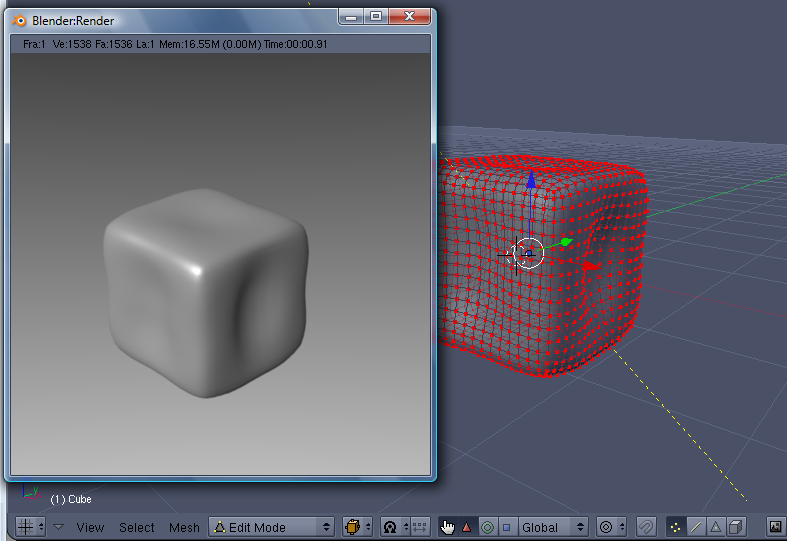
I made a cube with a mesh like the your one and with changing colors, I uploaded a simple example here:
http://www.pkblender.it/other/CubeJelly.blend
To create Ipo keys you can select the cube, change its color and , with you mouse over Material tab, press I
Then, to correct Ipos you can select ‘materials’ in Ipo type menu.
I hope this helps you
PkBlender
This link explains why softbodies can collapse and crumple.
http://wiki.blender.org/index.php/BSoD/Physical_Simulation/Soft_Body
OK, I think I got it… but I didn’t understand the whole IPO thing. Where is this I button and such??
Suppose you are at frame 1 and want to assign a red color to your object. Then you want your object became green at frame 50. Do so:
- Select your object
- In Shading panel (F5) add a new material and set it to color Red
- With mouse pointer OVER the Shading panel press I key. A new menu appears: select RGB
- Go to frame 50
- In Shading panel (F5) modify the material you assigned before. Change it to a Green
- Now, with mouse pointer over the Shading panel press I key.
- Press I key and select RGB
That 's all: going from frame 1 to frame 50 the color changes from red to green gradually.
If you want to modify the ipos added:
- Select the Object
- Goto Ipo curve editor
- In the scroll down menu select MATERIAL from Ipo type
In the same manner you can modify other parameters related to materials (Alpha, Spec, Ref…)
PkBlender
pkblender,
I tried your .BLEND file and it would not load in 2.45 or 24.5.12SVN, it is corrupt?
I 've tried just now and the .blend works in my blender 2.45, try again and if does’nt work write me, I’ll send it to you by email.
PkBlender