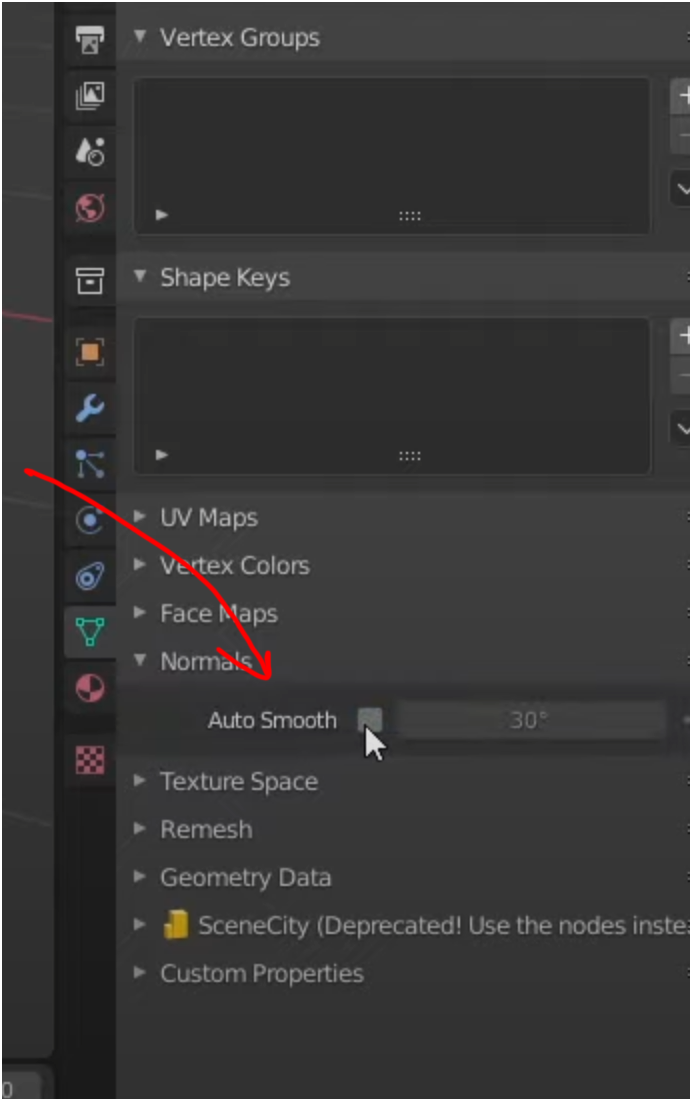
I am trying to learn baking from high poly to low poly. A few tutorials have a step where they go into the Object Data Properties panel and turn off Auto Smoothing in the Normals dropdown, as shown here;
In Blender 4.1 I do not see this Normals dropdown.
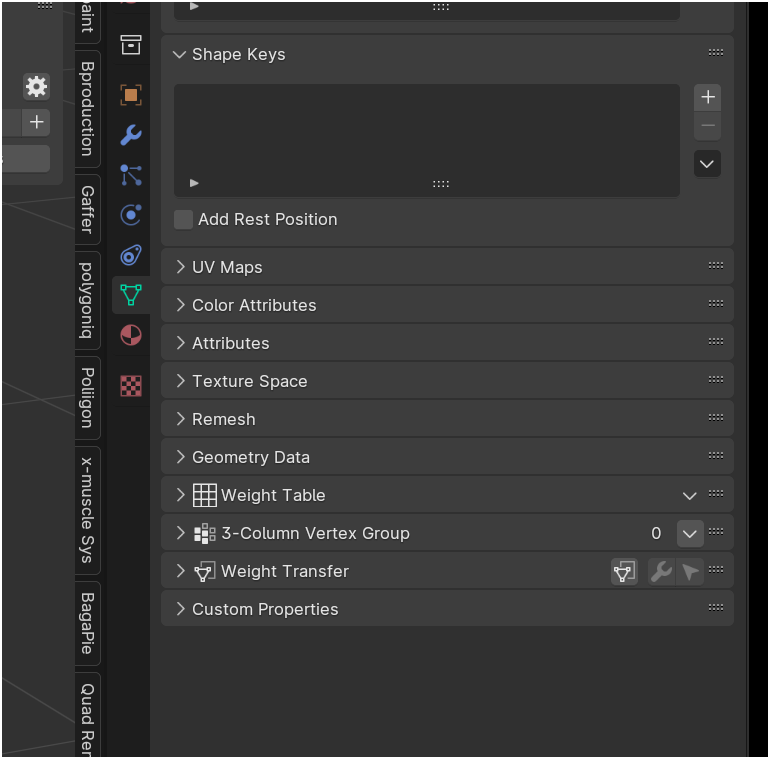
Is there somewhere else in Blender in this newer version where there is something like this?