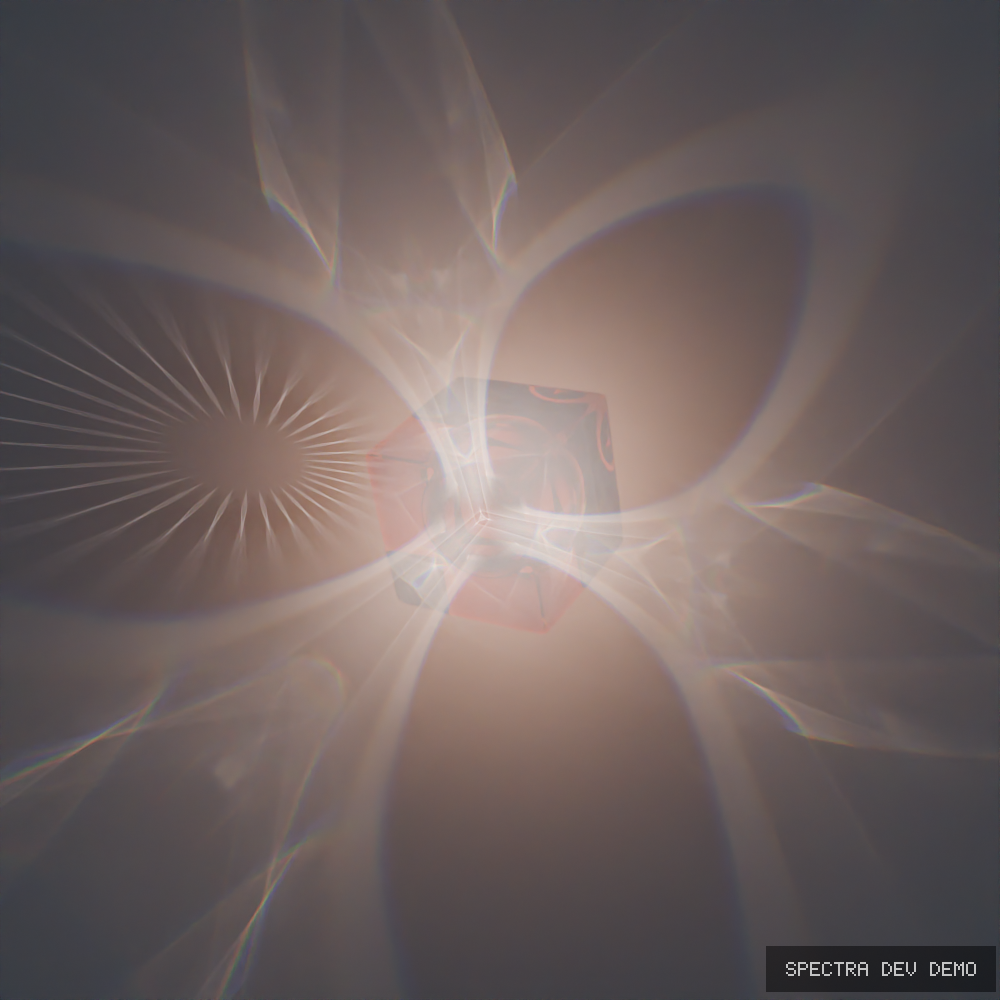
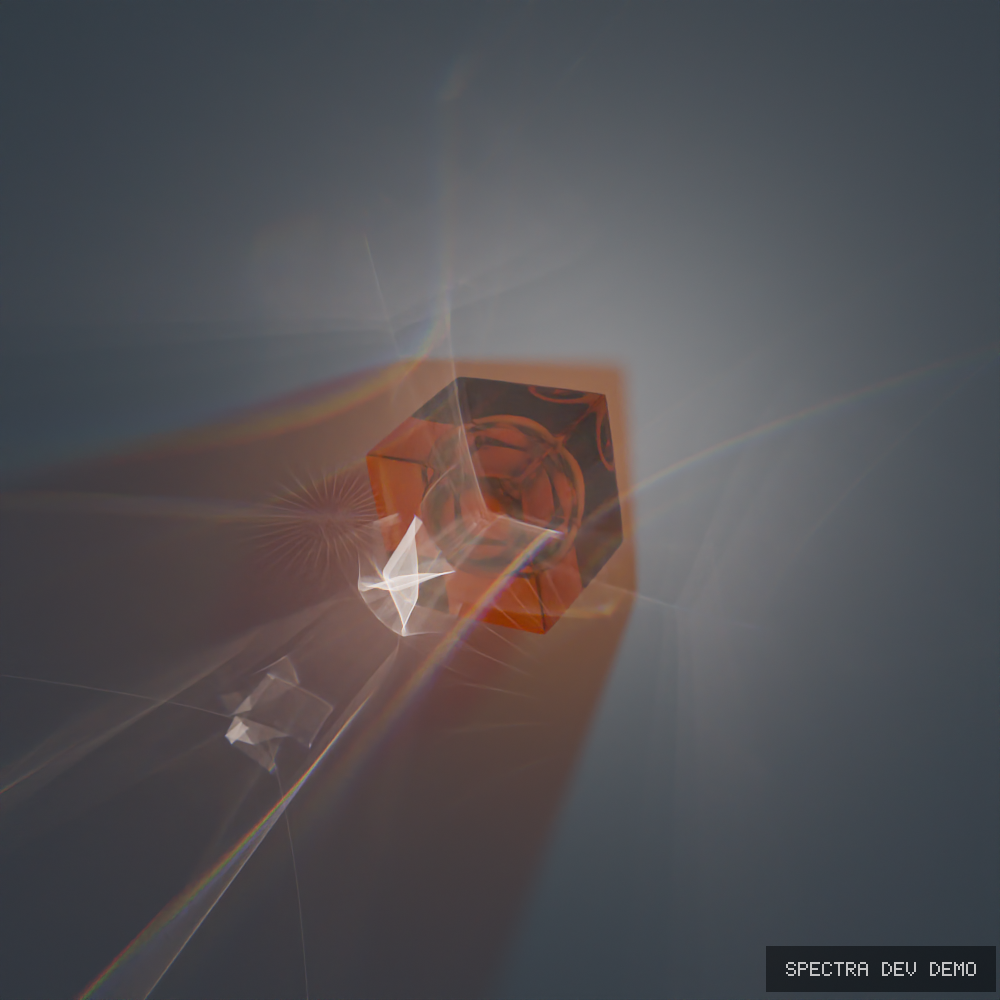
Spectra: Realtime ReSTIR Caustics & True Spectral Engine for Blender (Rust + Vulkan Addon)

Hey everyone!

My name Farras.

For a while now, I’ve been quietly developing Spectra Render, an independent rendering engine built with Rust and Vulkan, with integration into Blender.

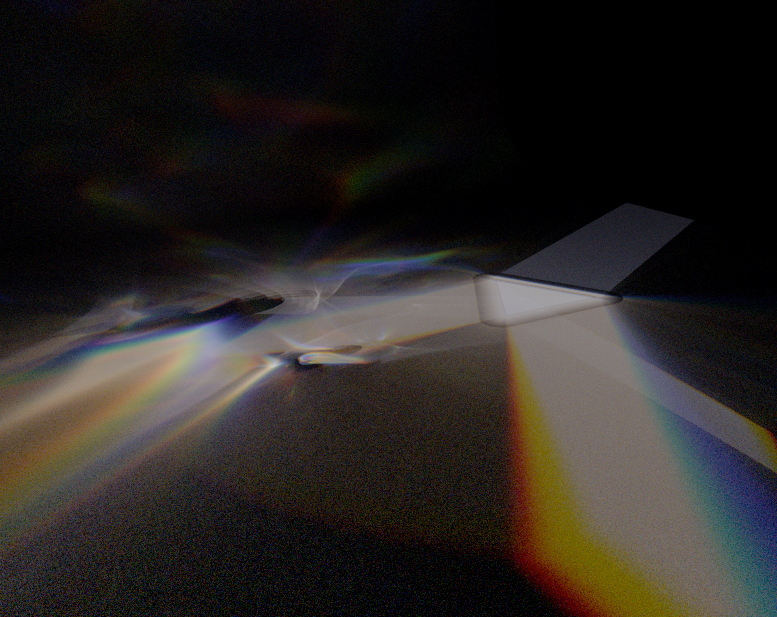
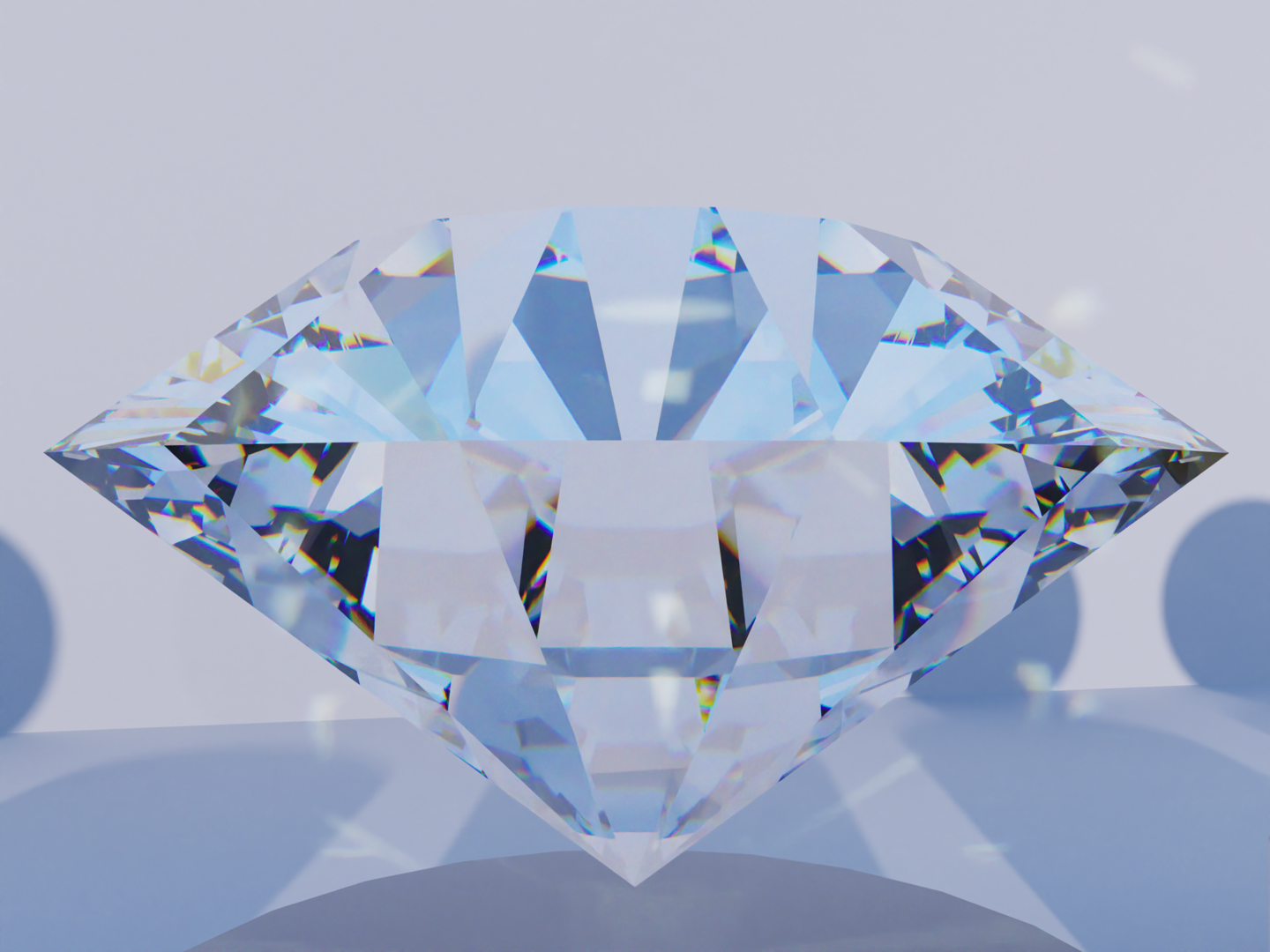
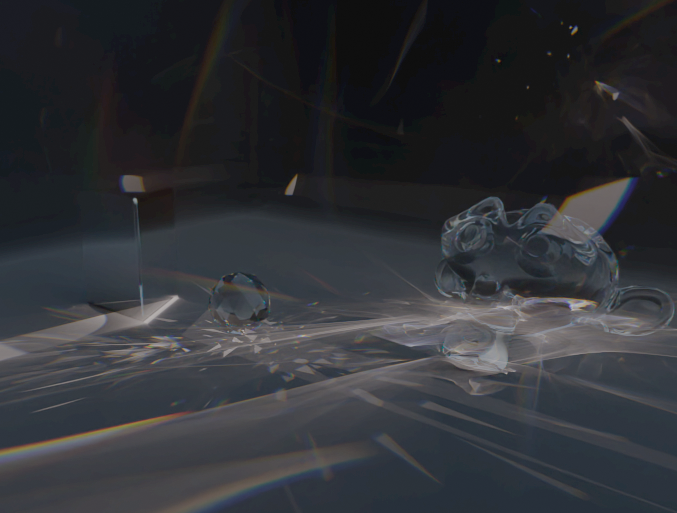
The project focuses on spectral path tracing, physically based light transport, and challenging lighting effects such as caustics.

One of the main techniques I’m exploring is ReSTIR BDPT, alongside a spectral material system and a GPU rendering pipeline designed for performance.

It’s now at a stage where I’ve started sharing builds with friends for testing. There’s still work to do on stability and the overall workflow, but it’s exciting to see the project getting closer to something other people can actually use.

I’m not here to claim it’s better than every existing renderer. I’d rather share the technology, show real results, and learn from people who have spent years working with Blender and rendering.

I’ll share more about the rendering techniques, performance tests, and development process as things progress.

For those of you who work with Cycles, Cycles X, or other production renderers:

What’s one rendering problem you’d most like to see solved?

I’d love to hear your thoughts!
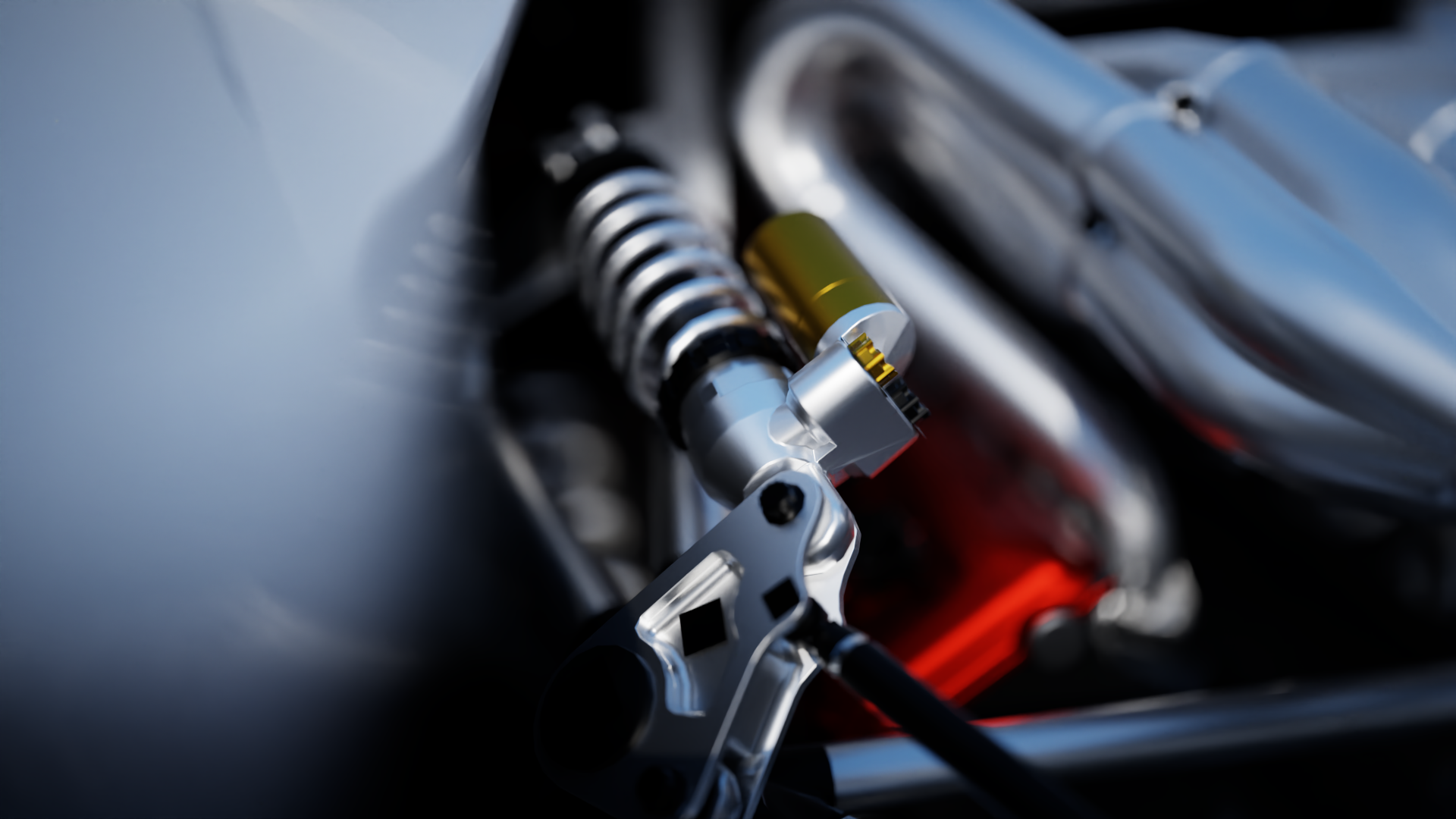
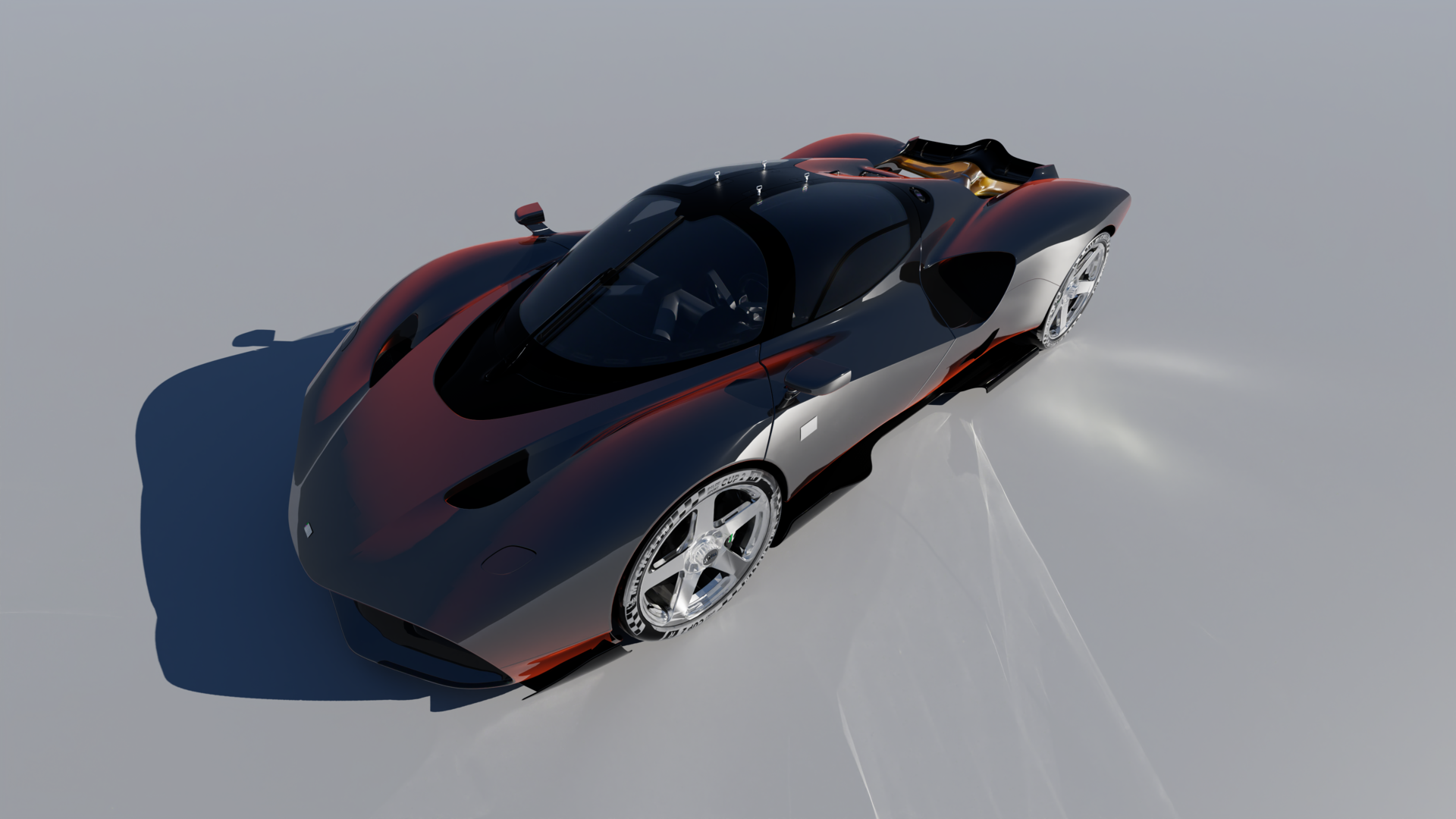
3D Car model from 2024 Nilu 27 Concept - Download Free 3D model by Ddiaz Design (@ddiaz-design) [73e848b] - Sketchfab

16 Likes

Looks promising! Do you have any test builds available to try out?

3 Likes

To me, the most important features of a renderer are:

  • Ease of use ─ I dislike renderers that stuff a gazillion functions in there with complicated names, forcing you to do a study and lots of experimentation with all the values before getting good results.
  • Very good and easy to use materials with physically correct fresnel reflections, refractions, etc..
  • Ready-to-use material presets, for things like plastic, skin, cloth, hair, different kinds of metal, etc..
  • Easy to achieve, easy to control, convincing SSS.
  • Physical scene lights with a controllable falloff near the border, to avoid harsh, unrealistic reflections and refractions.
  • Easy to setup environment lighting with the option of having a different background visible behind your model.
  • Nice and easy post-processing options, such as a highlight bloom and chromatic aberration.
3 Likes

Hey Roggii, yes I have, but still not stable yet, but I will send you by tomorrow via chat. I glad you intrested to test it out. I need to wrap up some bug here and there first. :smiley:

2 Likes

Ease to use : Yes that the first thing that I wanted when I developed this, I want it’s simple like Corona Render but Fast like Octane Render. The good part is, Blender BSDF material has Open PBR implemented, so do my Spectra Render engine, so whatever in Node Shader editor is translate automatically to the render engine, no converter and instant.

Ready to use material : Right now I just finished the Open PBR, so the material X and Open PBR shader is 1:1, and yes I going to add material library with example.

Easy to archive, since it’s spectral and the math is consistent with what real physic is, It’s really easy and convincing SSS, and not only SSS the Refraction, Caustic Everything. Consistent, easy to settings, and predictable.

Physical scene light : Done!

Easy to setup enviroment : Done!

Nice and esay post processiong, On it! in Progress!

thank you Metin for the comment, this so clear! Iam going do my best :smiley:

3 Likes
https://youtu.be/GagB2Dpt3V0

Update for the Blender Addon Spectral Render Engine with realtime Caustic BDPT Stable Now!

https://youtu.be/GagB2Dpt3V0

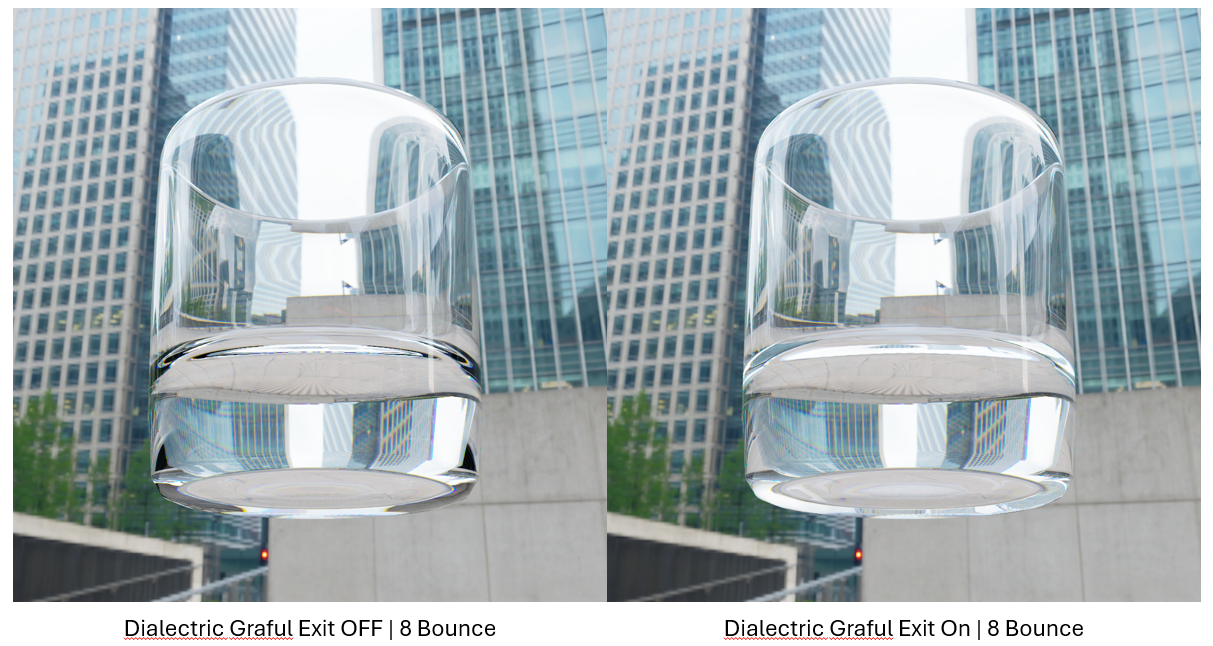
I just fix and handle this natively in Render Settings (similar to Redshift’s refraction limit), so you don’t need any shader node hacks: We built a Dielectric Graceful Exit feature into our GPU kernel.

Once a ray hits the exit bounce limit (8 bounces), instead of terminating to pitch black, the engine automatically converts the glass into transparent passthrough and “releases” the ray to find background lights.

You get full spectral dispersion and caustics on the initial bounces, with zero ugly black dead spots in the glass. Here’s a quick 8 bounce comparison on a heavy bottom tumbler showing the fix.

PS: Sorry for the typo on the image, Thanks!

4 Likes

Hi everyone! :waving_hand:

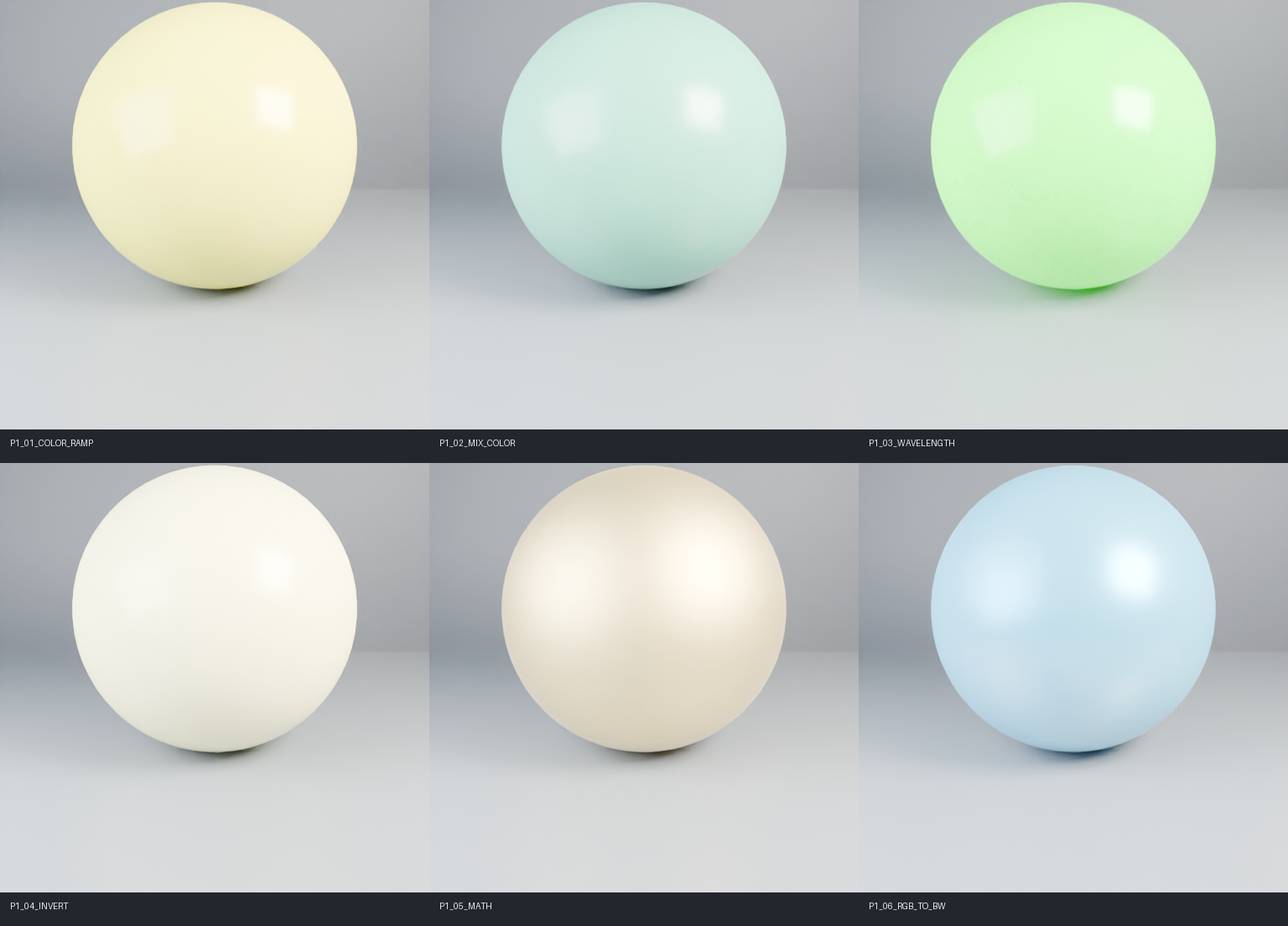
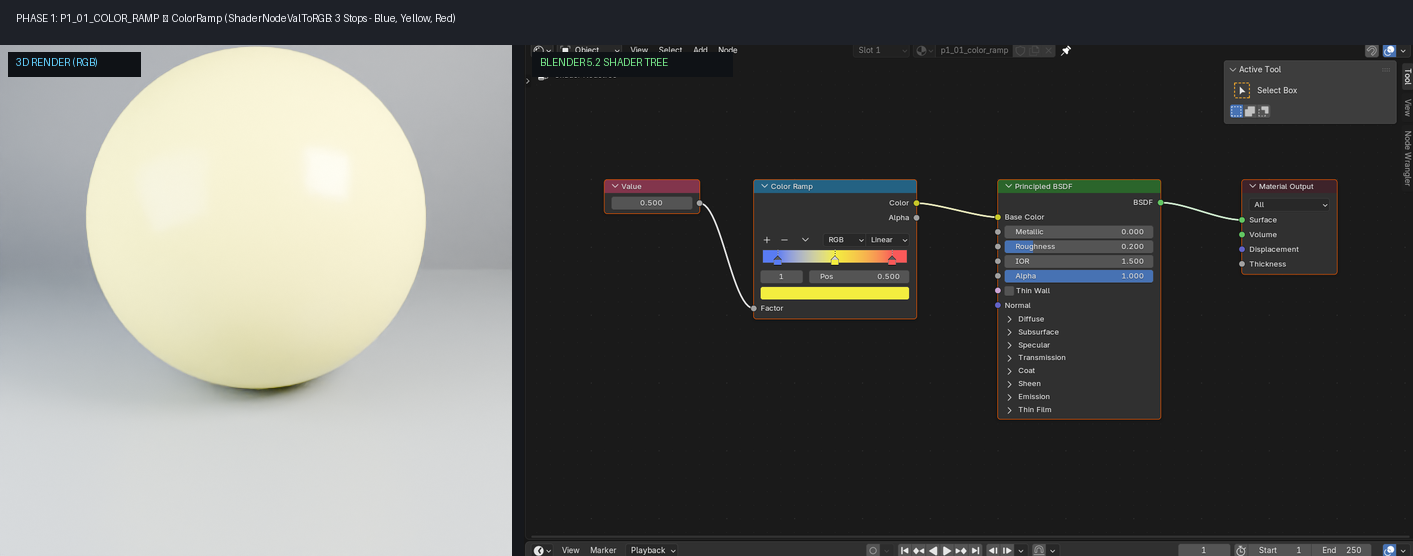
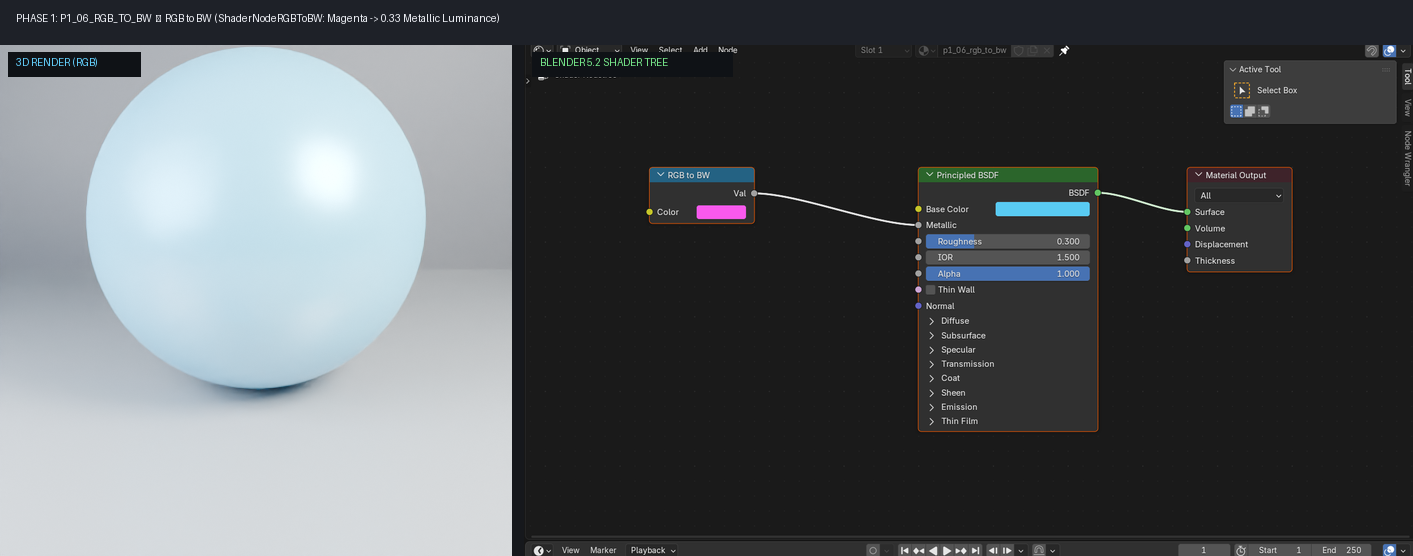
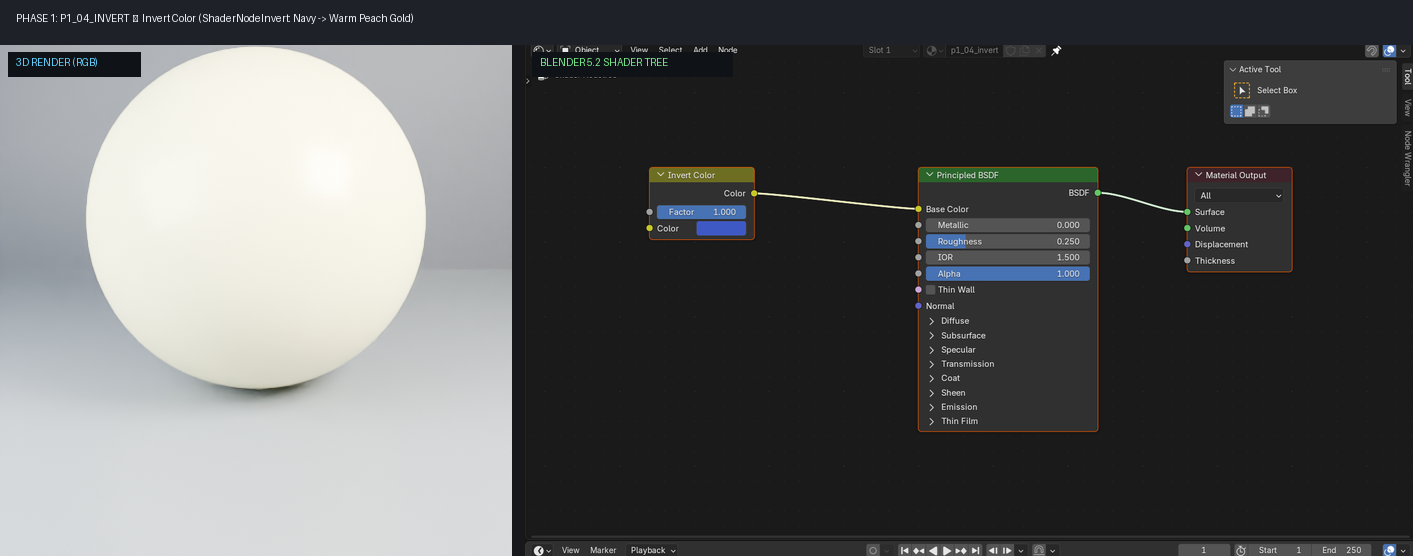
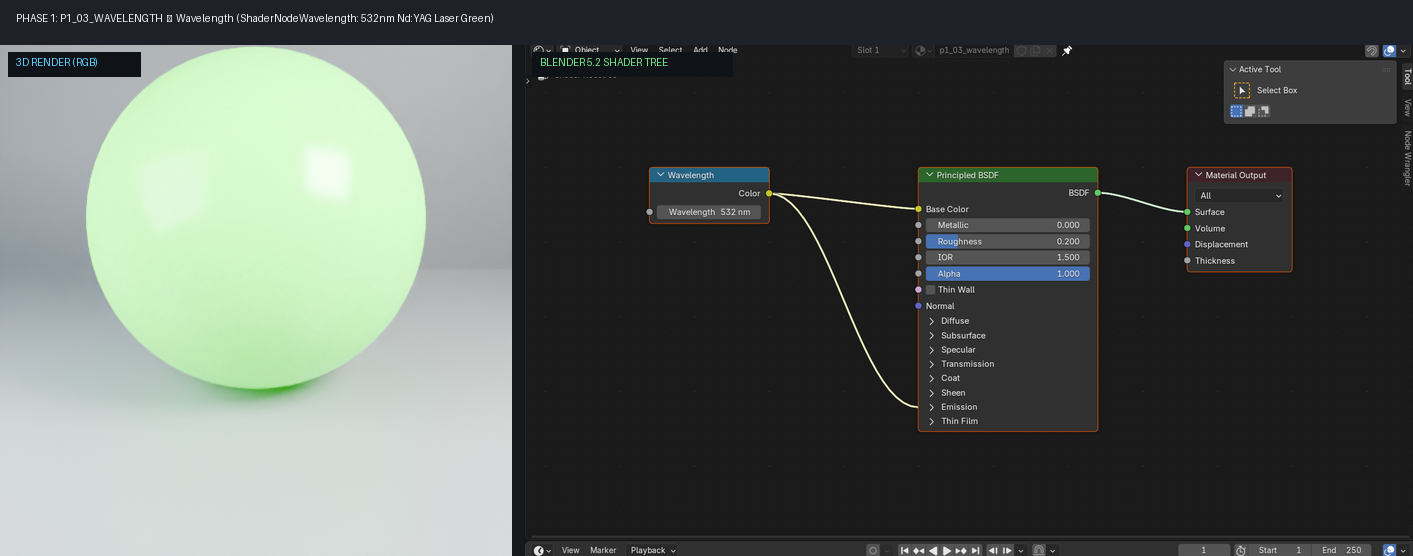
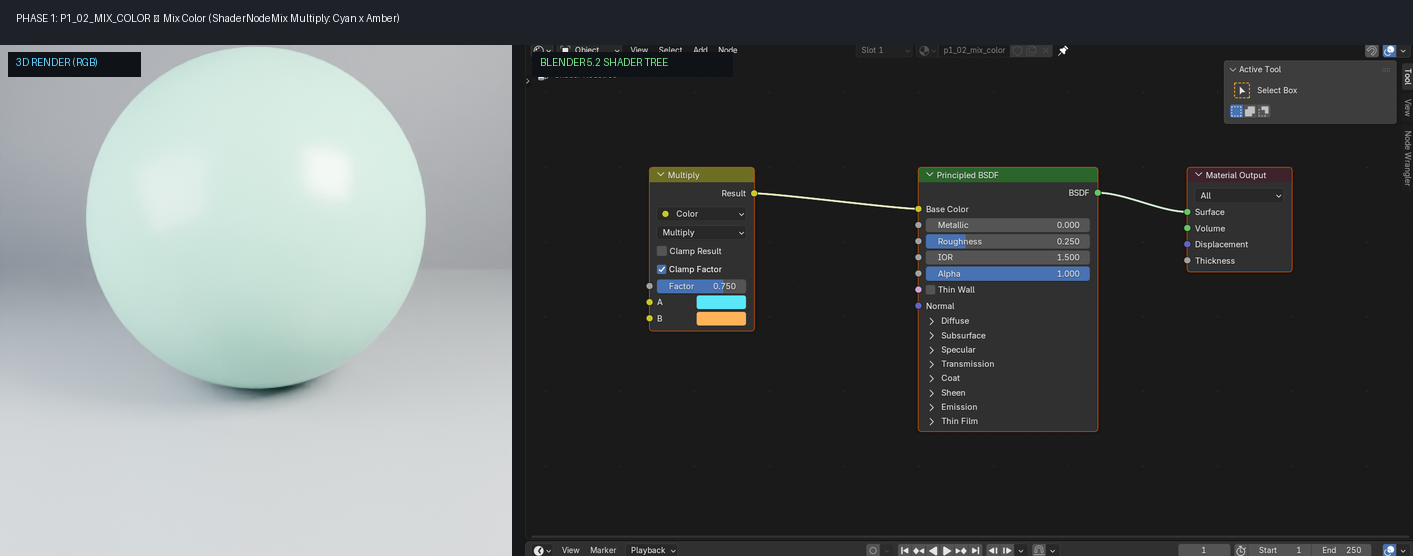
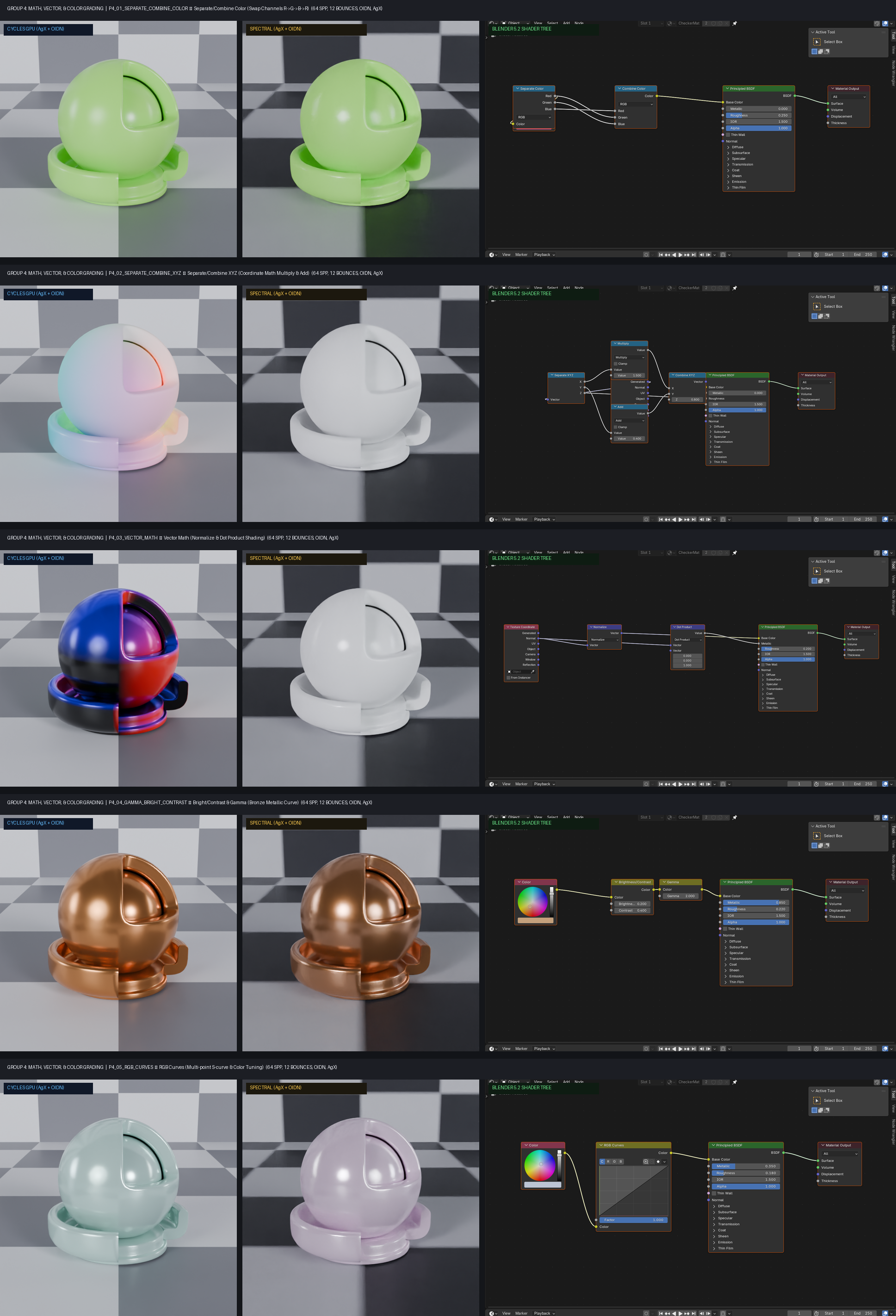
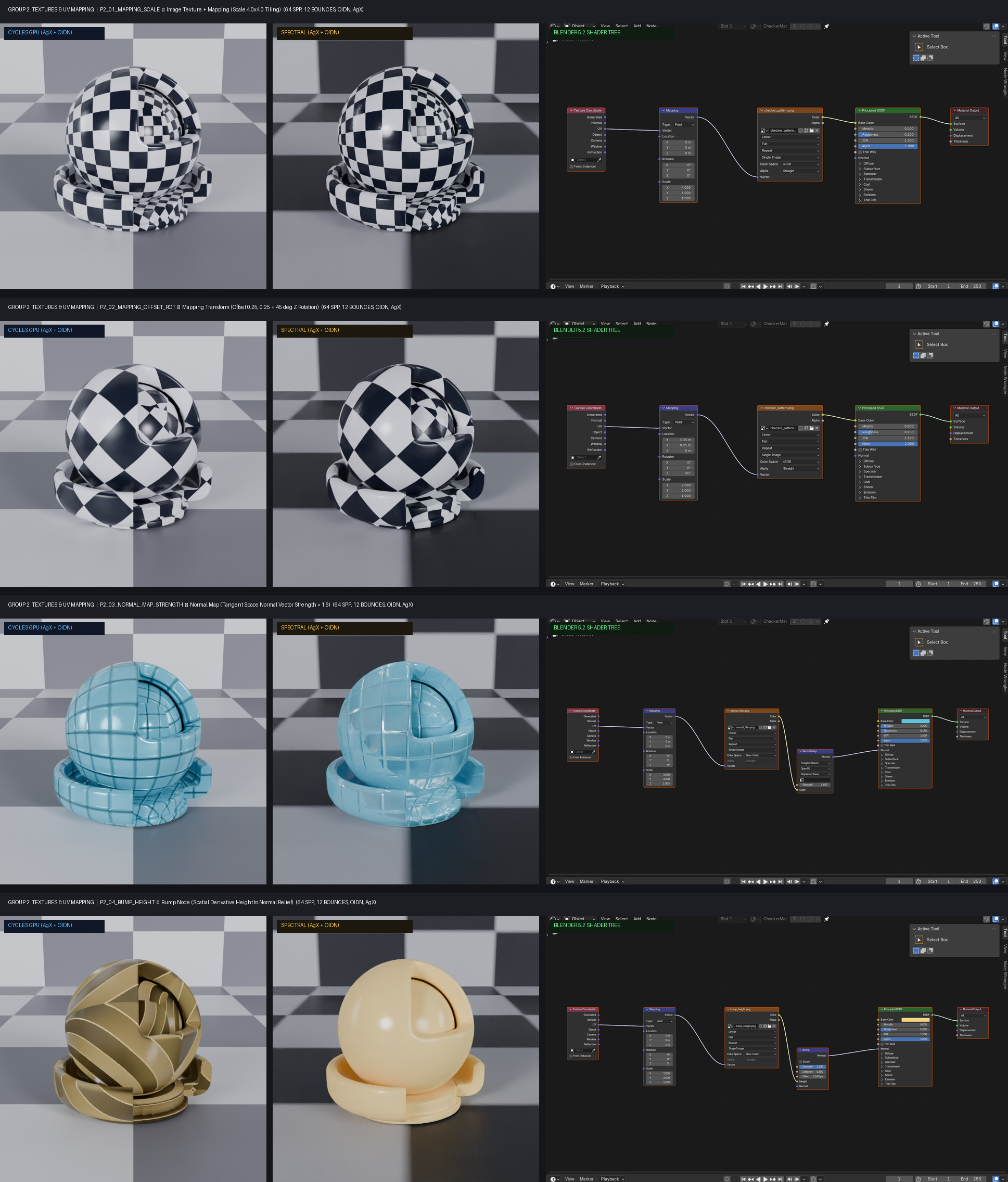
Following our recent milestones in zero-stall IPC architecture and our standalone Rust + Vulkan daemon, we have just reached our next major checkpoint: Natively syncing Blender’s Shader Nodes into our Spectral Path Tracer!

Today, we are excited to showcase our Phase 1 (Color & Converter Nodes) test suite running in Blender 5.2 LTS

To ensure 100% transparent verification, we generated Side-by-Side Visual Proofs : the 3D Spectral Path Traced render on the left, paired with the exact Blender Shader Editor graph on the right!

Have a good day friends!
-Farras

PS : The Dev Demo Addon will be available Shortly!

1 Like

Hi Farras,

I have some questions if you don’t mind:

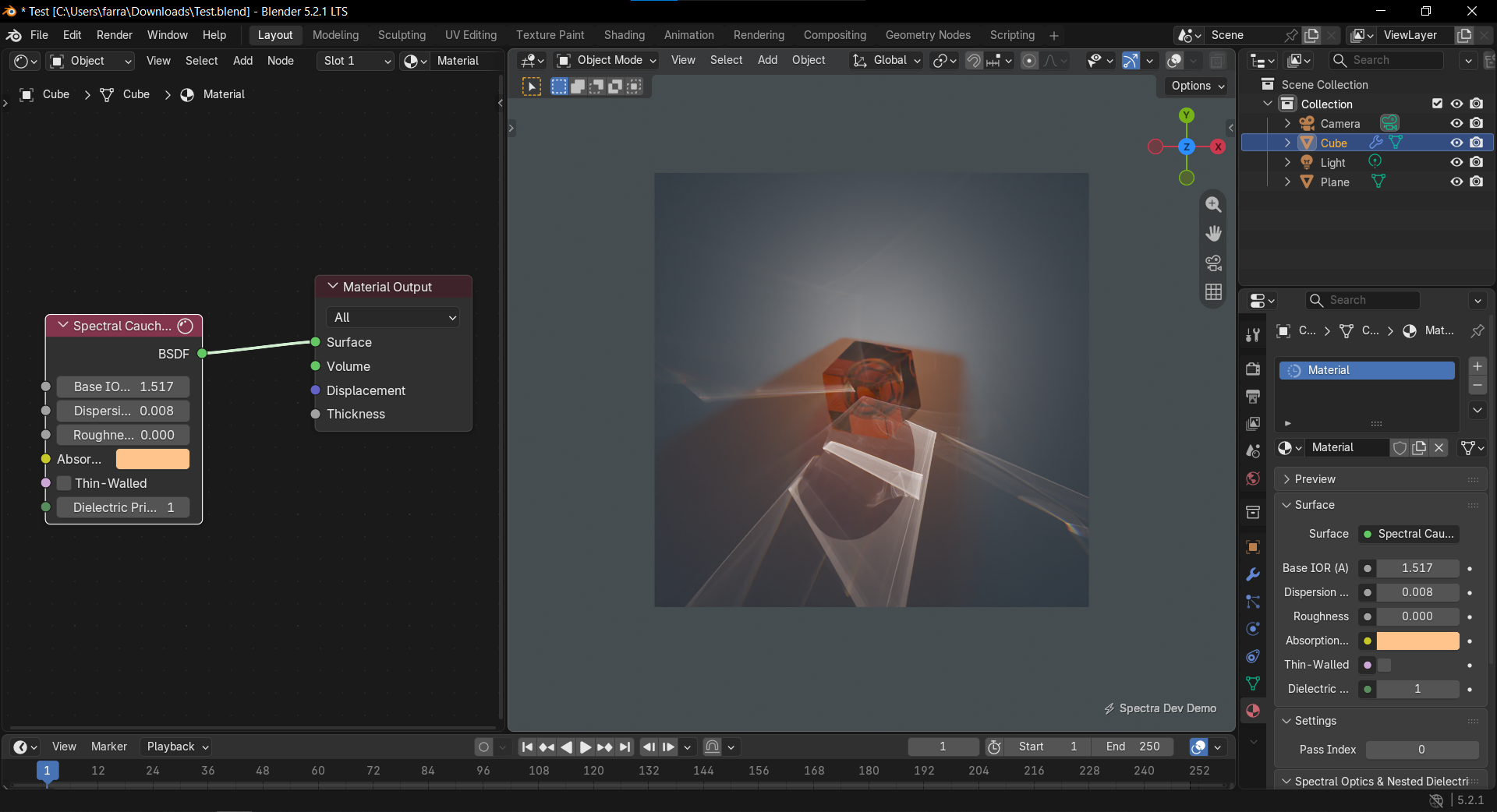
  • Looking at the screenshots in one of your posts, can we conclude that Spectra makes use of Blender’s native material / shader nodes for Cycles, instead of custom materials?
  • Is Spectra fully or partly vibe-coded? Rust is a popular language for AI(-assisted) coding.
  • You mention “we” in your posts. Are you a multi-person software development team, or are you a solo developer?

Alpha Test Dev Build Available now!!!, Spectral Path Tracer Real-Time Vulkan Spectral Render Engine for Blender

Hey everyone on Blender Artists! :waving_hand:

For the past several months, I have been working on Spectral Path Tracer, a dedicated spectral rendering engine built completely from the ground up in Rust, Vulkan, and Slang shading language, tightly integrated into Blender via a custom Python add-on and an out-of-process high-speed IPC daemon.

Today, I’m excited to share the first public Alpha Test Build with the community!

Why Another Render Engine? (Motivation)

Most mainstream renderers approximate light using trichromatic RGB paths. While RGB is fast, it fundamentally cannot simulate real wave optics without heavy approximations.

Spectral Path Tracer operates directly in continuous wavelength spectrums:

  • True Spectral Dispersion: Refraction naturally separates light into rainbows through prisms and glass (Cauchy formula) without fake color split post-processing.
  • Physical Thin-Film Interference: Authentic nanometer-level wave interference for soap bubbles, oil films, and optical coatings.
  • Blackbody Radiation: Realistic physical thermal emitters sampled accurately across the spectrum based on Kelvin temperatures.
  • Out-of-Process Rust Architecture: The core Vulkan RT engine runs as an independent daemon. If you tweak materials or orbit your camera, Blender’s main thread never freezes or hangs.

What’s In This Alpha Build?

  • Interactive 3D Viewport: Real-time progressive rendering with instant camera and transform updates.
  • F12 Final Render: Full offline rendering with progressive preview and OpenImageDenoise (OIDN) integration.
  • Principled BSDF Support: Automatic translation of standard Blender shader trees (Base Color, Roughness, Metallic, Transmission, IOR, Emission, and common math/color nodes).
  • Dedicated Spectral Shader Nodes (Shift + A > Shader):
    • Spectral Cauchy Glass (dielectric dispersion with priority nesting)
    • Spectral Thin-Film Iridescence
    • Spectral Blackbody Emitter
    • Spectral Metallic Car Paint Flakes

Alpha Test Requirements

  • OS: Windows 10 / 11 (64-bit)
  • Blender Version: Blender 4.0 up to Blender 5.2 LTS
  • GPU: Vulkan Ray Tracing compatible GPU (NVIDIA RTX series recommended)
  • No extra dependencies needed: runtime DLLs (OIDN, TBB) and daemon binaries are completely bundled inside the add-on package.

How to Install & Test

  1. Download the Alpha zip package: spectral_blender_addon_demo.zip (do not unzip).
  2. In Blender, go to Edit > Preferences > Add-ons.
  3. Click “Install from Disk…” (top right) and select the zip file.
  4. Enable the checkbox: Render: Spectral Path Tracer (Dev Demo).
  5. Switch your Render Engine to Spectral Path Tracer (Dev Demo).
  6. Press Z > Rendered in the 3D Viewport or hit F12!

(Note: This early community alpha build includes a subtle preview watermark on viewport and F12 passes).


Feedback & Contact

Since this is an active alpha build, I would love to hear your feedback on:

  • Viewport responsiveness and performance on your hardware.
  • Glass and caustics fidelity.
  • Any shader conversion quirks or scenes that fail to translate.

Feel free to reply right here in this thread, or connect with me on X (Twitter): @farras_aris.

Looking forward to hearing your thoughts and seeing your test renders!

HERE THE DOWNLOAD LINK GDRIVE :

Best,
Farras.

1 Like

This only Begining, and have so many issue, so feel free to replied below, report me the error or bug! I happy to finished it up one by one. Thank you.

Hi Metin,

Thanks for the great questions! To answer them directly:

  1. Blender Native Shader Nodes:

Yes it’s automatically with Spectra, my engine automaclly translate to Blender Native Cycles Shader Nodes, likee Principle BSDF, Colorram, mix, math, texture and so on, and it’s on the fly! Since modern Blender’s Principled BSDF aligns closely with the OpenPBR standard and physical specular/roughness models, artists don’t need to rebuild their materials or use proprietary custom node setups just to render in Spectra.

  1. Development & AI (“Vibe-coding”):

I wouldn’t describe it as “vibe-coded” in the sense of blindly letting AI write unverified code. I write and architect the engine in Rust, but as a solo developer, I actively use AI as my 24/7 pair-programmer and code reviewer. It helps me catch blind spots, navigate complex borrow-checker or Vulkan IPC edge cases, and accelerate technical debt cleanup that would normally require a whole team. Every system is tested and verified against real renders.

  1. “We” vs Solo Developer:

I am a solo developer! The “we” in my devlogs comes partly from writing in Indonesian and translating to English (where plural/neutral formal pronouns often get translated to “we”), and partly from treating “Spectra” as a project entity. Apologies for any confusion there!

Hope this clarifies things, and thanks again for your interest!

PS : I’am from Indonesia and not natively speaking english so in a way to explain something, I need write in indonesia first, or sometimes in english then ask AI to fix grammar and make it more easy to read for the reader. I hope that explain.

Best,

Farras

1 Like

Hi,

Does this projet aim to be a commecial product for sale?

Are users willing to test and contribute to its developement to expect a free and open public software as the result of the journey or rather a closed for profit product?

Excuse me if I missed some statement clarifying it in this thead or elsewhere.

I don’t particularly mind your intentions whatever those may be, no judgment here from me, but I usually like to know, before I commit time to a project, what are the goals and desired destination to adjust my expectations and assess my own priorities.

I guess the mentioned watermark servesas an indication, but some clear statement could dissipate potential doubts and offer perspective to some.

Thanks.

1 Like

Hi Sorn! Thanks for asking.

I think that’s a very fair question, and I should have clarified this earlier.

Spectra Render is intended to become a commercial product that will eventually be available for purchase.

I’m developing it as an independent rendering engine, with the goal of bringing advanced spectral rendering and physically accurate light transport techniques into a practical Blender workflow.

The project is currently under active development, so I’m sharing my development journey, documenting progress, and gathering feedback from the community along the way.

I’m interested in understanding what’s missing from existing rendering engines and what artists and technical users in this community wish they had. Whether it’s a particular feature, a rendering technique, a technical capability, or an entirely new approach, I want to explore what’s possible.

However, I want to be transparent: the goal is not to develop a free and open-source project. My intention is to build a sustainable commercial product.

I want to create something that offers capabilities people have been wishing for in other render engines, and I want to start that journey here, within the Blender community.

Your suggestions, critiques, technical discussions, and feedback can help shape the direction of the project as it evolves. I believe there’s value in building in public, sharing the journey, and learning from people who are passionate about rendering technology.

Regarding testing and contributions, I understand that people should know what they’re getting involved in before investing their time. I’ll do my best to keep the project’s direction and expectations clear so everyone can decide whether it aligns with their interests.

Sorn, thanks again for bringing this up. I appreciate the opportunity to clarify the project’s direction.

I hope this clear about what you asking my Friend.

-Farras

1 Like

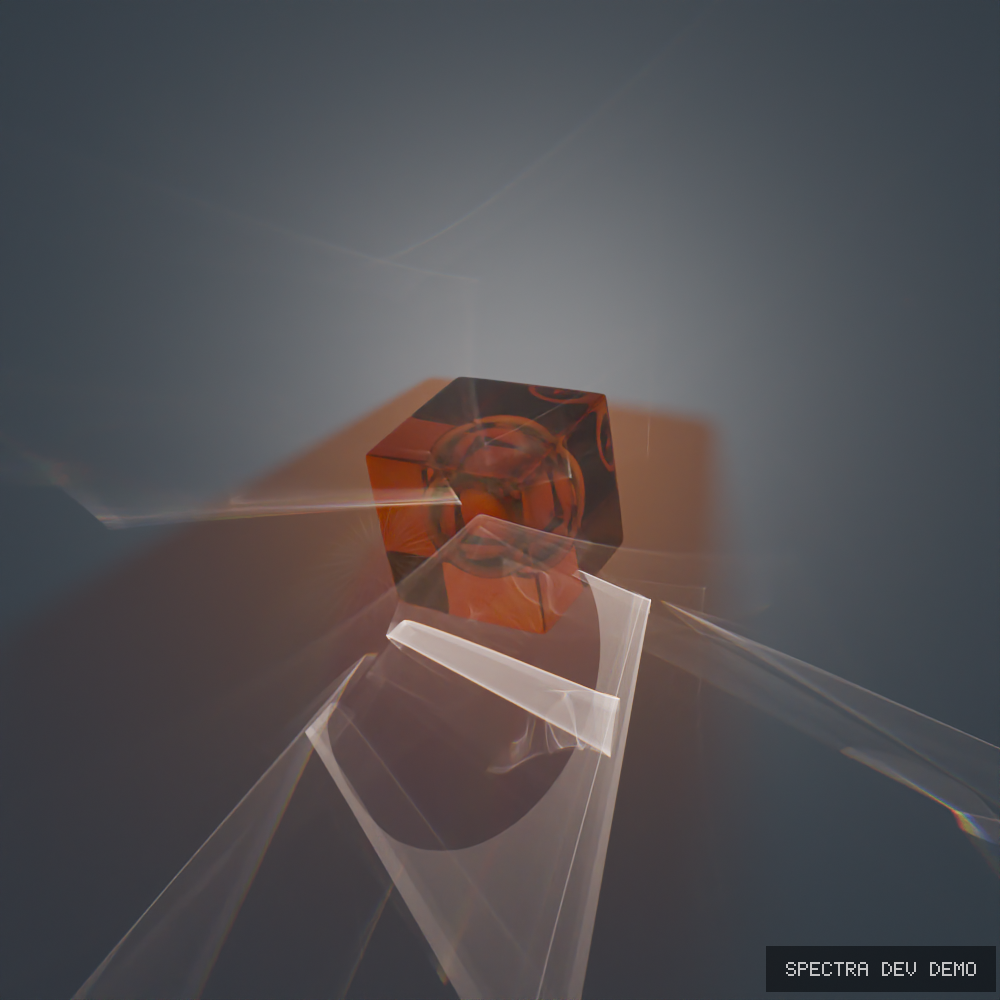
Some new render Showcase, Resolution 1000x1000px, Render under 8 Second, with RTX 3080 Mobile Laptop.

2 Likes

1 Like

Testing Blender Shader Nodes in Spectral Engine: Principled BSDF Stability & Cycles Parity Tests

Hey everyone,

Quick progress update on the Spectral Render Engine development.

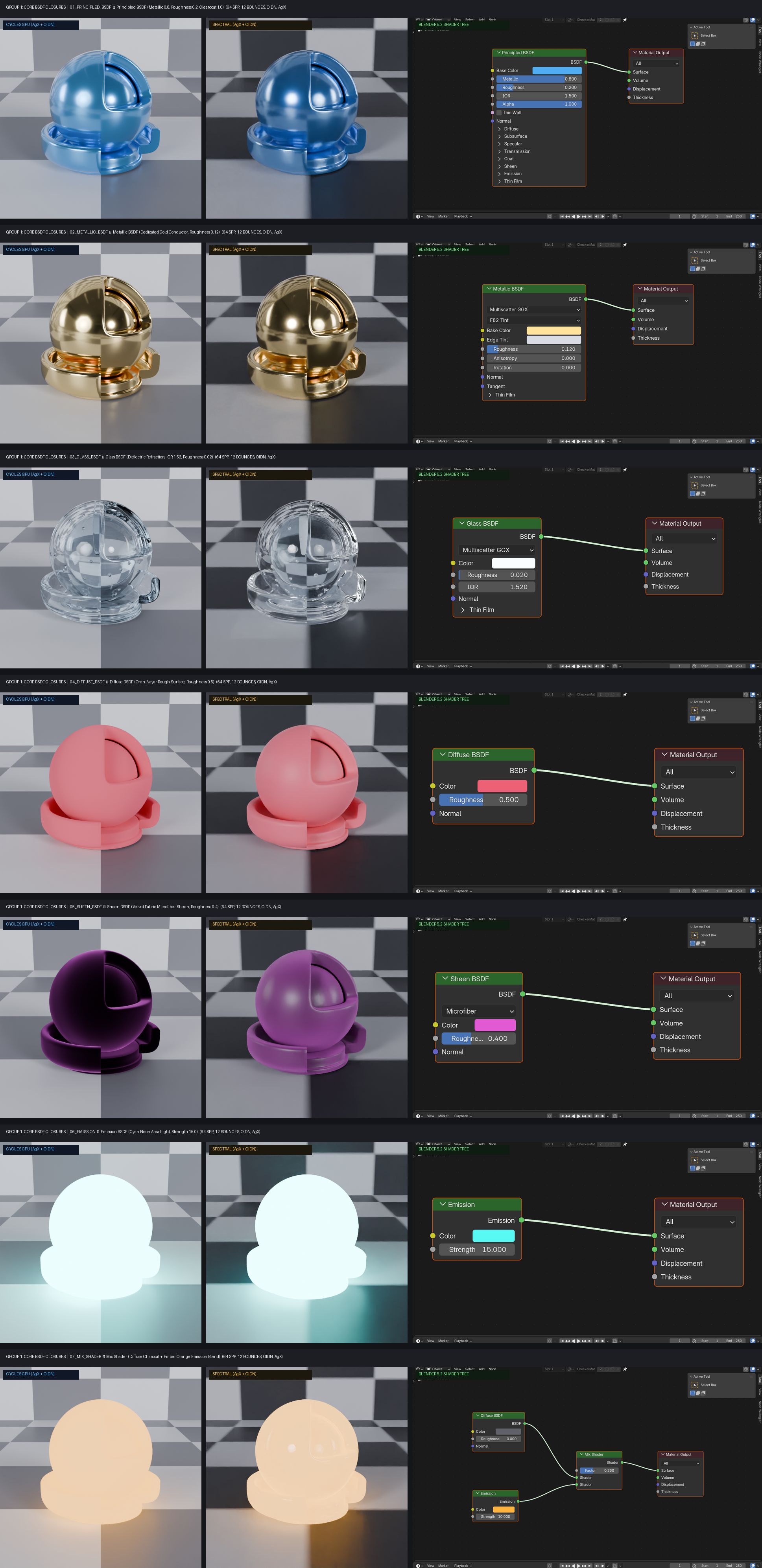
Over the past few days, I have been setting up a standardized benchmark suite to test how our engine holds up against Cycles GPU (OptiX). To keep the comparison fair and grounded, I used the glTF USD Shader Ball asset, pure HDRI studio lighting (no extra lamps or suns), the default AgX color management transform, and matched render settings across both engines (64 samples, 12 max bounces, and OpenImageDenoise enabled).

The Goal Behind This Benchmark

The main purpose here is sanity checking our shader translations, lighting coordinates, and overall stability.

One of the recent fixes tackled an environment map rotation bug where our HDRI equirectangular mapping was rotated 90 degrees compared to Blender standard coordinates. Now the softbox reflections and environment alignment match Cycles properly.

Current State of Shaders

To be completely transparent: our shader system is an ongoing effort, and not every Blender node is 100% compatible or an exact 1:1 match just yet. There are still procedural textures, vector math edge cases, and curve evaluation quirks that we are ironing out in our translation and baking pipelines.

However, the core shading foundation is already solid:

  • Principled BSDF: Metallic, roughness response, base color, and clearcoat layers are behaving consistently.
  • Standard Closures: Dedicated Metallic, Glass (dielectric refraction), Diffuse, Sheen, and Emission nodes are now predictable and stable under varied lighting.
  • Basic Texturing: Standard image maps and UV coordinates translate cleanly into the engine.

The focus right now is closing the remaining gaps on complex procedural nodes and ensuring that standard Blender material setups translate with minimal friction.

I would love to hear your thoughts, feedback, or any specific material stress tests you think I should run next.

Cheers!
-Farras

3 Likes