Storing opacity mask into base color texture's alpha channel

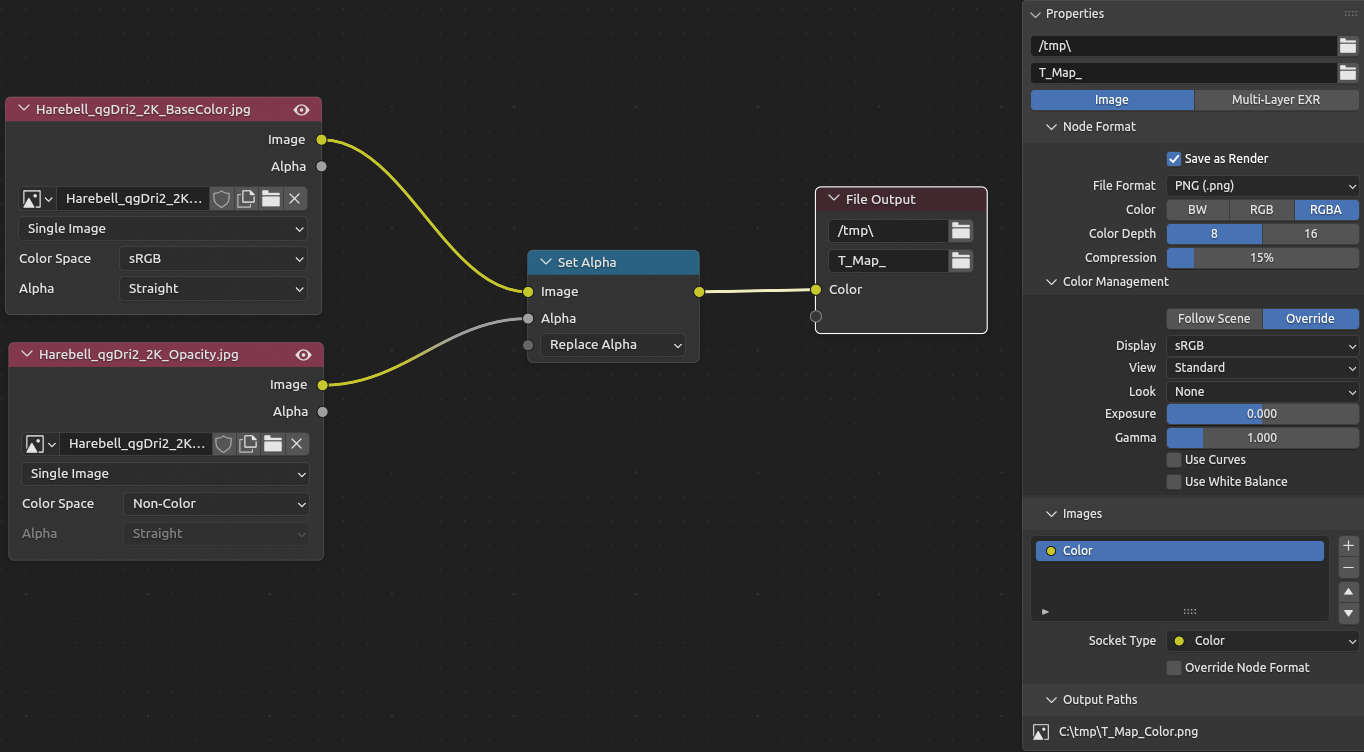
I’m trying to put an opacity mask into a base color texture’s alpha channel without affecting the color channels.

A straightforward and easy task in Substance Designer:

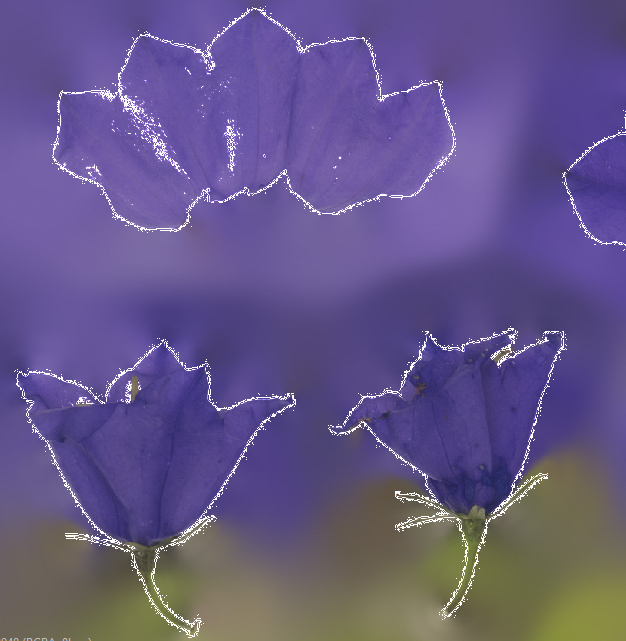
…but since I don’t want to fire up SD for trivial tasks like this, I thought I could just create a Blender startup template for processing textures in the compositor. The same setup as in Substance gives me white borders around the edges though. Tried several formats and using Save Image from the Viewer node, the result is always the same (even though the preview looks correct). Am I missing something?

out of curiosity :what are you trying to achive here, i dont understand why do you need alpha mask when you have opacity map

Have you tried adding an alpha convert node after set alpha and tested does it look correct with either premultiplied or straight? Also have you tried exr format?

It needs to be premultiplied I think

Yes to all of that. Same issue with the current 5.2 beta. :confused:

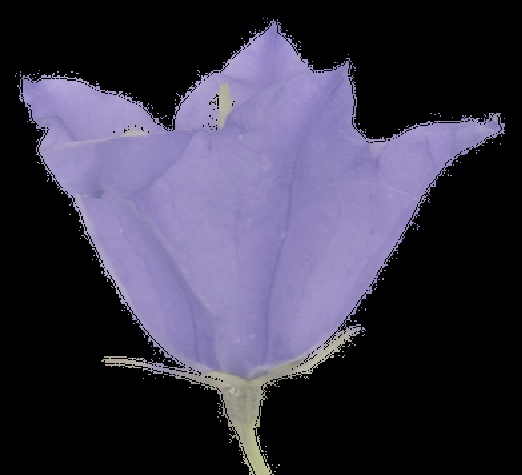
Premultiplied means altering the RGB channels which I don’t want. But even then there’s a visible border:

To use it in unreal.

But you can use opacity maps in Unreal too. Or is it for optimization so that you don’t want to use multiple texture maps? :thinking:

Yes, the shader requires it.

I know there are plenty of other ways to achieve what I want, I’m just a little confused why Blender doesn’t seem to be able to handle such a basic thing. I know that there have been issues regarding alpha usage in Blender but this behavior is new to me.

Looking at it on the computer, it looks as though your alpha channel is cast to a boolean or something. It doesn’t look like it has any values besides 0 and 1. Can you share the specific files?

Wait I missed the part where you said the preview looks correct. It’s a write problem then
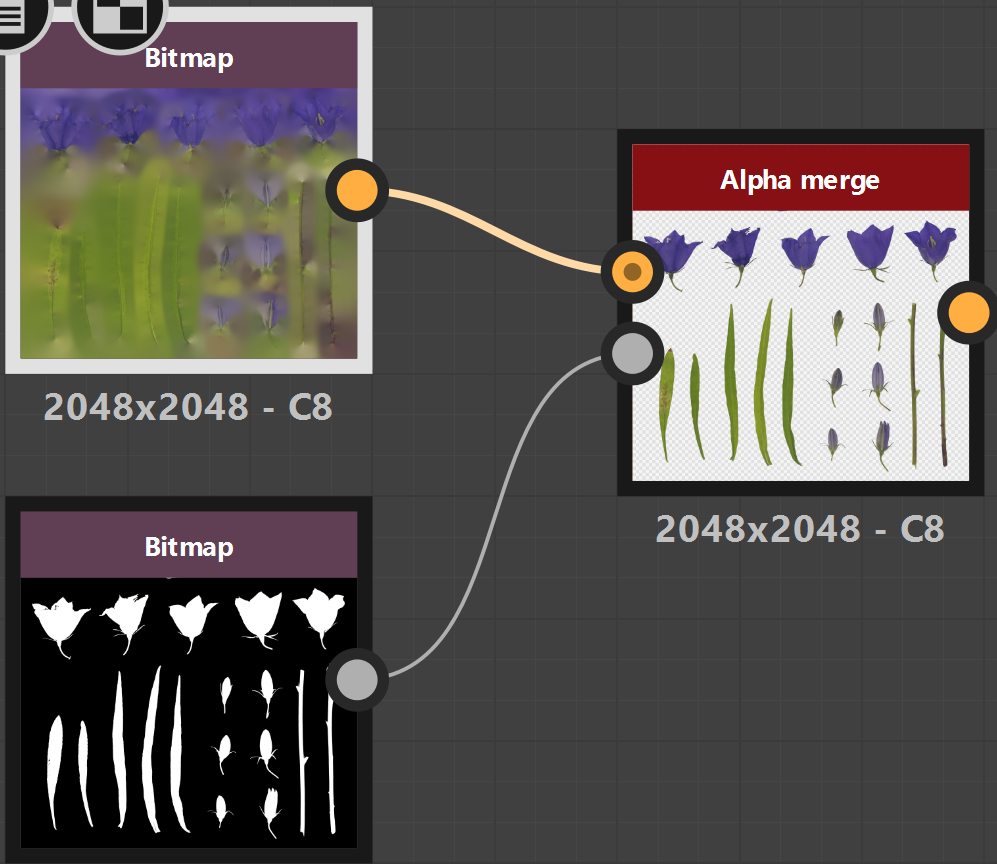
Just tried saving with openEXR again and this time it works for me. Strange, I’d have sworn that it failed yesterday.

According to this old issue and Brecht’s statement, Blender is not an image processing tool and it therefore doesn’t need to be fixed. Well.

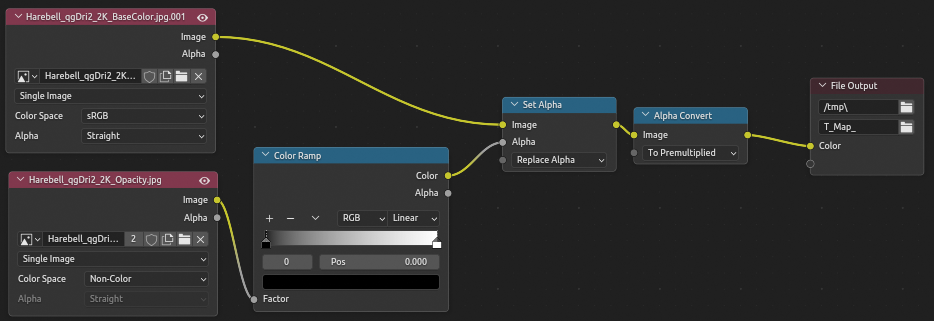
The workaround mentioned there at the end works as well and allows saving as PNG. Messy stuff…

ok , i also use ue5, and im mainly a environment artist, when i do foliage i use base color, opacity, nor , rofness, why are you need this setup.

Offtopic but: we use lots of Quixel/Megascans foliage that work with one single master material. New textures need to be set up accordingly.