Any breaking changes to the python API should be documented in the release notes. They’ve been refactoring the internal mesh structure which may be a cause.
I need to know if master works for you in 3.3.7, 1.4 had some bugs that have been solved.
If even Diffuse baking is not working for you, you should try the Blender Bake panel directly to bake a Diffuse texture. If it fails, we can discard TexTools as the culprit of your baking problems altogether.
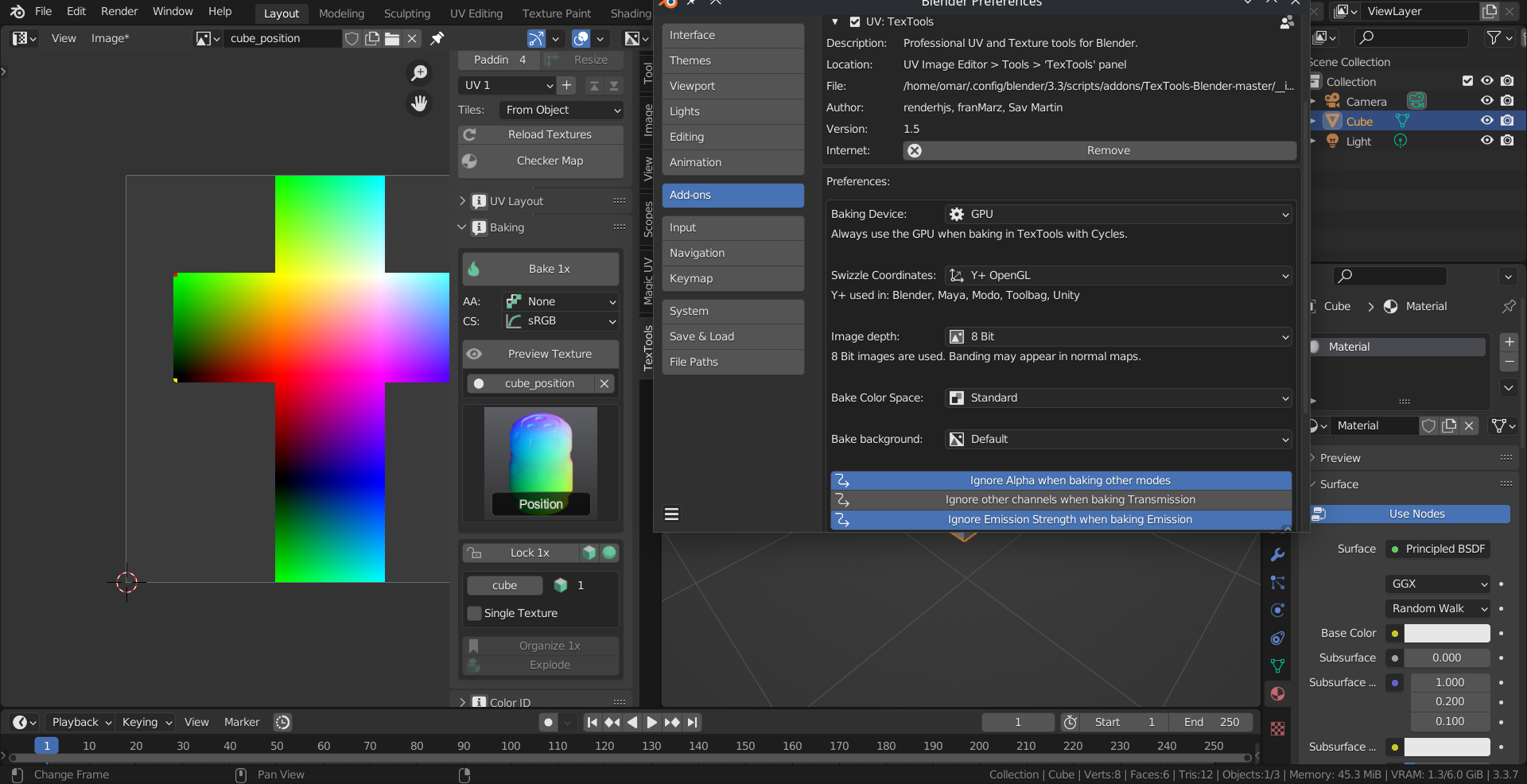
Yes I can bake diffuse and other principled maps in 3.5.1. It seems the issue is related to the Emit bake type because when I change the emission color, textools starts baking things like position in that emit color.
Thank you for the info and the report, but I just can’t reproduce your issue atm, neither understand what is causing it in your case. You say Curvature, which is a Normal, not an Emission bake mode, is not baking for you either. On the other hand, changes in the preferences or the Emission Color or Emission Strenght of your material shouldn’t affect the bake for Position, Paint Base or other bake modes where a custom material imported from the Resources folder substitute your current material during the bake.
Sorry but no much more I could add, for now just use the combination of Blender and TexTools which works for you if you really need to bake on those problematic modes.
If i click again without changing anything (a second bake) color map changes to red too.
If there are multiple objects secondary object turns to blue. I think the pattern follows the default color values. You can see that i changed the first color to white before bake
Unfortunately, the addon needs a full revision to work properly in 3.6 and especially 4.0, so I don’t recommend using it in the current Blender release for now.
Since 3.4, a refactoring in the internal mesh structures management and accessing and the Python API around it have taken place, on top of some changes and additions in UV Editing functionalities that affect some of TexTools modules. This would likely slow down with the 4.0 release, so I’m hesitant to modify TexTools while all this continues. That’s the main reason I personally still use Blender 3.3, I need certain addons to work consistently.
Anyway, please report any issue, as always, in the corresponding Github section (https://github.com/SavMartin/TexTools-Blender/issues), indicating at least both TexTools and Blender versions you’re using, and adding a test file to reproduce the error if possible.
Hello! First of all i really like the ease of use of the textTools. I have two questions and i apologize if i overlooked in case someone already asked this.
Is there a way to do multiple bakes at once? Can i bake my maps all at once, or do i have to do it one at a time.
Hi!
The answer is not to both questions. We’re waiting for displacement baking to be implemented in the Blender side without the use of multires, then we’ll add it to the addon.
Multi-baking was discussed a long time ago, it shouldn’t be hard to add as a feature, but someone has to spend time doing it. The cumbersome part would be the autosaving of the baked images, which is desirable to have, at least as an option.
Download the version from Github repository not the release page. It definitely might still have some issues since its 4.0 but the error when you try to enable the addon is gone.
I’ve commited some updates recently to master, if you’re going to use TexTools with Blender 4.0 please update the addon and report any issue you find so we can prepare more easily a full compatible new release.
Thank you very much, this tool is awesome and make the process a lot easier.
I’m aways facing an error rised by the op.rectify tool:
Error: Python: Traceback (most recent call last):
File “C:\Users\alber\AppData\Roaming\Blender Foundation\Blender\3.6\scripts\addons\TexTools-Blender-master\op_rectify.py”, line 35, in execute
utilities_uv.multi_object_loop(rectify, self, context)
File “C:\Users\alber\AppData\Roaming\Blender Foundation\Blender\3.6\scripts\addons\TexTools-Blender-master\utilities_uv.py”, line 66, in multi_object_loop
func(*args, **kwargs)
File “C:\Users\alber\AppData\Roaming\Blender Foundation\Blender\3.6\scripts\addons\TexTools-Blender-master\op_rectify.py”, line 55, in rectify
main(me, bm, uv_layers, island, faces_loops)
File “C:\Users\alber\AppData\Roaming\Blender Foundation\Blender\3.6\scripts\addons\TexTools-Blender-master\op_rectify.py”, line 139, in main
bmesh.update_edit_mesh(me)
TypeError: update_edit_mesh() takes at most 1 positional argument (2 given)
it is working anyway but this is a bit annoying because it’s preventing the tool from working on a selection of different islands.
Would it be possible to solve it in a small amount of time? I tried to do that myself but not have a lot of time to study the code.