I finally tried it a little bit, and I found the issue I was talking about… Apparently when the “ignore background click” option is enabled there, it also affects every other brush, so you are no longer able to start a stroke from an empty space… and that’s bad…
I checked it and I also got this bug after using a masking brush.
I didn’t notice the bug before because I was used to starting the brush movement from the object.
Used the vdm Baker extension thingy to make some brushes but now i realise i have no idea how to add custom brushes to my shelf??? Do I append them or add as assets or whats the way?
For having used blender for this long it feels embarrassing to not get it but oh well
It works! But how does it actually work, it just sees that there are “custom” assets in that file? Let’s say I make 10 scenes that all contain different brushes and whatnot, would they all just pop up in the brush menu as long as they are in the correct library?
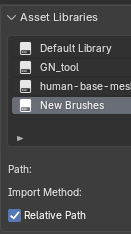
Yes. As long as brushes are marked as assets, and file is stored in asset library indicated in Preferences window, brushes can be seen by asset browser and asset shelf.
It is source list, in popover on the left of asset shelf, or in Shift Space pop-up, that allows to choose what libraries and catalogs are displayed.
Right, that does make sense once you get over the idea of the brushes being their own files (as in zbrush for example).
Is there a “proper” way to add the files so that they get sorted into catalogues based on folders hierarchy or something similar? Now I had to create the catalogues and add the assets manually in blender.
Catalogs are defined by texts files. If you want to automate assignments of assets to catalogs, you have to automate writing/edition of those files, through scripts.
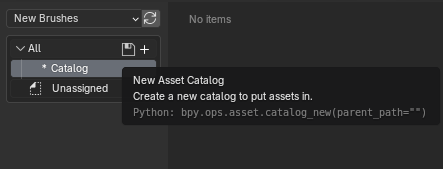
In the file where the brush assets are stored, you can create and edit brush directories in the asset browser.
You need to open the brush asset file, open the resource browser, and select the directory where the file is stored. Then you can edit resource directories.


 but oh well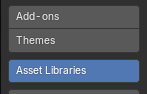
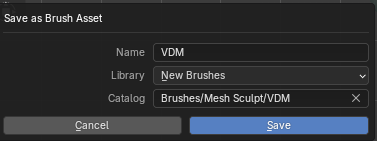
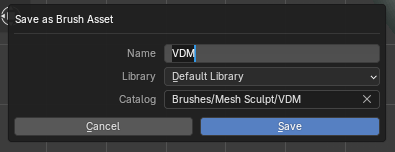
 should be straightforward enough!