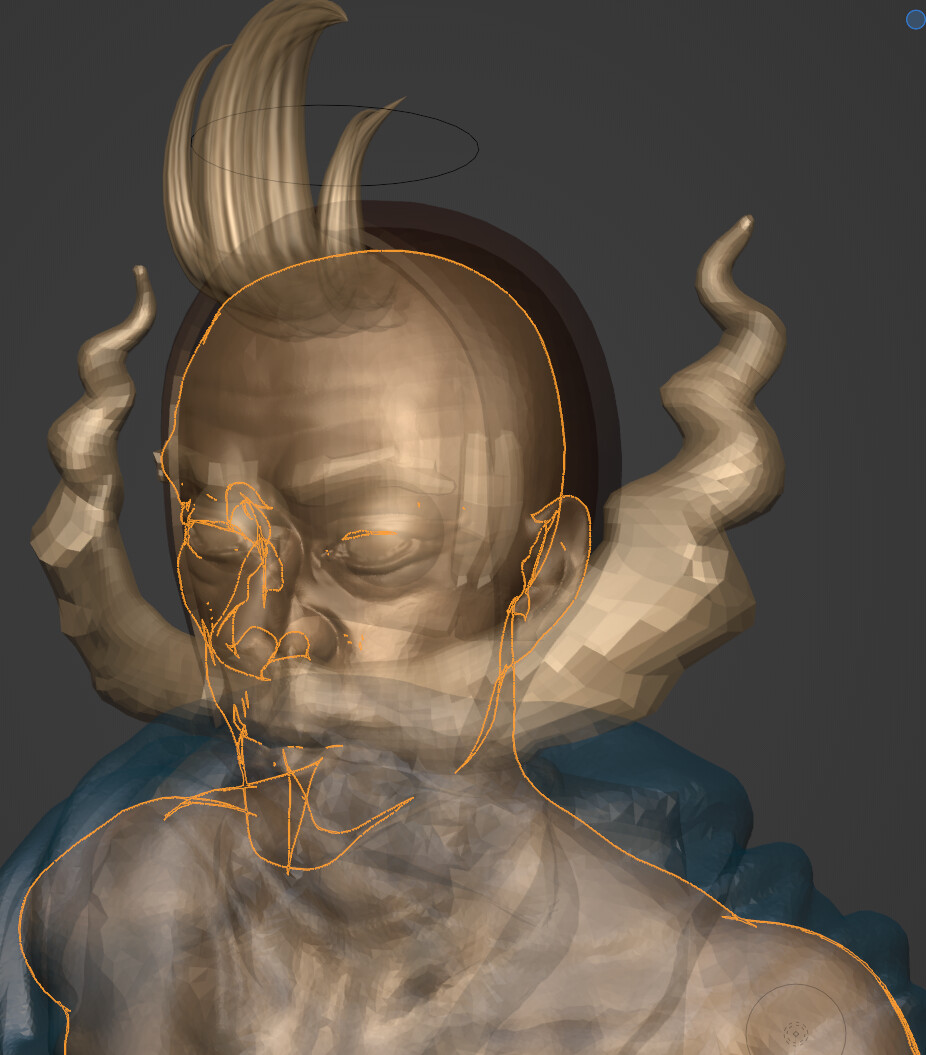
I’m usind an very old tn panel monitor and the srgb preset. Not great for color sensitive work though.
I use a G9 Odyssey Ultra-widescreen that supports HDR. The colour values have all been checked with other softwares such as ZBrush. I also work with these matcaps on my school PC and have had no issues with colour or values. They should be near identical across the board with standard sculpting matcaps.
1 Like
Something to keep an eye on: JF Matheu is creating an intriguing alternative Sculpt Mode UI / UX add-on…
18 Likes
I’m more interested in seeing what the FPS is like when he sculpts, a big issue i found with blenders API is that drawing things to the screen gets very expensive.
3 Likes
Interesting… I did a little test auto-retopologizing a cartoon elephant I made last weekend. Tried it using Quad Remesher 1.2.1 for Blender, and ZRemesher in ZBrush 2022.0.6.
Used the default settings of 5000 polygons, 50% Adaptive Size and x-axis symmetry. It turns out that Quad Remesher returns a noticeably better result. 

ZRemesher might be using a slightly older version of the algorithm. 
5 Likes
Do they have the same topology count after remesh? The thing happening around the trunk to me looks like a projection error after remesh, which is quite common in ZBrush from personal experience. Perhaps the projection algorithm for the add-on is a bit more precise?
2 Likes
That might very well be the culprit.
1 Like
To be fair, your sculpt has deep wrinkles on trunk.
Quadrimesh is erasing them except one on top. Eyelids are also lost.
Zremesher is varying faces areas to try to be faithful to them.
Deformation of faces is excessive to make third wrinkle visible.
Direction of flow for wrinkle fourth wrinkle at bottom of trunk is also better with Zremesher.
1 Like
Also valid points. But in the end, for multires workflow, the Quad Remesher result is much more suitable. The ZRemesher result gets messy when subdivided.
I’ve also tried higher polygon counts in ZRemesher, and the stretching on the trunk keeps happening.
2 Likes
@Frozen_Death_Knight
Great work on the Matcaps! And thanks for sharing them and mentioning it in teh Call for Content thread!
I know the topic seems to have died down a bit but I’d love to at some point update the Matcap selection in Blender.
We might not be able to use the Matcaps from Affinity, but in that case I’d at least use them as a reference for what Blender users want, and create something similar within Blender 
When sharing Matcaps that you’d like to have ship with Blender it’s best to share the multi-layer .exr and the .blend file 
13 Likes
Thanks for the kind words! 
Well, they are all hand painted/vectorized. All pure 2D!
I could also convert them to another 2D file format like .psd if that is more acceptable. I think it’s going to be a bit tricky to get the exact same effects with 3D, so I would recommend allowing 2D made matcaps as well that can export EXR.
Feel free to use them however you like! It’s the least I can do for having relied on Blender for my 3D journey since 2.80. 
3 Likes
The issue is rather that we don’t usually include material made with proprietary software. Everything in Blender is open source and ideally made with open source apps.
But I might be off in this case. I’ll check with the devs.
It’s still great to have them shared and available online though! Thanks a lot
5 Likes
Did you try zremesher in legacy mode?
I think the reasoning behind this is different here. Following that thought would also make it inappropriate use open sourced code that was programmed in a commercial IDE. The benefit of having the belonging blend files is, that if the matcap system is changed or extended at some point in the future to eg other attributes that could be utilized in such a shader then then its preferred or even mandatory to have the original files with the originating light setup. So manually tweaked files dont fit as well to this and people may loose beloved matcaps in such a scenario. But as these were already missing in the last upgrade process, upgrading these like this to the current system is no real drawback IMO.
3 Likes
Can we crowdfund to pay this person to open source their algorithm? Or should we wait for the AI space to start looking at retopology?
2 Likes
Were the HDRI’s that shipped with blender taken with a camera running open-source software, transferred to a computer running an open-source operating system, combined into a high dynamic range spherical panorama with open-source software, etc etc ?
5 Likes
Anyway, I updated my download links with that LightGrey_BlueRimlight matcap I made as well, including the source file.
No, but that’s still ZRemesher 2.0 if I’m not mistaking. ZRemesher 3.0 should be equal to the current Quad Remesher.
I don’t think the Quad Remesher / ZRemesher dev, Maxime Rouca, will deviate from his current commercial path, as the current situation has been working for him for years, and Pixologic respectively Maxon will probably continue to pay a licensing fee to him for the use of new ZRemesher versions in ZBrush.
AI should be very suitable for new auto-retopology tools, training the AI engine with a range of ‘ground truth’ optimal manual topologies of all kinds of models. I’m still eagerly awaiting such a tool.
8 Likes