A new, improved version of Chisel is coming soon. 
1 Like
Sweet Birds
I tried to recreate, as good as i can  , a Japanese candy in MagicaCSG.
Here’s the result.

6 Likes
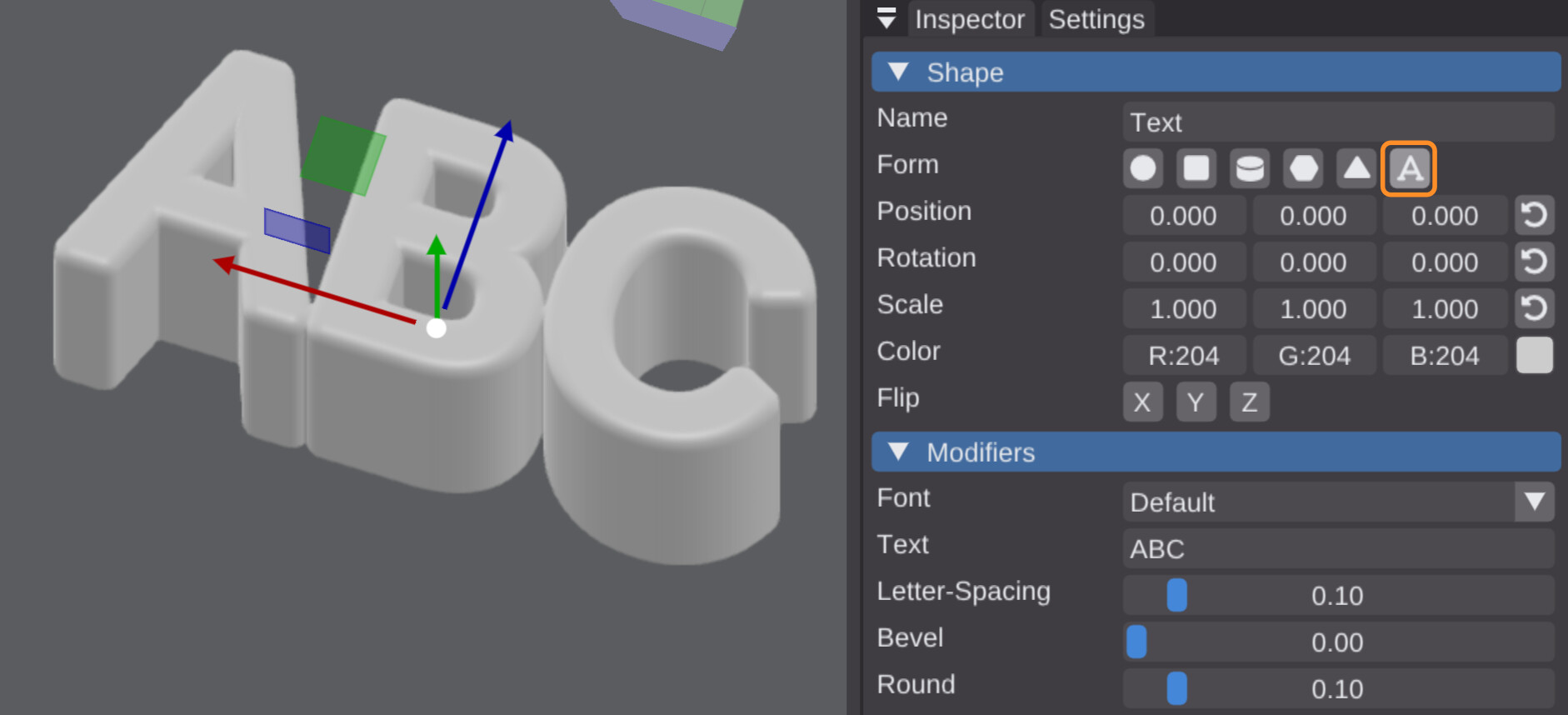
The text… how does it become activated? Where, in the ui, is it to be found? I am not finding it.
1 Like
New updates on the MathOps blog about the SDF engine, check it out if you’re interested!
3 Likes
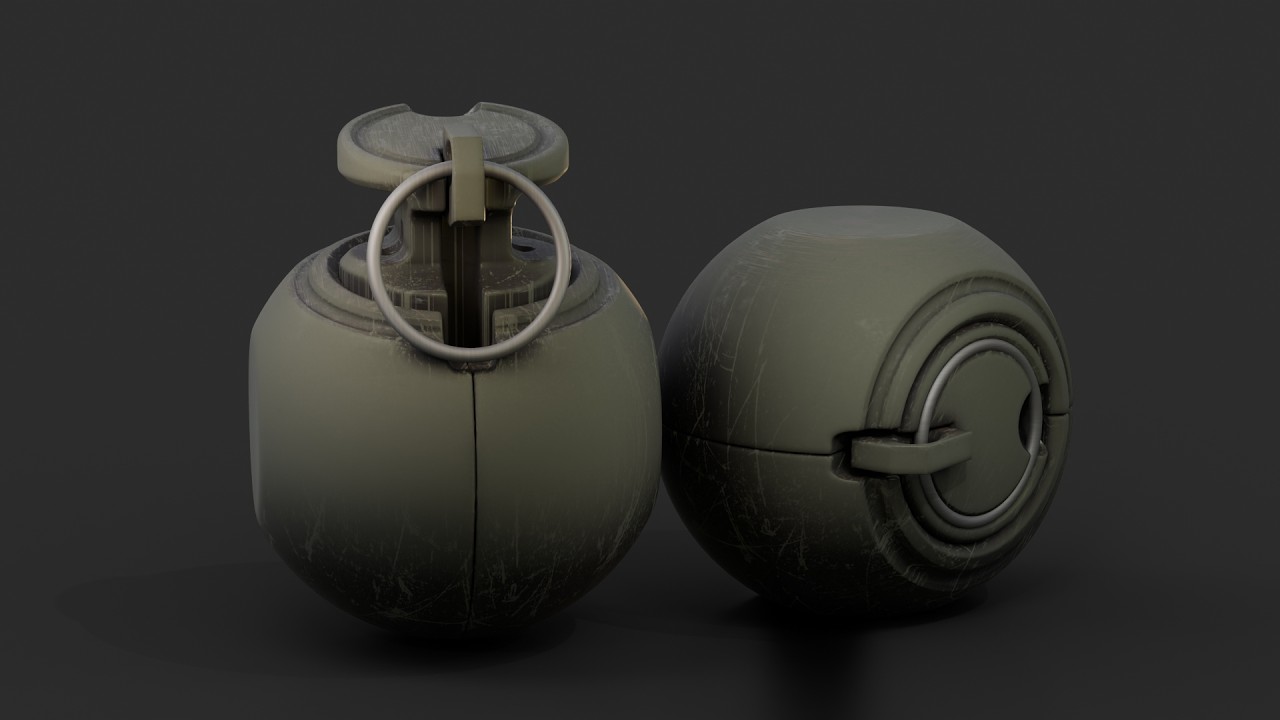
Finally
4 Likes
Modeling the head of my old Moon Child pixel game character, that recently went viral on Bluesky. 
Modeling in SDF Modeler is such a delight. You can freely search for just the right shapes, angles, proportions, et cetera, without anything being cemented. 
7 Likes
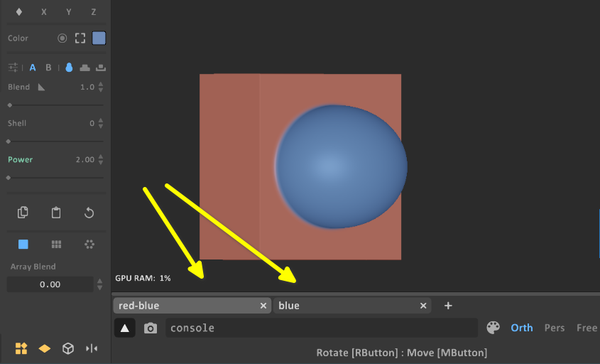
New Update MagicaCSG Beta 0.7.4 features Project Tabs now.
Projects can be opened or created in separate tabs, allowing
you to switch freely between them. The maximum number of
such tabs is currently set at 64.
Copy and paste Strokes, Objects, Materials, and Transformations
between different projects is possible.
Edit and synchronize CSG Primitives within a single program instance.
Select a CSG Stroke and click “Edit CSG” in the top bar to open the
corresponding CSG project in a new tab.
Once the CSG project is modified and saved, the changes are automatically
synchronized with all other projects containing that Primitive.
When importing a CSG Primitive, the contained Strokes retain their
original colors.
5 Likes
Nice! The latest version of SDF Modeler features an option to import layers with shapes from other SDF Modeler scenes into your scene. Also convenient.
1 Like

2 Likes

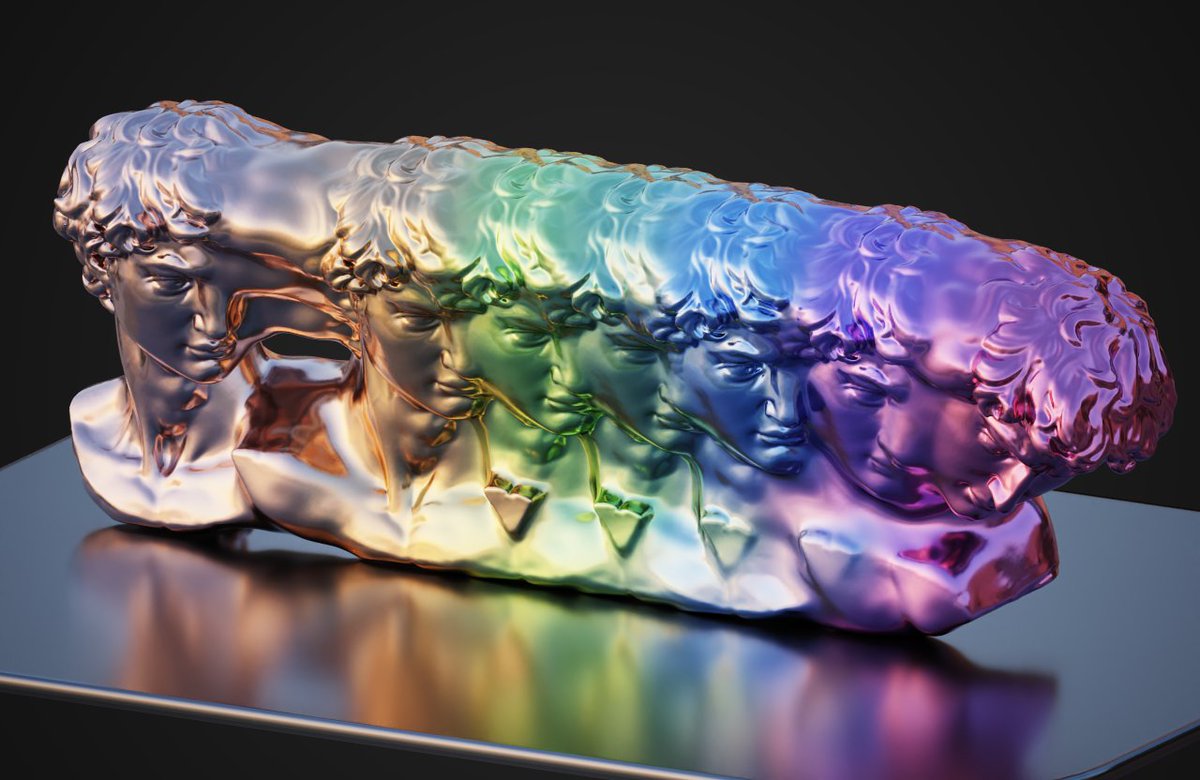

Added Dual Contouring of Signed Distance Data to the Reference ➔ Papers section.
3 Likes
Are devs going to implement this for geometry nodes remeshing? Do you have any idea?
I have no idea. I still hope the Blender devs will soon add an SDF modeling toolkit and an optimized ray-marching renderer. 
2 Likes
That is a recent paper for Siggraph of this year, that will happen in July.
That is very interesting. But the conclusion is referring to potential improvements and optimizations.
So, a more efficient work could quickly be delivered.
Blender Developers have probably not consider this work, yet.
But maybe, it will be more interesting to wait few years, to implement next version of the algorithm.
4 Likes
This is so cool. I love to see sdf integrating with mesh object.
Is it faster than gn sdf grid node setup? Can it handle sharp edges?
1 Like
Version 3.0 of the Chisel SDF add-on for Blender has been released. I’m still beta-testing Chisel, and with this new version, it has become my preferred SDF add-on…
Chisel 3.0.0
The viewport renderer is rebuilt from the ground up (v3): per-frame tile building, primitive culling and tape pruning now run as GPU compute passes, navigation and refinement are decoupled, and the per-chain limits double. Also new: F12 rendering, Mirror Object, an exact depth-curve primitive, and a big round of modifier and menu UX.
New
- F12 rendering — render the SDF scene through the active camera to the Render Result
- Mirror Object — mirror a shape across any other object, not just its own origin; moving the mirror object updates the result live
- Mirror Across Active — mirror all selected shapes across the active one in a single step
- Depth curves rebuilt — the Curve primitive now hugs the drawn Bezier exactly: circles are exact, sharp corners stay sharp, concave spans stay smooth
- Pinned modifiers — pin a modifier to keep it at the bottom of the stack; new modifiers insert above the pins • Boolean / Displace target picker — native object search field, filtered to Chisel objects only
- Ctrl+D Chisel duplicate — duplicates a shape together with its modifier graph (group cuts stay group cuts)
- Apply Modifiers — convert to mesh and clean up the source shapes in one click
- Cycle hotkeys — [ / ] cycle the primitive type, ; / ’ cycle the modifier operation (Chisel tool only)
- RMB context menu overhaul — Type picker, Swap Modifier, modal-adjust shortcuts, copy / duplicate / snap / parent / collection entries
- Pie menu dual buttons — click adds a primitive or modifier, Shift+click swaps it on everything selected
- Show Bounds for non-rendered SDF helpers, plus a Bounds outline mode
- Render flag decoupled from viewport display — hide a shape from the render without hiding it in the viewport
- Preferences → Debug: diagnostics report, pipeline-cache tools and a Verbose Logging toggle (console is quiet by default now)
- Tool tooltip shows the addon version and the full hotkey list
Performance
- GPU compute pipeline — tile binning, per-tile primitive masks, interval pruning and tape compaction all happen on the GPU; the CPU no longer touches per-tile work
- Two-state render loop — navigation draws synchronously at adaptive resolution while the full-quality frame settles on a worker and lands when ready; no more spinning between frames
- Dynamic Resolution — automatically scales navigation resolution to hold a target frametime (Performance panel)
- Per-chain limits doubled — 256 primitives and 512 instructions per chain
- Per-chain occupancy grids skip empty space (replaces the scene-wide grid)
- Clean-frame caching — camera-only frames reuse tiles, tapes and materials; edits invalidate just the touched object or material instead of the whole scene
- Coalesced per-primitive GPU loads in the chain interpreter (~10% faster march)
- Front-to-back tile ordering and per-chain step budgets tiered by primitive count
- Apple Silicon — the new renderer runs natively on Metal
Fixed
- Convert cutting flat faces through chamfered booleans
- Convert clipping chamfer-smooth blends at the mesh boundary; converted normals now match the rendered surface
- Bake producing all-black maps for boolean objects; standalone bakes rendering the wrong output map
- Twist / Bend mismatch between the viewport and the converted mesh
- Boolean-seam noise and black glitches on multi-chain scenes, especially at a distance
- Curve clipping when rotated or far from the origin, blend gaps, navigation holes and broken normals
- Crash on Ctrl+D duplicate (two separate causes, both fixed)
- Crash on undo from a stale handler reference • Veil no longer hides the objects you currently have selected
- Q pie menu only opens inside the Chisel tool; Alt+Q still works everywhere
- Convert to Mesh from the RMB menu now opens its options dialog
- Cone / Trapezoid proxy mesh not updating on cap changes or type switches
Compatibility
- Blender 4.5.7+ and 5.x — wheels for Python 3.11 and 3.13, Windows / Linux / macOS
- Existing 2.x scenes load unchanged
- Depth curves pick up the rebuilt SDF automatically — shapes now follow the drawn curve exactly, so loosely-drawn curves may fill out slightly at the corners
- Addon / wheel mismatch is now detected by a build-hash handshake — a stale wheel shows a “rebuild wheels” notice instead of failing silently.
6 Likes