I’ve tried creating a photorealistic Earth many times over the past decade but I was always either limited by my PC or my lack of skill. Now (for like the past year), I really only have my lack of skill to deal with. 
Anyway, in creating this new Earth model I was used the famous “The Blue Marble” photograph as a comparison, and so I thought I’d just render out a full-res image that is similar to the photo.
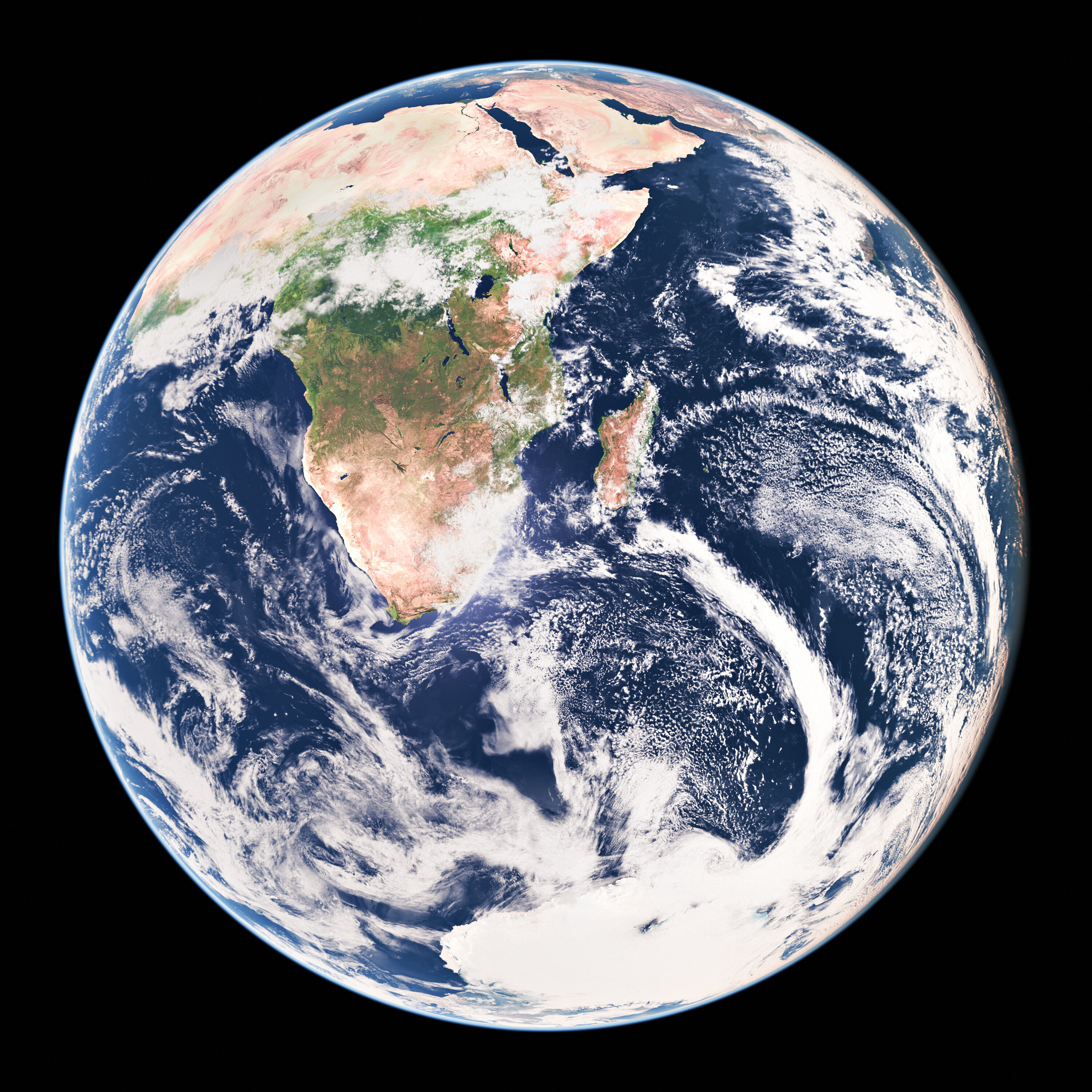
Cycles | render time: 4m 50s | creation time: ~5 hours | RTX 4070 SUPER
It took me around 5 hours to get to the point at which I made this render. I may still tweak some things with the model though.
Render time was about 1m 33s for the same size as the original Blue Marble photo (~3000x3000) but since this is 3D and I can render at whatever size I want, I rendered a 6000x6000 image which took just under 5 minutes to render.
The atmosphere was one of the biggest things I wanted to get right this time. It uses Volume Coefficients shaders and some parameters from this paper. The atmosphere is still not 100% photorealistic and does have some space for artistic manipulation, but it’s far more accurate than anything else I’ve made so far.
The clouds are my biggest issue with the design at the moment. In the past, I used a single-surface method just using a cloud mask to control the alpha, but that always looks fake. So this time I did proper volumetrics which is much better but I had a lot of issues. The cloud layer needs to be so thin that I start getting overlapping geometry artifacts even though the thickness of the clouds is controlled entirely by a spherical gradient texture. So I just had to make the clouds go into the Earth and be thick, but this work-around is very visible on the edges of the Earth. I also wanted to use Mie scattering but, for some reason, all the scattering options made the clouds gray rather than white except for Henyey-Greenstein. With the Henyey-Greenstein method I can adjust the anisotrophy until the clouds look white, kinda of… But I have to manually adjust the anisotrophy for any angle the camera is at as one value will look right at one angle but bad at another. So the clouds still need resolved, but I’m not sure if that will be possible with the precision limitations.
Anyway, with all the problems aside, I’ve pretty happy with the result.


