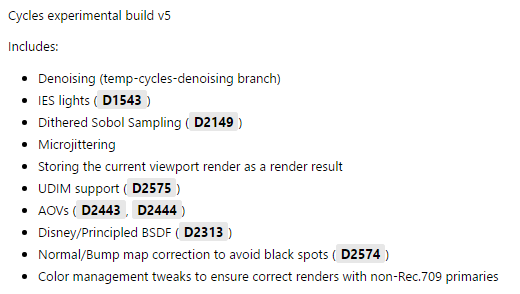
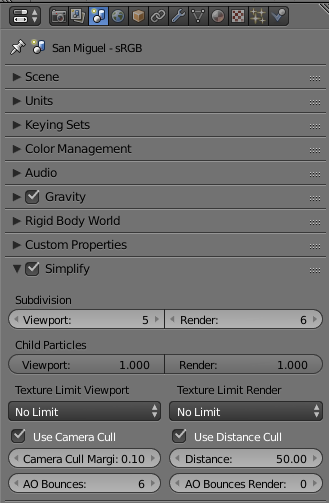
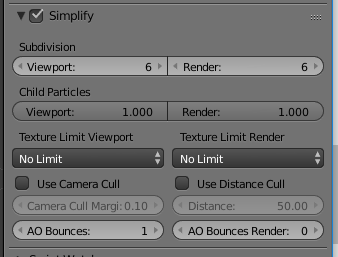
Thanks to lukas stockner and a few of the main cycles devs cycles has become 10x faster or 10x cleaner… We can denoise, We can blend between noise, We can even remove the randomness (noise) from the sampling to get clean renders from the first sample, We can switch to AO after a certain number of bounces. We can limit texture size to fit our previews in to vram… We can hide geometry far away, We can hide geometry behind the camera, We dont sample lights that we cant see, We dont sample lights that are too weak to contribute to the scene, We do a lot of things apparently… Who is “we” IDK what im talking about its 3 am… Enjoy this video and maybe download the build
Don’t sample weak lights
This is also done by hand but its an easy value to tweak. It still samples the light but it doesn’t sample after a certain level of light.
The interface is a little deceptive. The checkbox is for the “world AO”, which is an ambient lamp with built-in occlusion. The distance still affects the AO pass and the AO-after-diffuse bounces thing, even with the checkbox disabled
I don’t think it quite works like that. The threshold kicks into gear when a shadow ray is below a certain level of energy (and below that threshold it has a chance of being terminated). The samples that don’t get terminated then get a higher weighting so the render basically looks the same but with lower render time.
With an aggressive approach, this can almost replace the need to mess with the min bounces parameter (because that option has a bad habit of introducing major bias if set low enough in certain scenes).
Nice!
I do not know if it is clear in your video, I mention just in case for others that you are using “Scrambling distance = 0” in the experimental build (Render tab > Sampling).
Regarding fast rendered view on viewport, for scenes with heavy Volumetrics it would be nice to have on “Simplify” options a discriminated option for Geometry > Step Size on Viewport.
Stranger things have happened. Perhaps I’m cynical—working for the government can do that to a person—but the demo didn’t show (or even hint at) F12 renders, so I’m taking nothing for granted.
Thanks for your reply.
EDIT:
Nope, I’m not getting any speed up. In fact, I just tried it and I’m actually getting slower render times. For my test scene, I got 1:11.43 with the official release, 1:14.68 for this experimental build.
I turned on camera/distance culling for all objects (frustrating since it can’t be done on multiple objects all at the same time) and turned those on in the Scene tab as well.
Is there a User Preferences setting I need to turn on as well? Or is this a belated April Fool’s joke?