Hello
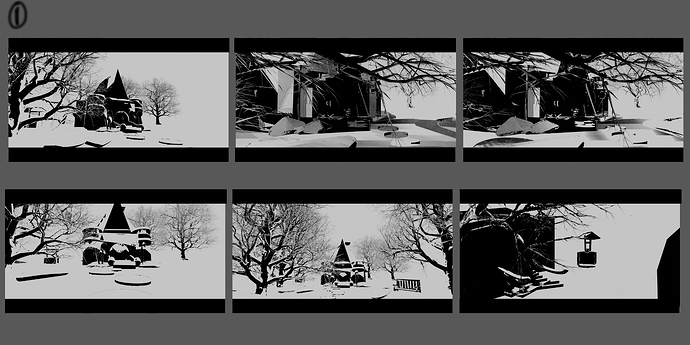
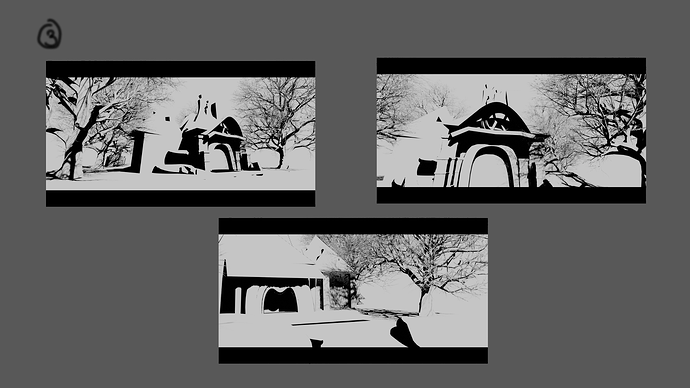
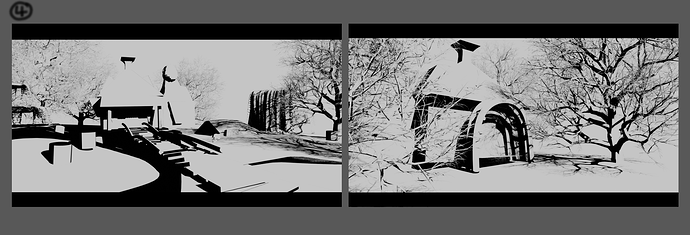
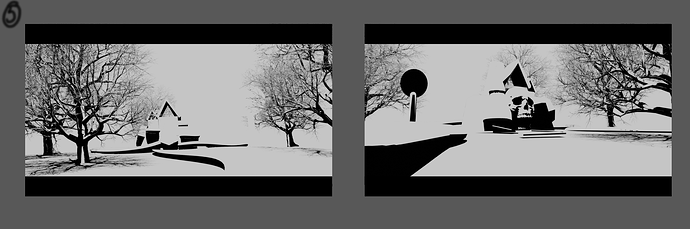
I’m currently working on a new project: Hansel and Gretel – The Witch’s House. I’m in the early sketch and thumbnail phase. The concept is that the witch from Hansel and Gretel didn’t die—she’s rebuilding her house for revenge.
I’ve chosen Design 1 and will be developing it further. I’ll be working on the development phase in ShapeLab and finishing the renders in Blender.
I’m still new to this, so any tips on how to improve the project by applying art theory—such as composition, color, shape language, or storytelling—would be greatly appreciated! and of course any ideas would be great too?
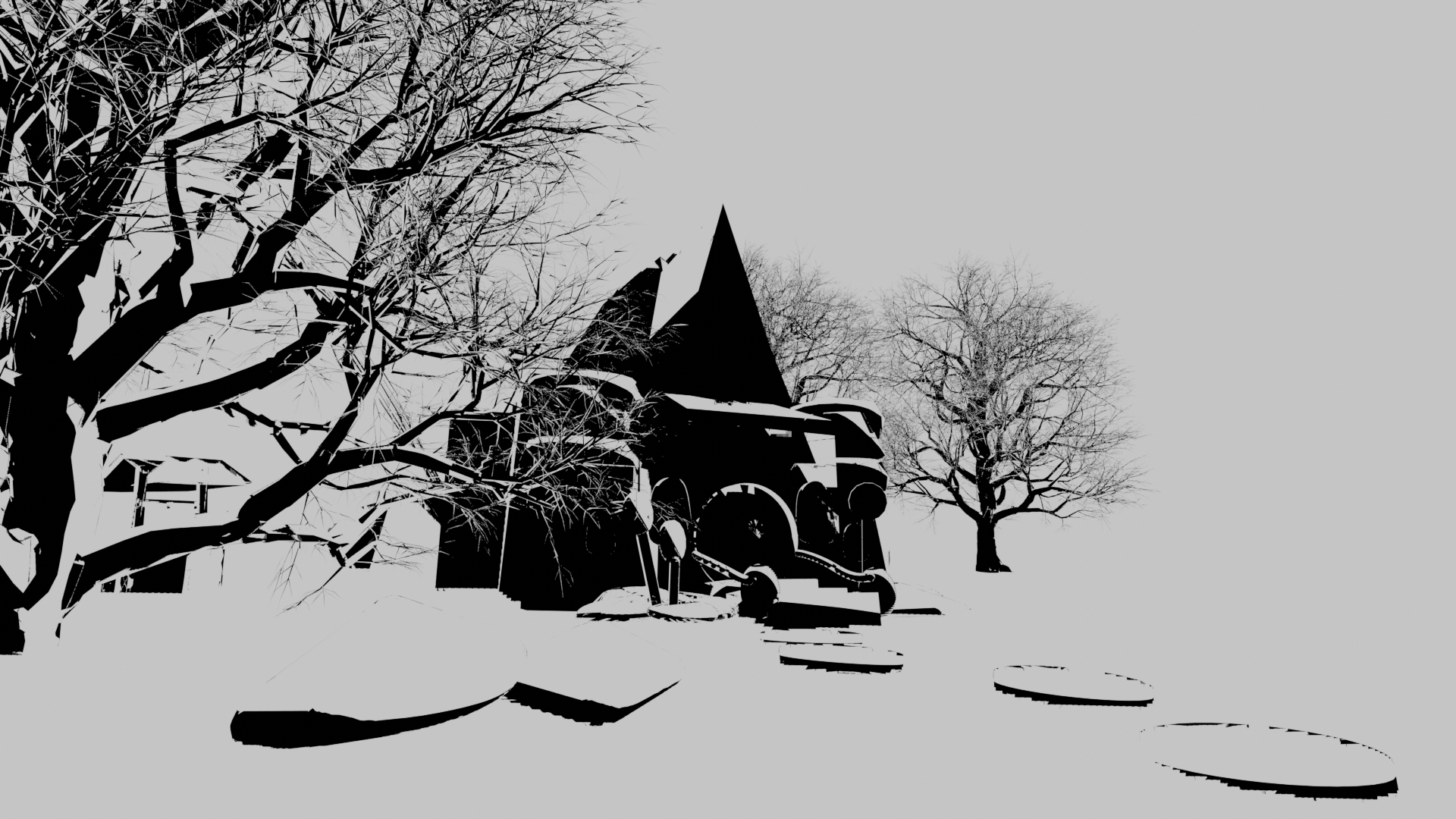
Honestly, I’m not too sure what I am looking at here. If you say you have chosen a design, could you upload a bigger version of the image? It would be easier to comment on that and I would rather not risk judging a project by a little thumbnail preview.
Are you planning on having this black and white style in the final piece, or is this just while sketching the scene?.
In any case, I see what appears to be a technical problem. It’s making the scene look way more messy than it should, so I think I should explain it before judging the art itself, at least for that one image.
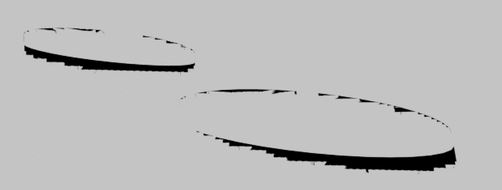
This kind of jagged look tells me you probably have issues with camera clip distances.
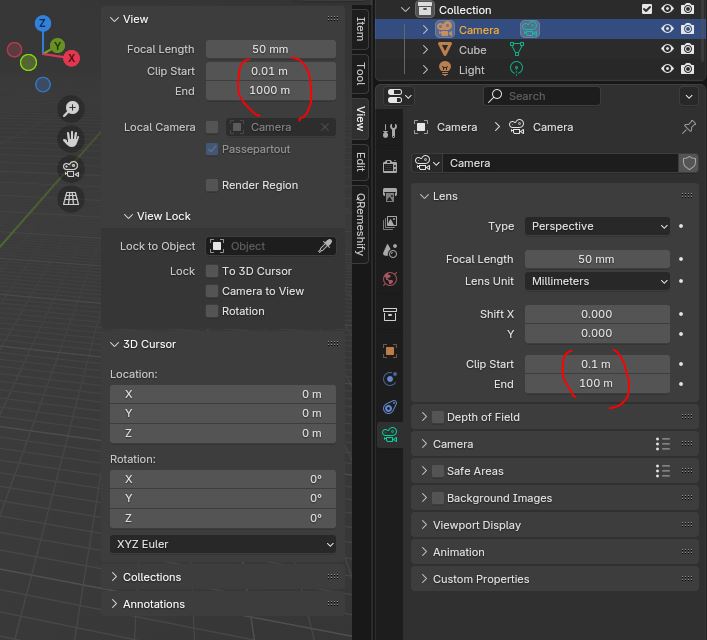
You will find the clip settings both for the viewport and on the rendering camera.
These distances have to be adjusted to the scale of your scene. If the start is smaller than it needs to be or the end farther than needed, Blender will run out of possible distances at which it can show faces and you get precision errors.
Try slowly increasing the clip start and lowering the clip end until you find the distances at which they start to visibly cut objects. You can leave quite a bit of margin, just make sure the distances aren’t mismatched to your scene by 10x or something. You don’t need to see objects 0.001mm in front of the camera or 1000km away in a realistically scaled scene.
–
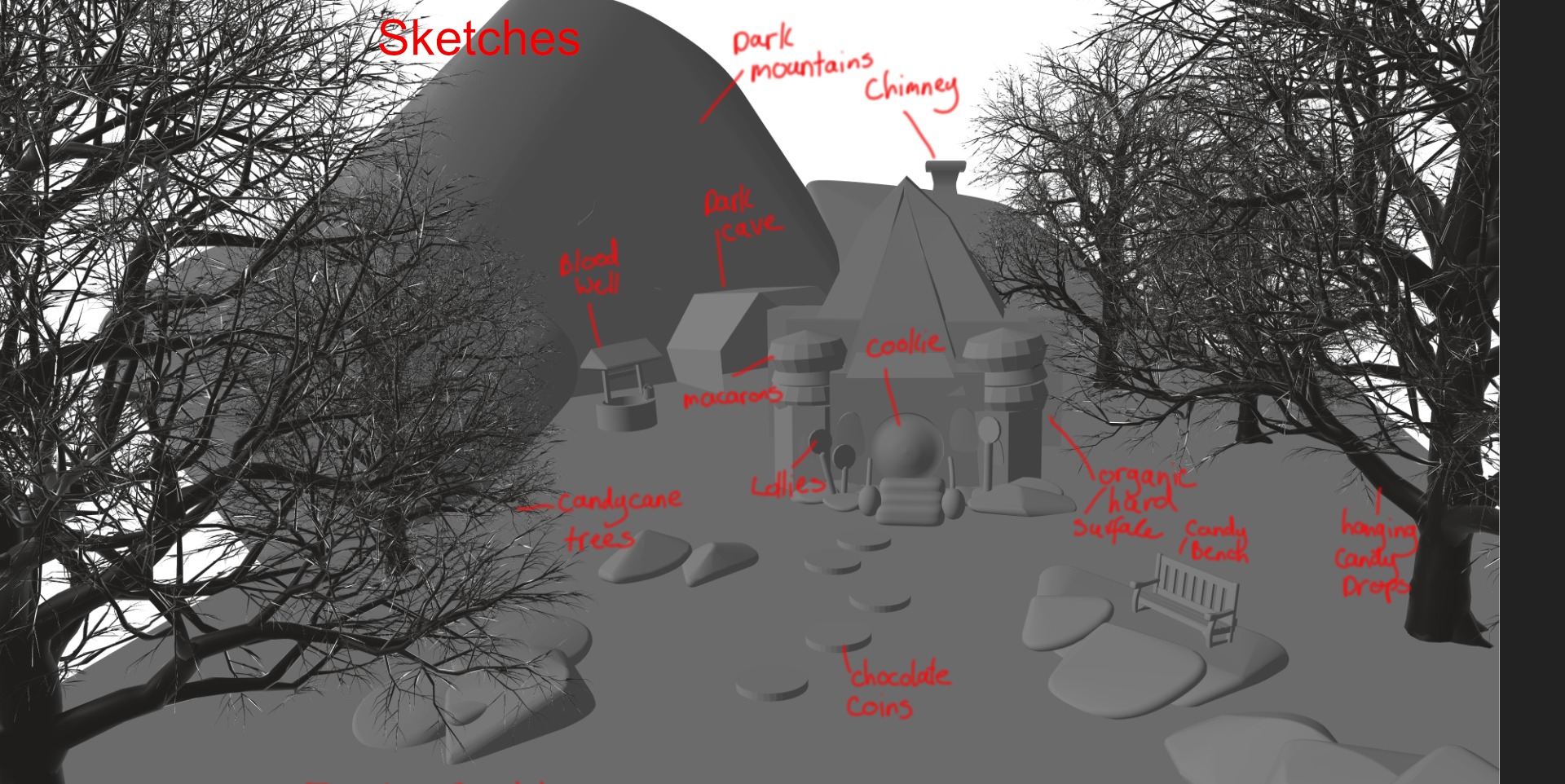
For the second image, I do like this scene layout and think it can work well. Actually, I think all the layouts you tried could be made to work, it’s more about the camera angle and lighting. A good photographer in real life can manage to get a good photo almost anywhere.
No, this is not the finished piece, and it will not be in black and white. What I shared earlier were rough sketches and thumbnails created as part of the development process for the final keyframe. The final version will be fully colored, textured, and much more detailed and refined.
What you’re seeing now is a thumbnail that explores the lighting and composition for the final rendered keyframe for Hansel and Gretel: Witch’s Revenge.
I’m still working through a few challenges with properly setting the camera. You made a great point about the distance view—thank you for that. However, in this case, the current setup actually adds more interest to the thumbnail than if the shapes were just plain circles. It helps create a more dynamic and engaging composition at this stage.