
Trimsheet Express Discussion Forum

Hi Blender Artists! :wave:

I’m excited to announce the launch of my new add-on: Trimsheet Express, designed to streamline your 3D texturing workflow and make trimsheet creation faster and easier than ever before. Whether you’re a beginner or a seasoned Blender user, this tool will allow you to pack multiple materials and textures into a single trimsheet material in just seconds!
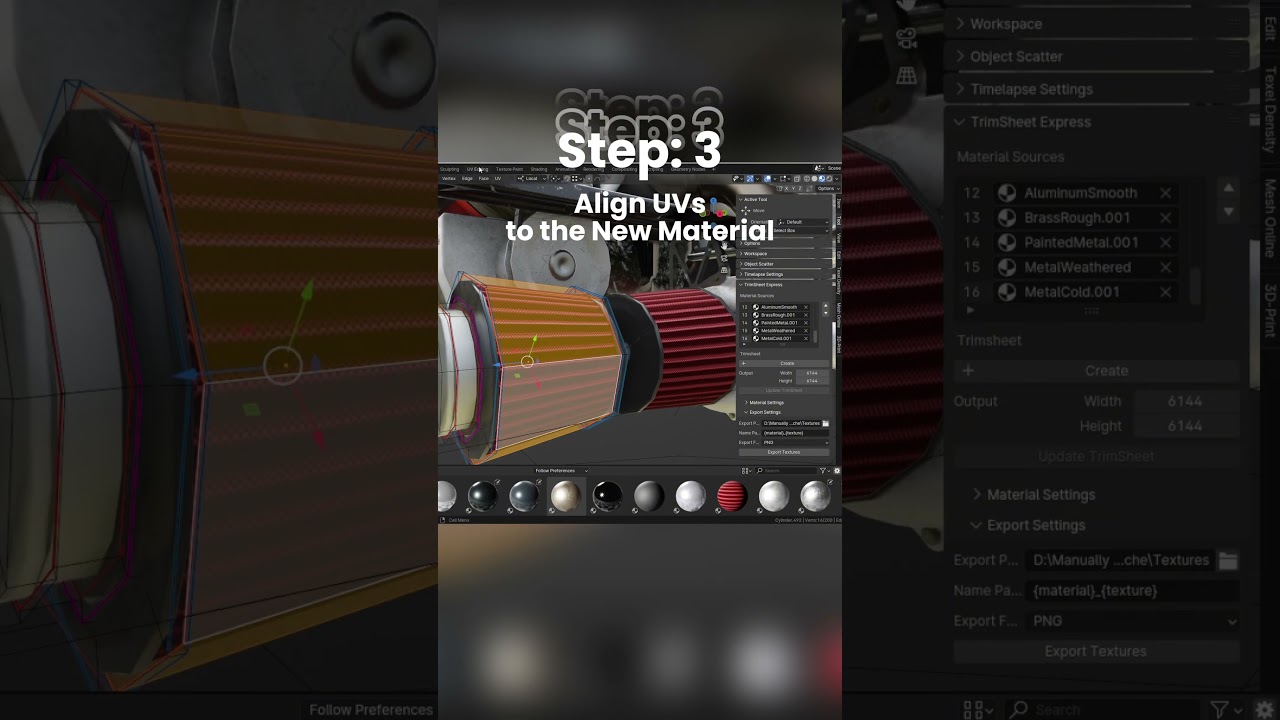
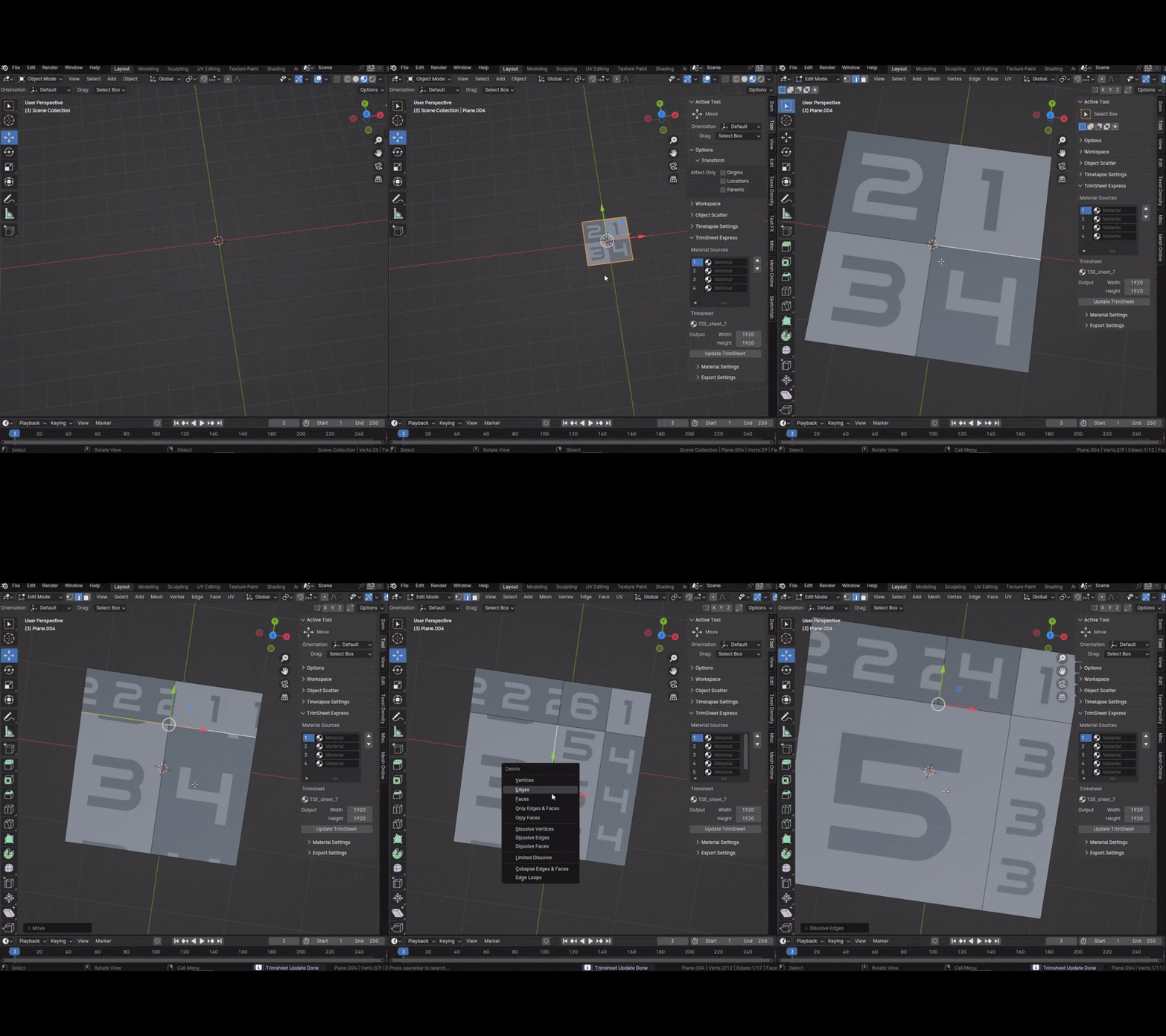
demo1gif

This forum is the perfect place for:

Questions: Got a question about how to use Trimsheet Express or any of its features? Ask away!

Feature Requests: Is there a feature you’d love to see in future updates? Share your ideas here.

Bug Reports: If you encounter any bugs, please report them so I can fix them as soon as possible.

Showcasing Your Work: I’d love to see how you’re using Trimsheet Express in your projects. Feel free to share your amazing work here!


Quick Overview of Trimsheet Express:

Custom Texture Resolution: Supports different output resolutions based on your needs.

Baking Features: Integrates baking features for complex material setups, per texture channel.

Shader Support: Works with Principled, Glossy, Diffuse, and Transparent shaders.

Live Preview: Transform and scale material sections with a live update preview in Edit mode.

Batch Export: Export your trimsheets in any format, with customizable naming patterns.

Feel free to explore, ask questions, and share your thoughts. I’m looking forward to hearing your feedback and seeing what incredible things you’ll create with Trimsheet Express!

The Trimsheet Express addon is available on: Blender Market, Gumroad, FlippedNormals, Artstation

5 Likes

Trimsheet Express v1.0.3 Released! :blender_logo_64_png:

I’m excited to announce the release of Trimsheet Express v1.0.3, packed with bug fixes and new features to enhance your workflow. This update focuses on improving stability, addressing user-reported issues, and adding small quality-of-life features to make working with trimsheets even smoother.


Release Highlights

In this release, I’ve tackled key bugs and requests from the community, ensuring a more polished and intuitive experience. Below are the details:


Release Notes

Bug Fixes

  1. Preview Mode Diffuse Only:

    • Preview mode now shows diffuse-only for a simplified preview.
    • Previous maps are preserved to prevent accidental overwrites during mesh updates, preview maps are created as a separate entity.
    • Added safety measures to ensure node manipulations are error-free.
  2. Material Settings Bound to Objects:

    • Fixed critical issues where material settings were modified without the trimsheet objects being selected. Data is now reliably bound to the selected object.
  3. Materials List Behavior:

    • Materials list now clears properly when the trimsheet object is not selected, ensuring data consistency.
    • Resolved UI update issues caused by non-persistent listeners.
  4. Resolved Color Correction Issues and Material Representation:

    • Baking maps with proper color management settings and assignment.
    • Removed IOR map baking, replacing it with scalar values. This avoids issues with improper trimsheet material representation caused by baked maps and ensures compatibility with the correct IOR value ranges.
  5. Empty Normal Maps During Baking:

    • Fixed a bug where sections of the outputted normal map is blank when no normal input is found in any of the source materials.
  6. Duplicate Map Cleanup:

    • Automatically clears all previously baked maps with the same name or duplicates during trimsheet updates.

New Features

  1. Automatic Naming of Trimsheet Objects:

    • Objects are now automatically named as trimsheets, making it easier to identify and organize your trimsheet planes in complex projects.
  2. Warning for Missing “Correct Face Attributes” Option:

    • A warning message is now displayed when the “Correct Face Attributes” option is not enabled, helping users avoid potential issues during operations.

How to Update

To get started with the latest version:

  1. Open Blender and go to Edit > Preferences > Add-ons.
  2. Search for “Trimsheet Express.”
  3. Deactivate the addon.
  4. Click Remove to uninstall the old version.
  5. Download the latest version.
  6. Click Install, select the new .zip file, and enable the addon.

We Want Your Feedback!

This release addresses many community-reported issues, but there is always room to improve. If you encounter any bugs, have feature requests, or simply want to share how Trimsheet Express has helped you, feel free to post in the comments below.

Thank you for your support and happy texturing!


Links

2 Likes

v1.0.4 Release :blender_logo_64_png:

The release fixes some crucial bugs for blender 4.4+ where some textures with the default color space would be empty after baking.

v1.0.4 is now pushed on all platforms.

Thanks for your support, and Happy baking!