Universal Asset Library — One Asset Workflow for Blender
Hi everyone,
I’m excited to share Universal Asset Library (UAL), a Blender addon I’ve been building to make discovering and bringing 3D assets into Blender faster and easier.
The idea is simple:
Instead of constantly switching between different websites, searching for assets, previewing them, downloading files and then importing them into Blender, UAL brings the asset discovery workflow into one place.
What is Universal Asset Library?
UAL is an asset discovery and download workflow designed for 3D artists.
It allows you to:
• Search and browse supported asset sources
• Preview assets before downloading
• Filter and organize results
• Download assets
• Bring assets into Blender
• Manage your local asset library
• Work with multiple supported asset platforms from one interface
UAL currently connects with 9+ supported asset platforms/sources, giving artists a single place to discover assets.
Built for Blender Artists
The goal is not to replace the asset platforms themselves.
UAL is designed to make the workflow between finding an asset and actually using it inside Blender simpler.
The basic workflow is:
SEARCH → PREVIEW → DOWNLOAD → IMPORT → CREATE
Why I built it
As a 3D artist, I found myself repeatedly doing the same thing:
Search for an asset → open another website → find the asset → download it → locate the files → import it into Blender → repeat.
UAL was built to reduce that friction and keep the asset workflow closer to the creative process.
Key features
• Unified asset search
• Multiple supported asset sources
• Asset previews
• Filtering and browsing
• Local library management
• Download workflow
• Import workflow
• Blender-focused interface
• Support for production asset workflows
I’m also developing the same concept for Houdini, so the larger goal is to provide a consistent asset workflow for both Blender and Houdini artists.
Screenshots

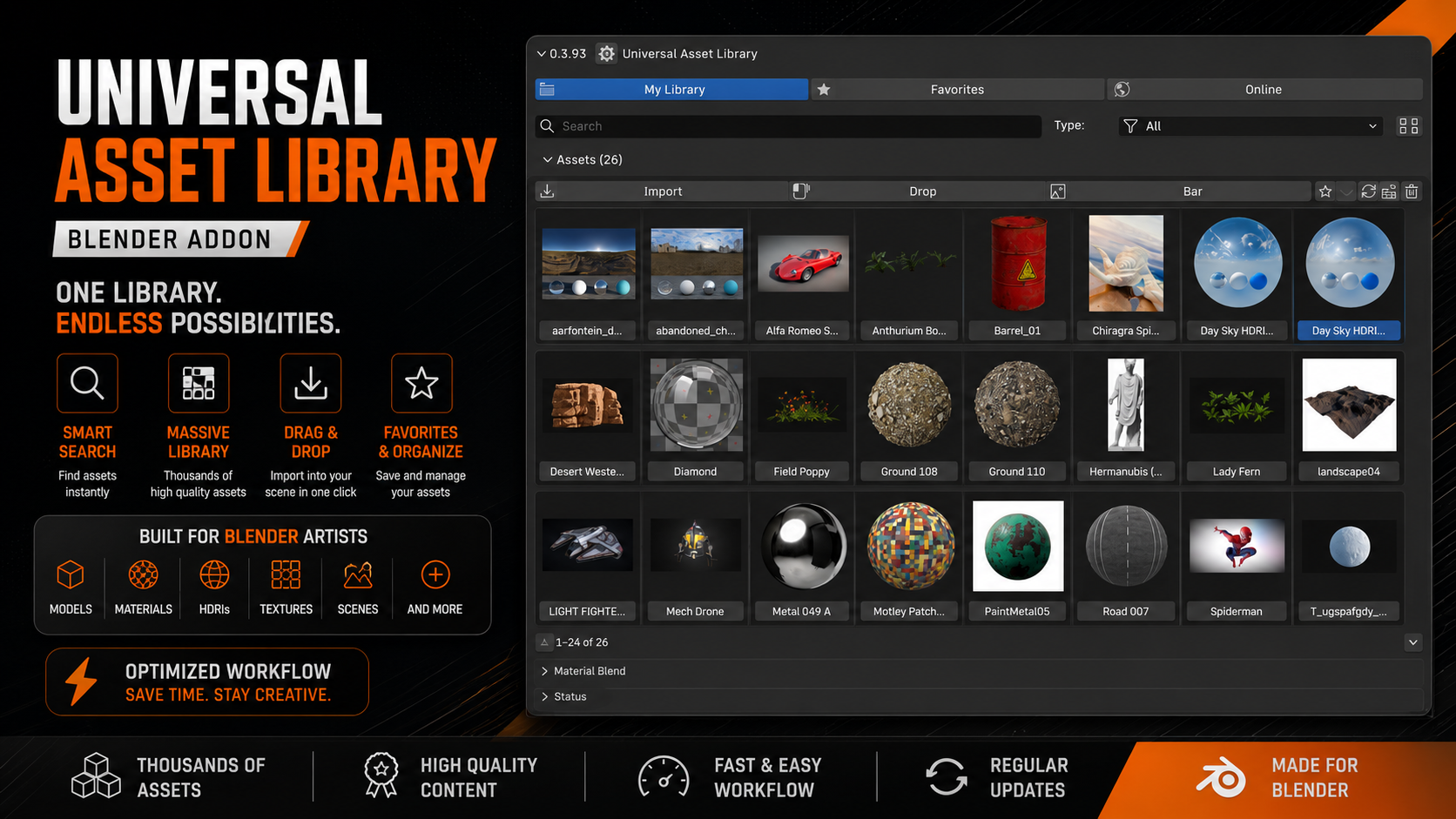

You can see the full project here:
Free to try
UAL is a free, community‑driven version of Blender available for everyone to use.
I’d really like feedback from Blender artists who work with large asset libraries or regularly download assets from multiple sources.
What would you want to see added to an asset browser like this?
Any feedback, suggestions or workflow ideas are very welcome.
Thanks!