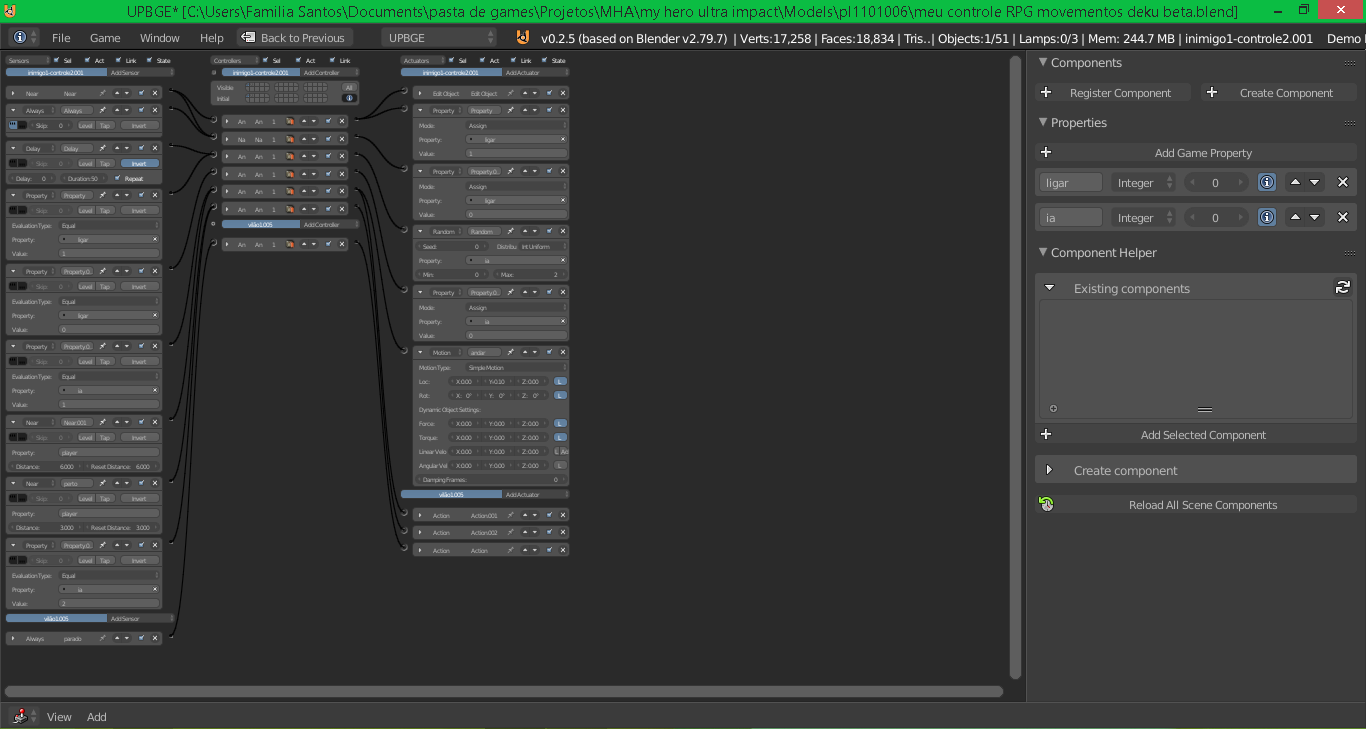
game in UPBGE 0.2.5 (based on Blender 2.79) and I need some guidance on architecture.
Currently, I have a working setup split into two parts: an invisible Cube that holds the Enemy AI logic (states like patrolling/chasing via an ia integer property), and an Armature parented to it that handles the visual actions.
Now, I want to implement a complex combat system with 10 different types of damage/status effects (such as regular hits, knockbacks, stun, freeze, and floating/levitation effects).
My main questions are:
What is the cleanest way to structure this inside the Logic Bricks so it doesn’t get completely cluttered?
Is it better to handle the damage types by assigning IDs (like damage_type = 1, 2, 3...) on the Cube and sending them to the Armature’s Actions, or should I start moving this specific part to Python?
How can I safely pause the AI movement state (e.g., changing ia property to a hit-stun state) and ensure it resumes perfectly after the specific VFX/animation delay ends?
Any advice, logic setups, or small .blend template examples would be highly appreciated!
UPBGE has lots of glitch, I regret porting my game from 2.79 to 2.79.7.
The glitch as follow .
By using sensor logic and mostly action actuators glitch.
PlayAction glitch, sometime not play or skipped, in my case some of the animations going freeze.
Loop action must start with true level tick activated, make the low performace if too many of them.
while changing state (back ond forth), the remnant of previous action will replay when back to the previous action state.
the biggest glitch is physics
Character Physics with collision sensors, when active reduce performance heavily.
The mesh collision type still the same to any version, like ground as if very thin.
unfortunately, BGE/UPBGE/RANGE developpers never really cared to document the “know-how” and prefered spend time adding new features and so many people keep making wrong because using some flawed old youtube tutorials
by doing this you call the actuator to play the action at each logical tic , which is a non-sense. You should be able to boot at start that actuator with a single “Awalys” sensor without spamming postive - nor negative - tics. That would be for your looping animations (idle, walk, run …) . If you want to play a single action above it , you can use a second action actuator on a higher layer and pulse it only occasionnaly (so no tic spam).
Beside that, pay attention to the animations. BGE doesnt like to interpolate keyframes. I noticed some glitches too in that case. So keyframe each frame and for each bone.
… And yes, the problem is that it works … but its backed by no logical thoughs
In most very few cases, you need to use 1 of them to pulse a python script/module or if you want to increment/decrement a property actuator … But using those to play animations,sounds or check a condition is just completely wrong