musikai
August 22, 2025, 9:24pm
1
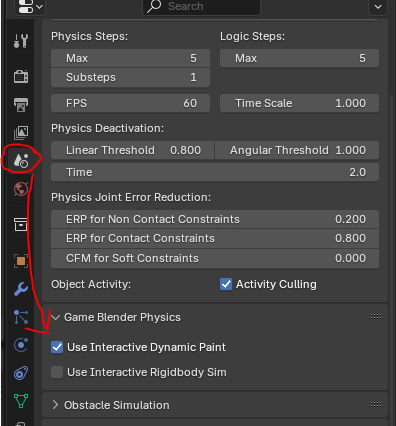
Here is a test file for 3 features of dynamic paint.
3 Scenes:

Scene 1: waves
    Key 1: spawn plank
    Space key: spawn Cube
    Mouse and click: drag plank/Cube
    MouseWheel: move plank/Cube front/back

Scene 2: displace
Scene 3: paint
UPBGE 0.3 version uses python to drive timeline.
03_dynamic_paint_watertest.blend (1.7 MB)044_dynamic_paint_watertest.blend (1.6 MB)
5 Likes
madman
October 1, 2025, 4:19am
2
Looks good, I will try on Range
I could not understand about this post if any one have knowledge about this then explain it for better understanding.
you can look into the scripts and see how they are connected with logic bricks
@musikai do you think you can make dynamic vertex painting in Range ? I think BlueRandom made that but not sure : basically , target closest vertex from a hitpoint ray and then paint the vertex and those around smoothly
musikai
October 2, 2025, 6:12pm
5
Yes of course only something similar to this above would be possible as there is no dynamic paint in Range AFAIK.
You can try to port this here or edit for vertex paint etc. or search for a file by BlueRandom
deform at mouseposition performs well (using kdtree).
But iterating over vertices for regeneration and reinstancephysicsMesh costs lots of performance
03_meshdeform_kdtree.blend (2.8 MB)
Oh, wait - I found an old demo (works in UPBGE 0.2.5) that could be more easily converted to Range:
My Pleasure.
Here’s a faster version that interlaces the updates (if you get my drift). This gives me as many as 7000 faces at 60fps on my modestly endowed computer.
Disappointingly, it doesn’t want to work in the standalone player. Still it’s been fun testdriving the little boats. [image] water.blend (1.39 MB)
1 Like
musikai
October 2, 2025, 6:19pm
6
IIRC I based it on this:
Then for GameEngine use added this:
 :
: