OK, found out a couple more interesting things.
It turns out I don’t get all those Login errors, if and only if I use the initial Super Admin login within the Kitsu addon in Blender. Even if I set my other Kitsu login to the Studio Manager role (which is the same role that the Super Admin is and gives access to all the same settings), then I still get all those errors on clicking Login.
Found something else, even when using the Super Admin login, if I access the Kitsu tab, with the Blender files of a very early model stage of one of the Characters for my production open and click the little refresh icon under Context, I get the following error:
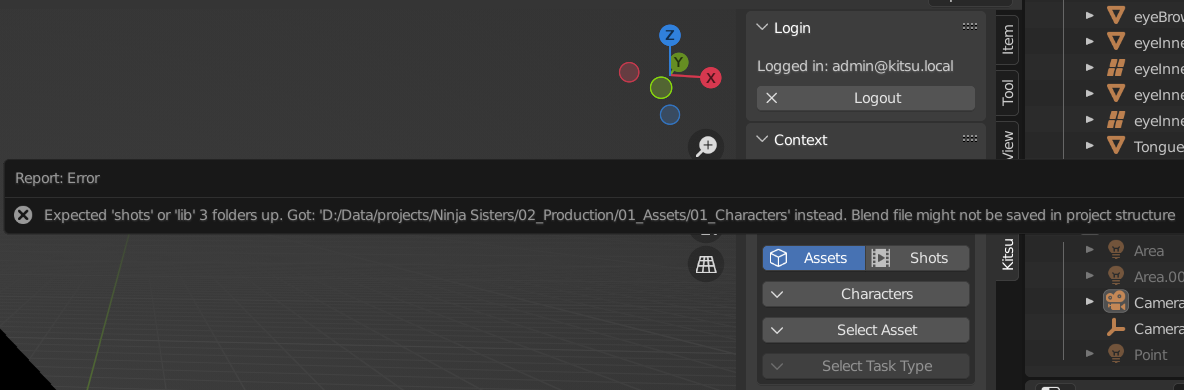
In other words, the addon is hard-coded for the specific folder structure that the Blender Studio uses or at least used on Sprite Fright.
In many ways I really only intended to use Kitsu as a production tracker within itself and not actually link Blender directly to it and hence not use the addon. It seems that unless you have a coder that can ‘adjust’ things to your ‘studio’ or setup, then its all very specific to working at the Blender Studio.