How can I select loop vertices Normally I could do Shift alt but now only
Ctrl alt works but then I select two rows of vertices.
I want one row vertices ( I prefer keyboard keys)

Only alt + click on an edge.
Sorry i need to select a loop vertices not edges.
I use this a lot when modeling
Is this not possible anymore.
Even if you want to select vertices you still need to click on an edge using alt key.
That’s just how you select a loop.
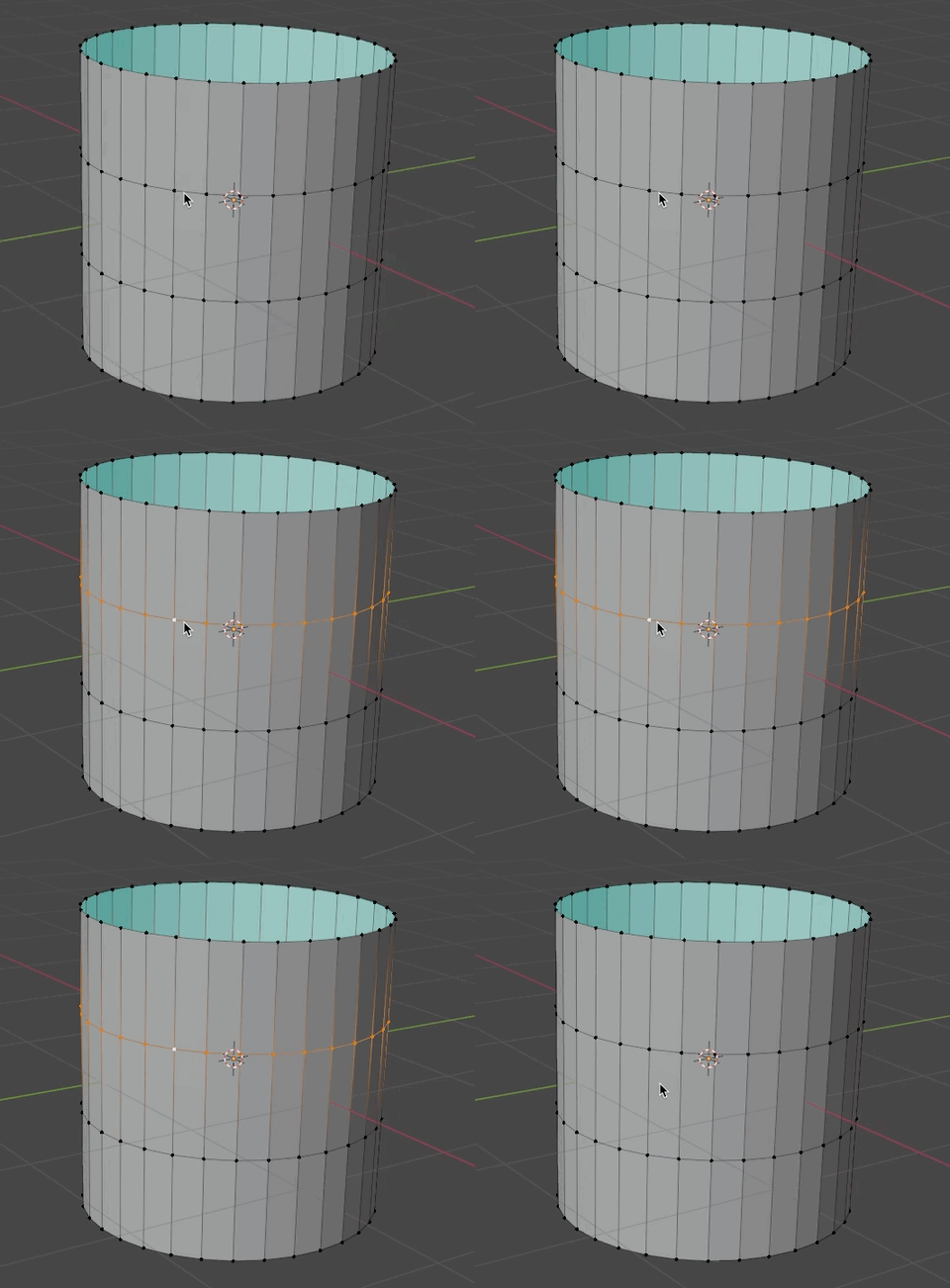
Now that I think about it. You may have an add-on (or a custom setting) that changes the default behaviour of the loop selection… 
What an add on never needed before I could just select a edge loop.
I now only get two rows of vertices edges.
Your example is what i meant. But it does not work anymore. In blender 3 6.5 or 4 0
Sorry, I don’t know what else to tell you.
I’m on Blender 3.6.5, I have almost no add-ons and loop selection with alt works as before.
For me i work alsi on 3.6.5 but alt and clecking on an edge does not do anything.
No problem if I only could make vertices selection loop on an other way.???
You can also select an edge loop in the menu via Select → Select Loops → e.g. “Edge Loops”
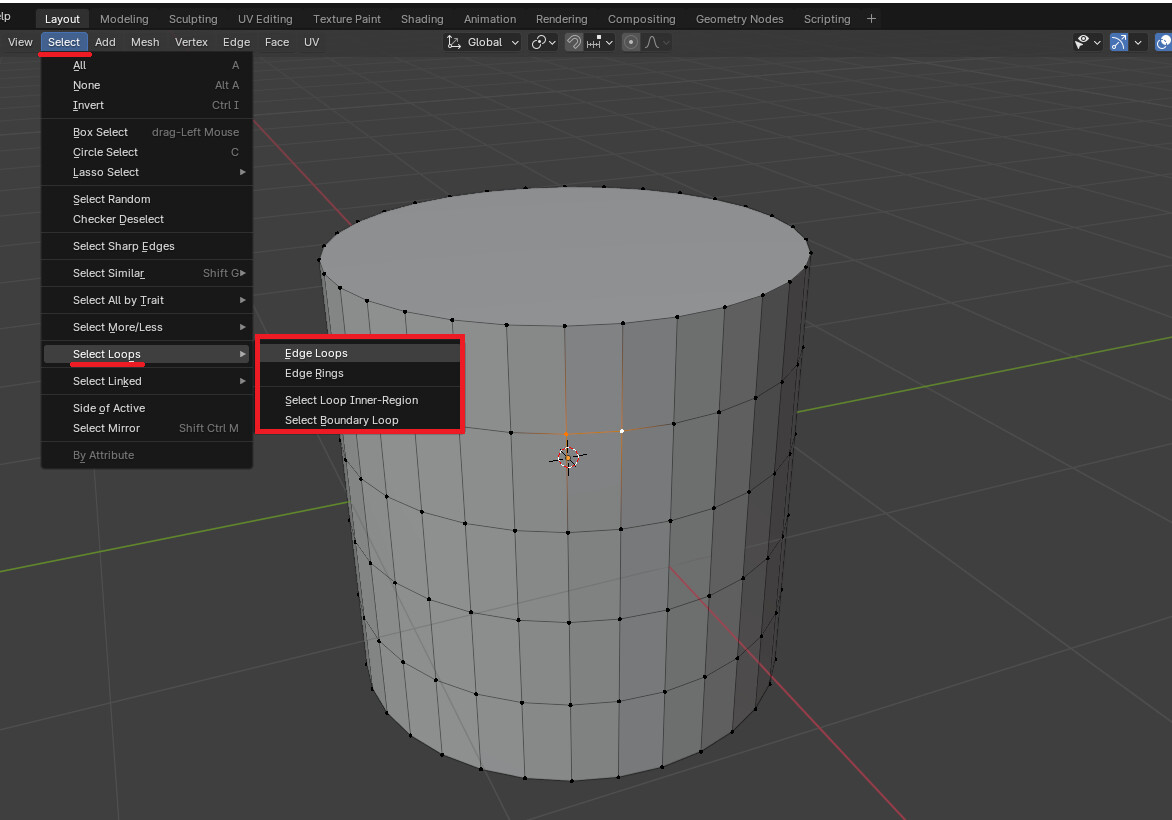
Or hit F3 and search for something like “Select Loops”
But as @anon23718311 already mentioned, Alt + Left Click should do the trick…
There is no vertices select in the menu.
Also alt + left or right click is doing nothing.
??
It is Alt-click.
Shift-Alt-click is to add more loops to the selection.
Ctrl-Alt-click is to select a loop of edges. What is happening is more obvious in edge mode…
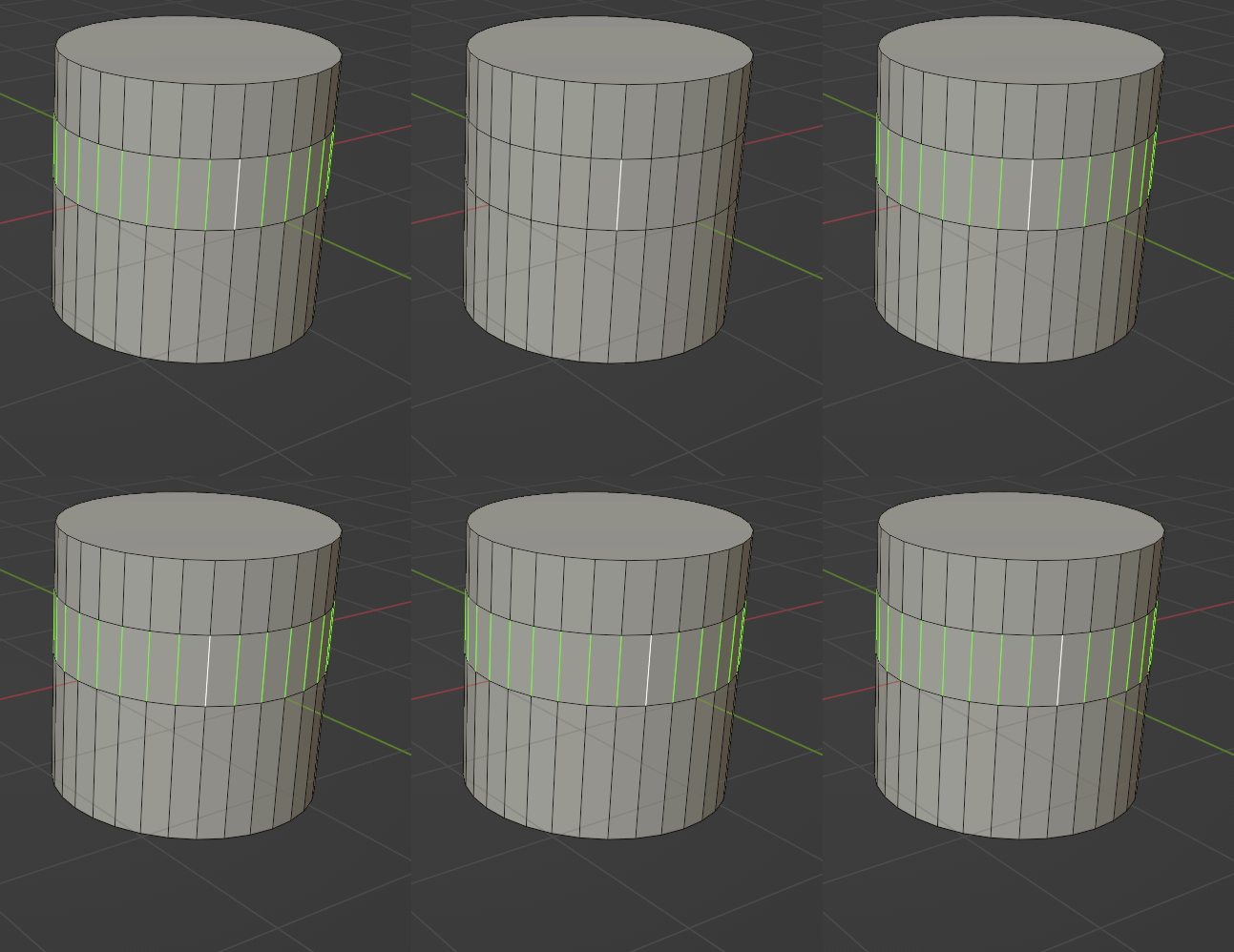
in vertex mode those individual edges become automatically joined. That is why you think you are somehow selecting two loops
Blender selection does not make such difference.
A loop of vertices is made of vertices connected by edges. Selecting two vertices of an edge is equivalent to selecting the edge, and the reciprocal is valid, too.
So, selecting a loop of vertices is equivalent to selecting an edge loop. And the reciprocal means that selecting an edge loop is equivalent to select a loop of vertices.
That are following operators applied to selection that will establish distinction.
If you want to delete only edges, you have to choose corresponding option in Delete pop-up menu.
If you want to extrude only vertices, you have to choose corresponding operator in Alt E extrude menu.
By default, Alt Left click on an edge should work.
There may be an issue is Alt key is already used by OS desktop, generally to manage windows.
That is common to be forced to modify Desktop shortcuts, in order to be able to use Blender.
Or, if an edge (two following vertices) is selected, Select menu > Select Loops should work.
I just want to select a loop of vertices is that not possible anymore

vertices.blend (896.3 KB)

By the way I am uising Linux Mint 21.1 Cinnamon
@anon23718311 showed you that it is possible…
I’m also in linux (debian) … and some shortcuts may be differett than on windows… also sometime some are alreadt used for the window manager… for selecting a vertex loop i also have to use Shift-Alt-Click … but never had problem…
And now seeing this:
Well… when Select with Mouse Button: Right is enables you have to use the right mouse button…
also using you fiel… and no probelm 
I don’t know Cinnamon.
I did not find specifically an Alt Left Click shortcut.
But it looks like it uses Alt key in a lot of windows management.
I found that Alt Right click could be used to resize windows.
So, I am not sure, it is the issue.
I am sure that this specific shortcut did not change between Blender 3.6 and Blender 4.0.
If you are using Right click to select, shortcut to select a loop is alt right click.
So, if you have a previous Blender release, that works.
You probably made an exception or an adaptation, that you forgot for that release.
Or you are encountering a weird bug.
If no Blender release works, that may be an Alt Right click conflict between Blender and Cinnamon. And shortcut has to be changed for application or window manager.
I have no issue with your blend file.
Oke than i am gonna try another linux workstation.
Hope it will work.
Thanks anyway

Yes but I have not selected the faces but only the the vertices in edit mode,
Strange thing is I test it on a linux OpenSuse Leap 42 thing it is working but only with the left Alt key.
But under Linux Mint It only works with a dual vertices row shown as in your example right Alt key + ctrl. Only Alt key does not work
Figured it out it is shift + Alt right mouse click
Strange it worked only one time.
select edge loop is working no keyboard keys
Alt click on a vertex. If it selects the rig in the wrong direcction, alt-click again.
If this doesn’t work on Linux, then I’ve no further advice.
Thanks the issue is solved by using another linux OS on another workstation. Then i could use the alt key or shift alt right mouse button.
Blender 3.6.5
It was for me a wake up call.
The workflow is pretty important for me and probably other modellers.