is there a way to bake a volume shader in cycles to use with EEVEE ?
or transform to mesh ?

thanks
is there a way to bake a volume shader in cycles to use with EEVEE ?
or transform to mesh ?
thanks
There are 2 ways:
-Create a volume object, then use the “mesh to volume” modifier on it. Then use the “volume displace” modifier for detail (use a “cloud” texture in color mode).
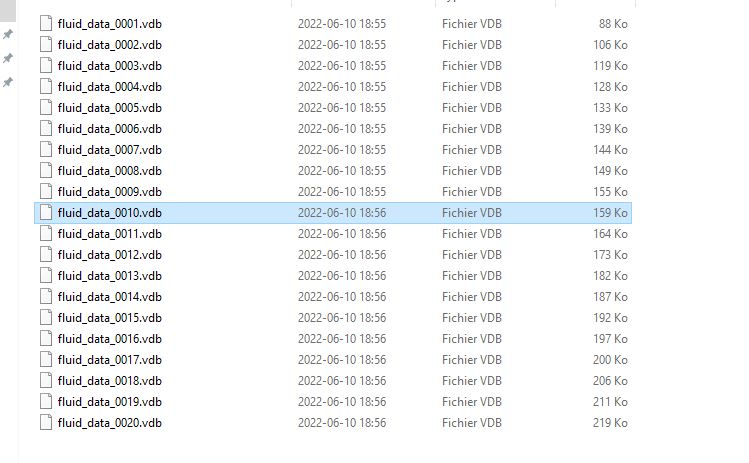
-Make a smoke simulation, then take a frame you like from the cache, duplicate the .vdb file for that frame and import that as a volume object.
Then, it’s all about EEVEE’s volume render settings, so you can have enough quality for the fine texture.
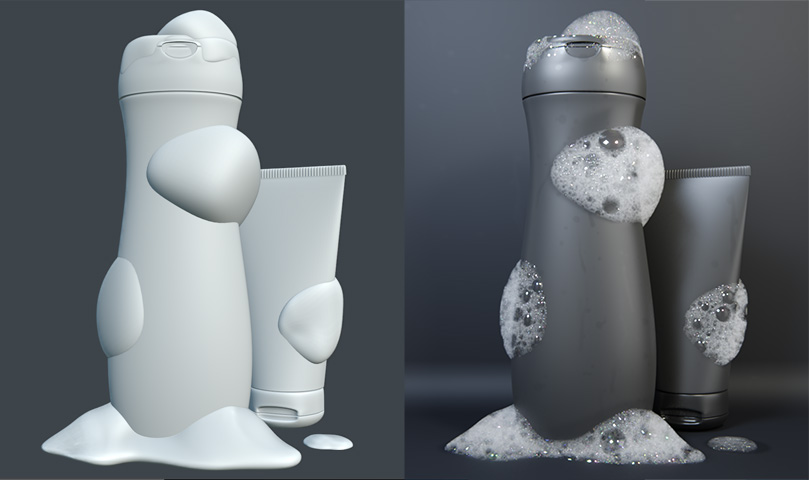
is it possible to get this result from the image below to use in eevee?
I already have the bubble material.
I want your help to use it in eevee .
it’s possible ?
thanks
Sadly, I don’t think you can make the material look as good in Eevee. It looks like it uses multiple features Eevee doesn’t have.
I would make foam using a different technique. Here is what I was able to do:
It doesn’t use volumetrics. Instead, it uses a material that fades based on the angle of the faces. On top of that, there is a particle system adding bubbles + a few large bubbles I placed manually. I am aware it doesn’t look as good and is harder to setup, but it would be very hard to get something like that in Eevee.
Here is the Blend file:
eevee_foam.blend (1.6 MB)
Do you know any tutorials that teach this kind of thing?
simulate volumetry in eevee?
smoke, dust, snow, etc…
thank you very much
I can explain clouds here quickly, it’s easy enough.
1-Start by making the shape of the cloud with spheres. Then, join the spheres into one object:
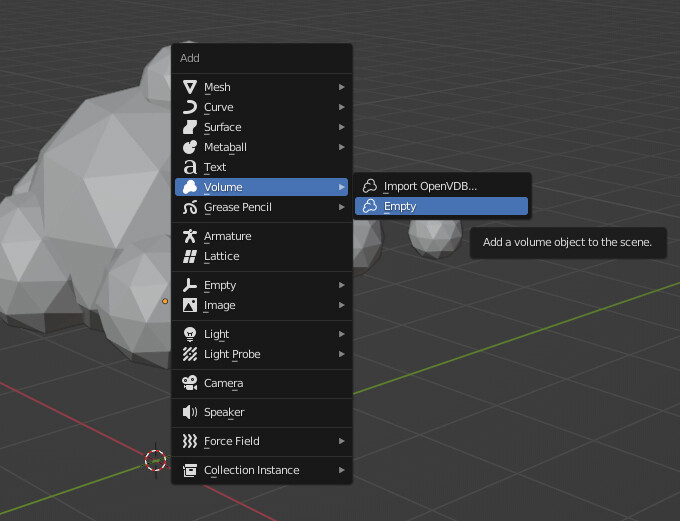
2-Create an empty volume object:
3-On your volume object, add a “mesh to volume” modifier. Adjust the density so the cloud is as thick as you want it and set the voxel amount so it looks smooth and rounded.
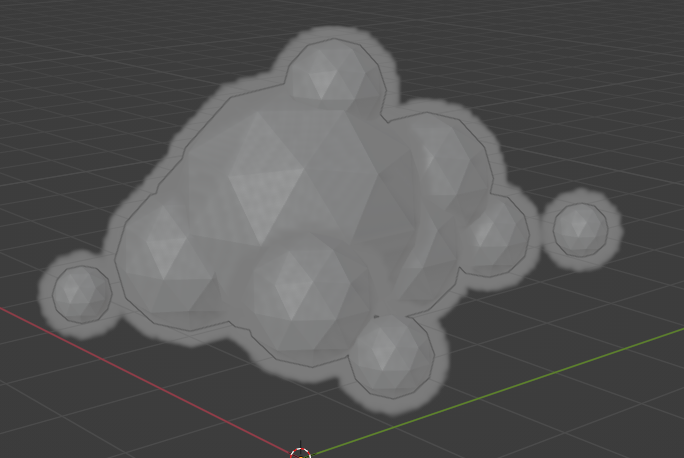
4-Add a “volume displace” modifier. Press the “new” button to create a texture, then go to the texture tab:

5-make the texture into a “cloud” texture and set its type to color (if you don’t set it to color, the volume displacement will be stretched in a diagonal). Adjust the size until the detail has the correct scale for what you need.
6-In your volume displace modifier, you can now adjust the strength.

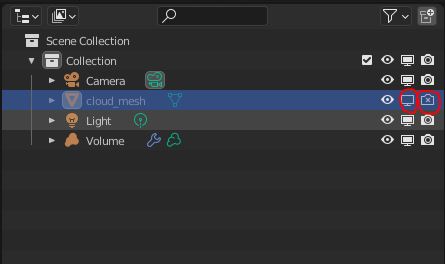
7-Select the original mesh made from the spheres and make it invisible in renders (and also in viewport if you want).
8-Go to Eevee’s render settings, in the volume section. Lower the tile size for more quality, then activate volume shadows and increase their samples (keep in mind that in Eevee, volumes can’t cast shadows on other objects, it’s only a self-shadow).
9-Add a material on the volume so you can control the color of the clouds. We are now done:

you said :
-Make a smoke simulation, then take a frame you like from the cache, duplicate the .vdb file for that frame and import that as a volume object.
Do you have a tutorial that explains this?
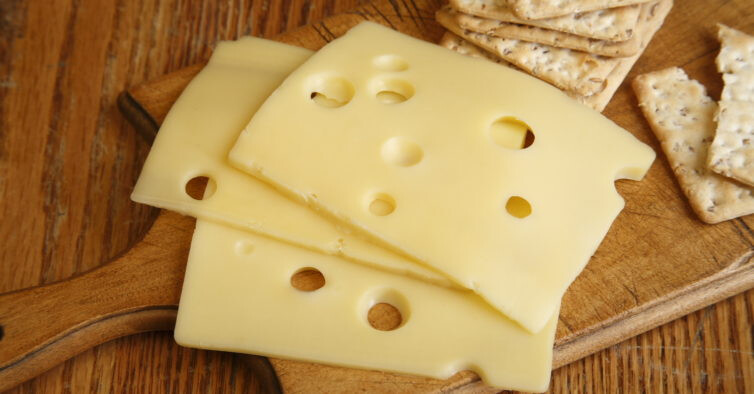
is it possible to make a swiss cheese slice with volume to use with EEVEE?
thanks
The hardest part of doing that is to know how to use the smoke simulator. Once you have a working smoke simulation, then it’s pretty simple:
1-Have a working smoke simulation (you would need to look at smoke sim tutorials). It can be a challenge to have something that looks like a cloud. Honestly, the mesh to volume option is probably the better way for clouds.
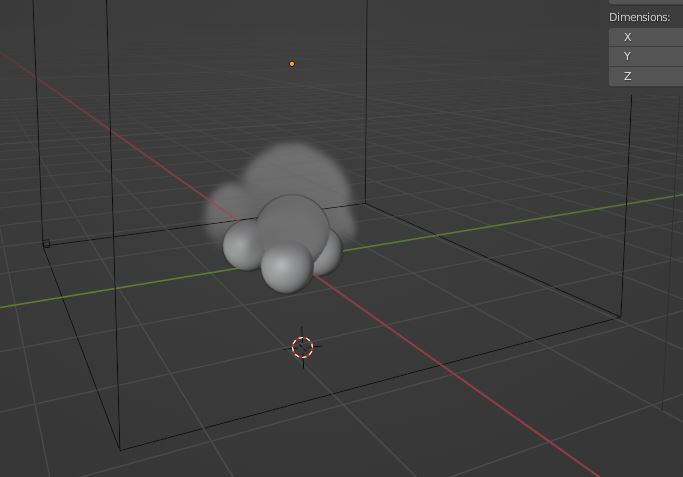
2-Once you have a smoke simulation that looks good, you can go into the cache files and find the file that matches the frame you want to keep.
3-Then, you copy that file somewhere you can keep it on your computer and then import it in Blender as a .vbd. You now have a cloud object you can use as many times as you want.
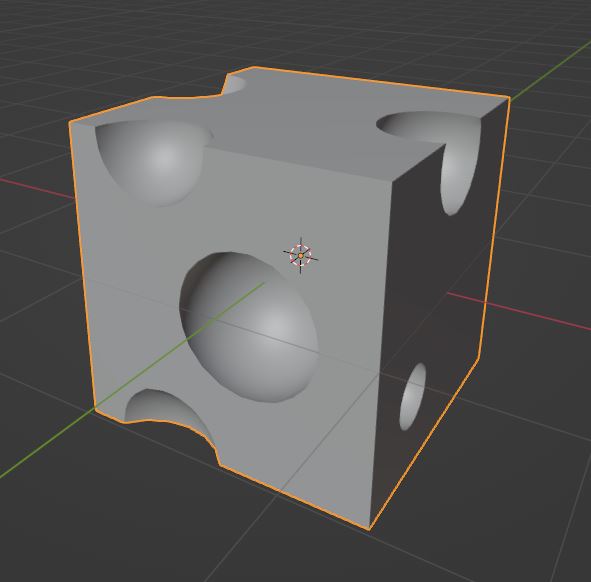
If it’s possible, it would be very hard. It’s better to do it using the boolean tool and carve spherical holes into a mesh.
more is it possible to have volumes with holes?
is it possible to have more solid volumes in eevee?
thanks
It is possible, if you do the material like this:
to use the above result in eevee just do the above procedure?
Yes. This image is Eevee.
Also, go to the render settings and make sure the volume settings have high quality:
-small tile size
-high samples
-start value as high as your scene will allow
-end value as low as your scene will allow
Sorry for my mess
after making the volume with the voronoi texture.
what do i do to work in eevee?
thank you again
As long as you have good render settings, it should already work. But, it will only show the volume in a cube shape around the object.
If you want your object to have an other shape, you have to create a new empty volume object and use the “mesh to volume” modifier on it.
you did not understand my doubt.
after making the picture material
how should i proceed to use the result in eevee?
Is it not working?
Put the material on an object.
Make sure the material is plugged in the volume slot and not in the surface slot.

Make sure you are Using Eevee. You will see the result only at render and not in the viewport, the viewport cannot show volume textures.
but is it possible to transform a volume material into mesh in cycles to use in eevee’s viewport?
As far as I know, it’s not possible.
For this cheese exemple, here is how I would do it instead:
1-create a bunch of spheres and place them all around the object you want to have holes.
2-Combine the objects together and select all the spheres by placing the cursor over them using the L shortcut. Then, use the boolean tool.
3-Set the object to shade smooth and activate auto-smooth, so the holes can look smooth but still have hard borders.
I was struggling since days to find a way to get a foam in Eevee, you made my day, thanks a million for this