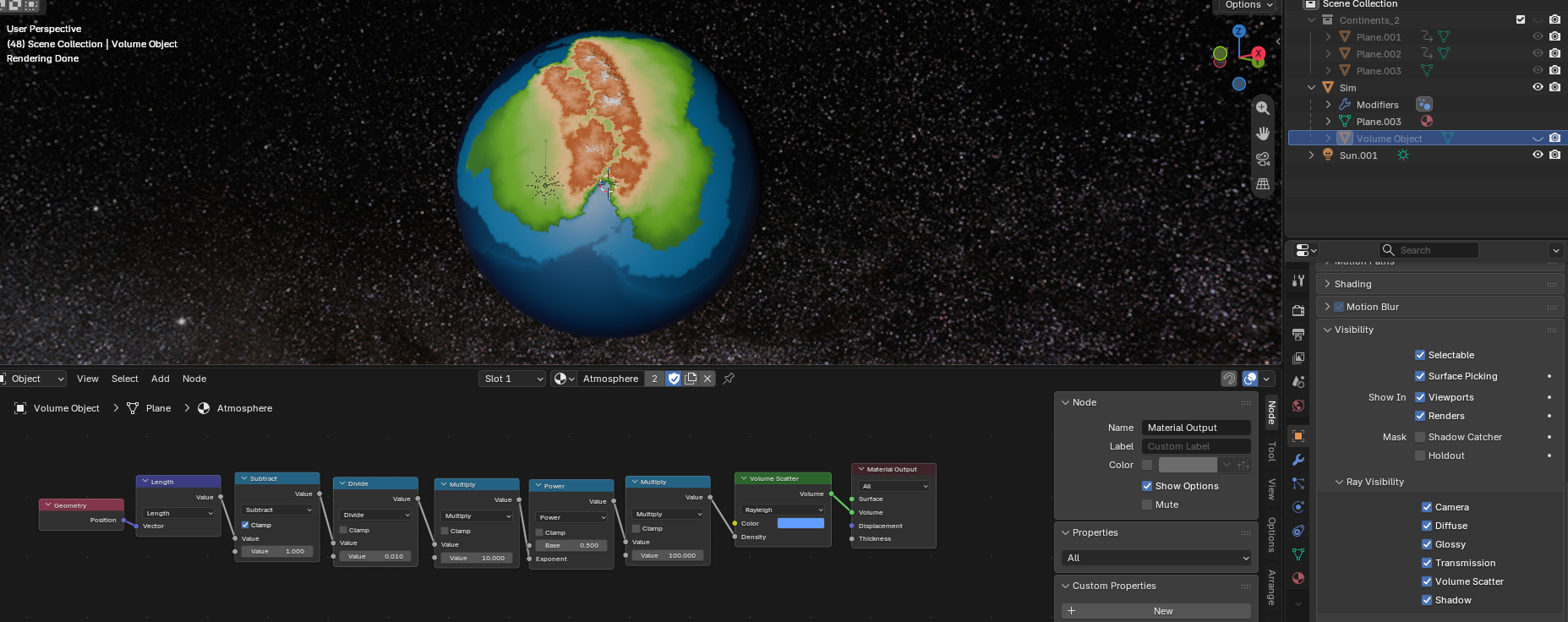
Hello! I have a volume object in my scene, and for some reason, it removes the color from the object underneath it. This happens even while setting the object material to transparent and not even using the volumetrics or setting the density to zero. This is blender 5.2 for reference.
When I disable the shadows on the volume object, this “discoloration” does disappear, but it comes at the expense of the disappearance of the volumetric shadows that are necessary for the look I’m going for, following this tutorial.
You could share a .blend file to improve your odds of getting good help. I am sure it would be figured out in a few minutes, but without seeing the scene it can only be guessing what’s wrong.
I figured out the problem. The planet shader had ambient occlusion, and it turns out that even if a mesh object is invisible and doesn’t cast shadows, the AO still takes it into account. So it would either have to be a separate mesh object, or the distance must be reduced so that the other object is out of range.
The tutorial uses a different scale for the planet, mine is only 1m across. It turns out the problem was that the planet shader included ambient occlusion, which accounts for meshes that are invisible.