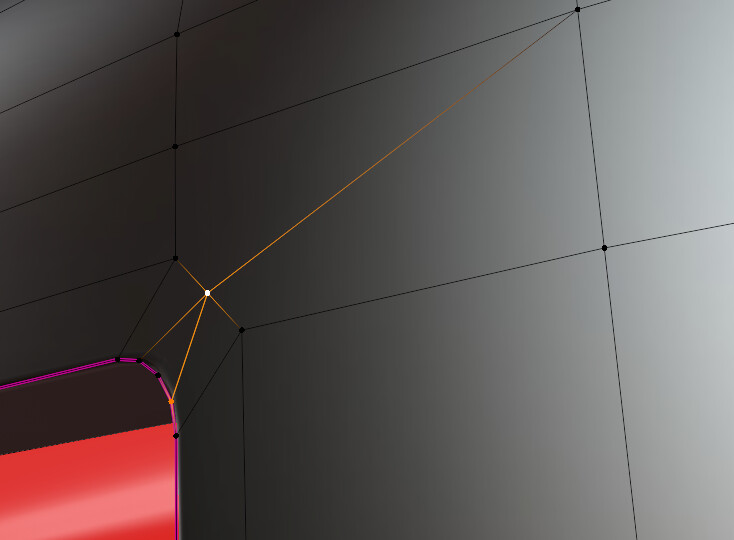
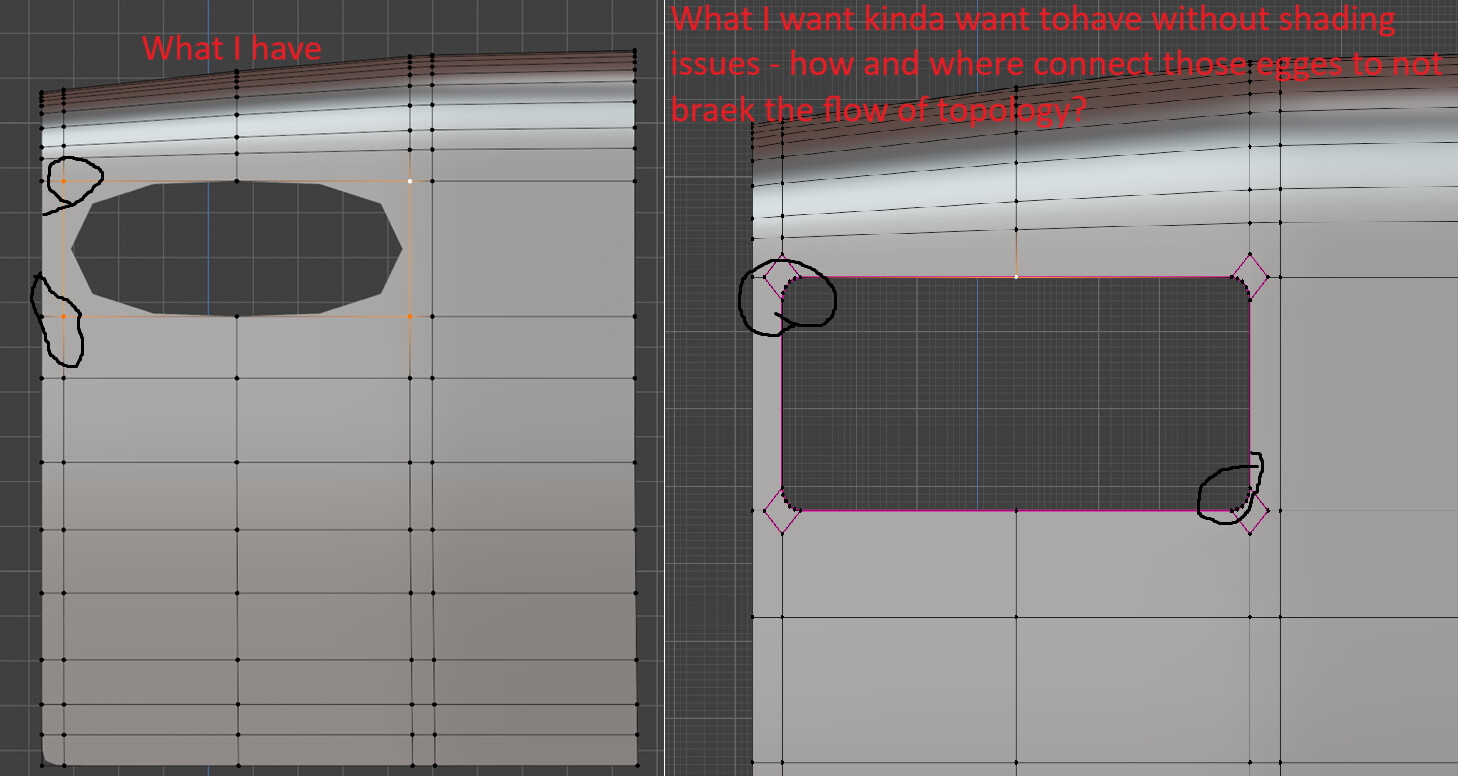
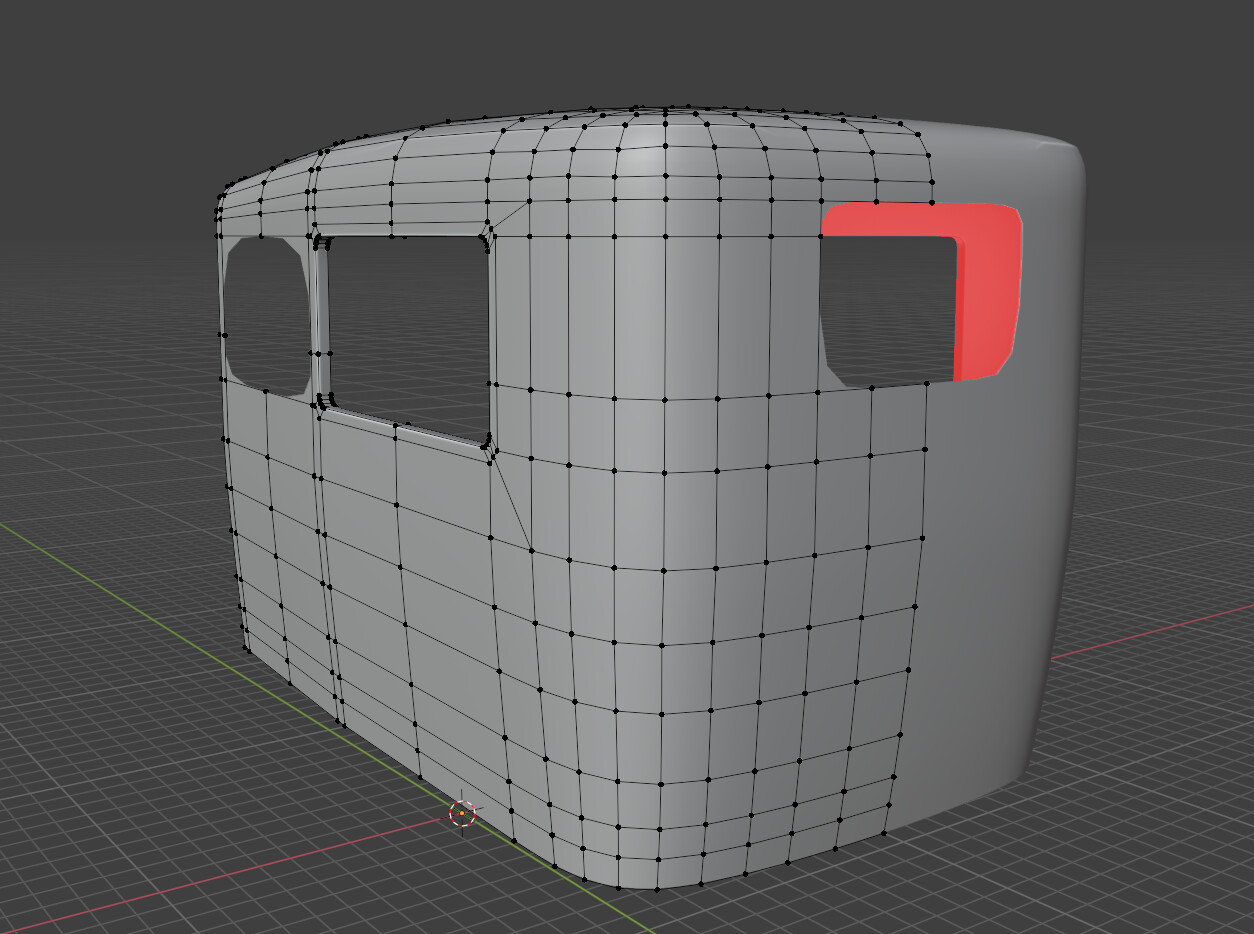
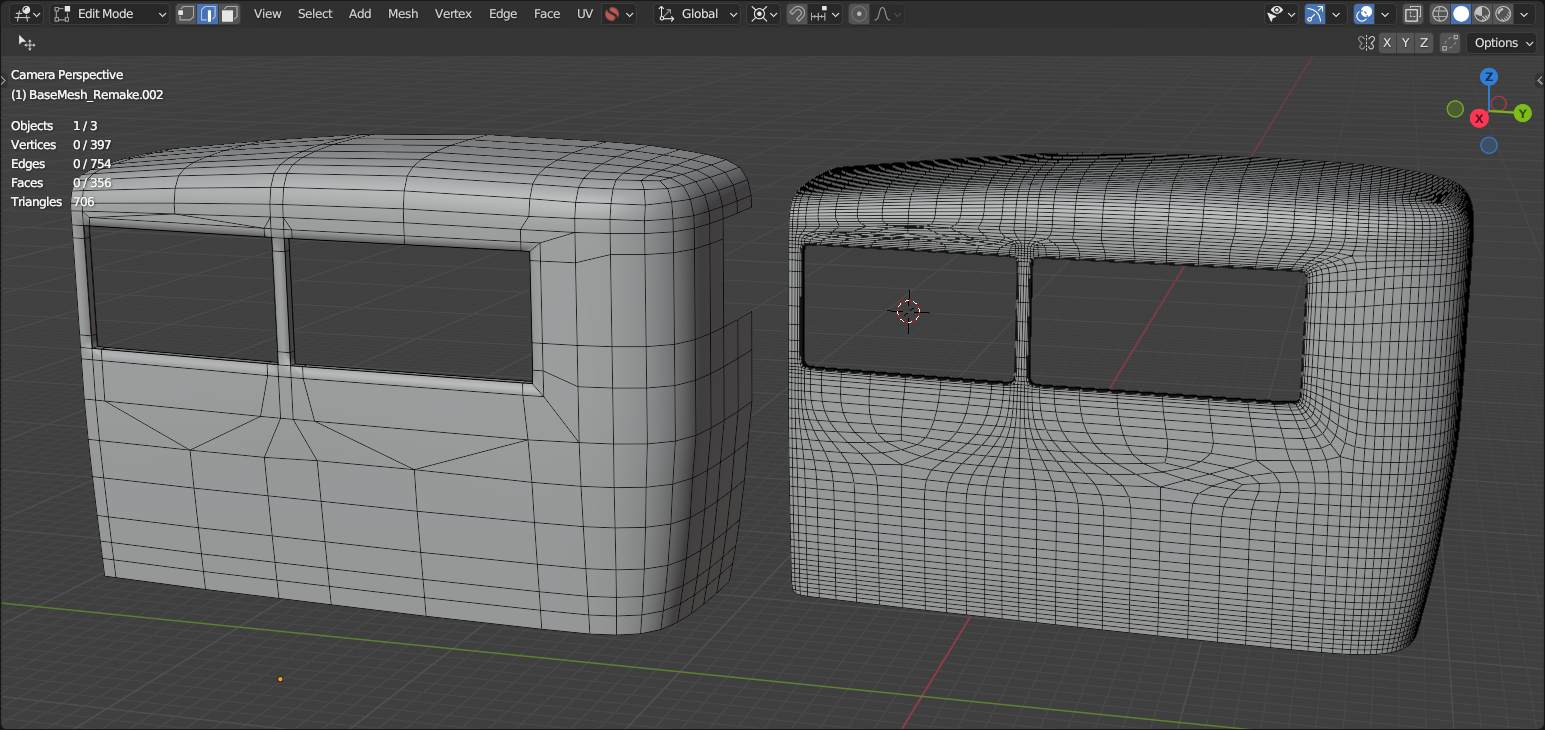
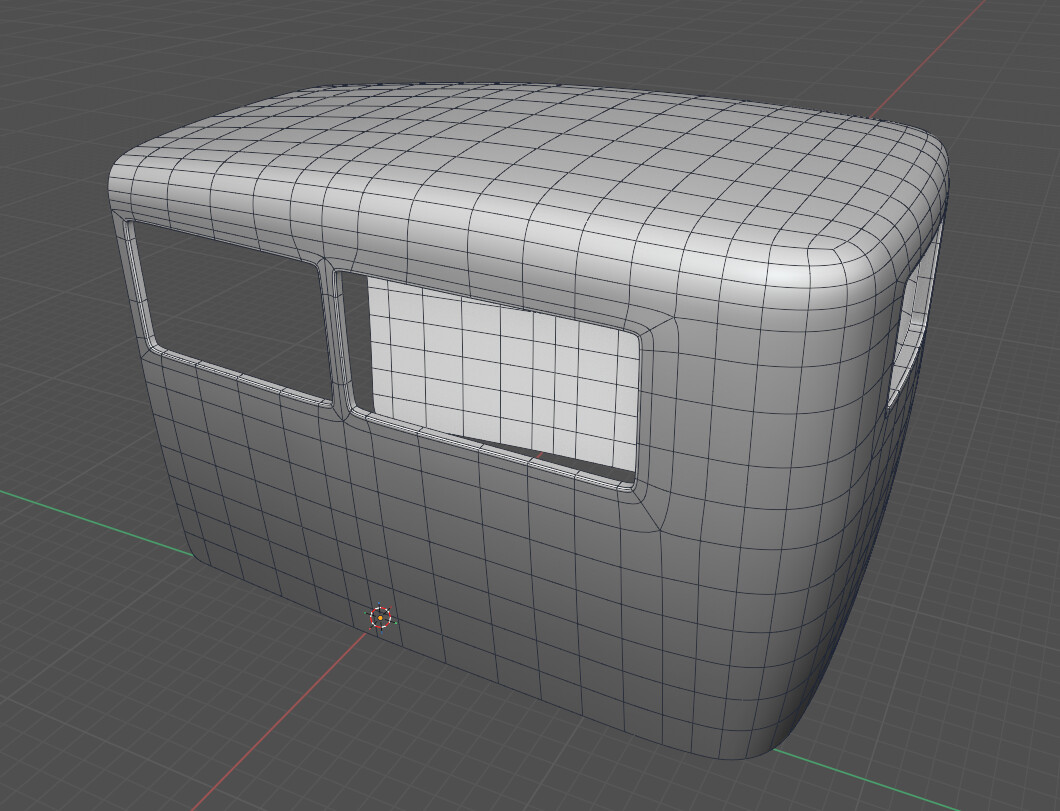
I often run into situations where bevels corners mess up my topology flow, and I end up having to either drag edge loops across the entire mesh even when I need it only for a corner bevel. I’m wondering if there’s a good method for creating rounded corners for a game asset without breaking the flow. Quad topology dosnt help to fight with those shading issue. Im using one subd level as I want it for a game model as low poly.
Modelling with Subdivision requires the use of edges aligned with the topology.
If it does not fit the topology, it will wrinkle, and the unaligned edges will also wrinkle.
Is this really the only way to avoid the shading issue? As I mentioned, I want to use this as a low poly version for my model, so applying two levels of subdivision just to fix the error to get a clean bevel doesn’t seem very optimal. I mean, I could still remesh and simplify the topology afterward, but I’m not sure - it feels like I’d be wasting a solid base for my current low poly. Right now, the topology with just one subdivision level doesn’t seem too heavy. Should I change my workflow then and remesh my mesh after Im done with the high poly?
Well there is baking the normals from high to low poly… but of course you need a proper high and low poly model for this and also use the proper method of baking (yes there might be a bit different approach not only in different applications but maybe also about the use case…).
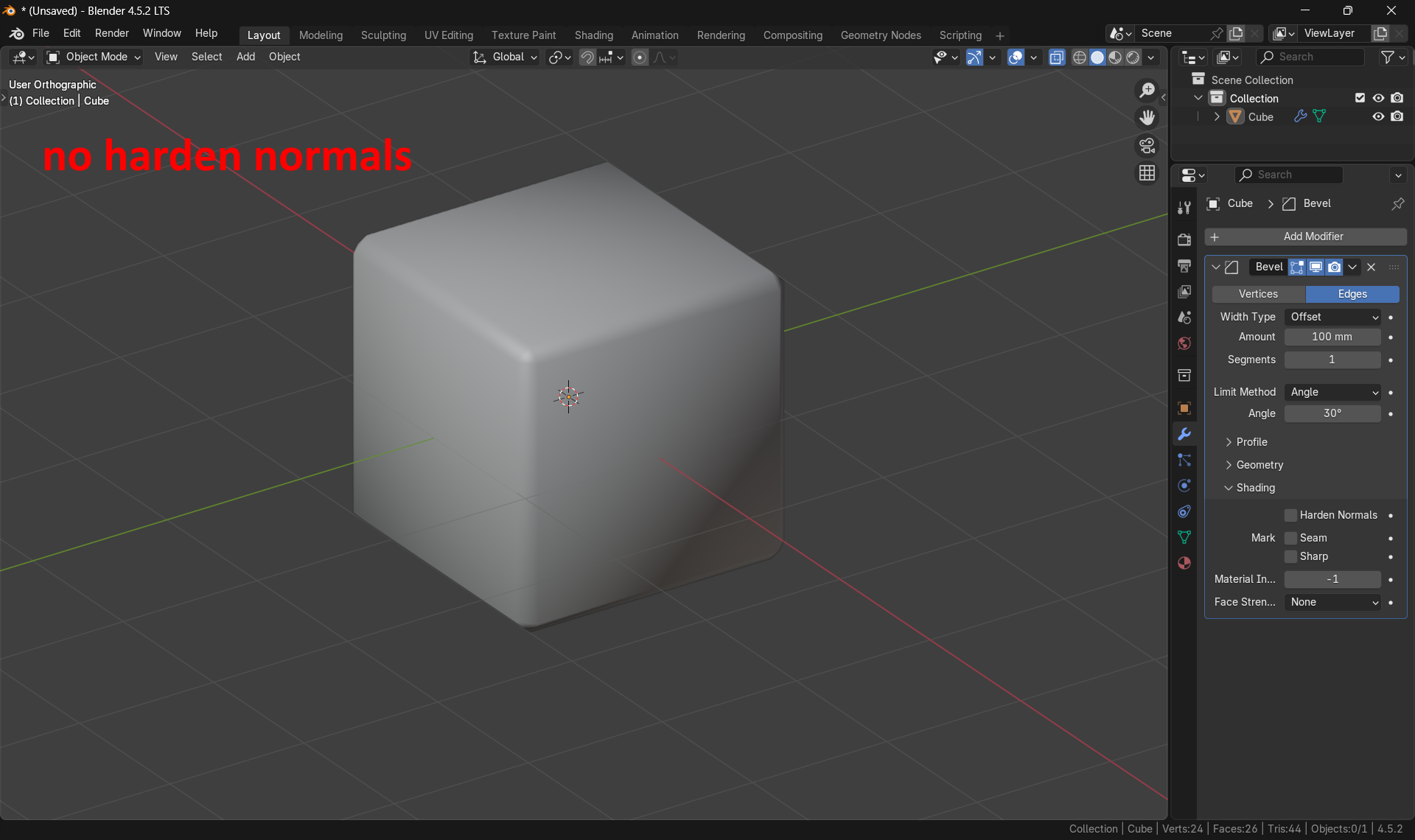
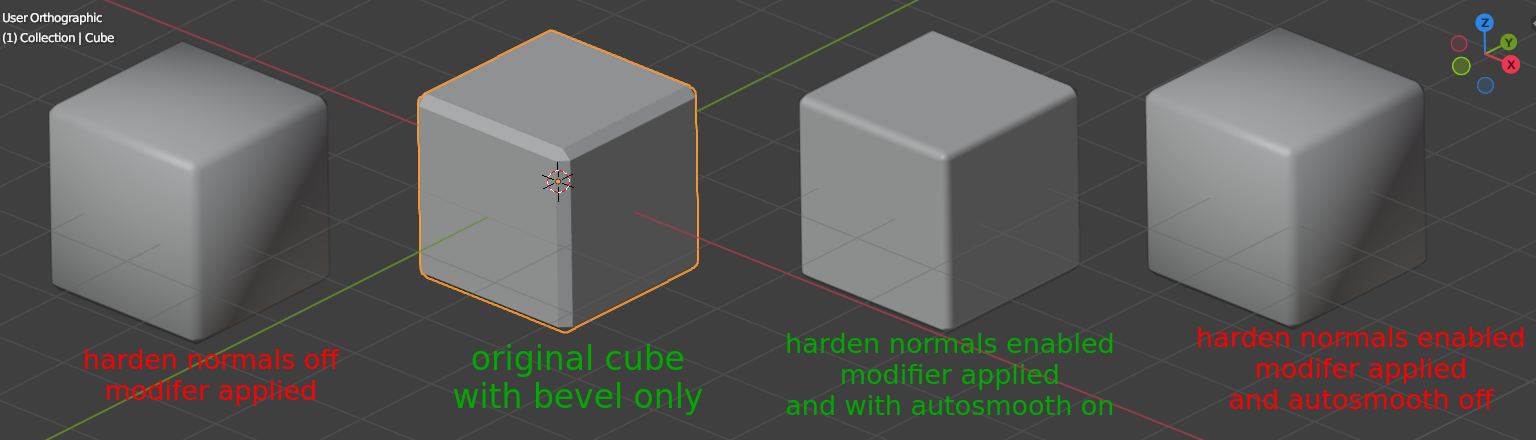
This in fact may be nice in blender… but when using this as a game asset usually not every feature of blender does work in some game engine.
So one might use it in the model developement phase to check if this could be some nice base to be “optimized’” for a game engine or if this feature can be also done via any shader setup in that engine.
I’m not exporting with this “tricks” very often so when this does export fine… then this is fine and i learnt something today… so thanks ( my motto: better to think twice about those things and not assuming something; i just wasn’t sure).



 and i learnt something today… so thanks
  ( my motto: better to think twice about those things and not assuming something; i just wasn’t sure).