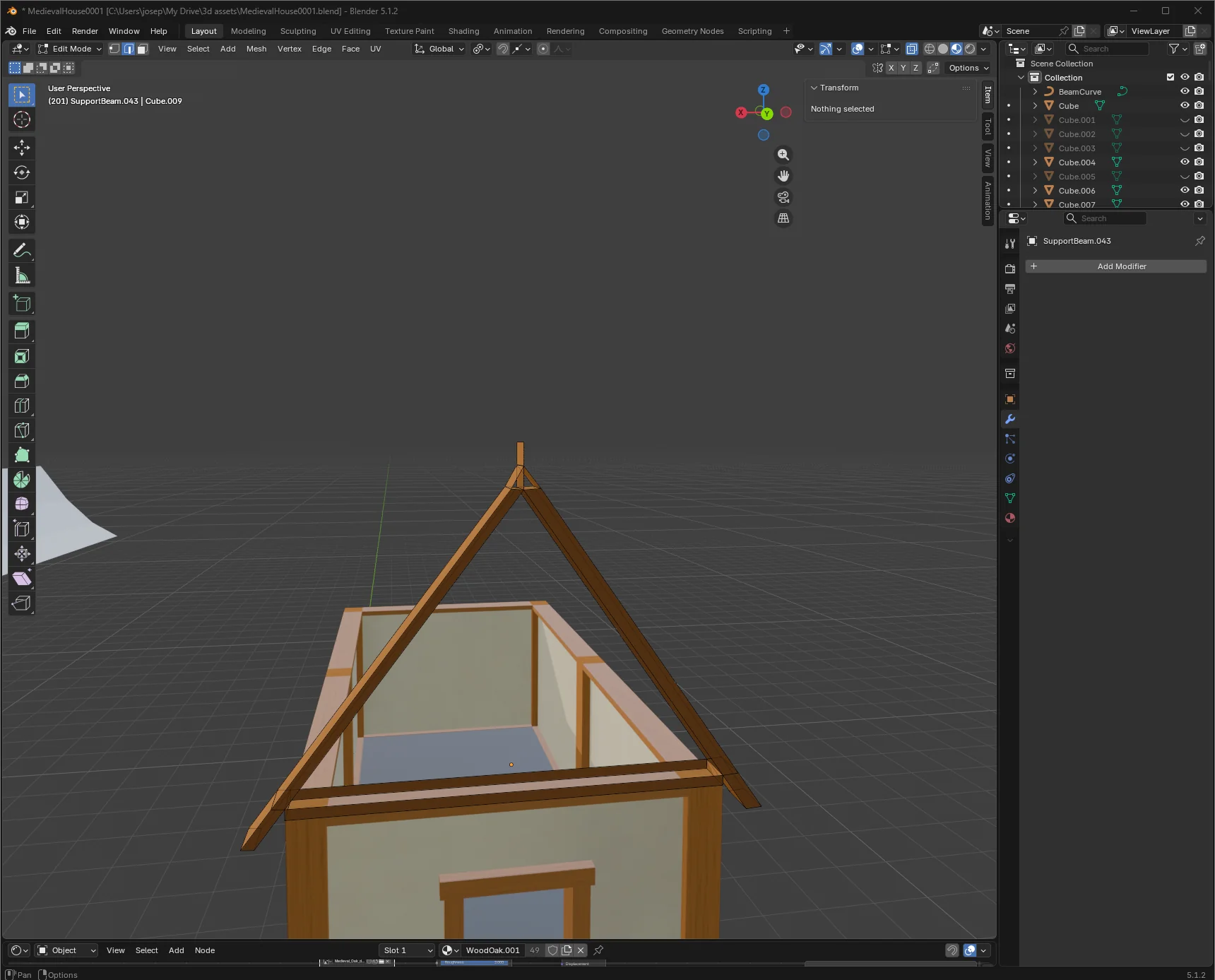
What's the most effective way to model front roof beams?

Hi everyone. I’m new here. I’m wondering what the best way to model 3D roof beams is. For example if you want to make a simple gabled roof for a medieval house and you want to create the two wooden beams at the front of them that come off the left and right side of the roofs, but you want them to connect at a perfect triangle in the middle, what’s the best way to go about that? I found myself trying to move vertices around manually and align them to world origin and stuff like that and wondered if there was a better way to do it.

The way I did it did not come out very well unfortunately

If the triangular angle is the important factor, then I start with the triangle. Then use that as the basis to create the beams.

The alt approach, if you already have the beams, is to get trig involved (if needed) to determine the angle of the peak, then rotate the beams to match.

The math of all the above is simple, but cannot just be overlooked as “don’t like math, but need perfect angle result.”

(Or, just eyeball it as “close enough”, if you don’t need CAD/real-world accuracy here.)

Thanks for the advice. I really enjoy the math part. I try to learn the concepts behind stuff rather than just throwing myself at it and trying to shape things. The triangle is not necessarily the important part, but instead that they can connect in the middle like two faces that just come together. Then I am hoping to drop them in on top of another wall plane so they snap perfectly and then I can put roofs next to them
You could just overlap them, snapping the top corner, like this


Then use gg (slide) with snapping to edge. Select the 2 lower vertex that overlap, first slide one beam edge then the other.


Edit
You can also overlap completely if you want (but you will have to do 2 more edge slides), still pretty fast.

Another possibility to “construct” this is the tinyCAD Mesh addon/extension:

So one can get exact crossing points and more like so:

Other than i just did one can also copy edges and scale them at “the other point” to make them cross each other and then find the crossing vertex.

Another posibility:
Using the scaling “trick” above and then subdivide the edges can also be used with another “trick”: vertex slide ( G G ) while having snap on edges enabled to re-position the vertex on the crossing point.. (this actually was re-mentioned in the forum lately but i could find it..)

Another posibility:
When constructing from a triangle; just extrude downwards and then inset and delete the unwanted faces and extrude (not done here)..

One might play with this to get the form one wants at the bottom.

Thank you so much for this simple solution. This really helped a lot! I didn’t even know about gg (slide). Just so easy and simple. idk why I didn’t think of this.

Out of all these, I think I really liked the triangle method but after fiddling with it, seemed to be that I couldn’t figure out how to make it work haha. I was making more of a mess for myself.

How does GG slide work by the way? I meant to ask that. I’ve never used it before and I’m kind of confused. Does it like move along the normal or something like that? Because I have troubles sometimes moving other stuff too and I haven’t figured out how to get it to work. Similar to roof beams, the little part of the roof beam that hangs off the side of the roof, for example if you want that longer, I’ve tried like a combination of shift x or shift y shift z etc to try and get it to go like exactly diagonal

No it slides along the edge. The edge it will slide along is highlighted in yellow during the operation.

For a vertex (vertex slide) you can choose the edge by dragging in the direction of the edge you want to slide on.

For example here I have 3 edges to choose from


If I select 2 verts (edge slide) I only have 2 options.


You can also select more than one edge (even a face) but there are more restrictions of edge choice to slide along. It is still “edge slide” not face slide but it will slide all the selected edges.

(Both vertex slide and edge slide have the same gg shortcut.)

Unfortunately you can only slide along the existing edge (not its hypothetical projection), it does not work sliding “further out”.

To make the beams longer you have to use extrude (along normal’s, which is the default).

So yea, then you need to dissolve the edge loop it leaves behind. (select the edge loop, hit x and chose dissolve edges)