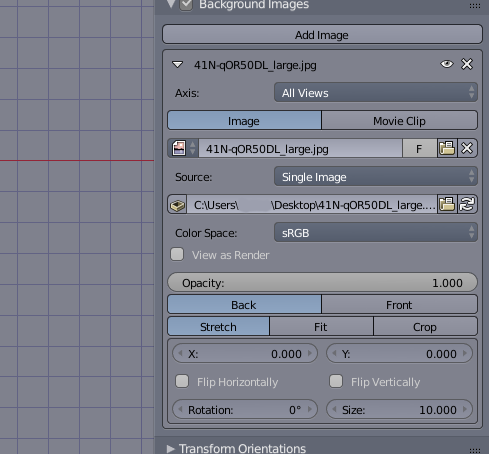
In Blender 2.79b, if I want the top view to have an image, I press 7 to go to top view and then press N and then go to Background Images and do my thing.
In Blender 2.8, this is under the camera tab where background image is being tied to a camera.
I don’t want it to be tied to a camera, I want 2.79b’s way, where is the N-panel background image in 2.8 so that I can assign a background image to top view ?
Thanks.
cab do it in camera view
or go to view you want then drag and drop an image in the viewport
may have to re adjust the rotation but should work
happy bl
Hello @RickyBlender, so in Blender 2.79b, I don’t need a camera to do this and now I have to in 2.8.
Dragging an image in [2.8] is just kinda like auto-creating a plane mesh and texturing it.
So…there is no way to decouple the background image on its own independent of the camera view in 2.8 can I confirm that ?
Sorry I just wanted to make sure.
This is 2.79b:
2 ways
1- is in camera view only
2- in 3D viewport just drag and drop an image and adjust rotation
or top header and add image and select either option !
hope it clarifies it
happy bl