seems alot less work with Dynotopo when i want to add details and get what i really want is alot more precise than using remesh.
Can an experienced sculptor please explain why “Dynotopo is no no?” or atleast why everyone seems to orient around that?
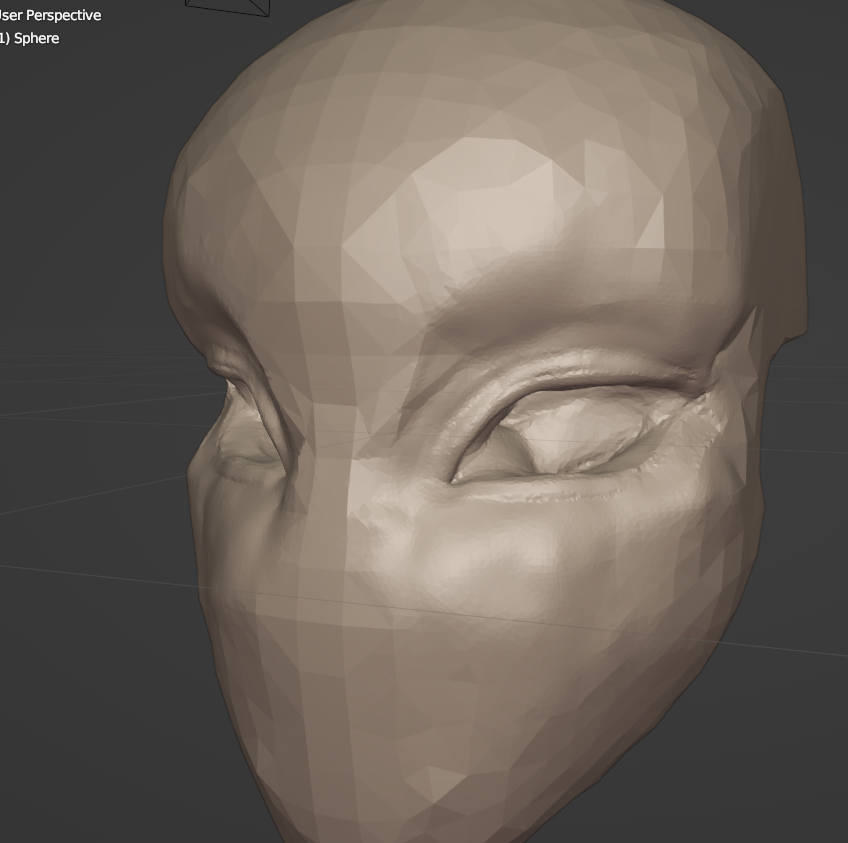
Dyntopo is not great in the 3.5 release, but there has been a major overhaul in the works which fixes just about every notable complaint (which means it even preserves data).
Try the latest revision now from the buildbot.
Blender Builds - blender.org
3 Likes
Well, I would not tell you that. Dyntopo has it’s advantages and disadvantages. The advantage is that you get more detail where you need it. The model is not needlessly subdivided over the entire mesh, so that’s definitely helpful. Just pay attention to your face count. Make sure you don’t end up with overlapping geometry. If you aren’t running into problems, I wouldn’t worry about what others are telling you. Their needs may be different from yours.
The problems I have run into were my vertex count would get way too high, and my computer would slow to a crawl. I found I was putting in too much detail into things that were too small to matter. I had to decimate the mesh. I found I could reduce everything quite a lot and still maintain the detail I needed. Then my computer wasn’t slowing down. Remesh would give you a fixed level of detail across your whole model, which means you’d either lose detail in places where you need it, or unnecessarily subdivide areas that don’t need subdividing.
Go watch some videos on YouTube though. Some people have different ways of working, and remesh does what they want.
Blender community is doubling very quickly.
That means that half of members of community are recent users.
Most of them will not talk about what they don’t know.
But there are always some people throwing a lapidary judgement, about what they don’t know well.
Blender is a vast software and even experienced users may do that about features they don’t use.
Dynamic Topology corresponds to a remeshing on the fly. There is a sensation of freedom, because you don’t have to manually redo a remeshing. That is a lot more intuitive and pleasant, than making a lot of remeshing steps.
There are two main complaints about dyntopo.
- When polycount is reaching a certain amount, according to your machine, remeshing on the fly has to deal with memory consumption of the mesh, and sculpting becomes slow.
You should not encounter a problem, if a character is split into different body parts corresponding to different meshes. And if sculpting of parts does not suffer of hiding the other ones.
But if you try to sculpt the whole character as one object, you will suffer. - Dyntopo remeshing is producing triangles. Triangles are not corresponding to a topology easy to UV unwrap or producing clean deformations for an animation. So, if you want to pursue your work, to add UV Textures or animate object, a quad remeshing or a manual retopology is required as final step.
There is a consensus, that dyntopo is useful to prototype a base shape. A quad remeshing of base mesh allows to use multires modifier, that is able to reach a much more higher polycount.
For detailing, there are people that can not bear Dyntopo. Because of performance issues, I mentioned. Or because of requirement to be careful : it is very easy to erase a detail by zooming out, with Relative detailing method. They are judging it, unpredictable.
For them, was invented Constant detailing method to have a detailing constant through focus changes.
But it is still possible to erase detail by changing Resolution to decimate.
Some people requested Detail Flood Fill button to obtain better performance.
Even a manual detailing method was created to avoid any remeshing on the fly.
Of course, for adepts of manual detailing method and Detail Flood Fill button, OpenVDB remeshing is same workflow but producing quads. So, Dyntopo became useless for them.
You need to be confident with your handling of a destructive workflow when using Dyntopo.
And some people are not confident at all, with that.
But if you like using Relative, Constant or Brush method to create details, without having an uniform size for all faces of mesh : don’t listen to them.
Everybody does not need an insane amount of details in their sculpt.
- Dyntopo will be improved in Blender 4.0 to handle data, it is currently destroying. UVs, Color Attributes and Face Sets will be preserved.
- Performance will be improved.
- And per brush settings will be supported.
So, if you like Dyntopo ; that is absolutely not the moment to renounce to it.
7 Likes
Dyntopo is nice for sketching more loosely and maybe add that last pass of detail if you don’t plan on using Multires. It works really well with snake hook for some loose sketching.
You have to be careful though, as it can lead to some bad habits, like adding too much detail before you have resolved the Primary and Secondary forms well enough. Sure this can happen on any mode of sculpting like dyntopo, remesh and multires, but I feel dyntopo, specially for beginners, can lead to this bad workflow (I’ve been there myself) more than the other modes.
So, whichever one you use, try to keep yourself from detailing before you have resolved the overall shape. If you end up using dyntopo, use constant detail and increase the resolution only when you really need it.
3 Likes
The people telling you this simply don’t know what they’re talking about, or don’t have the experience to understand why they are telling you something they are probably just parroting.
I don’t sculpt in Blender, but Zbrush pretty much has the same sculpting workflow options: dynamic retopology/remeshing/multi-level.
All 3 are useful either on their own or used in any combination, or even all 3. It all depends on what you’re doing, how you like to work, and which particular method is best suited to a particular stage of the sculpting process. Learn them all. Learn to use them all as allies. This way you open up your sculpting workflow power and flexibility. They all have advantages and disadvantages, which is why you get the most from combining them if you need to, depending on what you are doing.
7 Likes