Hi, Yesterday I received my new pc, I7, Nvidia 2070, 16 Gb, my ‘old’ laptop (I7, Nvidia 780m, 16Gb) had to make room for some more power.
I’m surprised when I render my scene on both as it comes to the use of the graphics card. There’s a big difference in both, an as a surprise my good old laptop kicked it of.
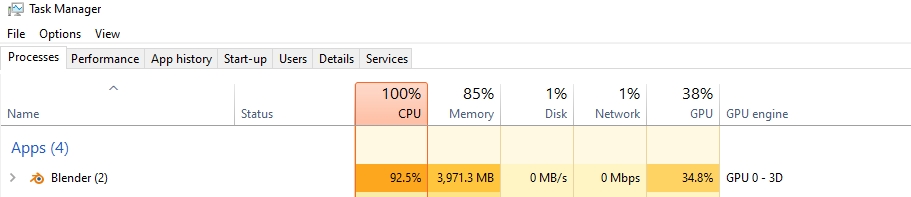
During rendering I made the following screen captures. First one the laptop wich is using the GPU around 50% but my new pc just using 2~5%. Most of the time it goes to FireFox.
Can somebody explain this to me?

Hi.
I’m not a windows user, but I suppose that the only thing that system monitor shows there is the work of the GPU for drawing on the screen, and not CUDA work. You should look for how to display GPU computation work on that system monitor. Or better trust on render times in some benchmark scene.
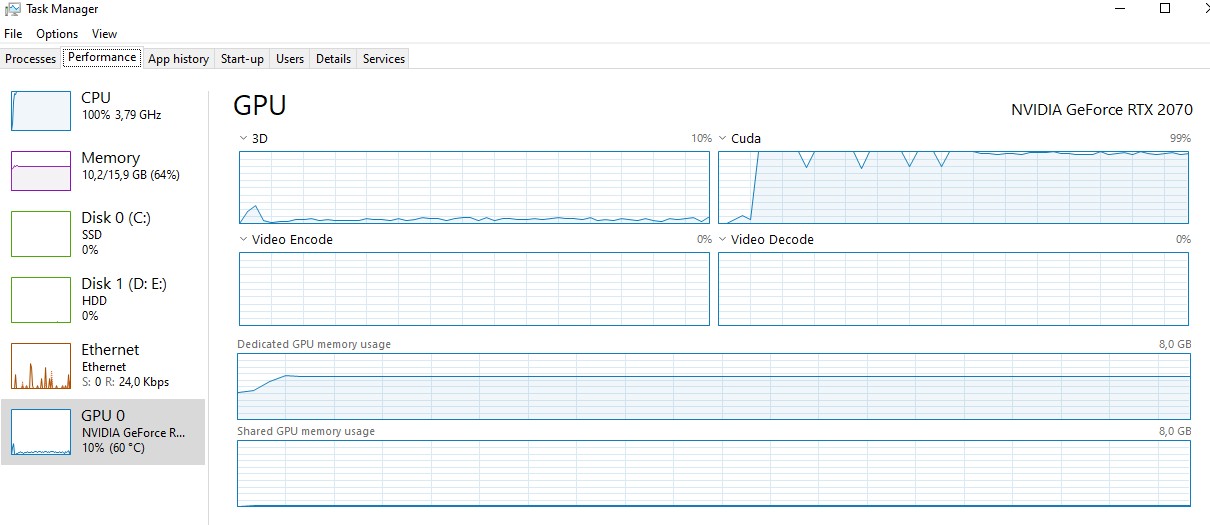
Hello! For checking the cuda activity under windows go to performance tab and select your gpu from the left column and switch any of the charts on the right to cuda by clicking on the name of the charts (is a small drop downv list)
Hope it helps.
Cheers.
@YAFU, @Strangerman thanks for the reply!
I switched to cuda activity in the performance tab, and that’s what made me happy. Also the rendertime is much shorter with my new config. But as a (former) system administator I like to see some graphs 
Hi @BigRonnyV
Could you rename the thread title to something more appropriate? I have seen that this confusion with Task manager in Windows regarding GPU usage is common in other users. I had a hard time finding this thread when I wanted to recommend it to another user. Suggested title would be for example: Why does Task manager show low GPU usage in Cycles render? (or any other appropriate title you can think of)
Thanks.
Edit:
Oh, and marking the thread as solved with @Strangerman answer would also be helpful.
Done, Done and done, thanks for pointing this out to me @YAFU 
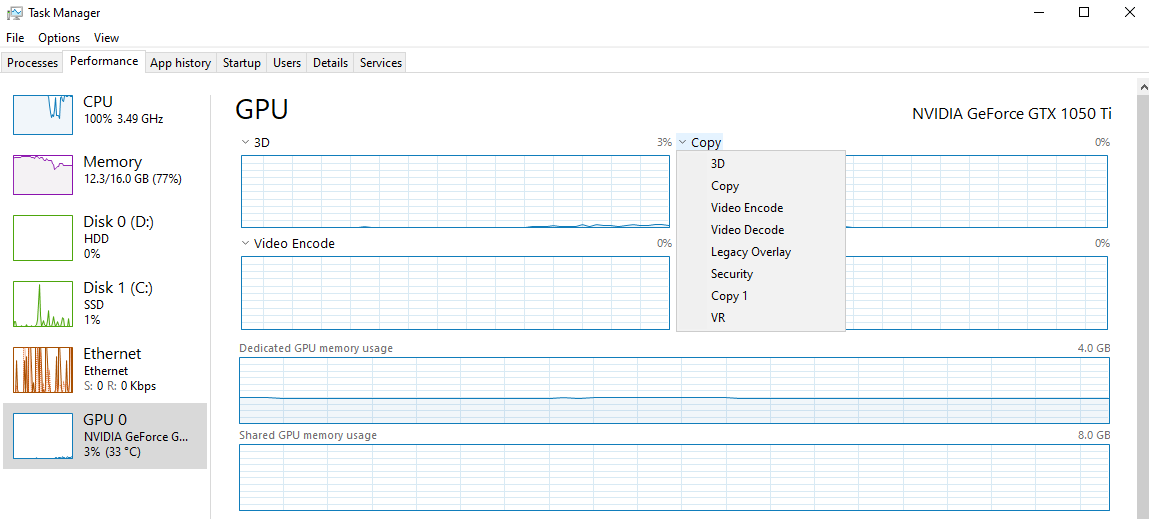
Hello! To use CUDA you’ll need the nvidia drivers installed, your can download them in their website. If you already have them installed, I’m afraid I can’t help you, you’ll need the help of someone more knowledgeable in the matter than me.
Well, seems that the CUDA option disappeard with an update of Windows. (https://www.windowsphoneinfo.com/threads/does-anybody-know-why-the-cuda-engine-disappeared-from-gpu-engines-graphs-in-task-manager.460015/)
Just in case you haven’t set up Blender for it yet. CUDA is for Cycles render engine (You can choose render engine in Render tab). First you must select CUDA from the Preferences on System item (You keep in mind that you can also select your CPU there so that it renders with GPU+CPU), and then you must select GPU Compute in device item under Render tab in your scene settings.
https://docs.blender.org/manual/en/latest/render/cycles/gpu_rendering.html#gpu-rendering
In all cases it is necessary to have the nvidia driver installed correctly.
You are my savior man. I had mine set to “None” under System Preferences. Task Manager & render times now reflecting newest changes, thank you so much!!