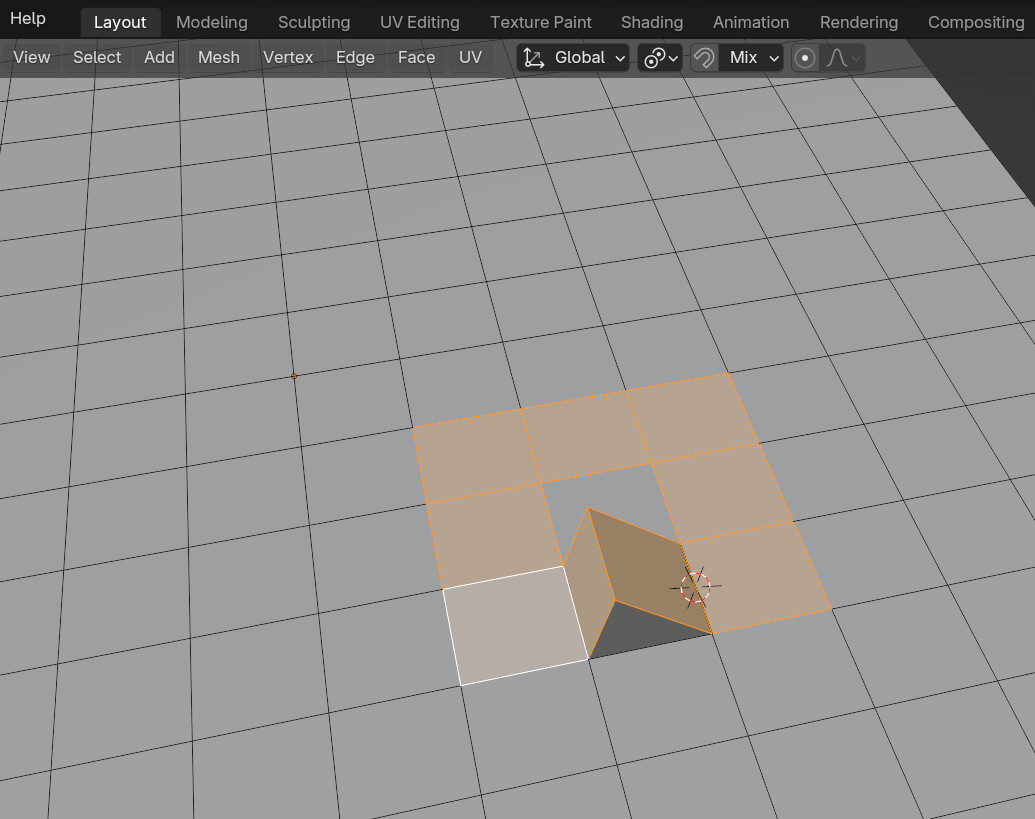
Why hasnt anyone made something like this yet?(your free to voice your opinions)

dear addon developers or blender users Though i have only been a blender user for a fair amount of time i might say that i have been astonished by the fact that most modeling features from 3ds max, maya or modo have been integrated into blender through its hardworking community of addon developers( credits to them for their hard work) but i have always wondered why haven’t any of the ideas i will list have ever been adopted to make any addons about them

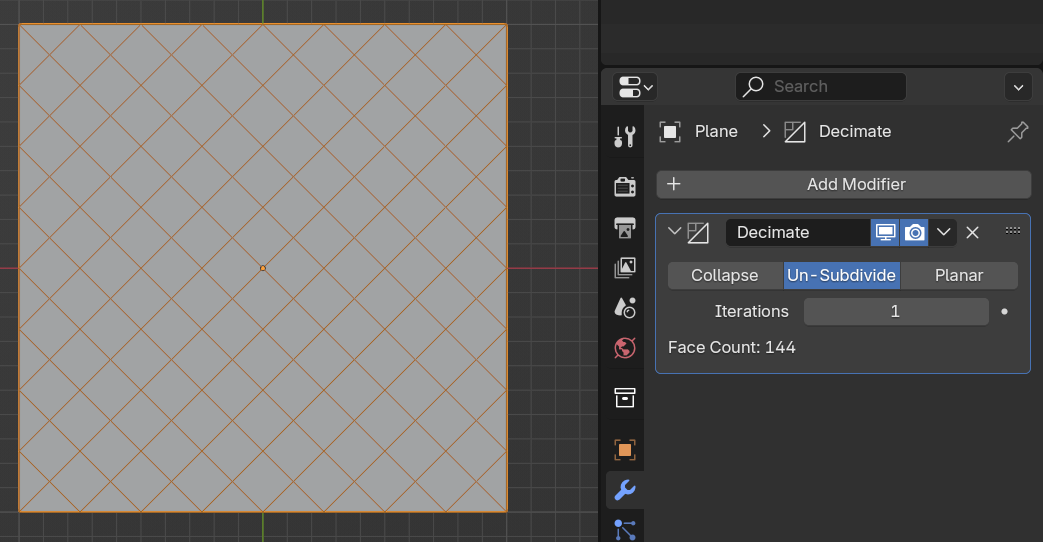
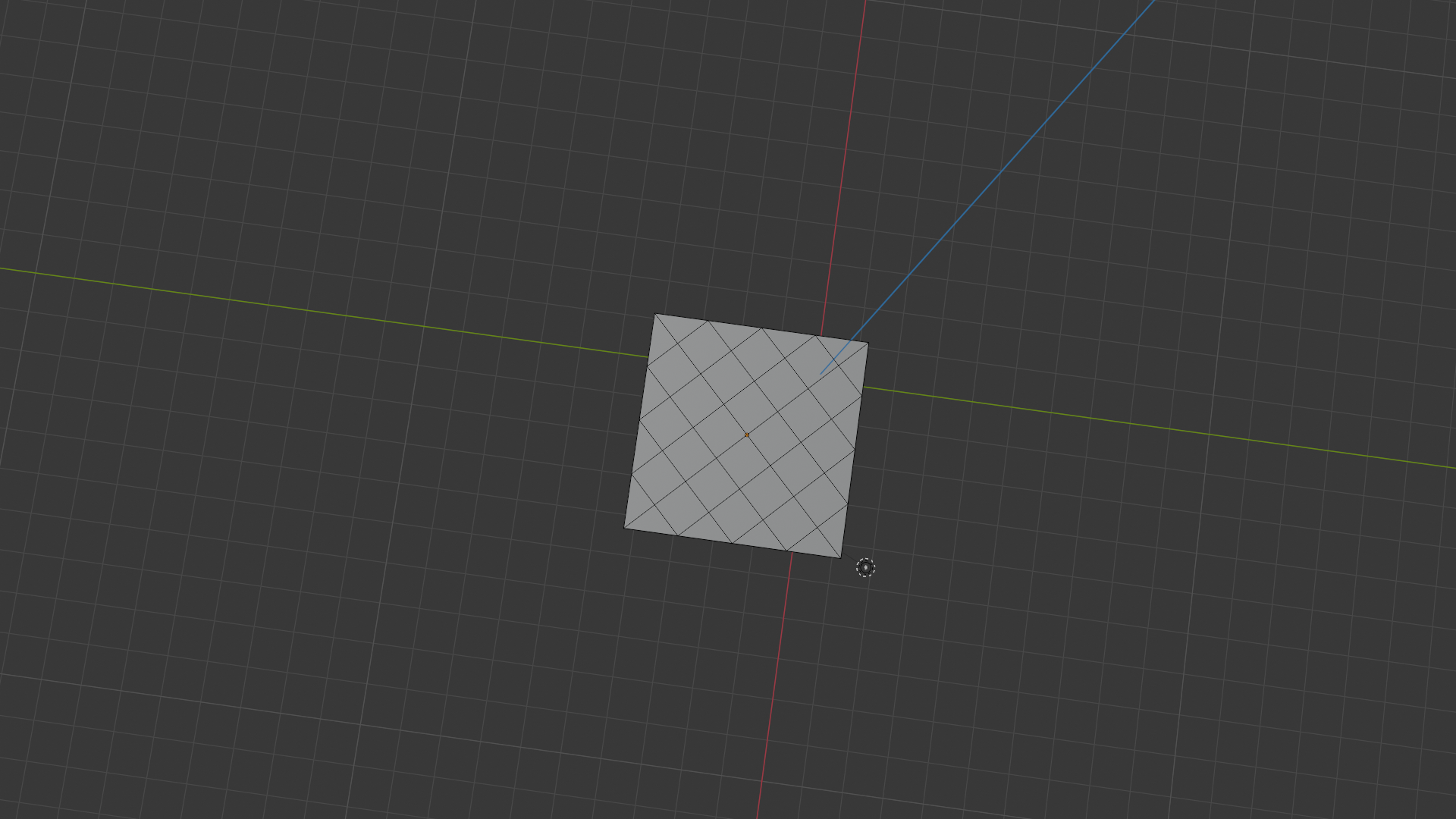
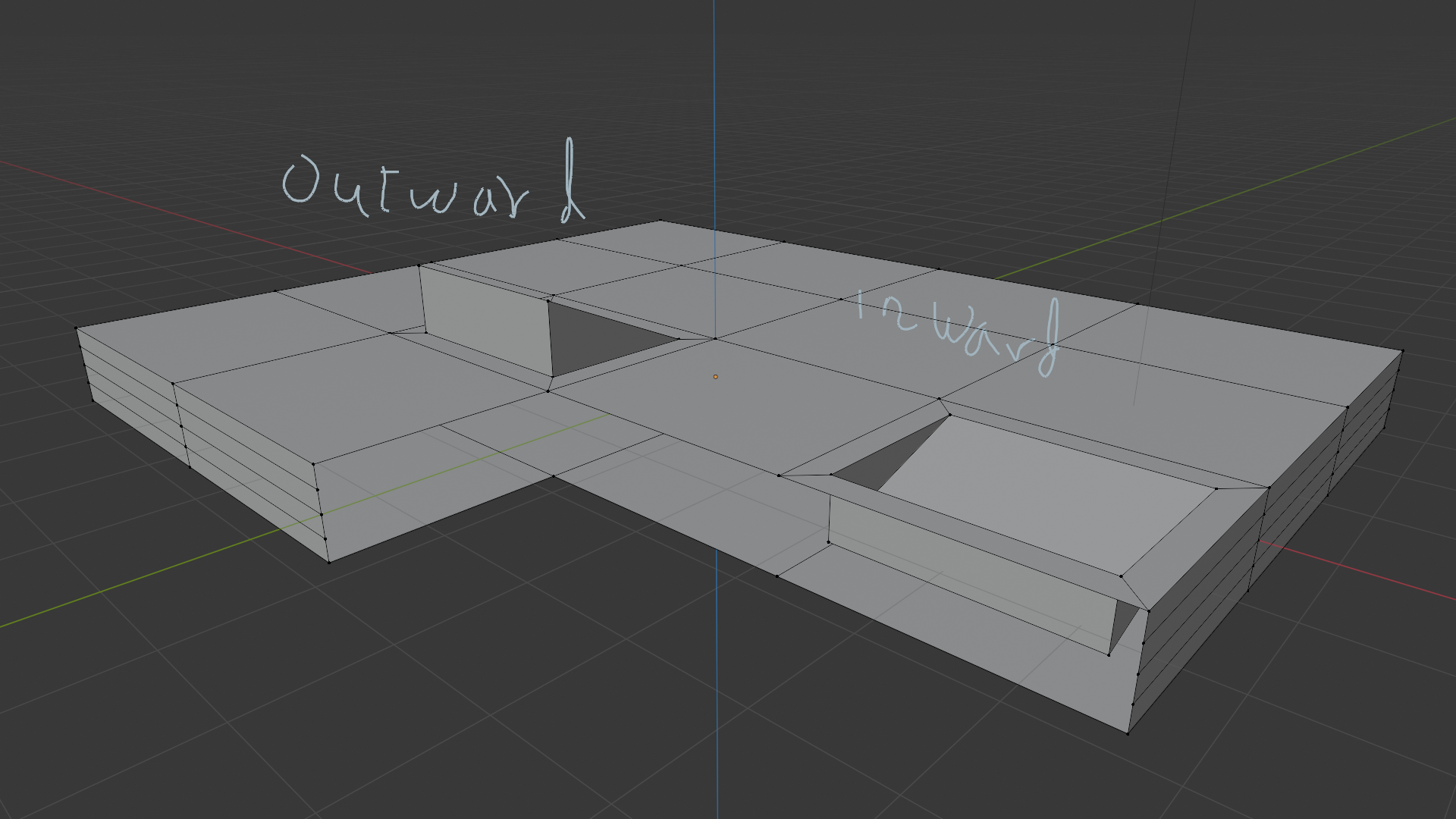
1.procedural topology : diamond or hexagonal topology instead of usual square quad topology , this will be useful if i only want my selected faces to have such topology not the whole mesh

example:
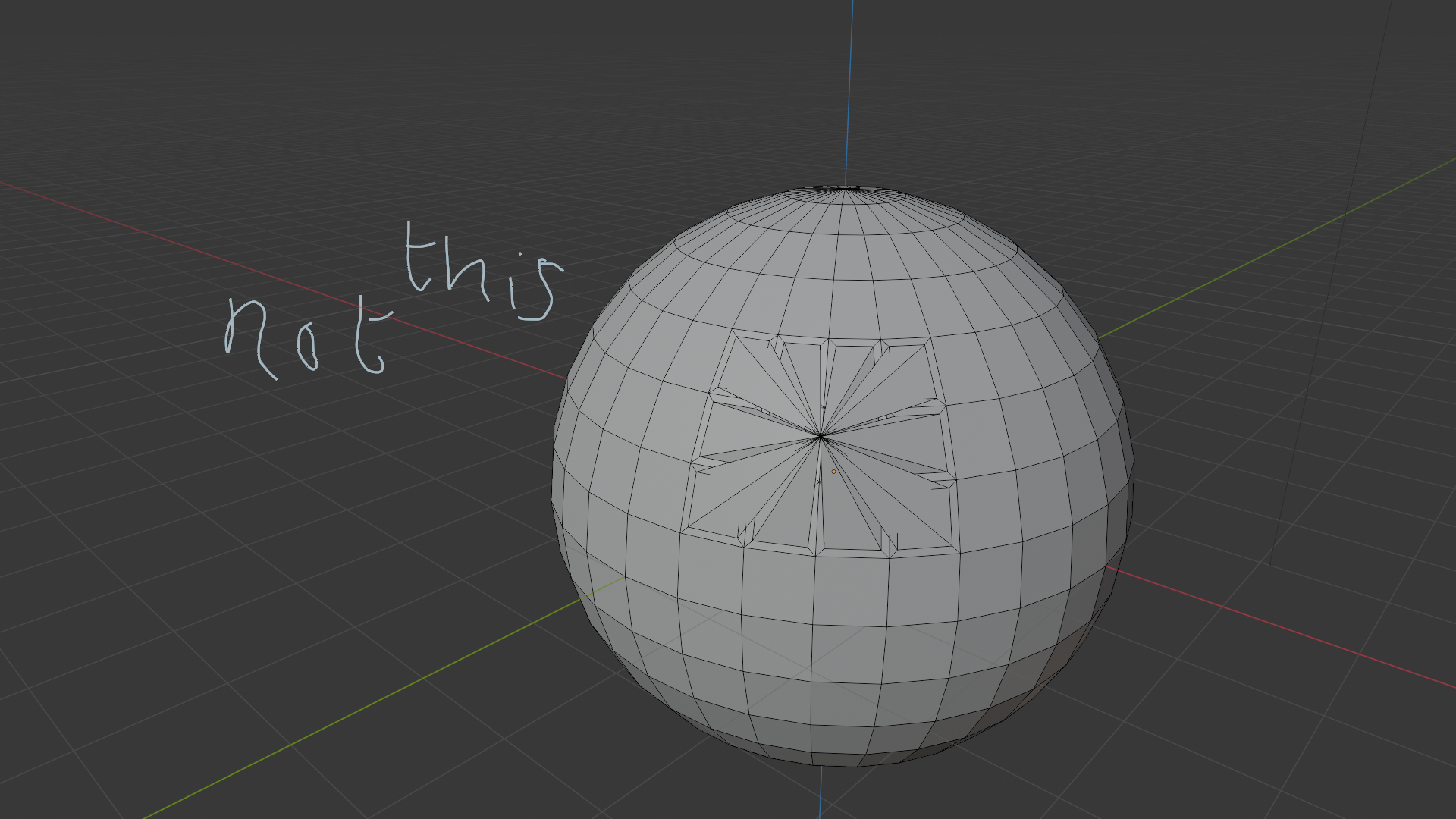
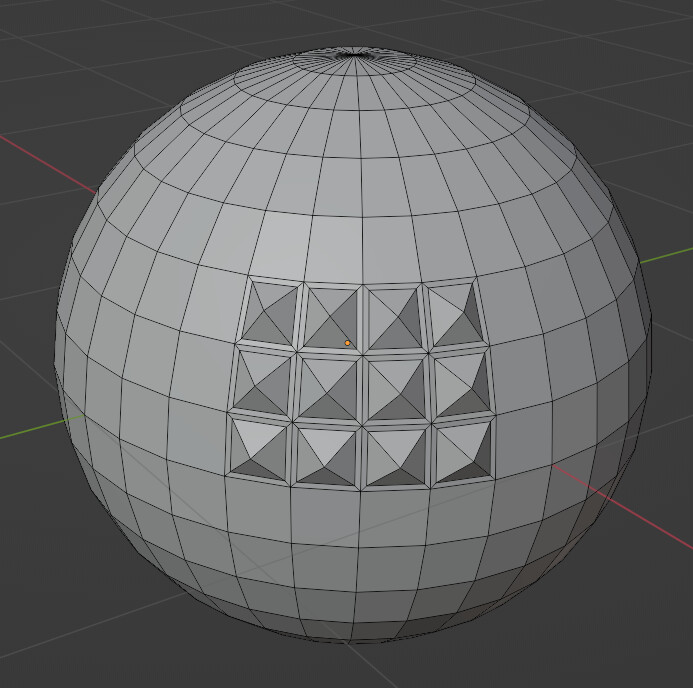
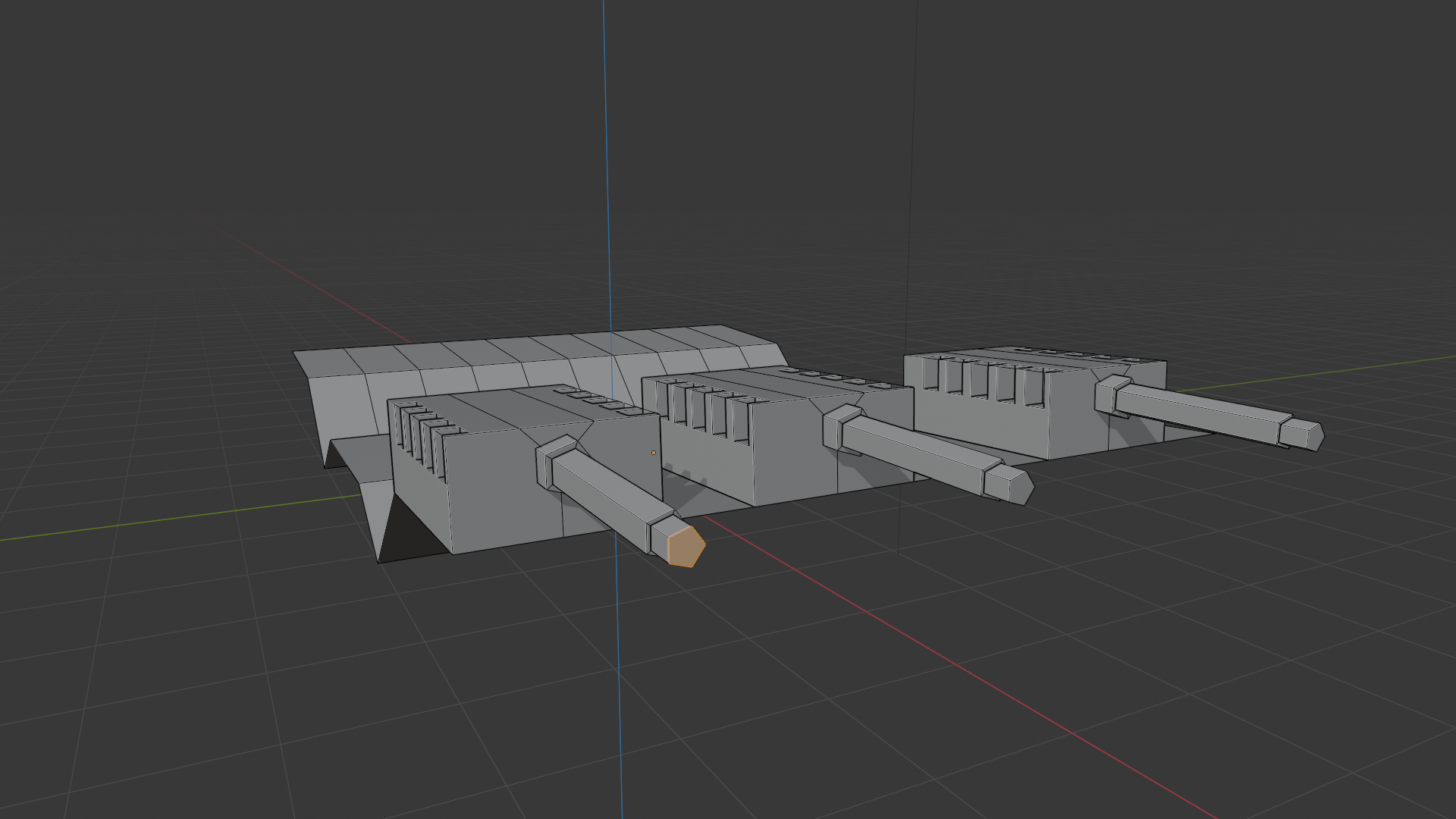
2.face instancing in edit mode : for example , like we duplicate objects with parents in object(alt d), why not have the same feature in edit mode but instead for objects its for faces like being able to edit individual groups of face selections as if they were one , this would speed up the workflow in making cannons or turret for models in blender ( some thing similar to this can be done with individual origins in edit mode but not as effective)

example:

3.array brush: being able to duplicate like a brush but in edit mode . if this is combined with face instancing you can easily create mech parts or sci fi designs with this

example:
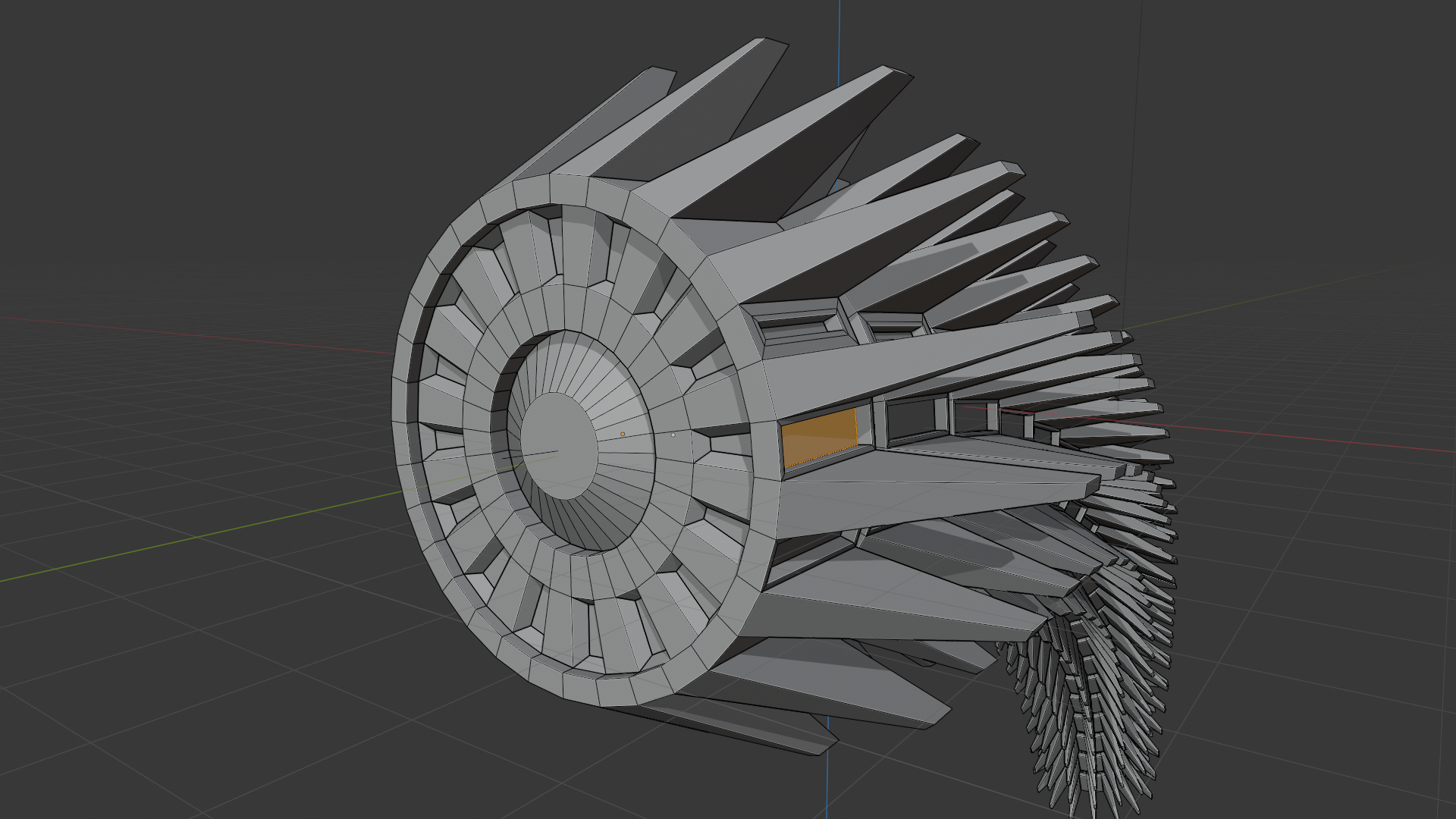
  1. hinge

  2. merge at center that works with individual origins
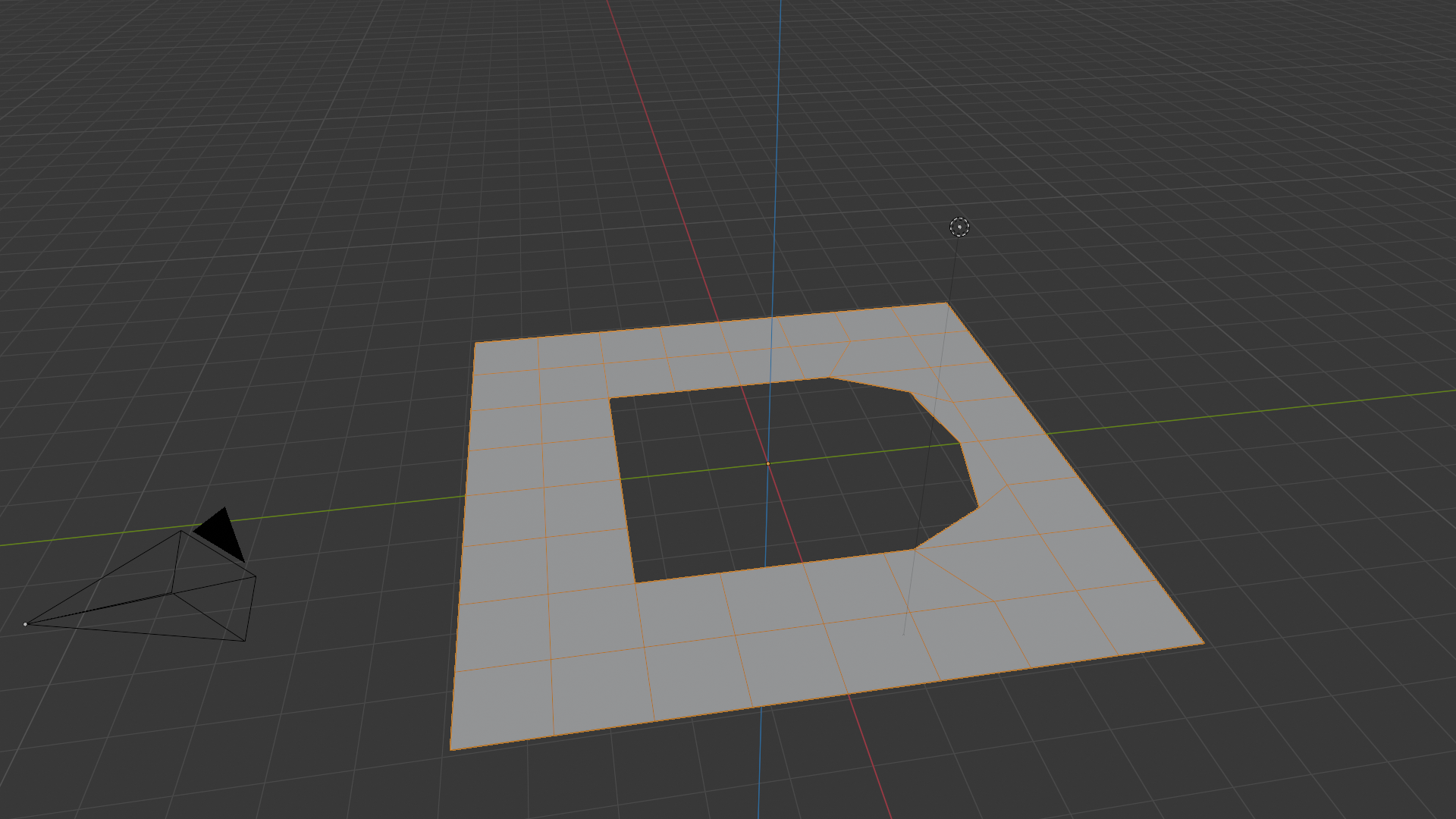
  1. extended loop tools for example instead of having the option to only make circle why not have other shapes as well like square or triangle or polygons shapes or half shapes like an arc/semi circle or a parabolic arch
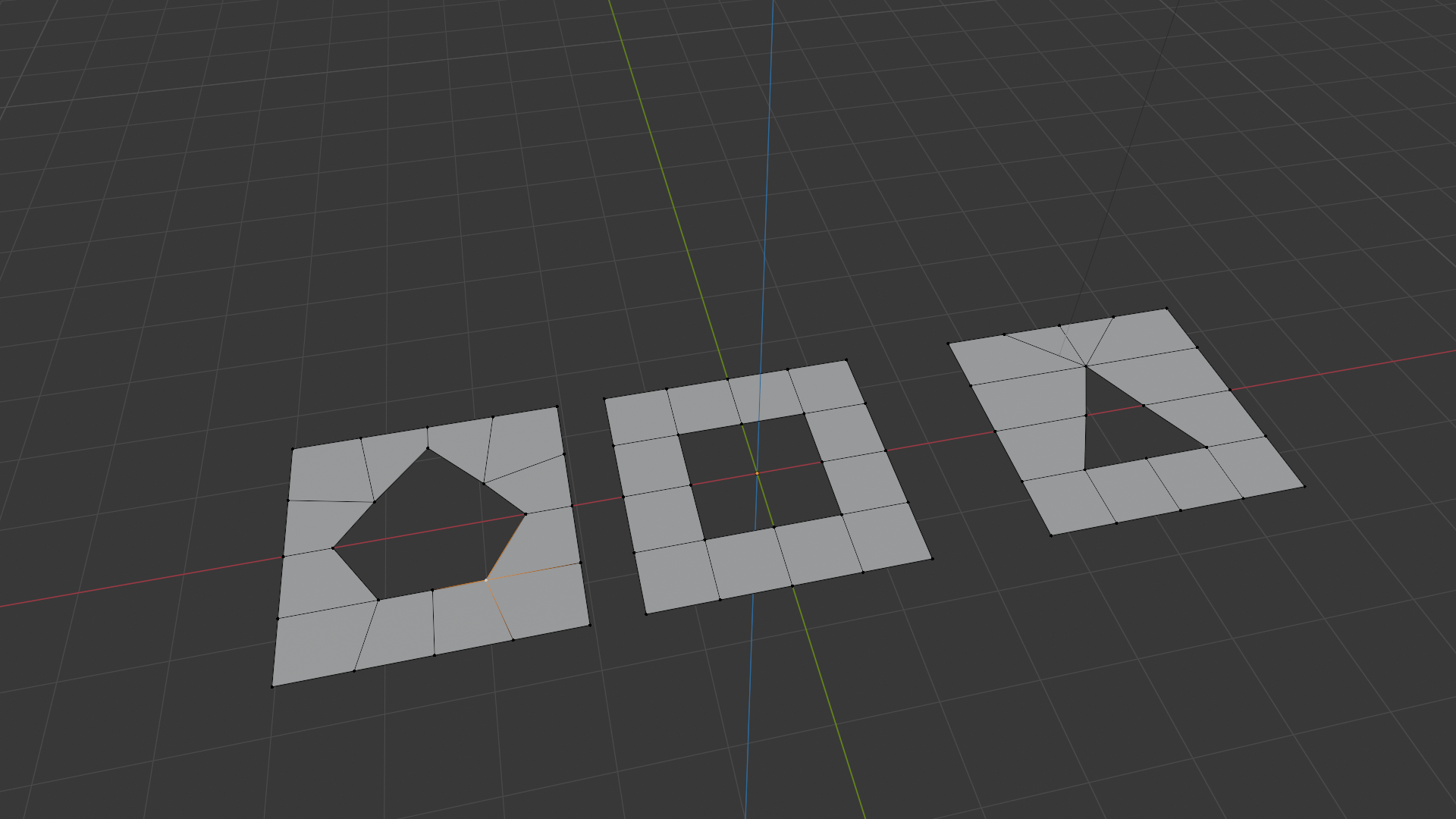
6.5. why not stop at loop tools why not 3d shape tools instead having just a to sphere feature why cant there be a to square or *to pyramid

  1. shape cuts for knife like square or circle with poly counts also
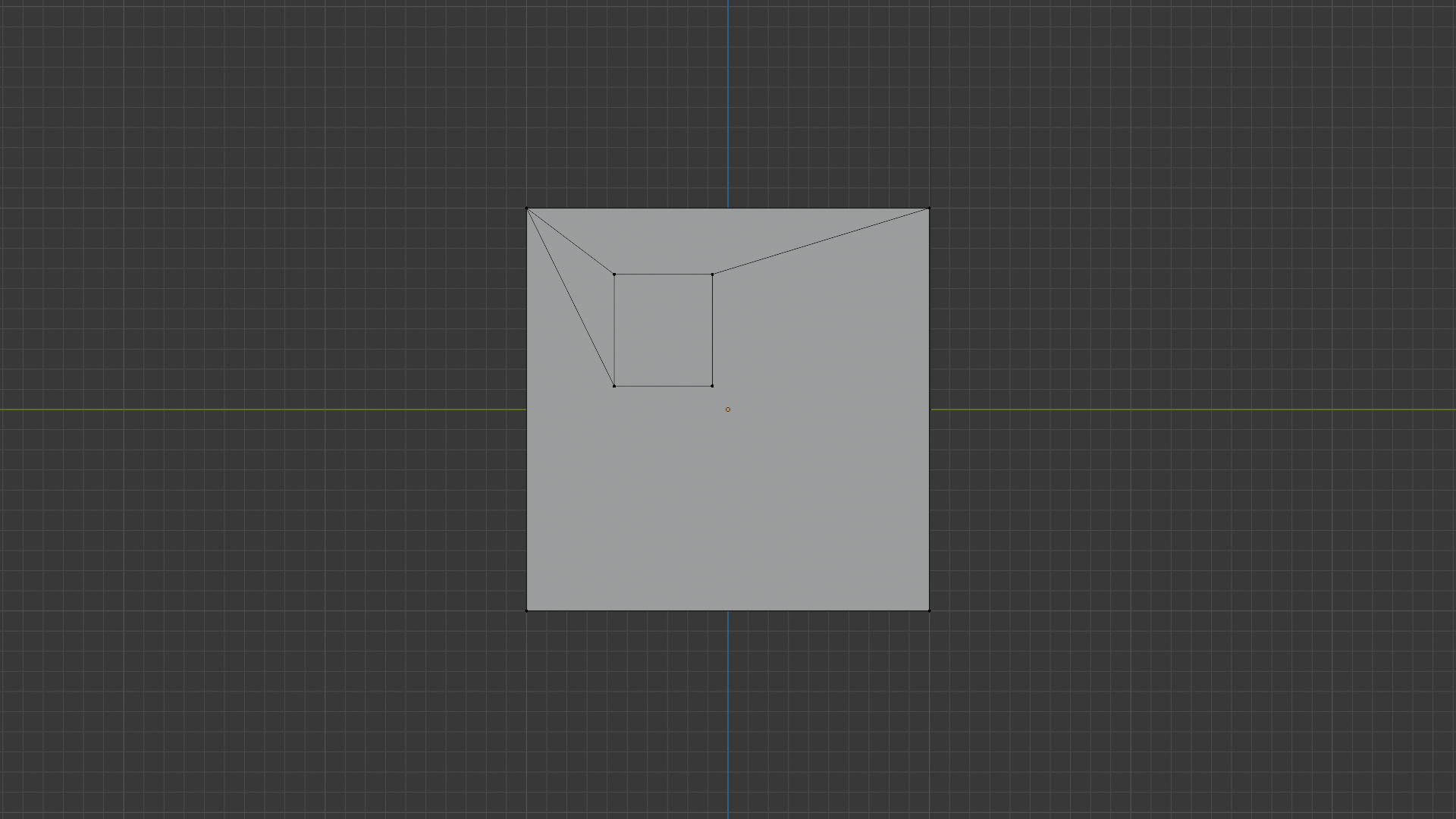
8.face or edge groups ,good for quick modeling workflow

i apologise for my hideous and rude english and massive wall of text . the point that i wanted to make is that these ideas have been around for a very long time so why hasn’t anyone made a addon out of them :thinking:

i would appreciate your’s opinion on this subject weather negative or positive i welcome all opinions

Why haven’t you made this addon?

1 Like

because i dont know how to code :sweat_smile:

thank you for the reply

2 Likes

i just want to put these ideas in someones head so they might consider using them if they intend to make addons :slightly_smiling_face:

1 Like

inset individual …
I thought inset had a clamp, but it does not, so you have to eyeball it to be very small…
then, activate auto merge vertices, individual origins, scale to zero, alt+s to make it pointy.

2 Likes

perhaps there could be a way to add a vertext group mask to the decimate modifier… and why the hell is the unsubdivide button on the multires modifier a destructive operation?

1 Like

I don’t think the data structure is setup to allow something like this and if it was it would probably have a performance impact. It’s easy enough to just make the one bore hole and then copy/paste the finished product to the other barrels. If you really must have live interactive duplicates, they are easy enough to setup with alt+d objects and then merge back into the final mesh later.

Curve modifier is not good enough? Ok. How to improve?

So, the spin tool with only one step/segment and without the default circular nature of the spin tool. That should be doable.

This is probably doable now with Geometry Nodes Tools system.
Get a bounding box of the selected elements. Make a primitive shape that fits in that box (pyramid, sphere, cube, code, cylinder). Then raycast/proximity/set-polsition magic to move the selected elements closer to the primitive shapes topology locations.

7 - i’d rather have Knife Project be a live modifier.

8 - WE HAD FACE GROUPS AND THE IDIOTS REMOVED IT :anger: :rage: :anger:
I honestly never comprehended their reason for adding it, but it behaved exactly like face selection sets in Maya and probably just like in other programs. They had no idea what people were actually using them for and figured nobody was using them for the reason that had in mind, so they removed them. WTF?

You can use material assignments as a poor man’s excuse for saving face selections.

stupid ass exhausting complicated workaround using attributes instead

1


3

5

1 Like
  1. To obtain such plane, you can un-subdivide a grid. Un-subdivide is also a mode of Decimate modifier. And there are probably Geometry Node set-ups possible.

  2. That is the kind of things, you have, by using a mirror or an array modifier. A modifier from Generate category is interpolated faces creation from others.
    By using geometry nodes, you can instance any mesh island as you want.

  3. There was an old addons based on grease pencil. Currently, there are new geometry node tools, placing instances based on drawn curves.
    With version 3 of grease pencil, that will be possible to use GP brushes for that.

  4. Spin tool is able to do that.

  5. That is what the Collapse option of Merge menu does.

  6. Until now, the work to provide a lot of shape was done for curves. Then, a mesh face loop was created from offsetting the curve.
    You can use geometry nodes t snap vertices of an loop on a curve.

6.5. That is the area of snapping tools, shrinkwrap modifier. And geometry nodes can do with curve. They can do it with 3D shapes.

  1. You can use Intersect Mesh Edit tools or Knife Project tool.

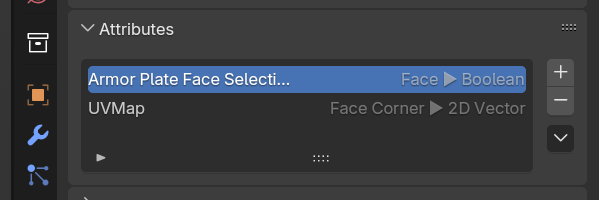
  2. Recent Custom Mesh Attributes are allowing to do that.

Some of your requests are corresponding to a slightly different workflow with old tools, some to addons and some can be recent geometry node tools set-ups.
So, if that is not obvious, that’s because Blender has been in a refactor during current years.
Not everything has a corresponding youtube video.
And the whole community is learning, experimenting new abilities with geometry nodes, every 3 months.
So, recent Geometry Nodes tools (present since Blender 4.0) are not famous, yet.

1 Like

Yes, I agree bad move, we do have Face Sets, if only we could access them in edit mode etc. - select - face set.

1 Like

I think there are many users who have enough knowledge to make add-ons for some of the features described, but I don’t think many users see the need for them.

This does not seem like a tool that would be useful in many cases, maybe very occasionally… But there are other ways of achieving this.

Not really sure how that would differ from current shared data at object level. What’s the difference if it’s object or edit mode for repeating parts?.. An instance needs to have it’s own transforms, so it being an object makes sense. Maybe some sort of temporary editing mode that kept track of copies while editing could be possible, but why go through the trouble when you can already have instances as objects?..

That’s an interesting idea, but not sure how it would work. There would be some difficult design decisions for such functionality. One can already do a lot with transforms with individual origins…

That’s just rotation. You can definitely rotate stuff with various transform pivots and transform orientations without any need for aditioonal functionality. Not really sure what else could be added to that.

Scale down to 0 with individual origins and merge by distance. That’s trivial. S 0 , M B - 4 keystrokes… I think it should be quite easy to make Geometry Nodes tool to reduce that to one keystroke if that’s something you do a lot.

This sounds extremely arbitrary. Would those chosen shapes really match real world needs? I know they wouldn’t for my modelling needs as I usually need to make all kinds of shapes anyway or need finer control of their placement and that’s way easier to achieve with different modelling techniques than relying on some per-existing feature. Although it might sound like a good idea, judging from my modelling experience I think in reality this one is really not that useful the way I see it. Day to day modelling requires too diverse range of shapes to think of and implement as separate features. At least that’s my personal experience, maybe yours is different, what do I know?..

This also seems too arbitrary for hardcoded functions. Booleans and other modelling techniques are way more flexible anyway.

That’s a good one. I think they tried to make face groups(did I see that feature briefly in some version, or am I misremembering?) but it was put off for some reason. I think it was meant to be replaced by ability to use custom attributes to mark faces and edges for various manipulation. It’s technically possible, but it would be nice to see some improved functionality for this, because they are very hard to use compared to vertex groups. I think it’s technically possible to make Geometry Nodes tools to get some similar functionality for faces and edges with attributes, but yes, that’s very tedious and unusable compared to vertex groups at the moment. I am hoping that might improve in the future.

3 Likes

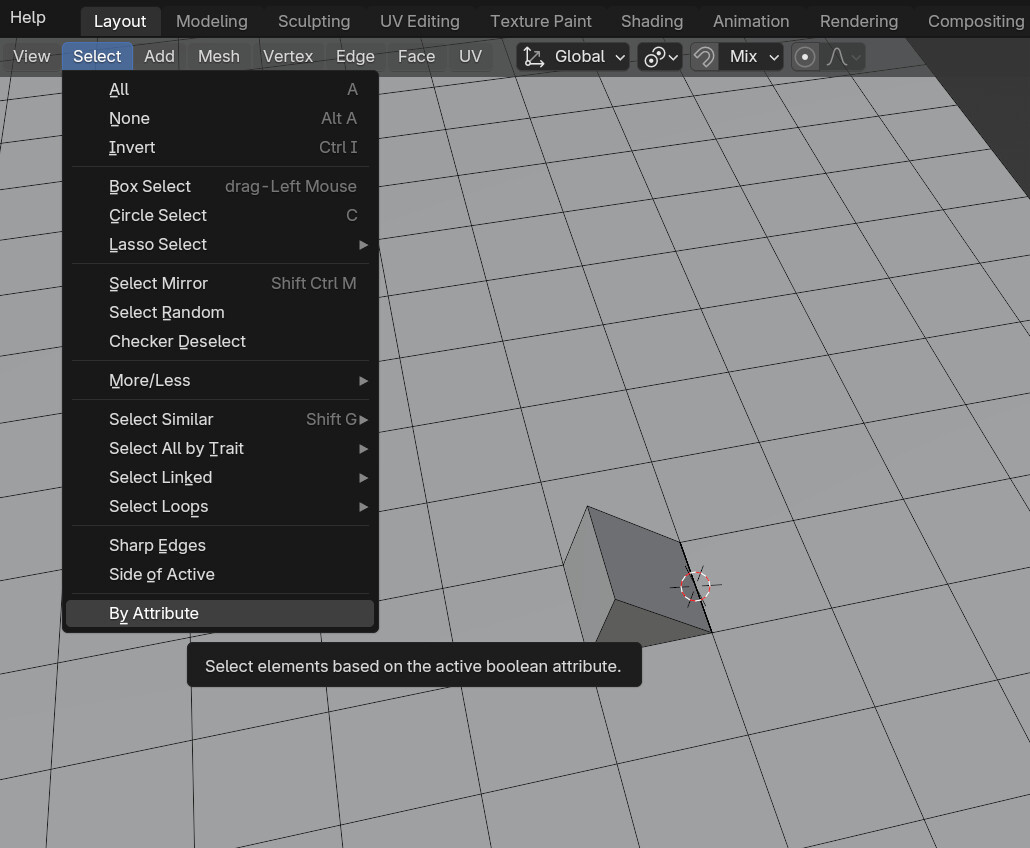
Select Menu → By Attribute. Face sets were removed because they were made redundant by the attribute system. You can recreate face sets by creating an attribute for the purpose of acting as a saved selection.

A bonus, this can also be accessed by Geo Nodes and Cycles/Eevee if needed.

4 Likes

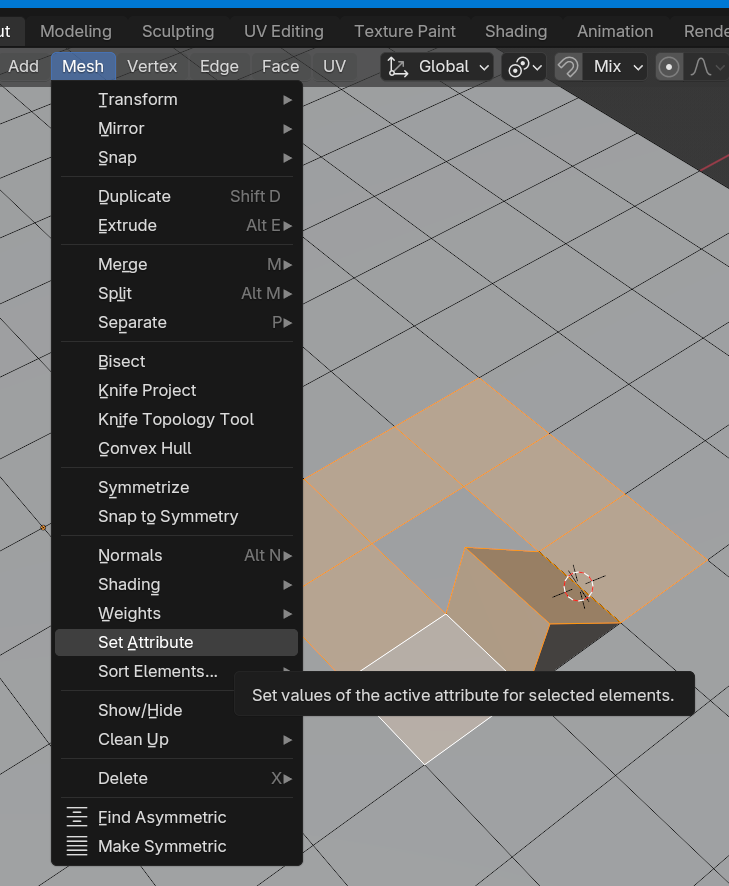
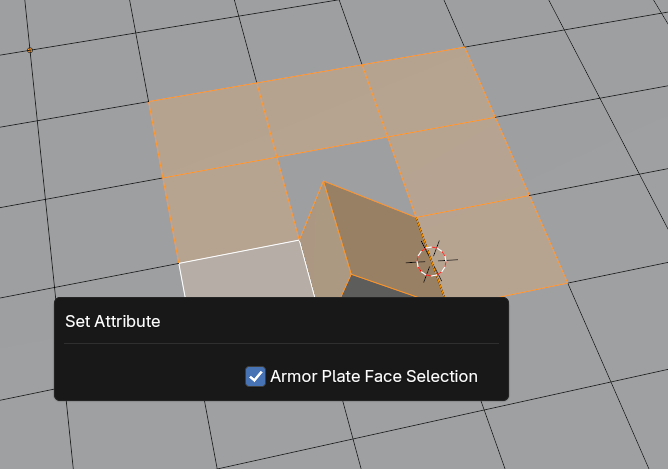
That’s what I thought. I do miss readily available tools to manipulate them though. How do you easily set an attribute value from edit mode(I mean without the need to go through the trouble of making a Geometry nodes tool for that)? Am I missing something here?

Edit: Oh, I am :smiley: :smiley: :D. set attribute. Wow. Silly me. That’s awesome :smiley: :smiley: :smiley: How did I miss that? :smiley:

3 Likes

Sounds great, how do you create the attribute?

Where is that!

2 Likes

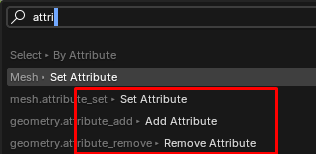
I am learning this real time now too :smiley: Search menu → attribute:

image

I assume it will be in your quick favorites menu shortly :smiley:

It’s nice that these features are hidden. We wouldn’t want just anyone to be able to just use those…

2 Likes

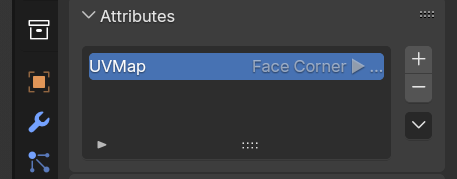
Through the properties panel as if you were creating a vertex group, a UVMap, or a vertex color channel. You do not have to touch nodes at all.


I would think any confusion at this point stems from Blender not utilizing the industry-standard naming for creating such sets (which can’t be done exactly because attributes cover way more than that). Blender also has a lot of stuff to remember now and sees a lot added in each release, so keeping up these days is not as easy as it was when the BF was lucky to get 2 or 3 paid developers after a fundraising event.

I kind of stumbled upon this myself actually. You find things you do not know was added even with access to the commit logs.

3 Likes

I hate those words… :smiley: But I tend to agree this could be way better exposed. How is anyone supposed to know?! :smiley: I mean especially when there are features for vertex groups. One would think they should be looking for something at least remotely similar. I think that’s a failure in the UI design…

I thought I was keeping up… :smiley: :smiley: :smiley: Not easy indeed apparently. :smiley:

1 Like

I appreciate you bringing things you feel are needed in Blender up. There should always be room for discussion on Blender’s features and suggestions for addons or things that might help improve it :slightly_smiling_face:

2 Likes

thank you very much i appreciate your help :slightly_smiling_face:

thank you for the helpful and friendly reply i appreciate it :slightly_smiling_face:

i very much appreciate your answer thank you for the kind gesture :slightly_smiling_face: