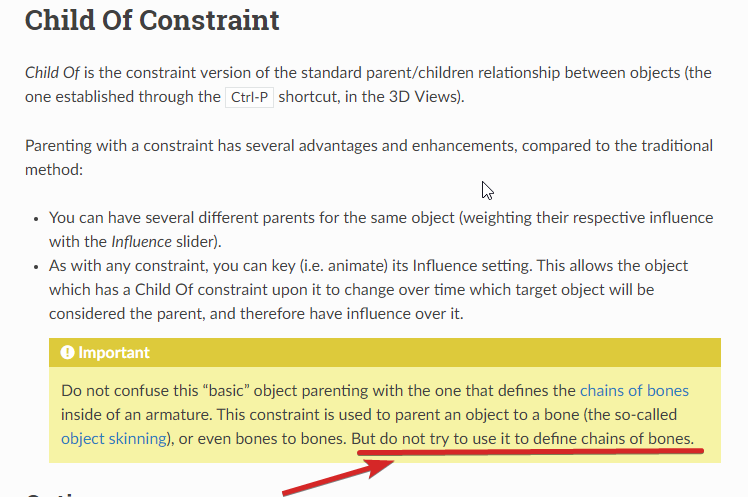
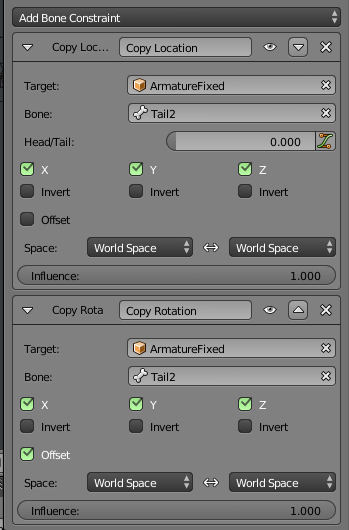
The Y axis being the bone aim vector is a Blender convention. No way around that, and it’s not worth your time fighting over it.
Pick your battles.
Turning off custom shapes on all bones so they use the built-in octahedral \ stick \ bendy shapes, as well as connecting each parent’s tail to their children’s head (in case there’s only one child), these things are easily done with a script.
You can do these steps manually, so using a script to automate the process would make a lot of sense.
Open a Text Editor view in Blender, clicik the “+ New” button to create an empty text datablock, then paste the script below.
With that armature in your video, in pose or edit mode, select any bones you want to point to their children and press the Run Script button in the text editor.
# Optional, connect multiple children to the same parent.
CONNECT_MULTIPLE_CHILDREN = True # Change it to False if you don't want this.


#------------------------------------------------------
import bpy
from mathutils import Vector

armatureObject = bpy.context.active_object
if armatureObject and armatureObject.type == 'ARMATURE':
    for poseBone in armatureObject.pose.bones:
        poseBone.custom_shape = None # Reset shape to nothing.

    bpy.ops.object.mode_set(mode = 'EDIT')

    for editBone in armatureObject.data.edit_bones:
        if editBone.select: # Only process selected bones.
            if len(editBone.children) == 1:
                editBone.tail = editBone.children[0].head # Prolong the parent to its child.
                editBone.children[0].use_connect = True
            elif len(editBone.children) > 1:
                averageChildHead = sum([child.head for child in editBone.children], Vector()) / len(editBone.children)
                editBone.tail = averageChildHead
                if CONNECT_MULTIPLE_CHILDREN:
                    for child in editBone.children:
                        child.use_connect = True

    bpy.ops.object.mode_set(mode = 'POSE') # Finish in pose mode (change it to 'EDIT' if you wish).