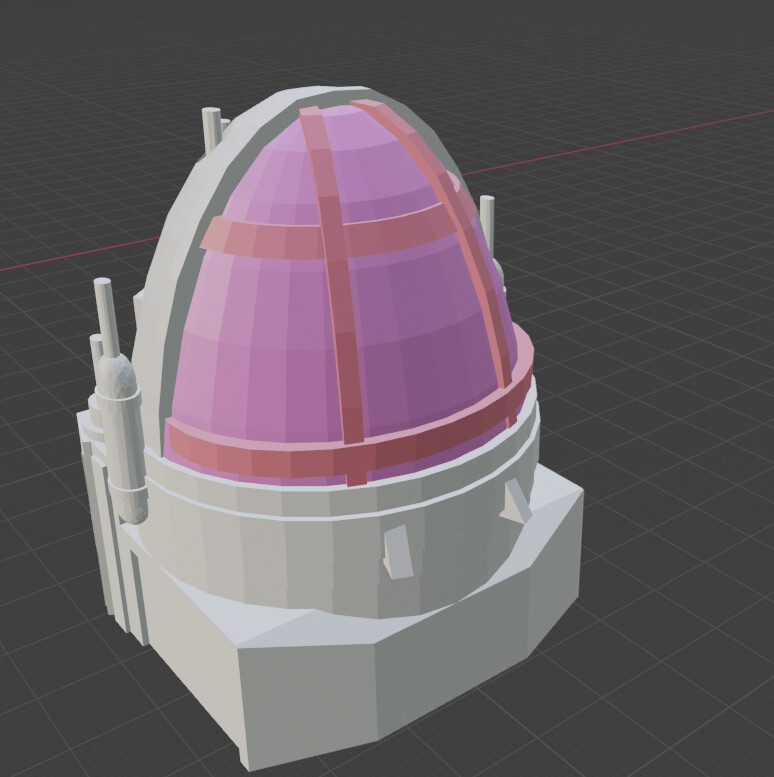
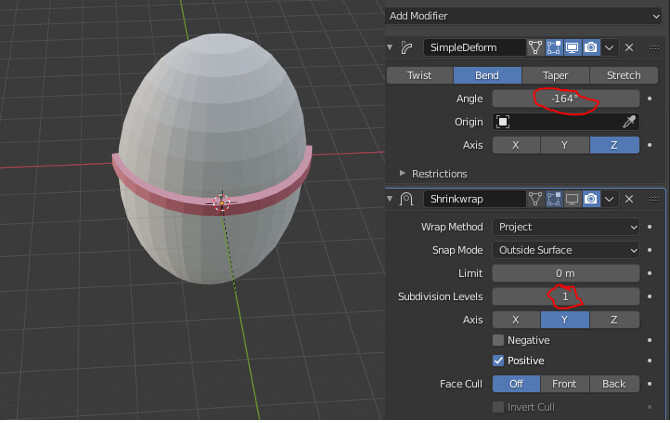
Hello Blender Users I have come to ask for help in creating this shape.
I have the (Pink)Oval shape where I want it. But I am having a hard time trying to get the Bars(Light Red) to wrap around the Oval. I tried following this tutorial Wrap geometry on a surface in Blender https://www.youtube.com/watch?v=-XYuno3DgAo&list=PLXPM5wfUtbuycD0piSkrG6XfocCtIejpw&index=105. but for an unknown reason I keep getting strange results. Looking for anyone who can help. I am still kind new to blender thanks.
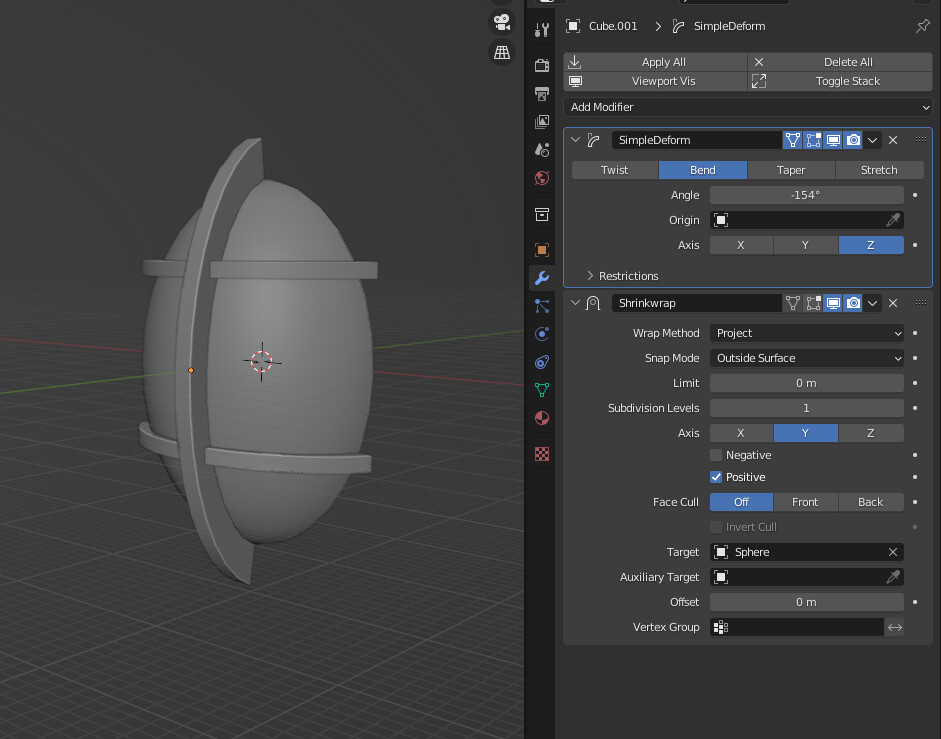
The tutorial shows howto shrink smaller object onto an bigger object (nice finding by the way) but your object is wider than the object you shrink to… using Target Normal Project gest a partly nice result but the geometry isn’t full wrapped arround the egg (also your geometrical distribution is not very equidistant but that’s another story).
By duplicating and moving around you can add them where you want…just adjusting the scale and degree of bend… ( disable the simple deform to do the scaling or you will get distortion in the wrong directions)
Another method could be cutting curves out of it,
copy your dome,
take a loopcut or cut one desireded with knife,
copy the loopcut and convert it to curve,
set the curve bevel to your wanted size and resolution to 0,
in edit mode tilt the curves point as desired.
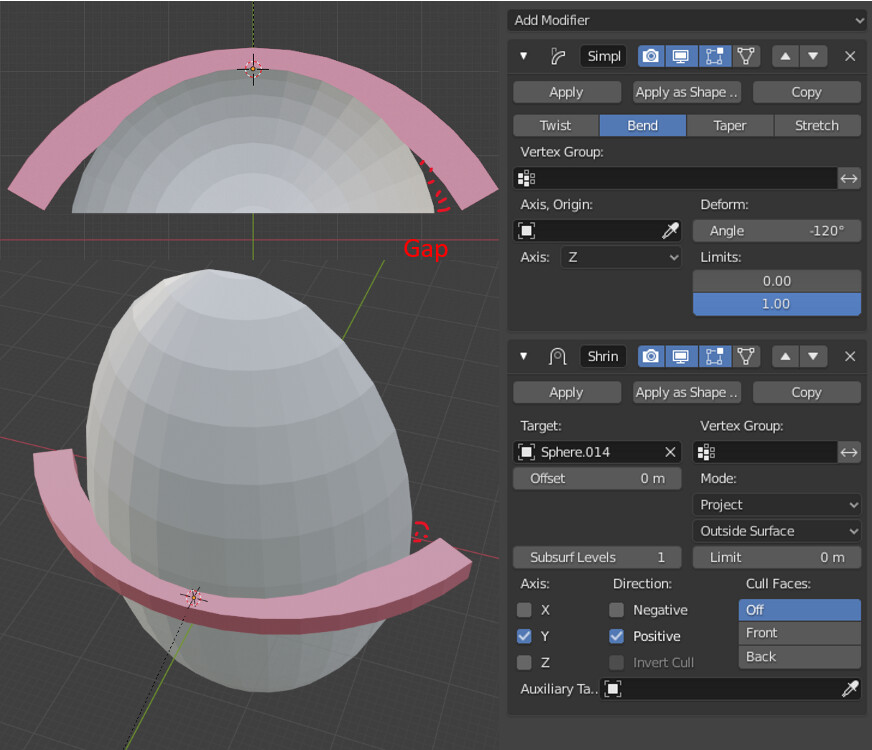
I am trying to replicate what you did with those modifiers this is my result. how did you make it fit more tightly ? There is an awkward gap I’m not sure how to fix it.
A couple of things, did you apply the scale to everything?
If you apply scale things are going to adjust more than you may think!
Looks like you buried the bar into the egg too far in the Y-axis…
Adjustments I did, turn off the modifier adjust the size of the bar in the x-axis, apply scale, and turn on the modifier to check, adjust curve and repeat…
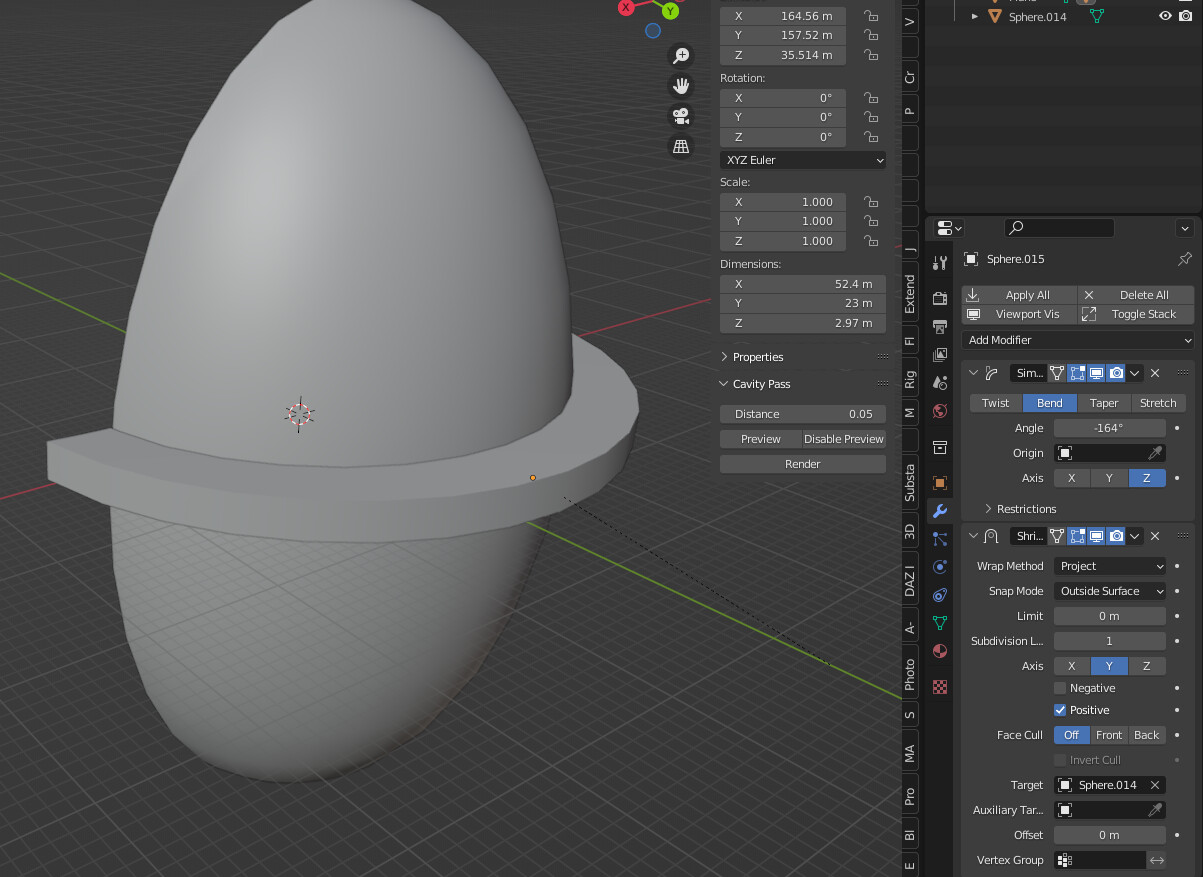
Thank you for helping me. it is now looking so much better. I do have two questions circled in red. 1 How did you know -164d was a good number to use. Did you have another tool or just trial and error your progression? and 2 I noticed Subdivision Level was set to 1 I changed the numbers but saw no difference between what i put and applied
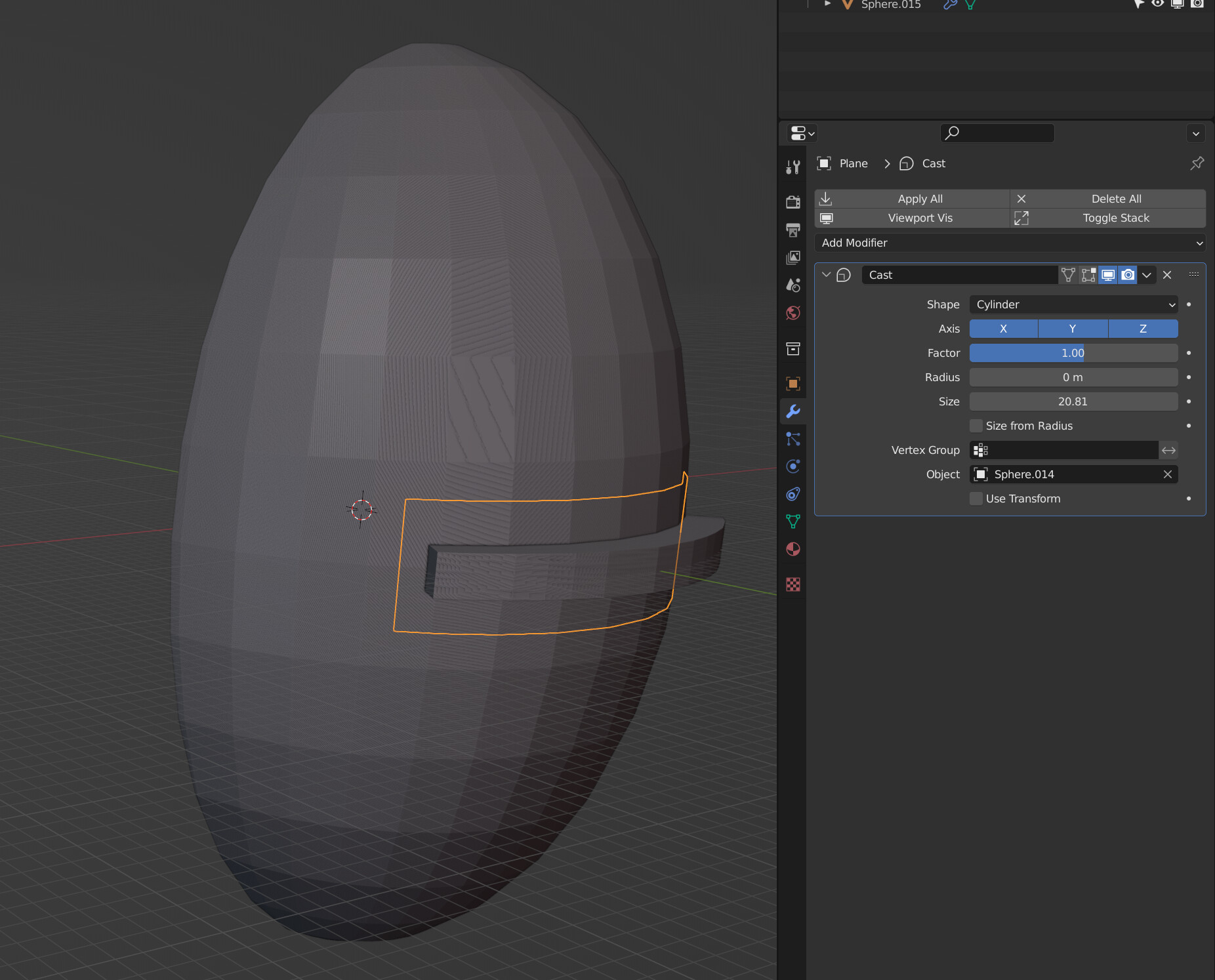
Just to add another option besides the bend modifier, although it is difficult to reach a 180° bend with this technique: use the cast modfier set to cylinder and adjust the size until satisfied:
Yep Trial and error…looking down on the Z-axis… ( I also, while Playing rotated the ends to be flat with the Back of the egg when curved…)
The subdivision isn’t the same as a sub-d modifier…it’s a calculation for the Projection as far as I know… The bar had quite enough subdivisions in the Geometry to allow it to bend well but still would sit away from the surface of the egg at the loop cuts…this just calculates another level of sub-division to project to the object…