Raise your hand if you recognize abominations like below, as a result of trying various brushes and tools. 

7 Likes


4 Likes
3 Likes
Great news, and that damn war is very saddening and angering (like every war).
7 Likes
Is that what I think it is? At last… 
1 Like
Yes, soon we can start annoying the Blenderheads in the Sculpt Mode thread by mentioning how much better things are in 3D Coat in stead of referring to ZBrush.
5 Likes
Some few features among others that speed up workflow :
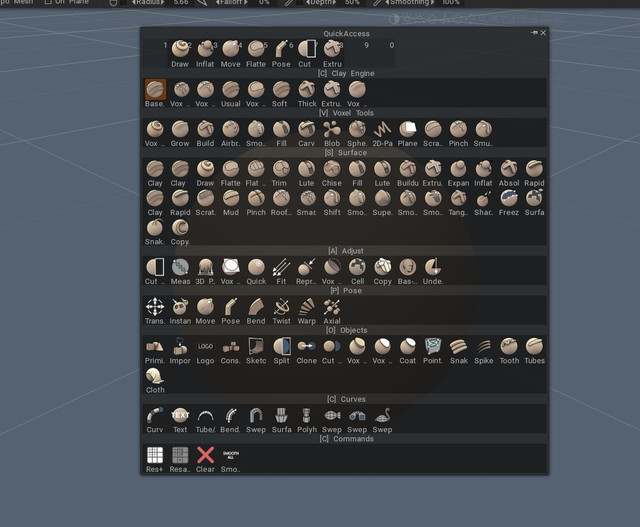
Press “space” and all sculpting tools and favorites on one panel under mouse cursor
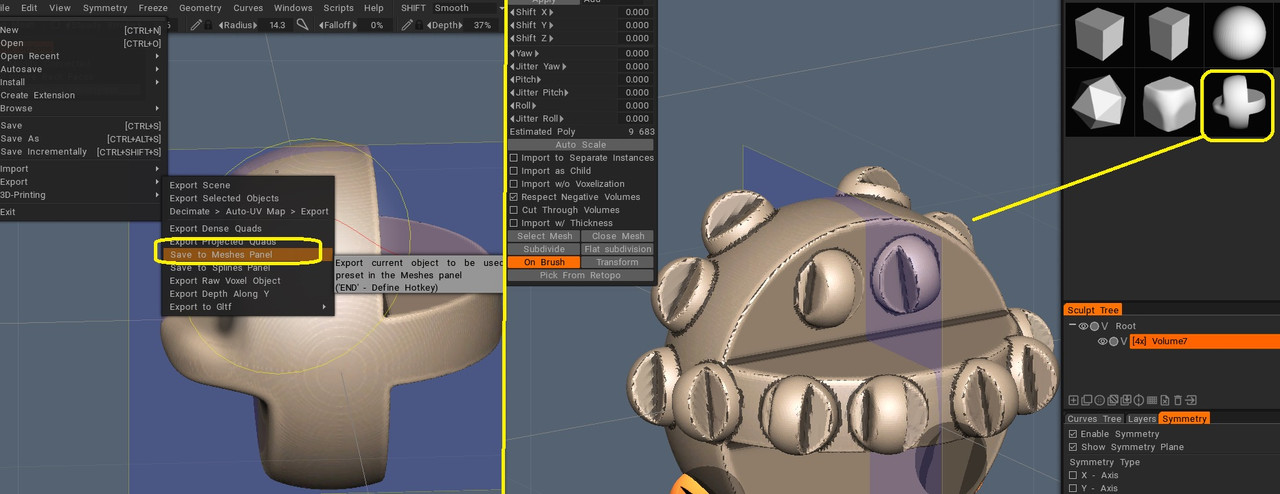
Directly turn your sculpted object as a sculpt model in some clicks without leaving 3D coat
And the curve tool is so easy to use with unlimited uses

This is on making workflow fast and intuitive Blender sculpt mode can improve more.
6 Likes
 You can also right-click on an object layer:

3 Likes
Why have I not bought this yet?
1 Like
Interesting…
Sounds like zbrush’s reconstruct subdiv… 
2 Likes
I’ve owned 3dcoat for years. I don’t use it a massive amount but when I do use it it’s very, very good.
It’s really great for texturing and vertex painting both of which are pretty poor in Bender so from that point of view they are highly complementary.
It’s also very good at unwrapping UVs. The way it marks seams is the best there is and, as far as I can see, has been the source of a lot of imitation in the industry. (Although it’s packing algorithm is looking a little long in the tooth these days)
It’s only weakness with texturing and UVs is that it doesn’t handle UVsets/UVmaps conventionally. In most 3d packages, Blender, Maya, Unity etc. Any single vertex can have a number of UVsets associated with it.
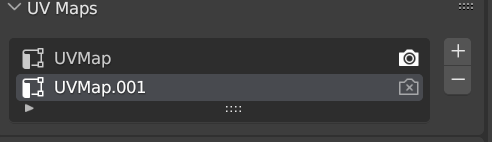
This allows for things light maps and detail maps to have UVs appropriate to them. 3D coat doesn’t support this. It has UDIMs and something it calls UVsets which is more like separate objects. But no vertex can have any more than one UV coordinate. This is fine for most use cases, but for game art where you really benefit from multiple uv sets it limits 3dcoats usefulness.
I’ve never really used the sculpting part of 3dcoat because I’ve had zbrush for even longer.
On the plus side the community seem really supportive, and the developers seem like thoroughly decent fellows who genuine aren’t interested in price gouging you.
In sum, I would definitely recommend 3D coat for texturing as it represents huge value for money (certainly compared to Substance). I even think there’s a cut down version called Textura which would fit the gap in Blenders toolset even more perfectly.
(Just support proper UVsets @carlosan )
3 Likes
Seconded. Also wishing them well with all they are having to deal with right now.
I am quite expectant and intrigued with the multi resolution sculpting development. Can’t wait to see, or rather try it in action.
2 Likes
I started to test 3DCoat again after many years (I first tried it for retopology in 2015 or so), and I’ve seen a few good video tutorials, but was wondering if anyone here knows about written tutorials, since I’m more comfortable with that format, I’m old school like that 
1 Like
I hear you. I also love written tutorials.
@carlosan is the supreme 3D-Coat tutorial ninja. He’ll be able to help you.
1 Like
the truth is that there are few tutorials of this type, the ones that exist are quite obsolete
Thanks, I guess I’ll just have to go through rambling and mumbling video tuts 
2 Likes