Greetings!
Looking pretty good!
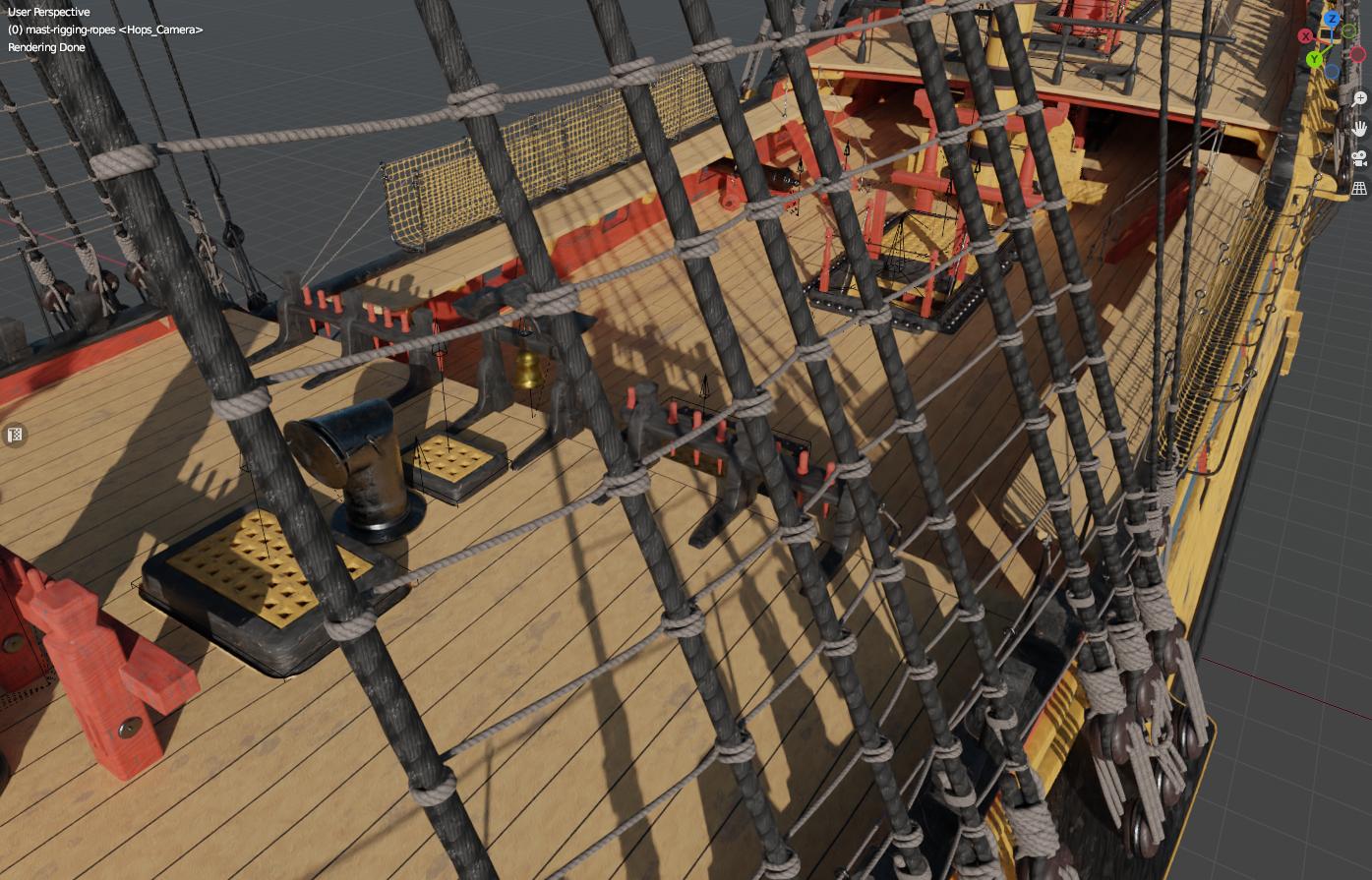
This is how I went about the ratlines. (I’m guessing ratlines are the horizontal ropes )
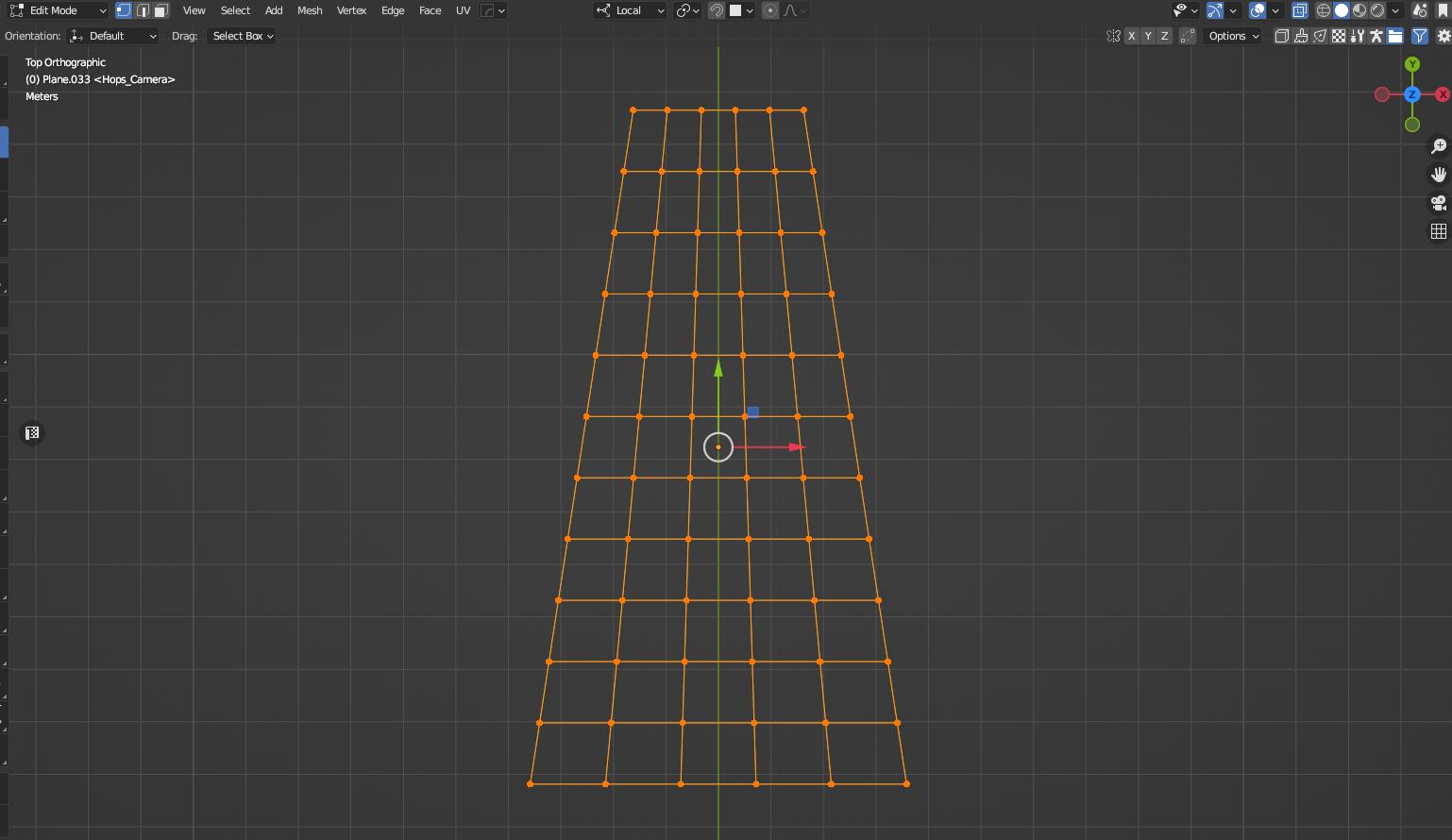
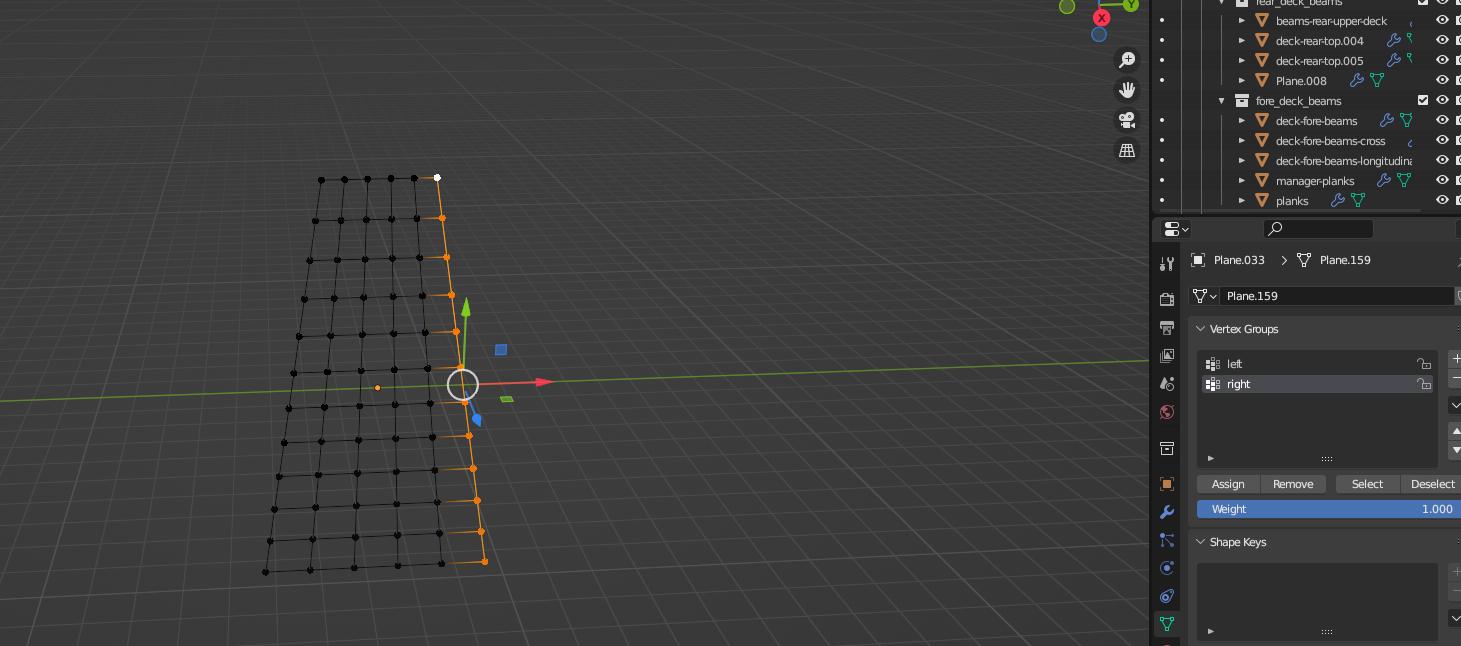
Created the shape with the points on the places where the line wraps around the thick rope. Deleted only the faces.
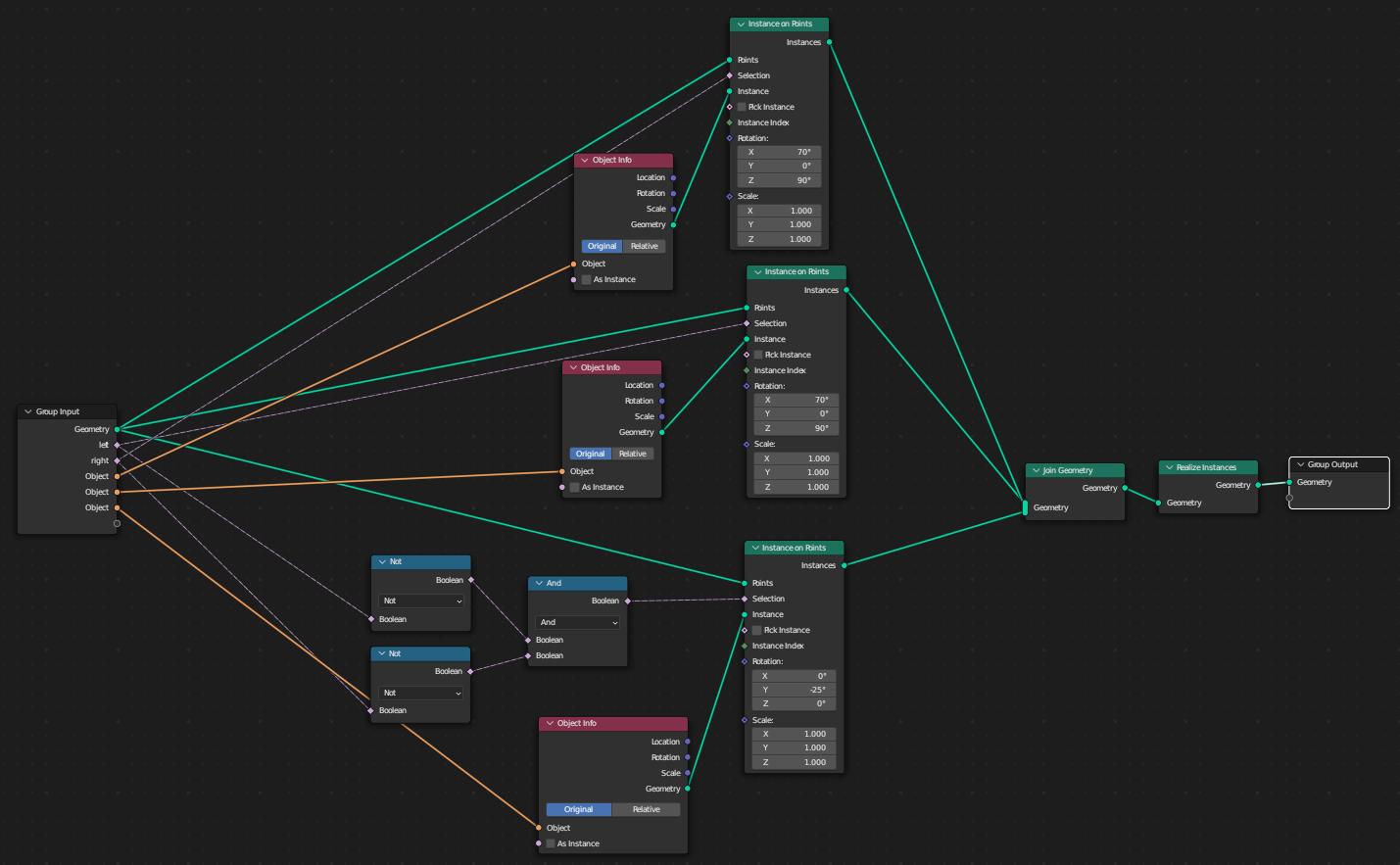
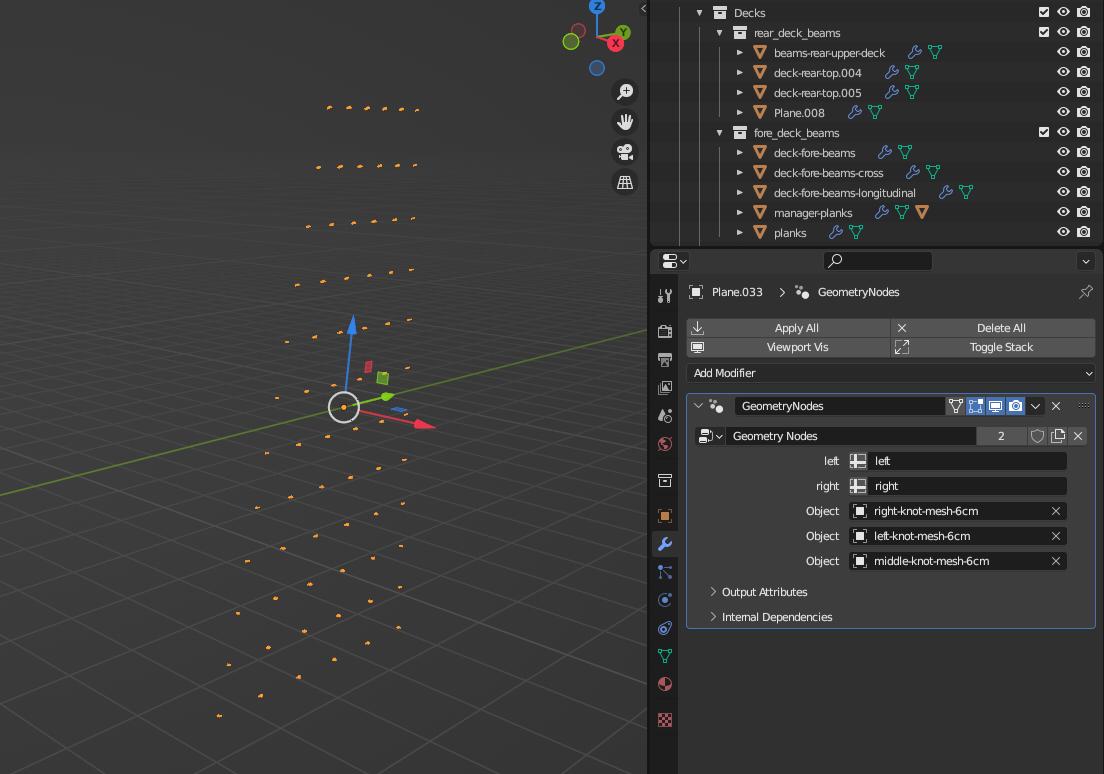
Created 3 curves (one that wraps around the right side, one the middle and one the left side), they are distributed on points of the grid with this Geo node:
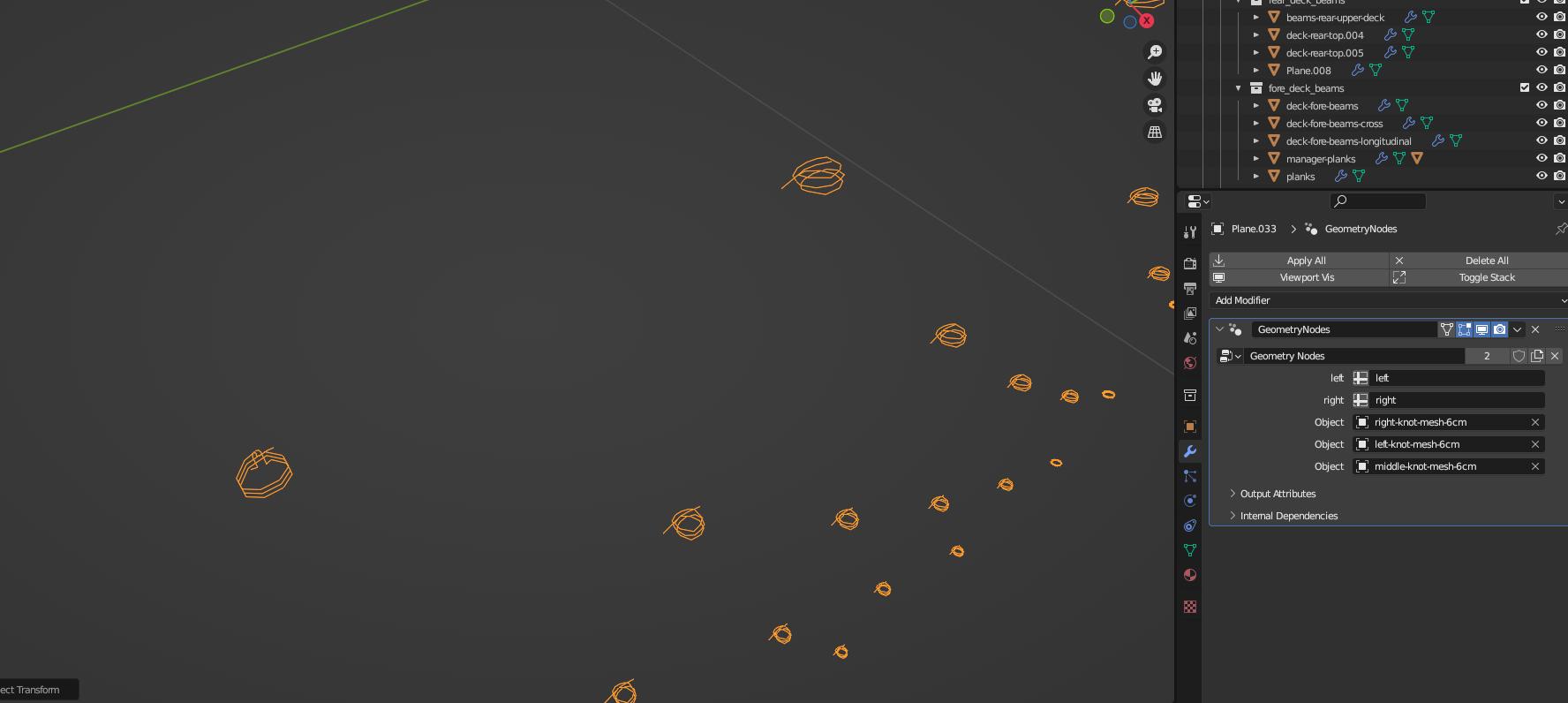
After the wraps where created, I applied the geo node and got a mesh that I connected all the wraps horizontally and converted it to curves. I tweaked the curve so the ropes mostly fit on the thick ones.
Applied the rope generator geo node, the result looks something like this…
Well I’ve put the ratlines in place .I effectively set one up and positioned them using hooks clamped to the shrouds. Duplicated them to complete. They took a little longer than anticipated, but at least they’re now in place!
I’ve also remedied the yardarm placement.
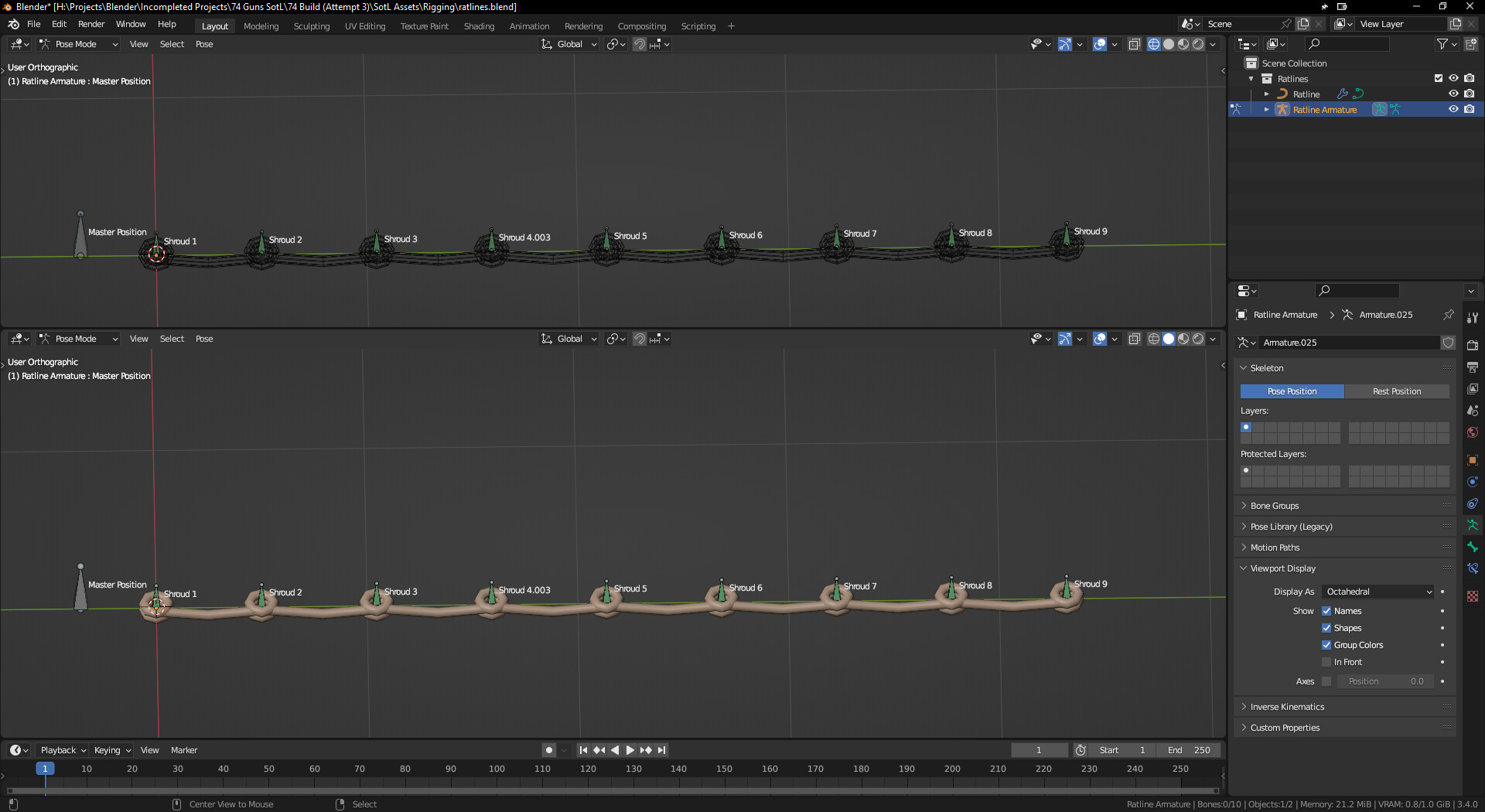
@t1000 I was considering a method very similar to yours, but each shroud was effectively put in place manually using an armature. I needed something that “locked” the ratlines to the correct place, so I went with my own method.
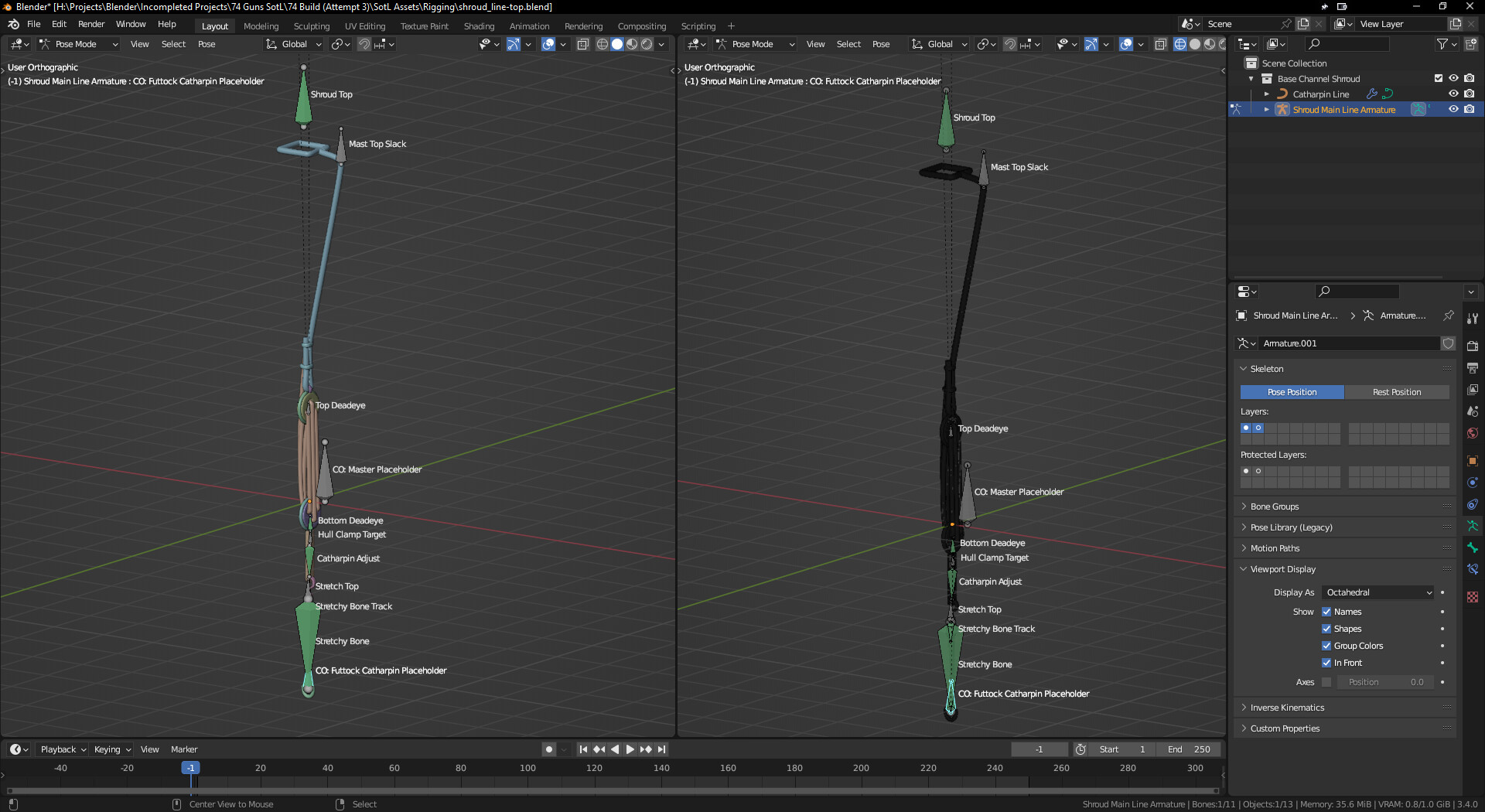
If you’d like. They were not used to animate the ropes in this case, but they can be animated with a little further tweaking if/when the need arises. I just wanted something that could easily place them. The shroud is a bit more complex compared with the ratline.
The “Master Placeholder” bone was used to simply position the entire armature (in pose mode) on the ship model. The bottom bone tracks to the top bone, creating the shrouds rotation.
Everything above the “Hull Clamp Target” bone tracks to the Shroud Top bone in order to keep everything straight. Same applies in the opposite direction to the “CO: Futtock Catharpin Placeholder” bone. There’s a mixture of stretch, hooks and tracking constraints on the bones.
Ratlines as mentioned above were much simpler. Each “Shroud” bone has just the “clamp to” constraint and set to an appropriate curve. Each shroud is parented to the “master position” bone and can then be used to slide the whole thing up and down the shrouds with relative ease. The shroud bones can also be adjusted for finer movements.
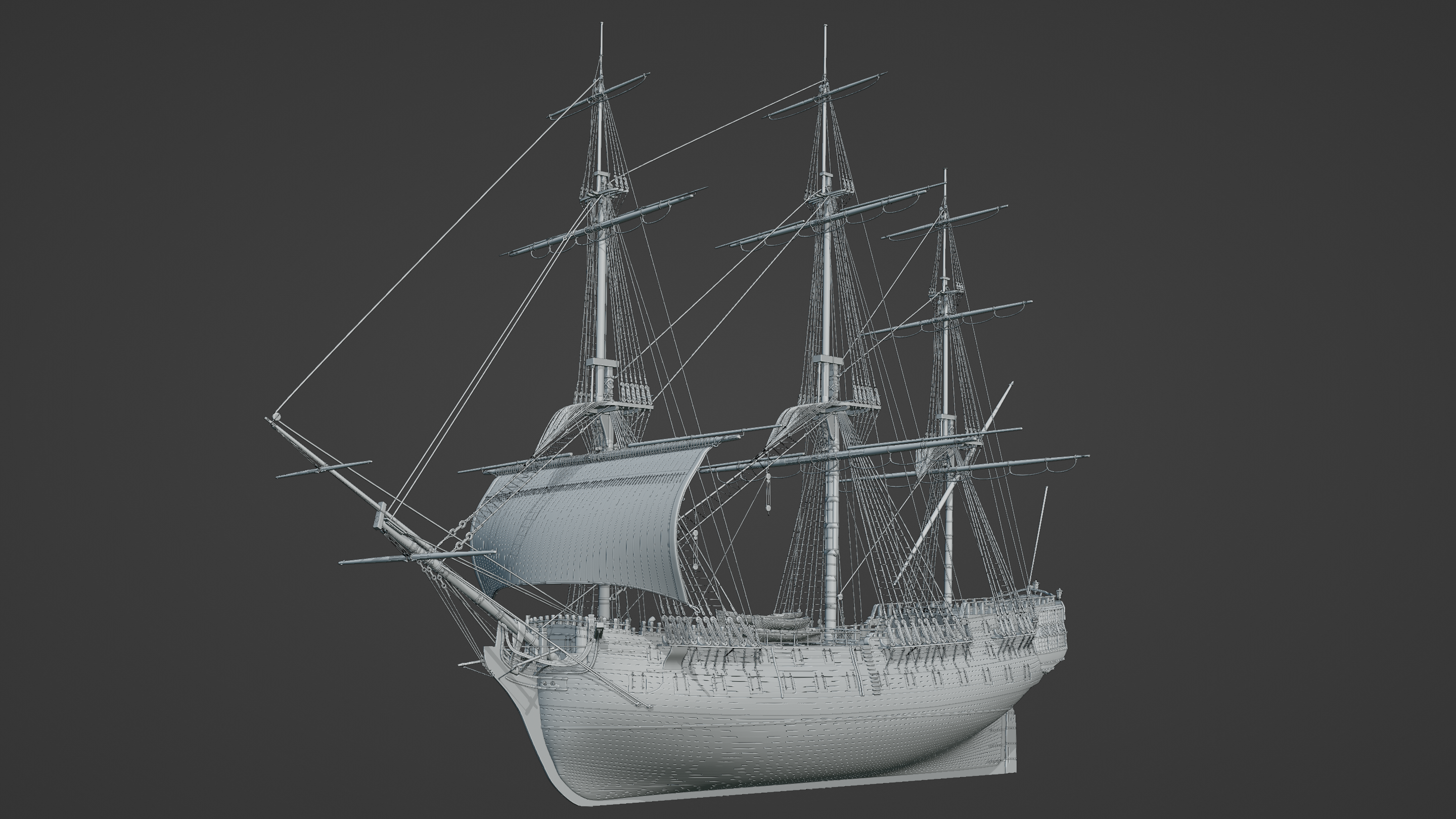
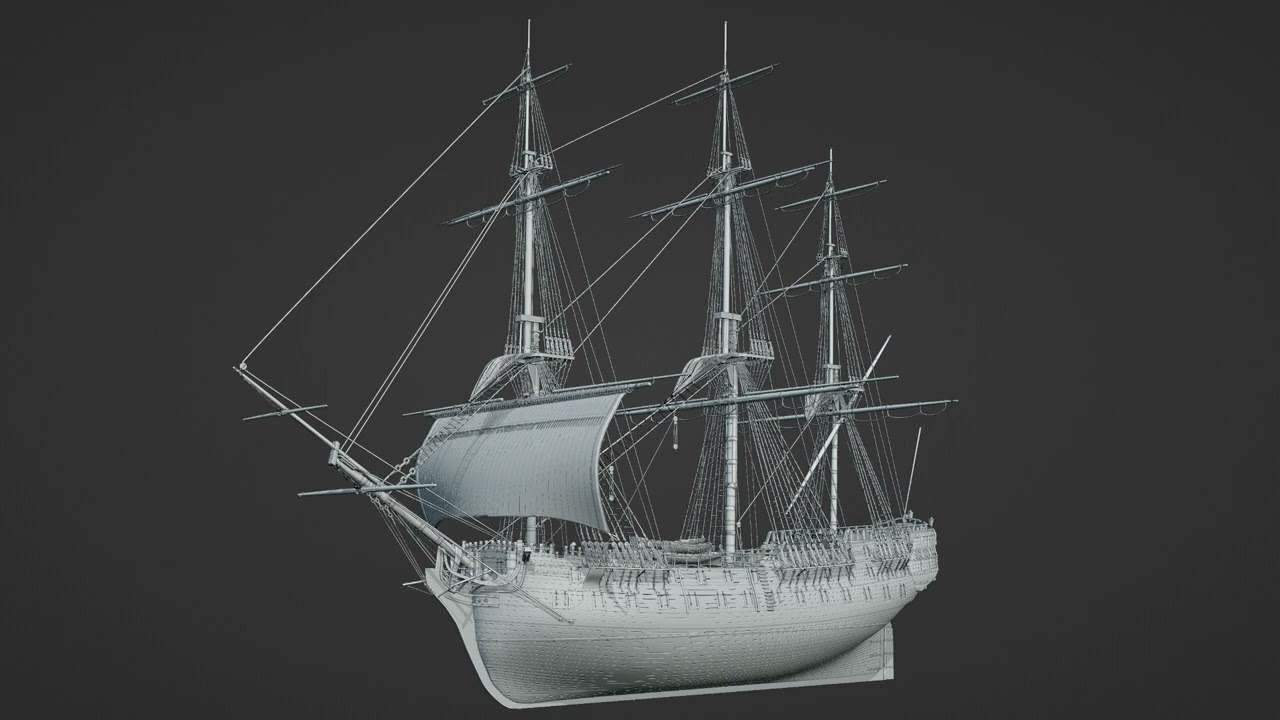
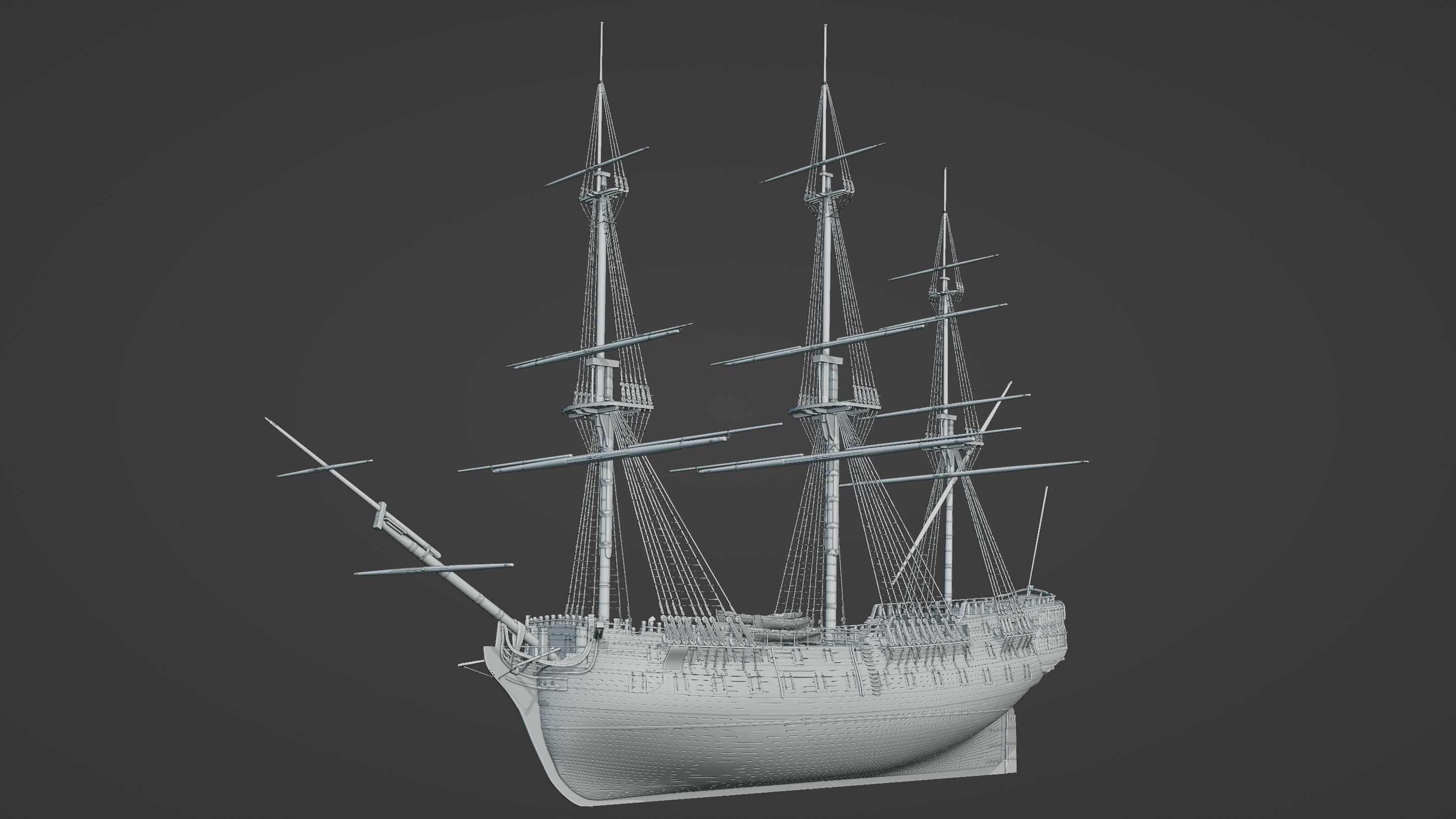
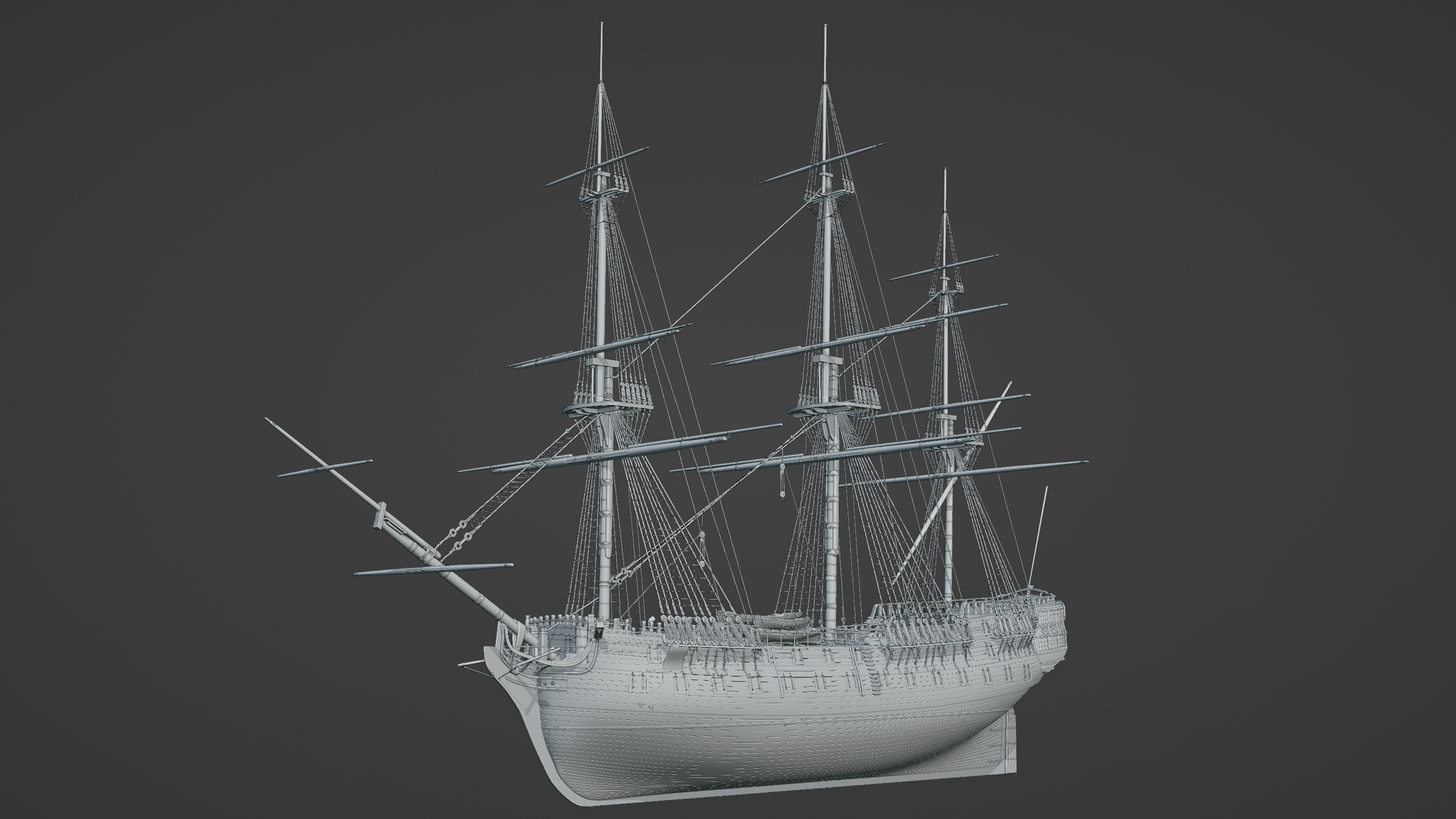
Some general progress. I’ve had to create the lines for most of the stays for the masts, but placing them has otherwise been a breeze. Not 100% sure of the accuracy in places but pleased with the progress overall.
I need to finish off the braces, the bowsprit, and then it’s ready for the sails.
Looks like the modeling phase is about done. So at this point, any thoughts on how to approach texturing it or if indeed an actual objective too begin with?
Absolutely! I’ve been trying to decide a couple of different color schemes so I’ve held off most of the materials for that reason. I was thinking of doing it much closer to the original ship it was based off, but I think I prefer the black and yellow (or white) so I’m leaning more towards that.
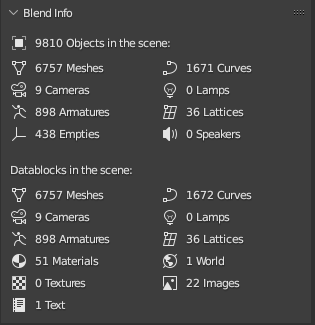
So far, I have 11,049 objects(!) in the scene that will all need some kind of texturing. Most of it is either coloured wood, black iron, or rope so I feel most of it is just making sure it looks okay in the end. That count also includes cameras, empties, and other various parts as well.
The immediate aim is to get some good renders from it, but I also want to make it animatable so it’ll be rigged as well.
As far as modelling goes, there’s still a couple of things left to do; mostly the ship rigging for the sails, the sails themselves, the anchors, the figure-head, and the decorations for the quarter galleries. I’m pretty confident modelling will have concluded by that point.
It is. It’d be great if I could find a way of not counting miscallaneous “objects” such as cameras, armatures, etc without simply sticking them all in one collection and disabling it. It’d still be upwards of 10,000 though and it’s useful as a general idea as is.
I haven’t really used Geonodes for this except for the odd bit of geometry reshaping so there’s not much to count in that sense. Last time I used instancing, I don’t think it increased object counts but I can’t remember for certain.
There’s an addon called ‘Scene Info’ (I believe, let me quickly double-check,- well it’s actually ‘Scene Information’, but pretty close) bundled with blender.
That does list counts for commonly used object-types separately (and skips instances). So that should do what you need.
Though the addon is a bit inconsequential and has pobably not been updated in a while, as it doesn’t list certain object types at all (e.g. Text-, Volume-, Lightprobe-, GreasePencil-, Metaball-objects).
Nice project btw. Will you make a whole scene with it eventually?
It turns out I already have “Scene Information” turned on… I had completely forgotten about this!
Well it turns out the actual number of meshes is a lot lower than I originally thought. There are some materials in there as well but I want to clear them out cos many of them are duplicates and I just wanna start scratch.
You’re right, but it gives a nice overview of the scene regardless.
Thank you! Yes. I want to build two versions; one whilst the ship is at sea, and another whilst whilst she’s at port. Whilst at port, I want the sails furled up and the anchors lowered; whilst underway with adequate sails set. It’d be a good project to practice and build an island in the background potentially as well because I think a ship with just ocean has been done a lot.
At the moment, I’m just cleaning up what I already have and getting ready to build the actual sails. I’ve finished setting up the standing rigging. I also want to animate the rigging so that all the ropes move a little bit as most animations of ships like this tend to be very stiff. I want to try and mitigate that and I have some ideas in mind for completing that task.
That’s what I wanted to hear ! Ever considered a drydock scene? - Would be something different from what kind of scenes are most often done with vessles like your’s.
Anyway, looking forward to your progress.
In my expirience, one usually over-estimates these things easily. I have that (perpetual WIP-) cityscape-scene, which has like about 120 Mio Tris (iirc), but little over 8k objects. And that includes plenty empties and curve deform curves & such.
That’s what I wanted to hear ! Ever considered a drydock scene? - Would be something different from what kind of scenes are most often done with vessles like your’s.
Anyway, looking forward to your progress.
Yes! I actually have. When I looked for reference images, the closest I could find were mostly for modern container ships or large cruise ships. I feel the closest I’d be able to find would be where HMS Victory sits but that’s a “permanent drydock” so I’m not sure if the method they used for her would be the same as a “normal” historical dry-dock.
Looking at the USS Constitution, they seem to have some kind of stones for the lining but even then they feel too modern. I also can’t find any references for how the entry doors and pumping systems worked. I would love information about how dry-docks were built between 1750 and say 1820 approx but that information seems difficult to come by.
Alas, I’ll give it another good hunt when I’m finished with what I’m doing now.
In my expirience, one usually over-estimates these things easily. I have that (perpetual WIP-) cityscape-scene, which has like about 120 Mio Tris (iirc), but little over 8k objects. And that includes plenty empties and curve deform curves & such.
Indeed! I feel like my computer would implode at 120m triangles I find I have to turn the detail down for complex scenes like that by disabling most of the modifiers when not needed. It can make adding detail difficult sometimes though.
Haha, you bet I cannot actually render it either at that polycount! And I mean on CPU. Then again my system only has 32 gigs RAM and is showing it’s age.
But seriously, even when I’d try to make switch like a viewport at like a resolution of 600x600 pixel (hell, even like 10x10 px) into rendered mode with all the collections activated on the viewlayer, it will throw some kind of ‘out of memory’-error eventually.
OK so you got me curious to double-check the actual tricount from that file (with everything visible) and it all took a while, re-enabling one collection at a time.
I made it to a point where it read something above 118 Mio tris (which is about what I thought I’d remember). Then I tried to enable the heaviest collection of them all (at about 20 Mio tris on it’s own) and Blender crashed on me.
So I guess I even pushed it past a point where I can do as little as look at it in solid viewport drawmode by this stage.^^
Moral of the story is: One of those days I should finally modernize my system.
Moral of the story is: One of those days I should finally modernize my system.
Yup, same!
Mine has 16GB of RAM and no graphics unit (my old one died on me) so my PC is figuratively limping along. Whilst I love working with Blender, it does cap out and it’s frustrating working within those limitations. I’ve dealt with a few “out of memory” errors too!
I’m nearly finished with some updates with the ship so I’m hoping to post some update images soon.
I don’t know if you’ll see much difference between this one and the last image rigging wise as most of it has been subtle clean-up and adding more lines where appropriate. That said, I can finally say most of the sails have at least been modelled (though on seperate files)! Getting the cloth sim to work with those ropes at the front of the sail proved to be a bit finicky, but I got there in the end.
I’ve demonstrated the first “course-sail” on the fore-mast mid animation. Seems a bit of a shame to spend all that time working on the rigging only to have it hidden
You can see the animation for it here:
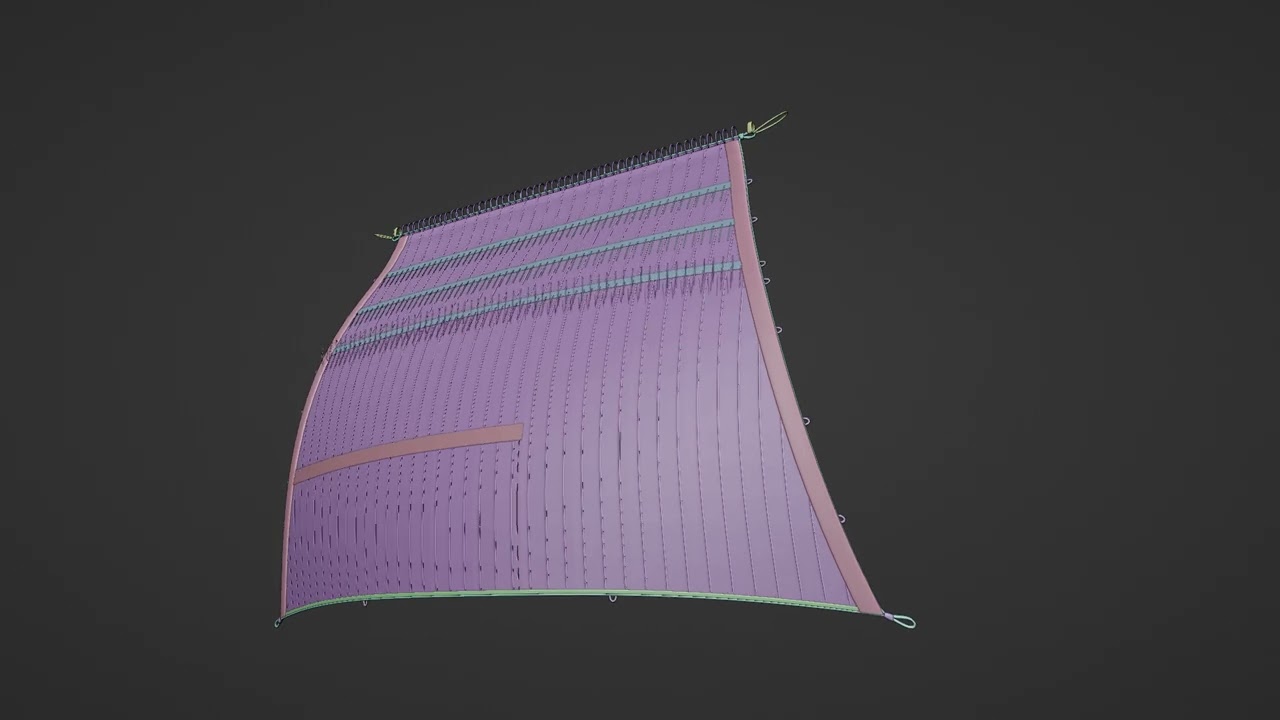
Heres a sail on its own about 90% complete:
The aim is to complete the installation of the remaining sails. I’ve already done the main-course sail. Getting the rest of them in place is gonna be awkward cos of the crows feet and other lines getting in the way but once they’re done, it’s just the installation of the various tackles that actually control the sail. I also have a couple more sails to model (boom and possibly the stay-sails - the ones that go between the masts as opposed to on the yards.)
As I mentioned earlier in the thread, I want to try and make the lines feel a bit less stiff. Most of the stays are taught anyway, but things like the tackle on the stay-line (between the fore and main masts) will look wrong if they’re just hanging there stiff whilst everything else is blowing in the wind . I wanna try and make them bob around a bit and have some ideas in mind for it.
After all that’s done, I can finally pretty much clean-up any small modelling jobs left to do, fix up any small animations, then fix up the matrix, and give it some materials.
I’ve gone ahead and installed most of the sails. The spritsail, course sails and topsails are all in place. I still need to work on the topgallant sails and the boom sail, plus maybe the stay sails if my computer can handle them. Then it’s just linking everything together with curves and it’s pretty much done.
It’ll be on the final check-list then, making sure all the small jobs have been done.
 )
)


 ! Ever considered a drydock scene? - Would be something different from what kind of scenes are most often done with vessles like your’s.
 I find I have to turn the detail down for complex scenes like that by disabling most of the modifiers when not needed. It can make adding detail difficult sometimes though.