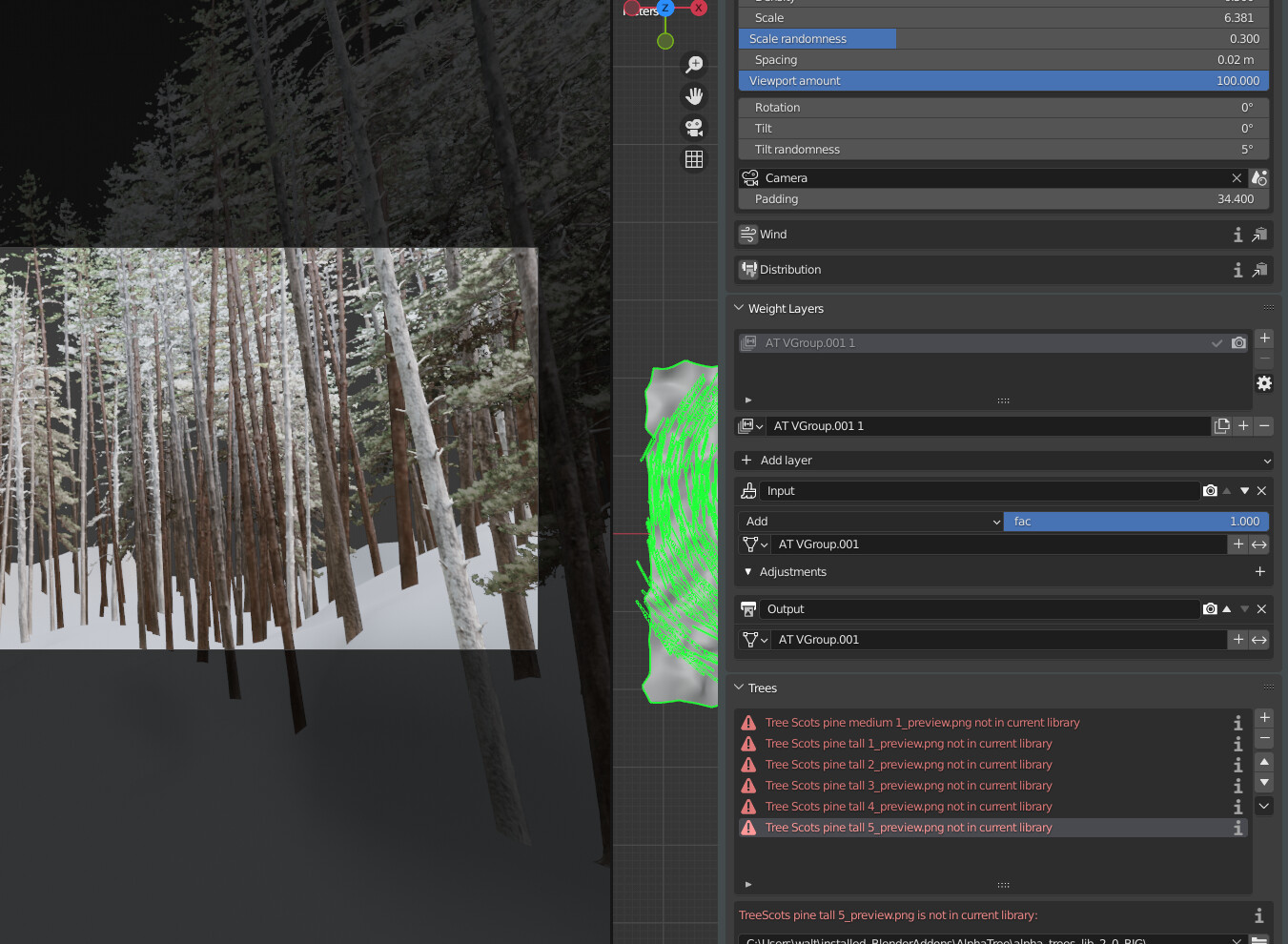
I have another request/suggestion.
I’ve used the Blender “copy modifier” command to assign the same trees to another base mesh.
The problem is that, if I select this new base mesh, I don’t have any AlphaTrees settings for tweaking.
The geom nodes are correctly copied and rendered, but with any addon control.
Do you think it’s possible to create a transfer tool or some copy/paste actions?
Thanks in advance
You can already do this relatively easily by going to the other object you want the trees on and adding the same number of biomes to it. Then you can just select the same biome settings from the dropdown for each of them. After that, all the changes will affect both objects.
The more I think about it actually, that’s a pretty good idea, but I think it’ll have to be for the next release, I’ll add it to the to-do list!
I haven’t tried yet with no ACES colormanagement but I’ve seen a strong contrast between outer part of the tree and the inner one.
Probably ACES colormanagent were involved on this, but I think that it could be good to have an easy control for tuning the dark part of the tree without going inside the tree material in the shader editor.
What do you think?
I suggest to add also a slider to tune the specular for the leaves.
Hmm, I think that’s probably because the light is coming from behind and the translucency is making the outer areas much brighter. You could try changing the “translucency strength” slider at the top of the material controls. I could probably add another slider to control the distribution of the translucency, though.
Specular for the leaves is difficult, as reflections don’t really work with this technique:
On the left is the tree with no specular, and the right is a specular of 1. Unfortunately, all it really does is make it less saturated and adds odd patterns to the surface.
Just to be more clear about the specular, I’ve suggested to expose a specular slider just to leave to the user the choice.
In my opinion and tests, no specular or a very low value is better than the default, at the least in the few trees I’ve used, but someone could want an high specular level ( I really can’t imagine a good reason but never say never )
Thanks for the feedback, that’s useful to hear! I agree about the music, I’ll have a look at that.
The only thing about the text size is that it’s most likely to be viewed in a smaller box on the product page rather than full screen. But you’re probably right about it on the part you showed.
Ah, that happens when you change the library folder in the preferences, and the addon can’t find the previews to show…
Did you change the library folder?

 )
)
 Good luck
 from the audio on the first Alphatree title: