Was everything SERISOUSLY modeled in the past 2 days?!?!?!
I am having the same upload problem, I sent a help request, but I haven’t heard back…
Well I had made the books and the bar in the past, but apart from these yeap It’s speed modeling not good modeling i m afraid though. But… morning to night…Almost
Been getting those errors in the past sometimes, especially when uploading through the website. Contacted them and the (temporary) workaround was to upload the FBX version (had to export as FBX first). Btw, the last time I upload something I used the exporter/importer from Blender directly and it works fine though. Anyway, still working to finish my entry, hope the upload later will work smoothly.
1 Like
I’m not sure, I’ll check with the team.
No problem, just make sure you don’t make the model too heavy or it won’t work in real-time.
You can only upload material that you have the rights to, so this is a ‘no’, sorry.
2 Likes
Near Finished WIP:
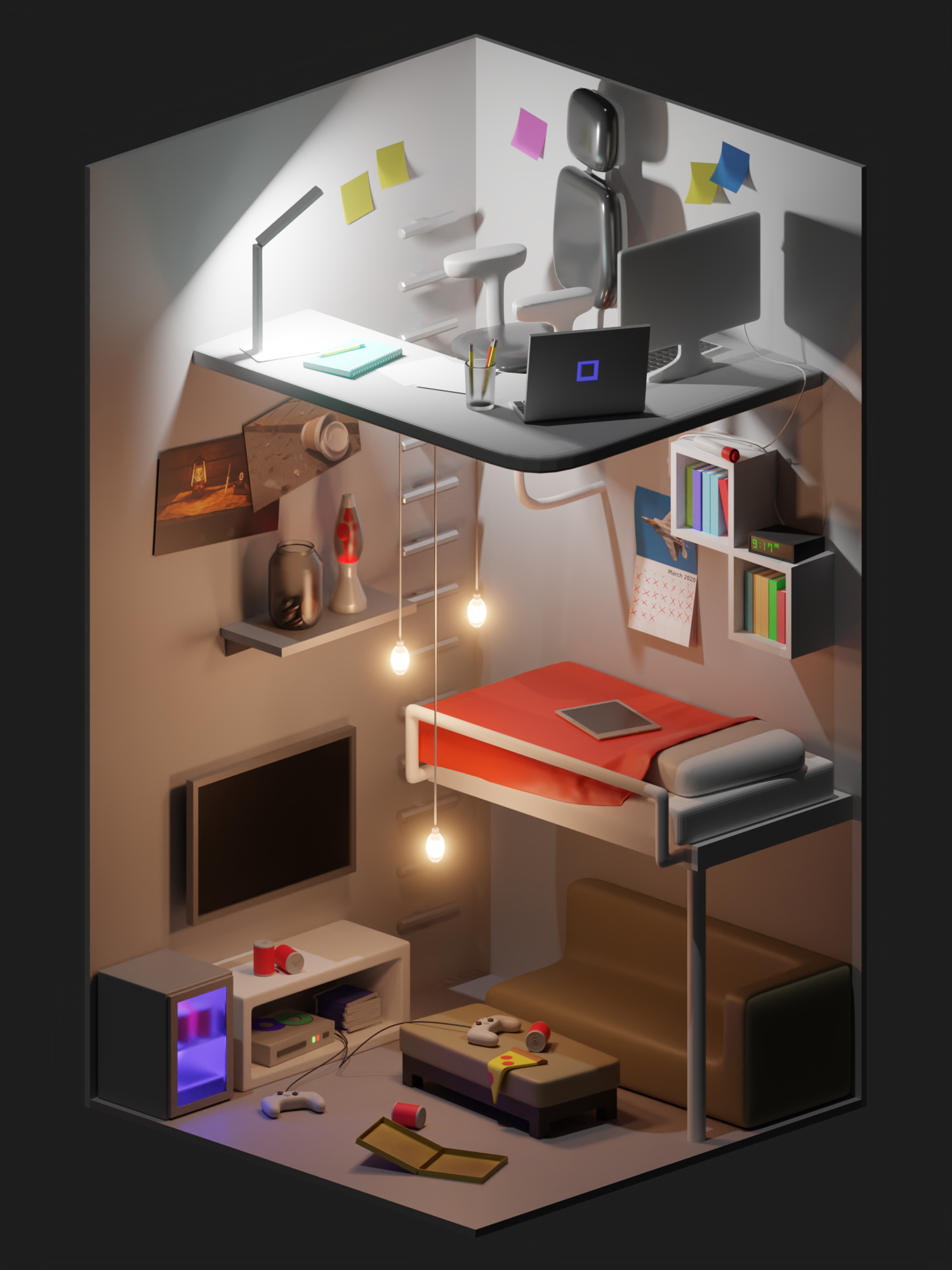
I’m 13 and have about 6-7 month’s experience with the program, and I thought this would be a great learning experience for me. I’ve been working like 3 hours a day. Please critique! I want to be working everyday that I can before the contest ends!
6 Likes
Hello!! Here is my room. I hope you guys like it!! Please Enjoy. And this is my first entry for a challenge.
4 Likes
@fatihsahindesign @Kyle_Salmi @purbosky Which Blender version are you on? We’ve noticed issues with 2.83 beta - it’s always safest to be on the stable version.
I haven’t uploaded my entry yet, just telling about same errors I had some time ago when uploading through the website, though last time I uploaded using the exporter add-on it worked fine. Hope it will do fine too when I completed my entry later * fingers crossed * (still using 2.80 currently btw).
Yeah it seems we may have introduced some errors in the .blend processing recently. We’re on it, thanks to your report!
1 Like
I’m using 2.81. By the way, i was able to upload properly exporting as .obj format and zipping it with the materials i used. The exporter add-on didn’t work for me.
1 Like
I’m on 2.82 I believe (I might still be using 2.81). I know I’m not using the beta though.
Near finished with my desk model 2.0 off a different location.
Rendered in 2.79 in cycles w 512 samples.
Took me 8hrs total modeling and texturing, and another 8hrs to render on my
old 1.6x2 core laptop from 2012.

Texturing and sampling will be made better, and I have added my own modeled version
of “Luxo Jr.” for a lamp.
It is taking 80 hrs to render right now at 9000 samples HD quality+denoising
2 Likes
I have a few tips for your room model:
-
You will want to add more texture to items in the room, to make it slightly more realistic. You don’t have to use complex or procedural textures, but just enough so that it looks less “perfect”. In a real room, nothing is perfect.
-
Add slight scratches to your models to indicate wear. You can model or sculpt them into the mesh of the objects. Note: not all of them need this but it is helpful for realism. The usage of this will vary depending on the power of your computer (due to the increase of mesh quality), or the need for certain levels of realism. I.e. you do not need to add this to simpler scenes, but you may want to for photorealistic scenes or semi-photorealistic.
Other than this, your modeling is good, and the shaders for the current objects look nice!
Almost done. Will add more details soon:
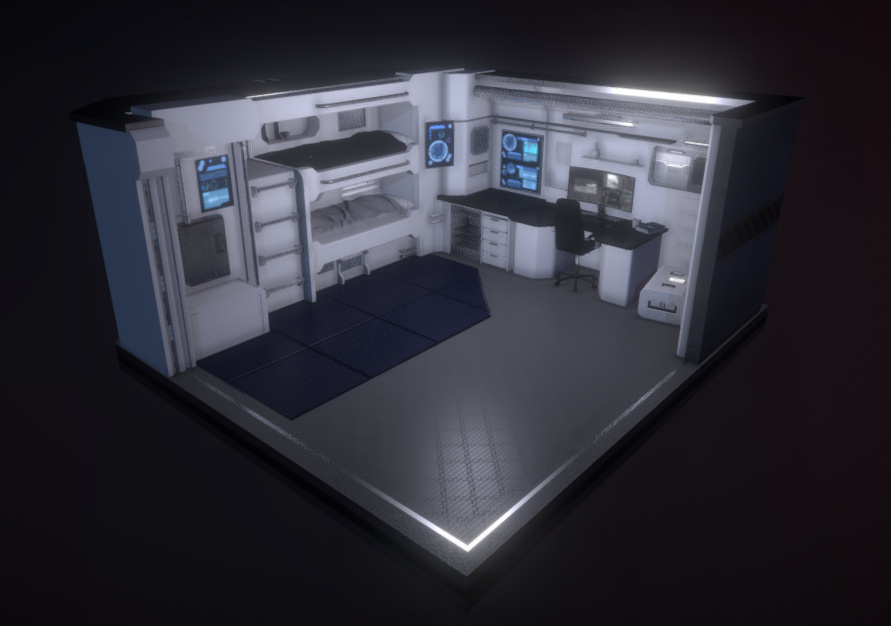
One issue I have come across is that one of the beds look strange in Sketchfab. (Top one is black and shadows are inverted so that the dark side is towards the lights). Not sure why. Looks fine in Blender, normals are correct. The lower bed works fine, even though it is supposed to be identical.
Remember to submit here! And format it correctly, use fatihsahindesign’s entry as an example, he formatted everything perfectly!
Remember to add the tag #BADeskChallenge on sketchfab after uploading it! Just like fatihsahindesign also did.
2 Likes
My scene looks kinda stupid in sketchfab. Among other things the glass shader isn’t working. Also, if I’m using an fbx, how do I package the textures.
@bartv Do you have time to actively monitor this thread until the deadline? Its just another 2 days. I got caught up with work and didnt get back to the project so i dont have experience exporting to sketchfab. Seems like a lot of people are struggling.
Just try to guide them through the process
@fatihsahindesign Or perhaps you would like to help out a little? Considering you nailed it yourself
Will do!
So first of all. After everything is done. Export it as .obj and .mtl. You don’t have to export it twice. the “Wavefront” option in the export menu does both of them for you.
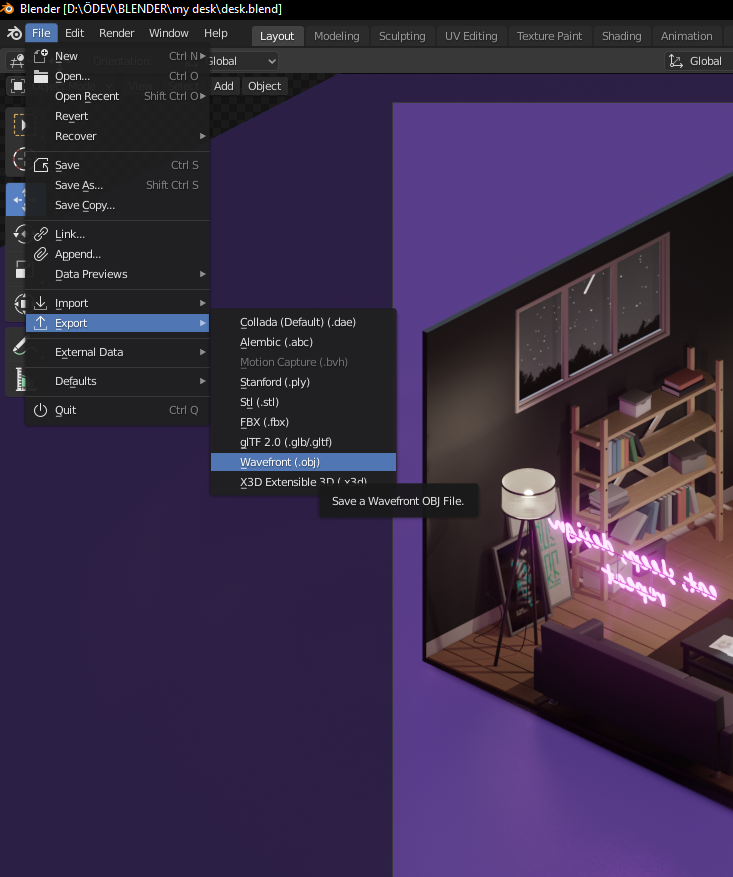
Export it like this to your prefered location.

After exporting is done, don’t worry, it won’t take long, bring your exported files and used textures together in a single folder like this;

After that, zip everything and upload it to sketchfab.

Doing this worked for me pretty well. When you upload, your colors and textures will look different than blender. It’s normal i suppose, this is my first time in sketchfab as well. But you can rearrange your textures and lights in sketchfab using 3D settings.
That’s all. Hope it helps!
4 Likes
Aside from converting to other format first, we can also try using the exporter/importer add-on as mentioned in the main thread and upload directly from Blender. I used this method and worked fine, thankfully. Uploading from the website is also an alternative (though I sometimes had trouble in the past so I’m not using it for now). If anything fails, I think converting first could help in solving it. This tutorial on the site covers several ways to upload.
Also like have been said, the model on the site might not look exactly the same with that in Blender. Might need some more tweaking on the site directly if needed, and it might be best to avoid using some really fancy material setups/nodes (baking the textures first might help for some cases).