Phase Bcon2 until February 15, 2023 
yay!
So tomorrow then! 
Phase Bcon2 until February 15, 2023
yay!
So tomorrow then!
Late as usual 

More seriously, I haven’t had time to get into it yet, but it’s mostly minor changes in Blender that cause these compatibility problems.
It definitively makes sense to wait at least for bcon3
Hi !
BagaPie V9 is out !
As always, all BagaPie tools are available for free !
What’s new ?
Our asset library now exceeds 600 assets (+200 new assets).
As always, previous customers can get the update for free.
Get 25% off on the Asset version
Hope you like it !
With love, Baga
Cool. Thanks for the update. Took me a minute to figure out which of the 18 items to in downloads to grab, which should not be the case… you should put some thought into labeling things better/smarter.
Hi, You’re right.
On the creator side, the interface is not designed in the same way, I’ll fix it and rename the necessary.
Thanks for feedback ! 
I am curious how to include the leaf texture when I convert the ivy to a mesh and export it for use in other applications. I always end up with just a green mesh.
I think there is some step I need to do to bake the texture to the material, so I can export it with the FBX.
Hi,
If you apply geometry nodes, the UVs are stored as an attribute. You have to convert them to UVs (take a look in the mesh data).
@AntoineBagattini
How to use a existent weight paint on new layer?
Like if I paint weight to remove border instances in first layer and use same painted weight inverted in second layer to keep instances on border only.
Hi Antoine,
Bagapie_0.9.0.9 no longer works with Blender 3.5
When I want to scatter something, I get this error message
File "E:\blender-3.5.0-windows-x64\3.5\scripts\addons\Bagapie\bagapie_array_op.py", line 456, in poll
    o.type in ['MESH','CURVE']
AttributeError: 'list' object has no attribute 'type'
ERROR (bke.modifier): C:\Users\blender\git\blender-v350\blender.git\source\blender\blenkernel\intern\modifier.cc:459 BKE_modifier_set_error: Object: "Plane", Modifier: "BagaPie_Scatter", Node group must have an output socket
ERROR (bke.modifier): C:\Users\blender\git\blender-v350\blender.git\source\blender\blenkernel\intern\modifier.cc:459 BKE_modifier_set_error: Object: "Plane", Modifier: "BagaPie_Scatter", Node group must have an output socket
RNA_int_get: NodesModifier.["Input_2_use_attribute"] not found.
RNA_int_set: NodesModifier.["Input_2_use_attribute"] not found.
ERROR (bke.modifier): C:\Users\blender\git\blender-v350\blender.git\source\blender\blenkernel\intern\modifier.cc:459 BKE_modifier_set_error: Object: "Plane", Modifier: "BagaPie_Scatter", Node group must have an output socket
Hi,
Thanks for report.
We’re on it (already fixed).
We re-test all the BagaPie tools to make sure everything works.
Baga
Fixed =)
We also updated all our addons for B3.5
Just FYI the 3.5 version over on gumroad doesn’t register, probably because you exported the code from github which adds -main at the end of the folder name ?
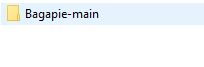
Solution is to unpack the addon zip, rename the folder to Bagapie, re-zip the addon, and re-register the addon.
Cheers
OOPS !
Fixed !
Thanks for report
Hi Antoine,
many thanks for the Update.
In Blender 3.5 it works without error.
In Blender 3.6 (I know, it’s still quite a long time away, is also for information only that it also runs under 3.6) there is a Error Message but it works flawless.
File "E:\Blender\scripts\addons\Bagapie\bagapie_scatter_op.py", line 223, in draw
    obj.remove(target)
ValueError: list.remove(x): x not in list
Again, many thanks!
Hello.
I have a problem with Baga Rain Generator that I would like to report.
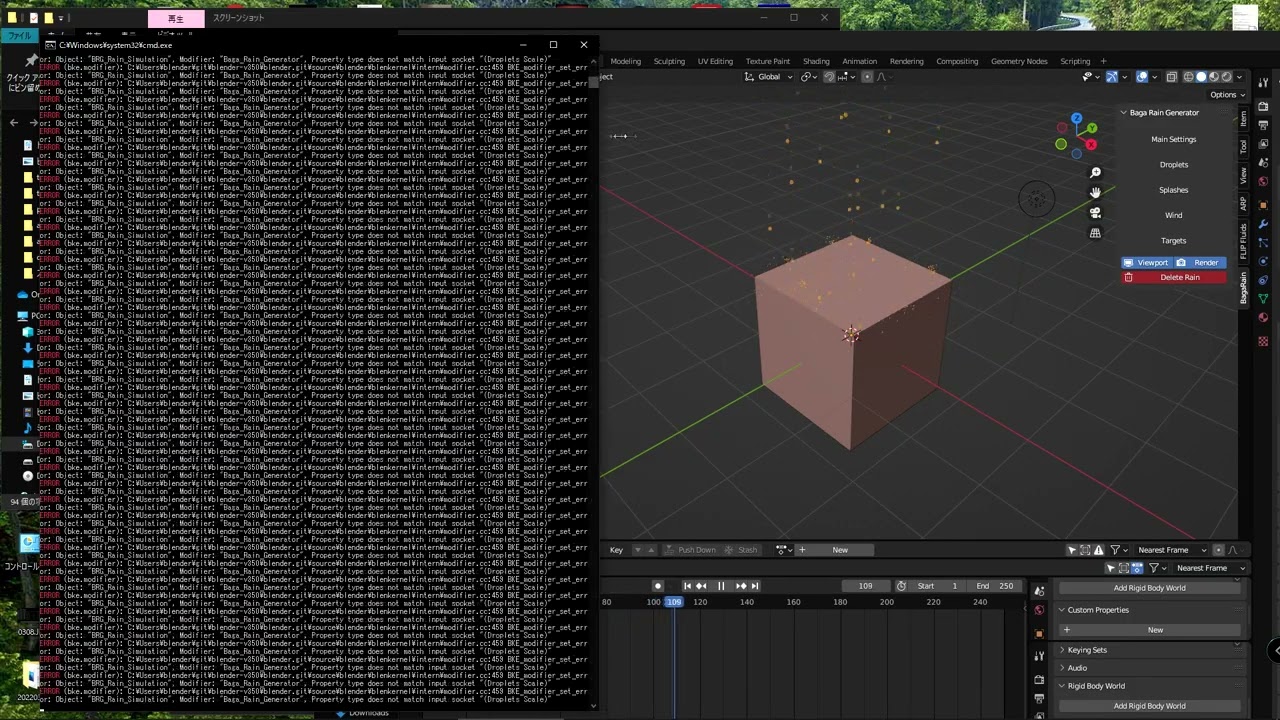
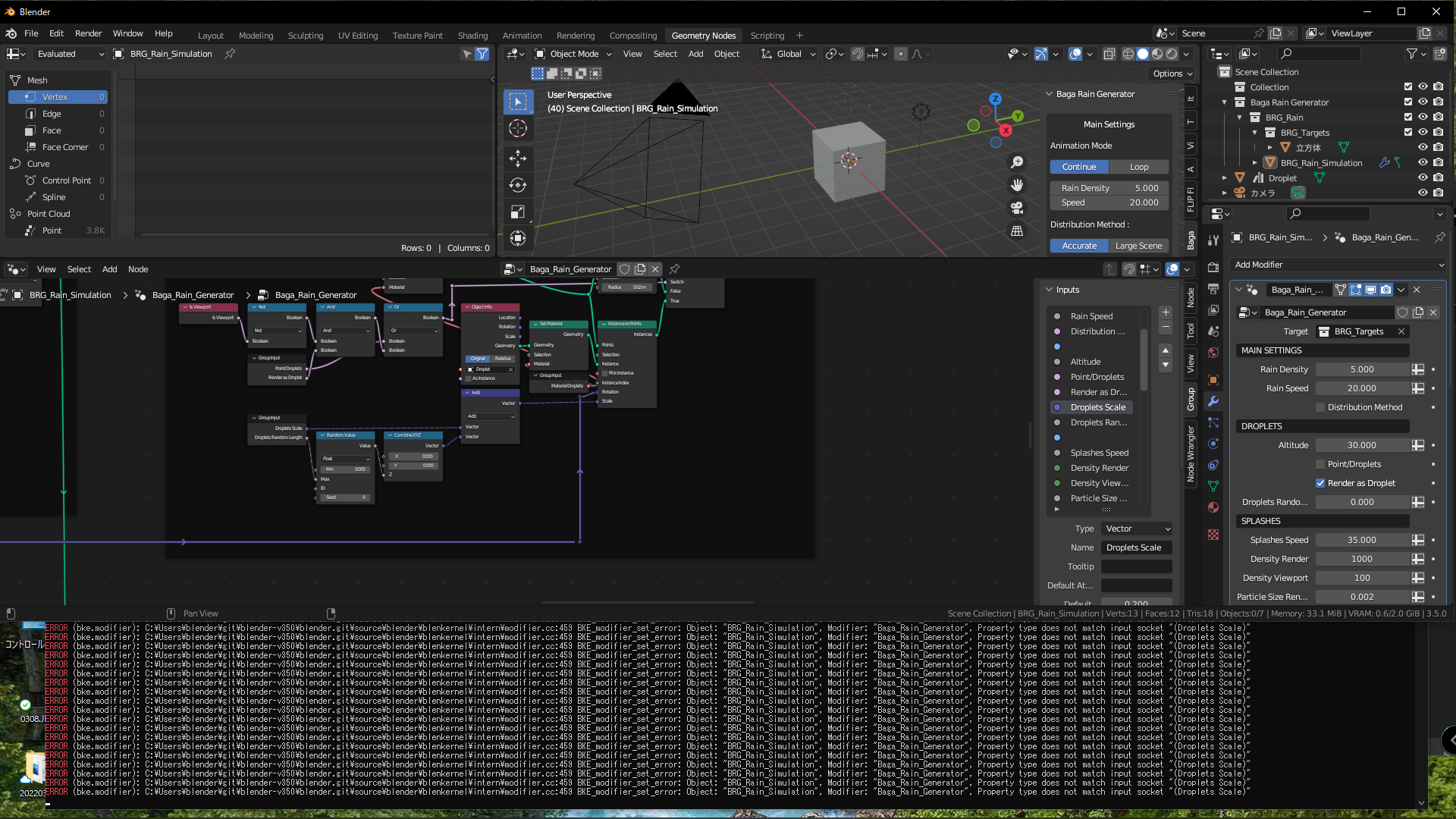
When I add a property with “Add Rain!”, the property is not correct, and I get a frame by frame error in the console, which seems to affect performance.
The “Droplets Scale” is in the Inputs, but not in the properties.
I checked the contents of rain_ui.py and found no such registration, so I am not sure if it works correctly.
Hi,
Thanks for report.
It appears that the issue is related to B3.5, which involves a change in boolean inputs.
We have uploaded a new version to address this problem.
Could you please try it and let us know if the issue has been resolved?
Thank you for your prompt response.
Which upload did you use?
I purchased mine from Blender Market and there was no change when I tried to re-install it.
Did you restart blender after reinstalling it ?
Do you still get the same error message?
I tested it here and it works. I re-uploaded the file when in doubt.
Thank you for your confirmation.
Since you said you could not reproduce it, I recorded the sequence of events.
I hope this will be of some help.