Hello!
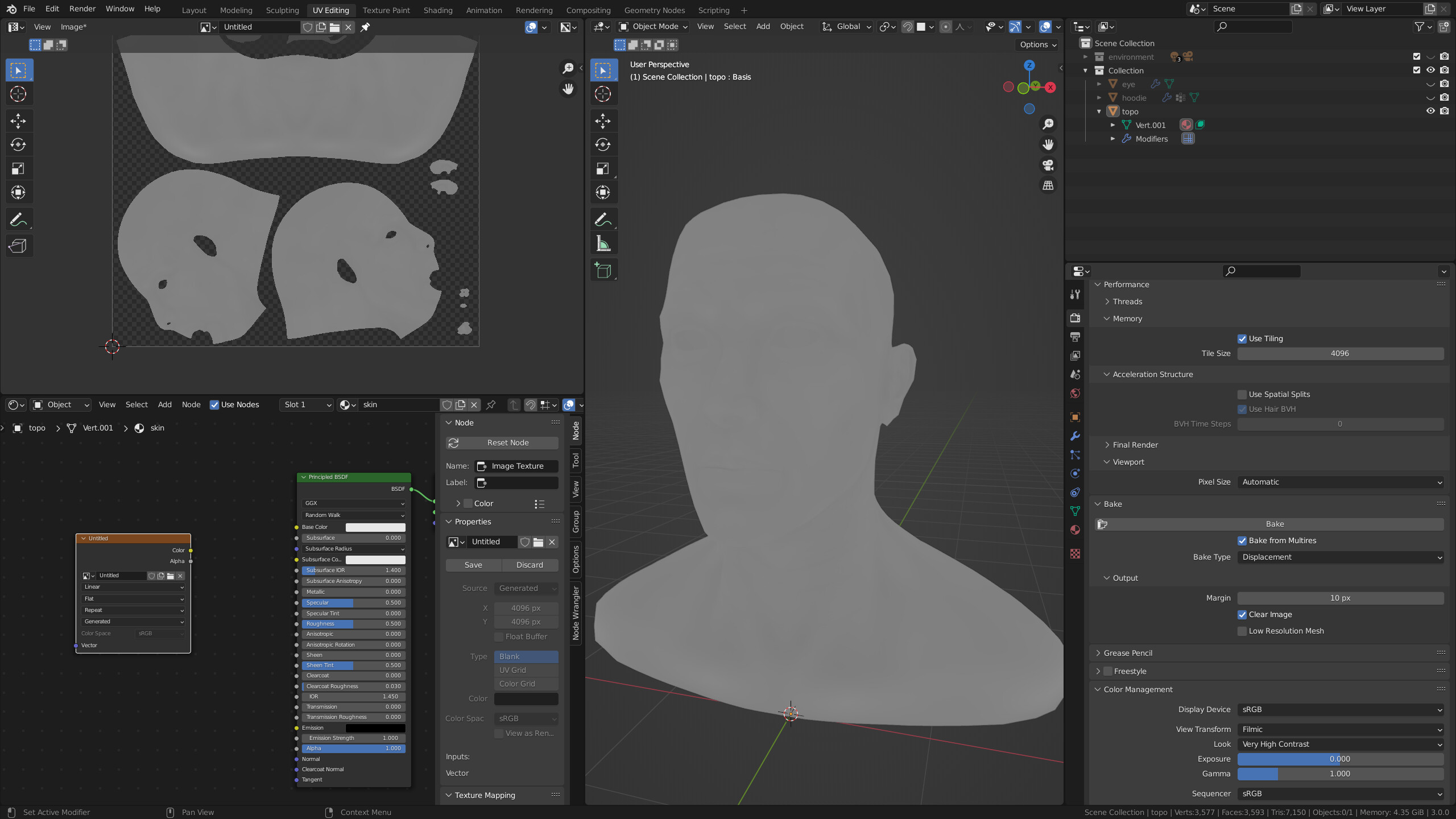
I have been trying to bake a Displacement Map from Multires with no luck. The process works, but the result is a grey image with very little information. It is as if the bake was only using a low subdivision setting in the Multires modifier. But I have:
set the multires modifer to a viewport level of zero (or one, it doesn’t make a difference) and render to six
made and selected an image texture node
selected the object to bake
use Cycles - CPU (cannot use GPU)
used recommended settings for a Displacement Multires bake
Does anyone have any ideas why this is not working as it should? I’d expect an image of much higher contrast as I have pore detail that doesn’t even show.
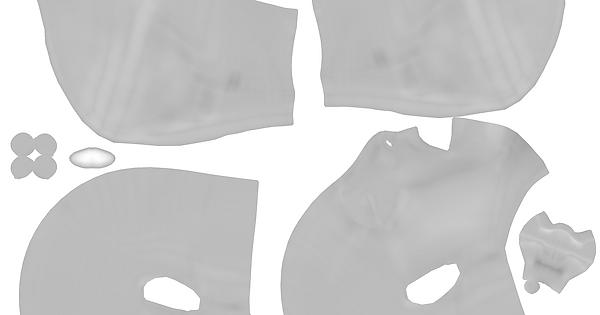
I see you’re stuck at the same point of the course as I am lol. Having the exact same issue, I’ve tried changing baking settings, multires levels and all but nothing seems to make a difference. The only thing I noticed is that the baked map is not completely grey but has a tiny washed off detail, but that’s all.
It looks like the level of detail is not picked up by the bake but I can’t figure out why.
It’s a bit confusing: you have to select Low Resolution Meshand set the level for the viewport in the Multires modifier accordingly to the lower value of the mesh you want (0 most of the time). Yo was baking from high level to same high level… so the difference is… a grey map (middle value ±0).
In the multires I selected 0 as viewport resolution and 6 as rendered, is there something I’m missing? I’m not sure I understood what you mean by Low Resolution Mesh, is it a specific setting?
If the original mesh is already higher then the subdivision of the multimesh doesn’t change much (or did you alrerady sculpt some more as slighty details?).
Dumb question, do I need 2 meshes to be existing at the same time for this? After impelementing the multires I deleted the original mesh (the one I’m currently using is a retopo), does it have anything to do with it?
Nono, I meant another thing. I started from a basic mesh which I used on my retopo to get the details from. After that I deleted the original mesh and kept the retopo with the multires
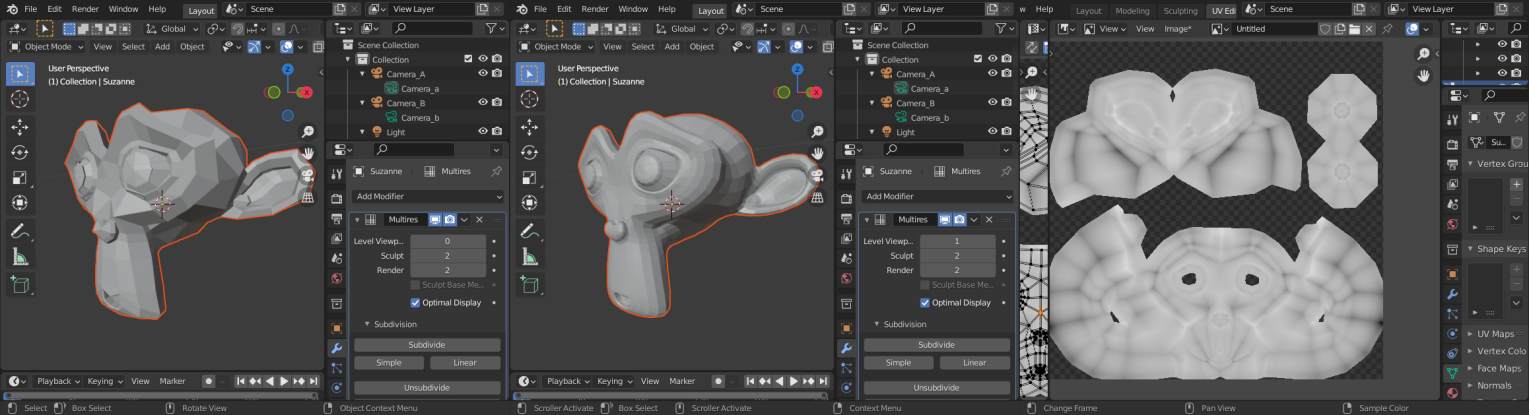
You have to have some differences between the multires level. If it is already a decent mesh then the mutlires modifier doesn’t do much (if did not subdivide it or use simple then nothing) if you didn’t sculpt anything one higher mesh. Simple example: Susanne wit multres with 2 subd levels no sculpting
But my file works ?? Hmmm i was in 2.93.6 testet it in 3.0 works for me… there was something with using optix and baking… do you use optix? disable …no more ideas
Hello George: I have read through the thread up until today (28th Dec) and like yourself, have not been able to figure it out. Everything <<>> correctly set. And I have previously tried all manner of settings, even the ‘low resolution mesh’ setting.
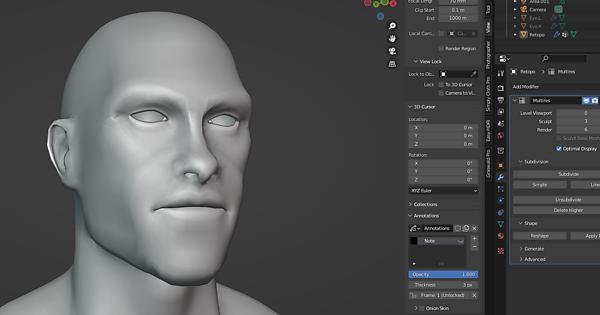
As far as I understand, we don’t need another head mesh as the bake should be using the multires modifier zero Viewport setting and comparing to the same multires modifier Render setting (in our case; six). And the difference between these is obvious to see as one increases the Viewport settings from zero to six. At level zero is a smoothed looking mesh and at six all the pore and wrinkle detail is there.
And although my screen capture in my original post shows my bake as completely grey, there is a wee bit of detail. Saving the bake image and bringing it into Photoshop and cranking the levels reveals very little displacement - as if it was baking from level zero to level one or two. I have tried replacing the multires modifer using the ‘silly fix’ to no avail.
For some reason, baking is not recognizing the higher levels of multires, even though they are there as evidenced by changing the Viewport setting to six. I tried Normal baking from Multires and it works - but Displacement baking does not.
You can see in the screen capture the detailed mesh info is present at Multires level six with around 14,700,000 vertices.
It certainly is a frustrating mystery.
I tried the same technique with a new file and Suzanne, using the skin pore file from the course and mutires up to level seven. The bake worked, with pore texture visible in the bake image created. So … that means there is something wrong with the particular head file George and I have. Just not sure what.