Does this support DecalMachin3? Trying to find a way to export decal normal data from Mesh Machine into marmoset so you dont have to manually combine maps for game dev workflow. @MACHIN3
I’ve been following this add-on but I don’t understand what workflow improvements it brings? Maybe there’s something I’m missing. Can’t you just export your properly named HPs and LPs and let marmoset toolbag auto-generate your baking groups for you? Without fiddling and creating hundreds of collections in Blender?
For decalMachine as I know Machin3 going to implement atlas Baker. For mesh machine bake as usual mesh.
Right I got the plug-ins crossed there… I meant exporting the normal data from decal machine. Having a bunch of decals (same as modeling a bunch of floater geo) is a huge time saver but ultimately not if you are adding in the time of baking decals after you have baked the low. Then manually combining the maps in photoshop. All while telling your boss “just imagine all that geo there” during reviews and gating
Because the industry standard is still Maya. And once you export to maya your fbx smoothing, edge, and normal data gets ALL jacked up by Maya. Sooo… instead of a Blender>Maya>Marmoset workflow… its just Blender>Marmoset. I just spent a whole month at work trouble shooting this process looking like an idiot that didnt know how to bake when Maya was the issue. Just be sure to add a triangulate modifier in blender when exporting your low fbx and you will get a 90% clean bake first go from Blender straight to Marmoset
1 Like
I don’t understand the issue here. I bake all the time by sending both high and lows straight from Blender to Marmoset. Of course I triangulate potentially problematic areas. I then texture the asset and import it into Maya with zero issues, except that the normals are locked and prevents further edits, which isn’t an issue where I work.
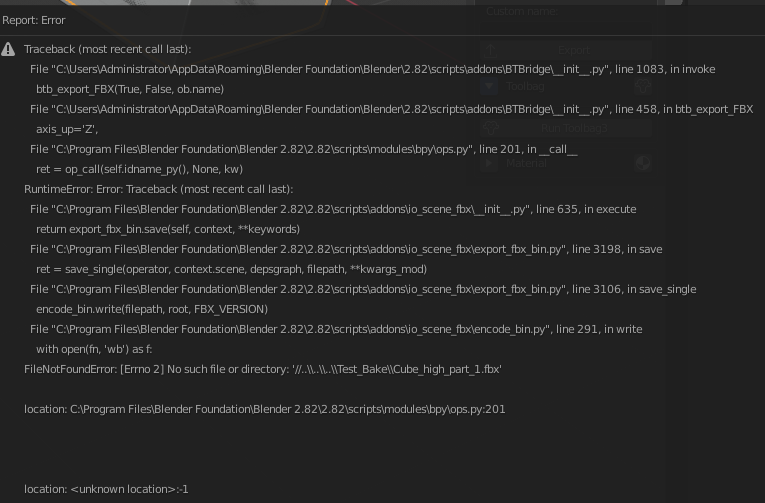
The “export” button does not work. My version of the blender are 2.82

and here are the error message
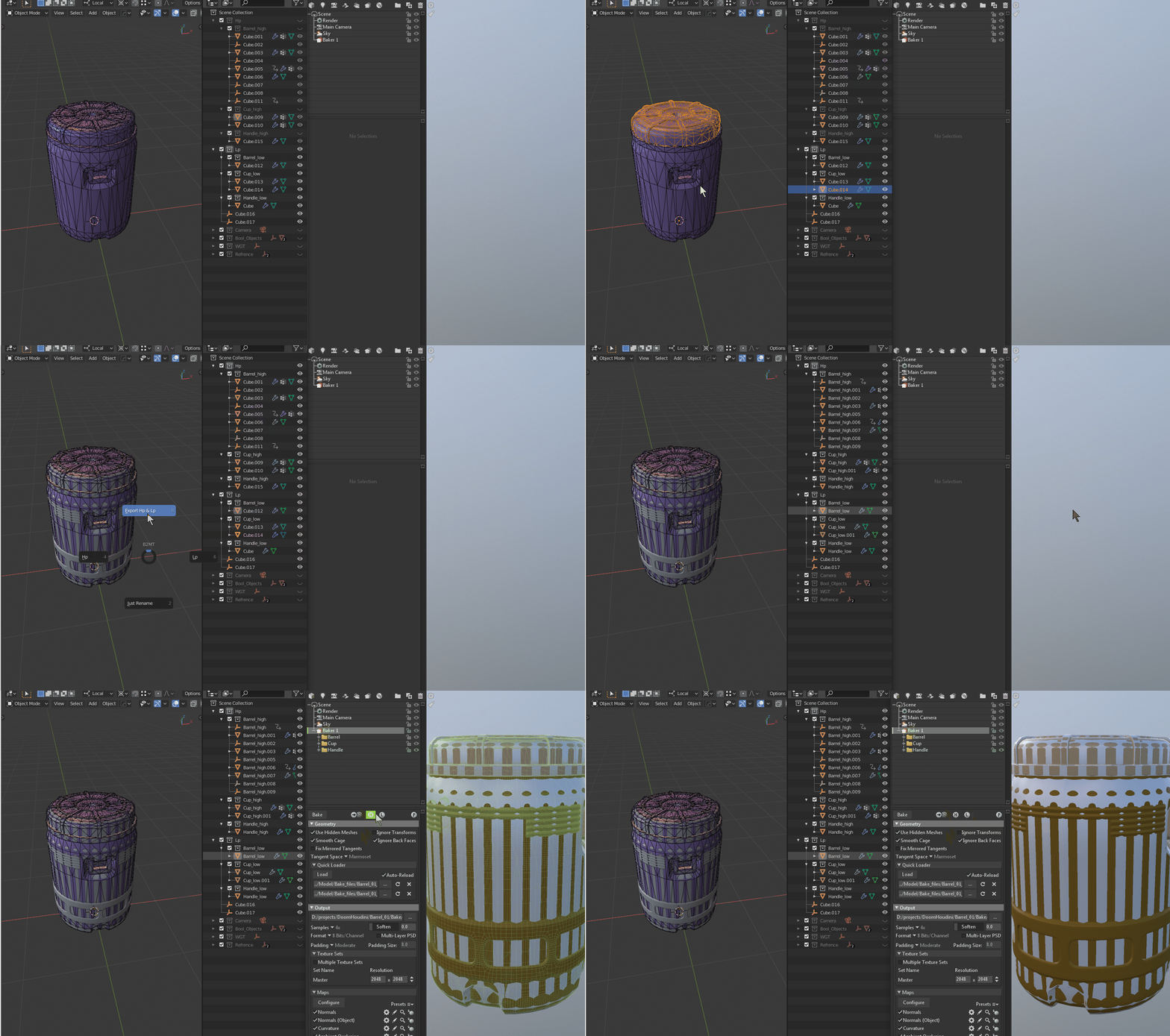
I think it’s much better to have HighPoly and LowPoly collections. And under them have children collections with proper names. In that way, you can redo some parts of your model and have control over the hierarchy.
I made a little script by my self because I can’t work with your addon (errors don’t let me). With the export option in my script, it also does auto rename. The script got names of collection and give it to children’s objects. I don’t mind if you borrow this pipeline ;).
1 Like
Your export path should be //Test_Bake\ if you want to use relative.
Doing a follow-up to see if any progress has been made on fixing the issues that remained with this add-on now that it’s been 3 months. I really want to be able to use this. 
Any chance you’re sharing or selling this script? I’m pretty bummed that this script seems to have been abandoned but I could really use it in my pipeline.
1 Like
I wanted to buy the studio version but would like to test it beforehand.
do you have trial version?
Hi there, is this addon still supported?
Yep, depends on free time.
works with toolbag 4?
Hello, yes it works with TB4
2 Likes
I’m having a heck of a time trying to get BTB to properly set up my meshes in Toolbag 4. It just doesn’t seem to want to set up my meshes into their proper high/low baking groups when I send to Toolbag from Blender. I’m currently using Blender 3.0.
Here’s some pics of my settings.
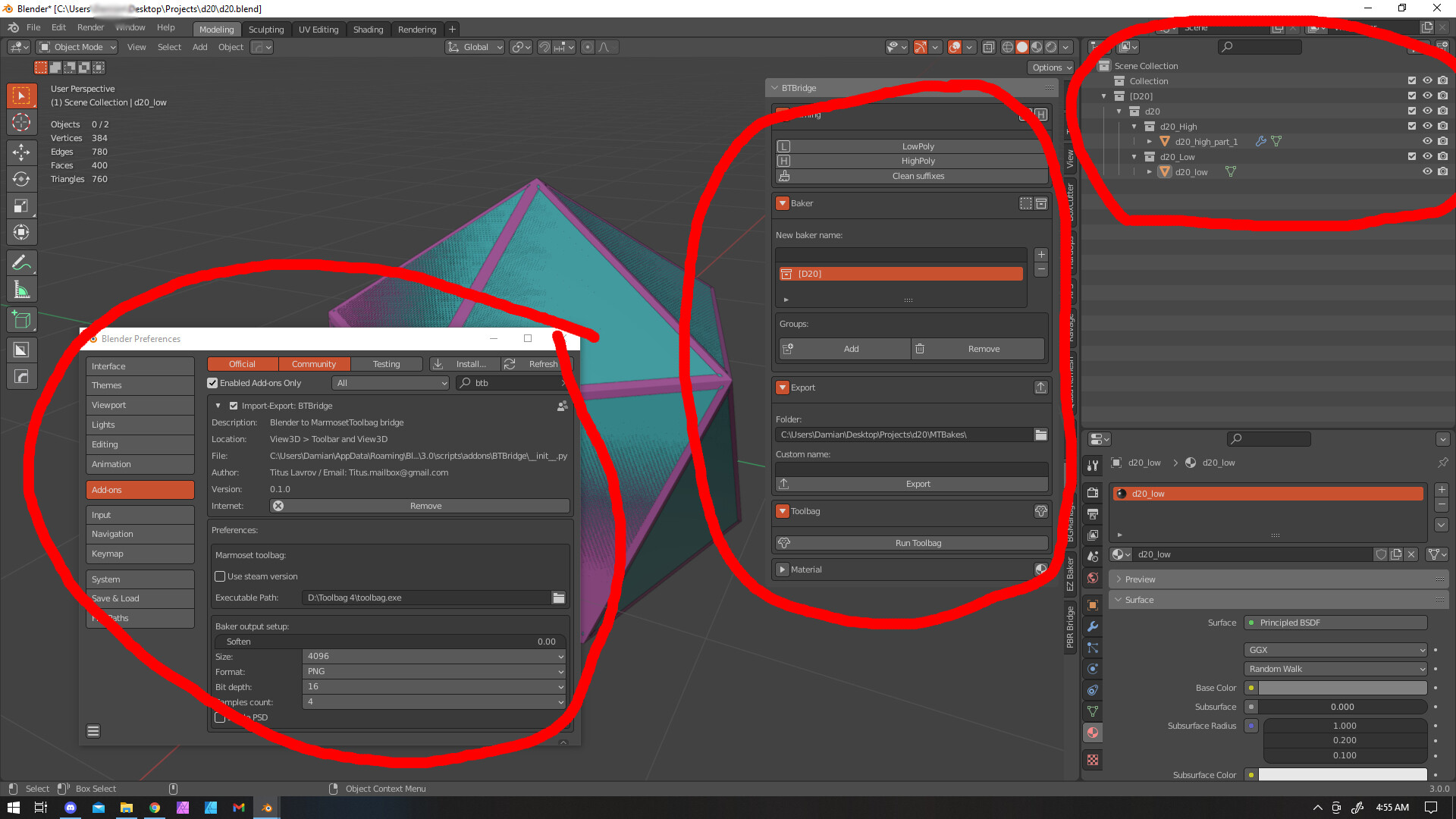

Hello, could you open and check what marmoset console has. And same for blender.
