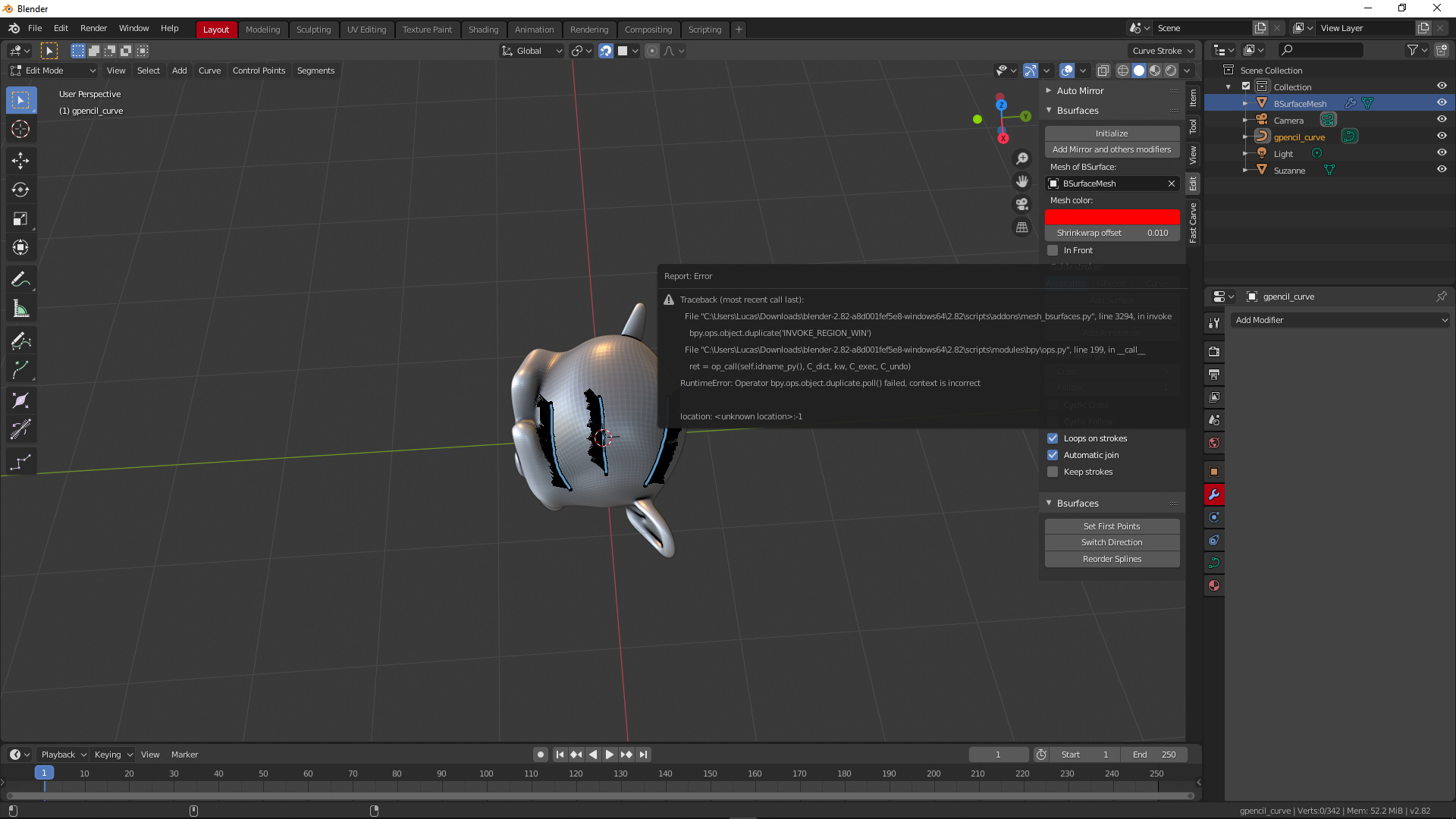
1.7.3 gives this error when trying to ad surface from annotation. Also it creates a grease pencil curve for some reason.
1 Like
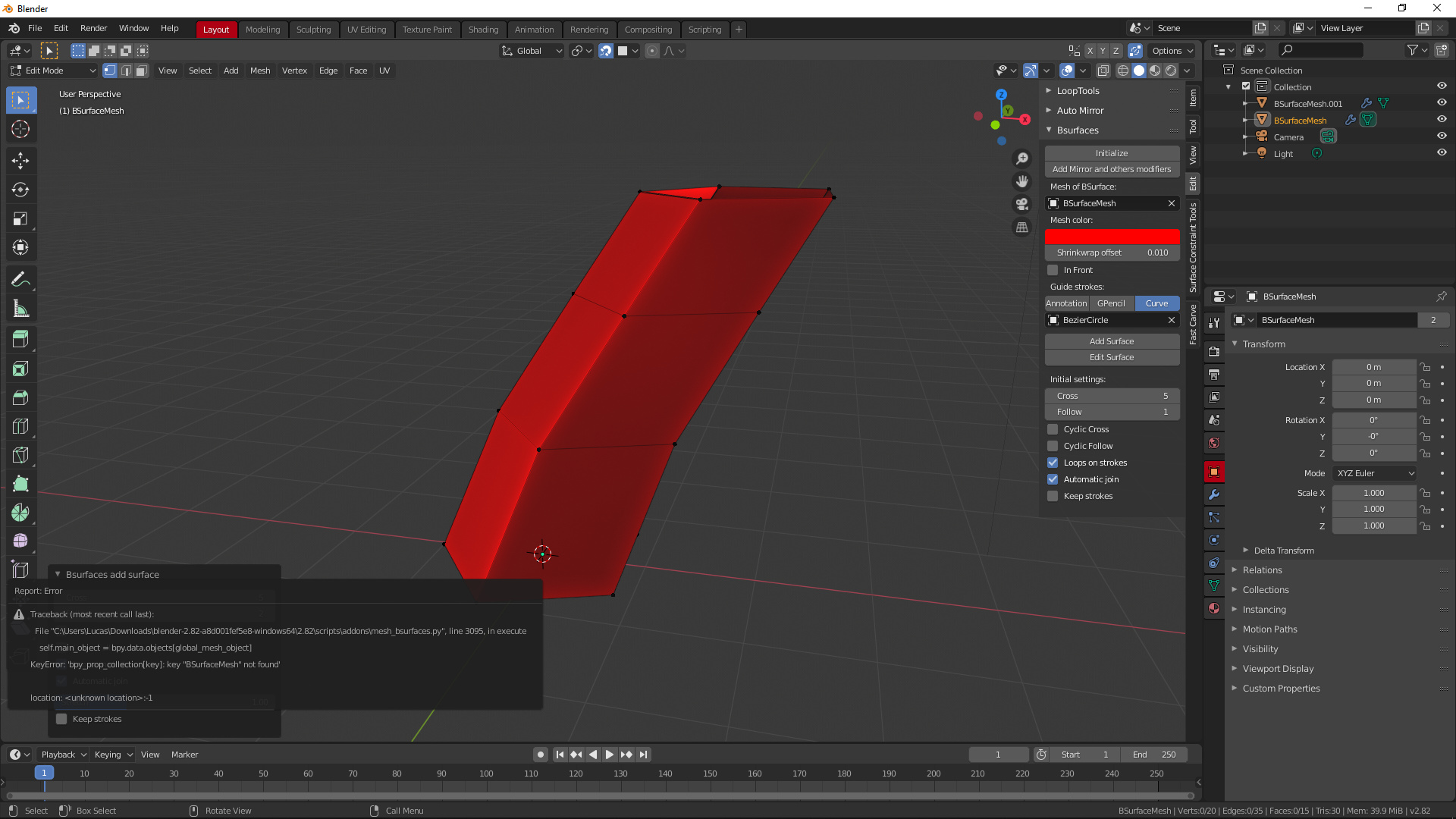
Also this when trying to use mini panel after bezier curve mesh panel. It goes into edit mode like it is supposed to but still generates this error. If you try version 1.7.1 and go into edit mode after initializing then the mini panel works fine. I don’t know what to tell you. I wish I knew coding to help you out.
1 Like
Addon update. Bugs fixed. Added convert annotation to curves.
4 Likes
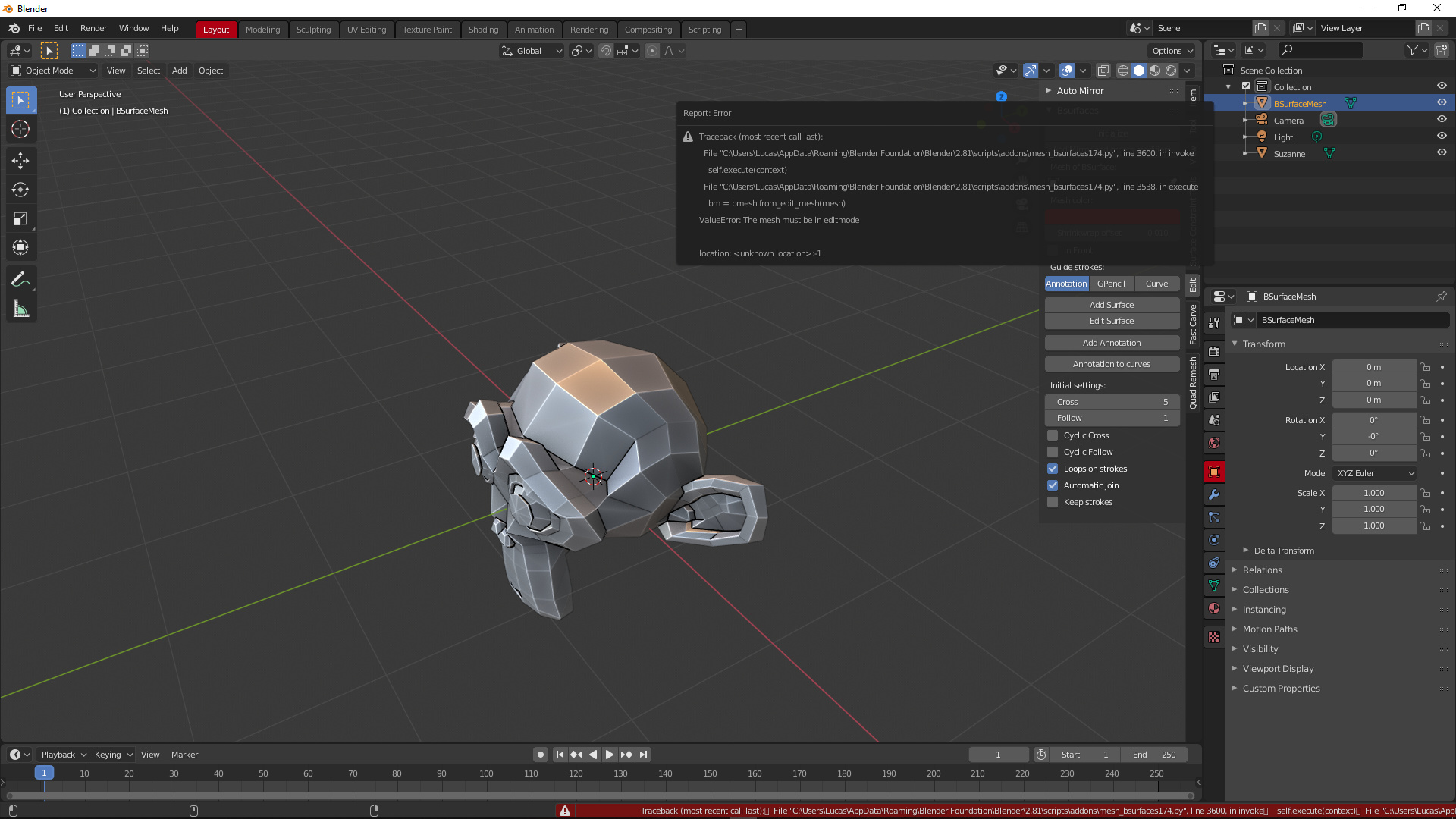

Pressing initialize gives first error, selecting Bmeshsurface manually and then pressing add surface gives second error. Curves fail to initialize with error too.
2 Likes
While correcting one, broke another.
Updated addon. Bug fixed. Tested. A little refactoring.
7 Likes
This one is a keeper!!! No bugs found yet. Love the add stroke button. Very convenient as I prefer to use grease pencil better instead of annotation.
2 Likes
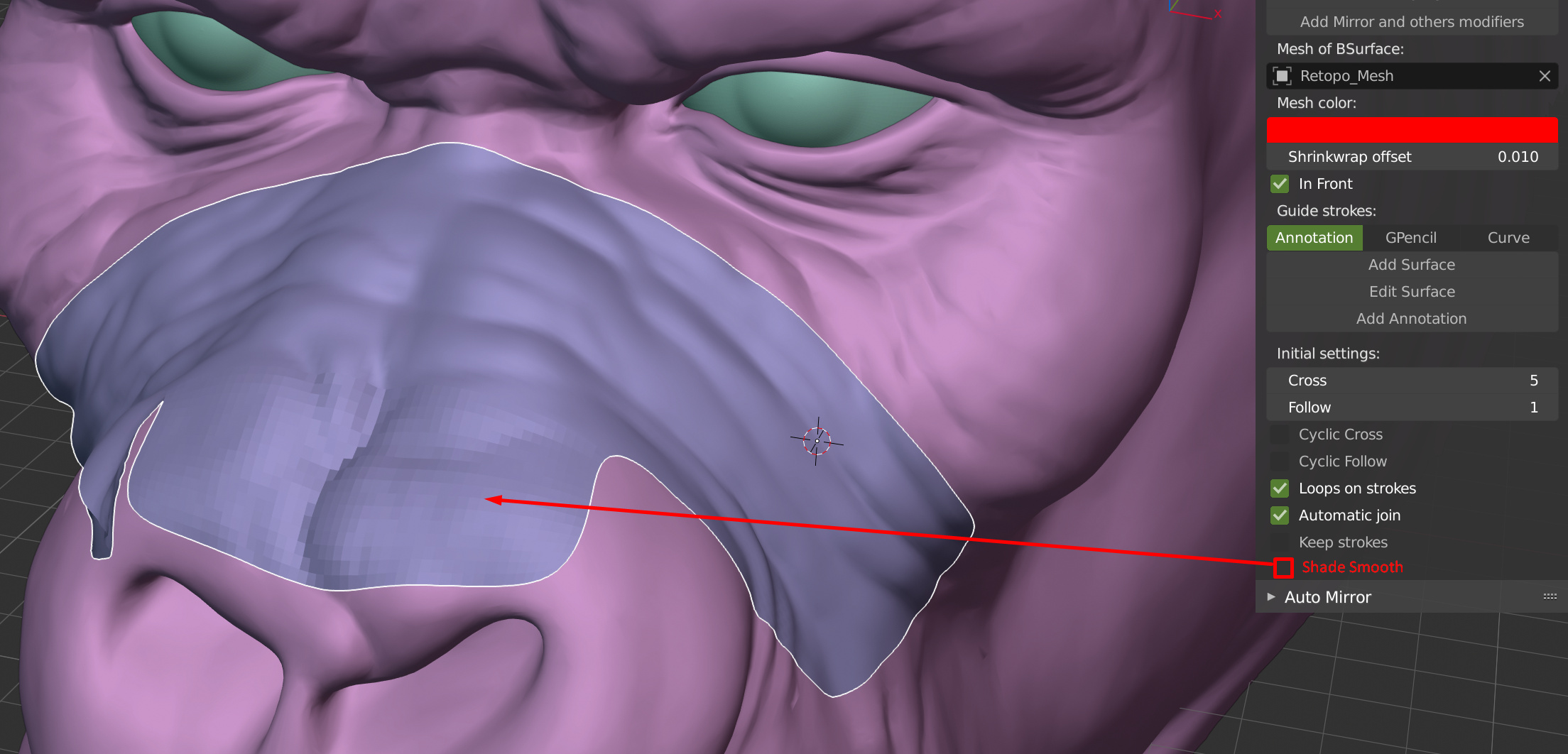
@cwolf3d, could you add a shade smooth option on bsurface, please?
2 Likes
You shouldn’t retopo with subdivisions, it hides bad topology. Watch this https://www.youtube.com/watch?v=F06n6VmNEio
1 Like
Lol, I work on Blender since years, it’s not flipped normals who just learned blender who will teach me how to do retopo ^^
And no, I don’t make retopo with subsurf, it’s useful to check if the retopo mesh is correct and will work for backing.
5 Likes
Updated addon.
Added shade smooth and added show wire
2 Likes
A button could be added, or when booting it would go straight to edit mode already with a point of origin, just like the Ice tools addon start button (set up retopo mesh). And even a lap relax button.
1 Like
I don’t really understand what you wrote. If creating an empty mesh for retopology, then this is done by the “Initialize” button. Can you describe the rest in more detail or show a screenshot or video?
Updated addon.
Fixed console Error to open Blender with Bsurfaces GPL Edition (1, 7, 5) addon activated.
Fixed Crosshatch function.
1 Like
Automatic smooth shading doesnt works? (maybe the check button it’s hided somewhere)
1 Like
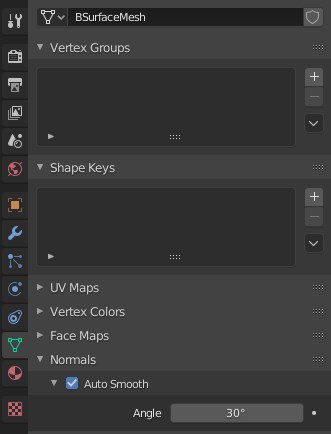
Auto Smooth can be enabled in the Object Data Properties panel.
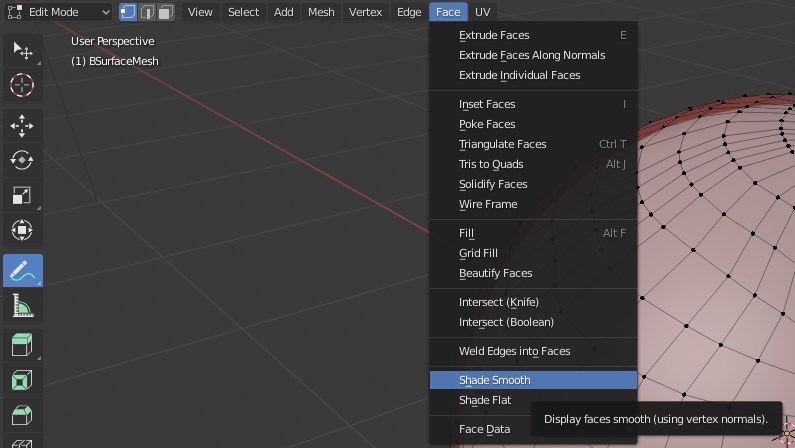
Shade smooth in the addon calls the command from the menu EditMode > Face > Shade smooth
Last time I used this plugin was in 2.79 but I cant seem to get it to work in 2.8 or 2.81 which I just upgraded to just for this purpose.
Using annotation tool usually results in this error:
https://imgur.com/a/WVieTTK
When using GPencil it says “There aren’t any strokes attached to the object”
I tried different approaces:
Creating a mesh and attachting it manually to the plugin or with 2.81 just hitting initialize, drawing and pressing “add surface” which would result in the error above.
1 Like
Download and update the plugin to the latest version. If the error persists, write here.
Thanks for the quick answer. I updated but error persists.
Still assuming that the steps Initialize > Draw > Add surface would be expected to work without any other options.
1 Like
Please send Report: Error.
I’ll see what could be the reason.
not exactly sure, how to do this.
you mean the “info”?
Summary
bpy.ops.object.select_all(action=‘DESELECT’)
bpy.ops.object.shade_flat()
bpy.ops.object.modifier_add(type=‘SHRINKWRAP’)
bpy.ops.object.select_all(action=‘DESELECT’)
bpy.ops.mesh.surfsk_init()
bpy.ops.object.shade_flat()
bpy.ops.object.select_all(action=‘DESELECT’)
bpy.ops.object.shade_flat()
Traceback (most recent call last):
File “C:\Program Files\Blender Foundation\Blender 2.81\2.81\scripts\addons\mesh_bsurfaces.py”, line 3310, in invoke
gp = bpy.data.grease_pencils[“Annotations”]
KeyError: ‘bpy_prop_collection[key]: key “Annotations” not found’
location: :-1
bpy.ops.object.select_all(action=‘DESELECT’)
bpy.ops.object.shade_smooth()
bpy.context.scene.bsurfaces.SURFSK_shade_smooth = True
bpy.ops.object.select_all(action=‘DESELECT’)
bpy.ops.object.shade_flat()
bpy.context.scene.bsurfaces.SURFSK_shade_smooth = False
bpy.context.scene.bsurfaces.SURFSK_guide = ‘GPencil’
bpy.context.scene.bsurfaces.SURFSK_guide = ‘Annotation’
bpy.ops.gpencil.surfsk_annotations_to_curves()
bpy.ops.object.shade_flat()
bpy.ops.object.select_all(action=‘DESELECT’)
bpy.ops.object.shade_flat()
There aren’t any strokes attached to the object
bpy.context.scene.bsurfaces.SURFSK_guide = ‘GPencil’
Specify the name of the object with strokes
Specify the name of the object with strokes
bpy.context.scene.bsurfaces.SURFSK_gpencil = bpy.data.objects[“RETOPO.001”]
bpy.ops.object.select_all(action=‘DESELECT’)
bpy.ops.object.select_all(action=‘DESELECT’)
Traceback (most recent call last):
File “C:\Program Files\Blender Foundation\Blender 2.81\2.81\scripts\addons\mesh_bsurfaces.py”, line 3761, in invoke
self.execute(context)
File “C:\Program Files\Blender Foundation\Blender 2.81\2.81\scripts\addons\mesh_bsurfaces.py”, line 3749, in execute
bpy.ops.object.mode_set(‘INVOKE_REGION_WIN’, mode=‘PAINT_GPENCIL’)
File “C:\Program Files\Blender Foundation\Blender 2.81\2.81\scripts\modules\bpy\ops.py”, line 199, in call
ret = op_call(self.idname_py(), C_dict, kw, C_exec, C_undo)
TypeError: Converting py args to operator properties: enum “PAINT_GPENCIL” not found in (‘OBJECT’, ‘EDIT’, ‘SCULPT’, ‘VERTEX_PAINT’, ‘WEIGHT_PAINT’, ‘TEXTURE_PAINT’)
location: :-1
bpy.context.scene.bsurfaces.SURFSK_guide = ‘Annotation’
bpy.ops.gpencil.surfsk_add_annotation()
bpy.ops.object.shade_flat()
bpy.ops.object.select_all(action=‘DESELECT’)
bpy.ops.object.shade_flat()
Traceback (most recent call last):
File “C:\Program Files\Blender Foundation\Blender 2.81\2.81\scripts\addons\mesh_bsurfaces.py”, line 3310, in invoke
gp = bpy.data.grease_pencils[“Annotations”]
KeyError: ‘bpy_prop_collection[key]: key “Annotations” not found’
location: :-1
bpy.ops.mesh.surfsk_init()
bpy.ops.mesh.surfsk_init()
bpy.ops.mesh.primitive_plane_add(size=200, enter_editmode=False, location=(-1.7564, 2.24009, 167.137))
bpy.ops.object.editmode_toggle()
bpy.ops.mesh.delete(type=‘VERT’)
bpy.context.scene.bsurfaces.SURFSK_mesh = bpy.data.objects[“Plane”]
bpy.ops.object.editmode_toggle()
bpy.ops.object.select_all(action=‘DESELECT’)
bpy.ops.object.editmode_toggle()
bpy.ops.object.editmode_toggle()
bpy.ops.gpencil.surfsk_add_annotation()
bpy.ops.object.shade_flat()
bpy.ops.object.select_all(action=‘DESELECT’)
bpy.ops.object.shade_flat()
Traceback (most recent call last):
File “C:\Program Files\Blender Foundation\Blender 2.81\2.81\scripts\addons\mesh_bsurfaces.py”, line 3310, in invoke
gp = bpy.data.grease_pencils[“Annotations”]
KeyError: ‘bpy_prop_collection[key]: key “Annotations” not found’
location: :-1
bpy.ops.mesh.surfsk_init()
bpy.ops.object.shade_flat()
bpy.ops.object.select_all(action=‘DESELECT’)
bpy.ops.object.shade_flat()
Traceback (most recent call last):
File “C:\Program Files\Blender Foundation\Blender 2.81\2.81\scripts\addons\mesh_bsurfaces.py”, line 3310, in invoke
gp = bpy.data.grease_pencils[“Annotations”]
KeyError: ‘bpy_prop_collection[key]: key “Annotations” not found’
location: :-1
bpy.context.area.ui_type = ‘INFO’
1 Like