https://streamable.com/s/823fx/jinmon
https://streamable.com/s/823fx/itplsi
2 Likes
Found another bug, if I click add surface while in edit mode it will give an error while using the mini panel. If I exit to object mode and add surface the mini panel works fine.
https://streamable.com/s/93vwi/hzlbox
https://streamable.com/s/93vwi/yujlqk
2 Likes
You guys are doing great job, keep those improvement coming and thanks for you works 

1 Like
This is a great tool, probably one of the best, but many new people don’t know how to use it. Very powerful. The developer deserves more praise.
3 Likes
I m glad that @cwolf3d is taking care of it, the main dev who made it, abandoned it. it was for awhile orphan now we more improvement.
2 Likes
Corrected this and previous error. Slightly refactored the script. Need to test.
5 Likes
Works great! No errors.
1 Like
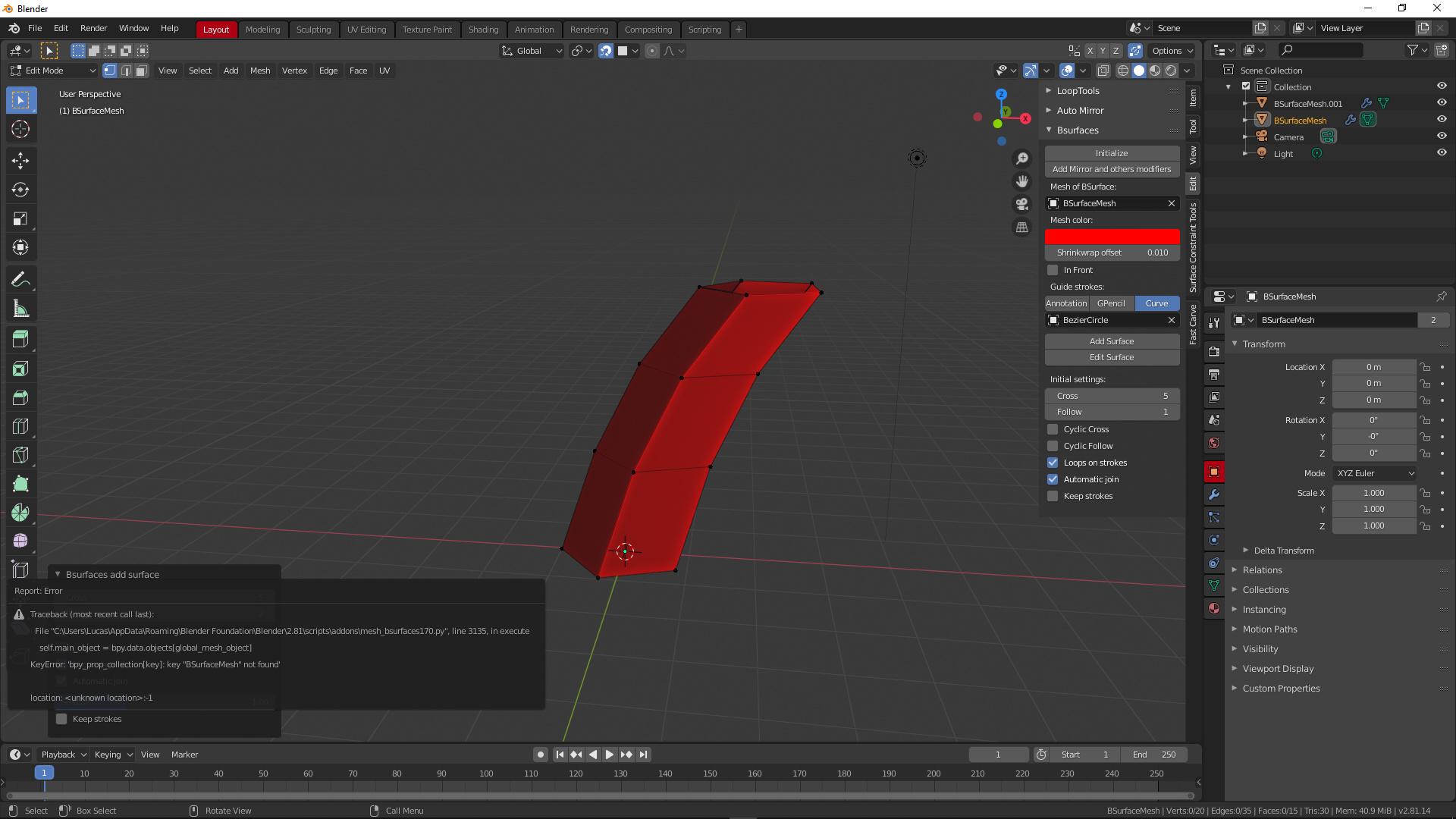
Bug in mini panel with curves. The only way to make it work was to create a mesh beforehand and selecting that as the bmesh target. Pressing initialize creates a BsurfaceMesh but errors when trying to use the mini panel
1 Like
Fixed some bugs. Test please.
2 Likes
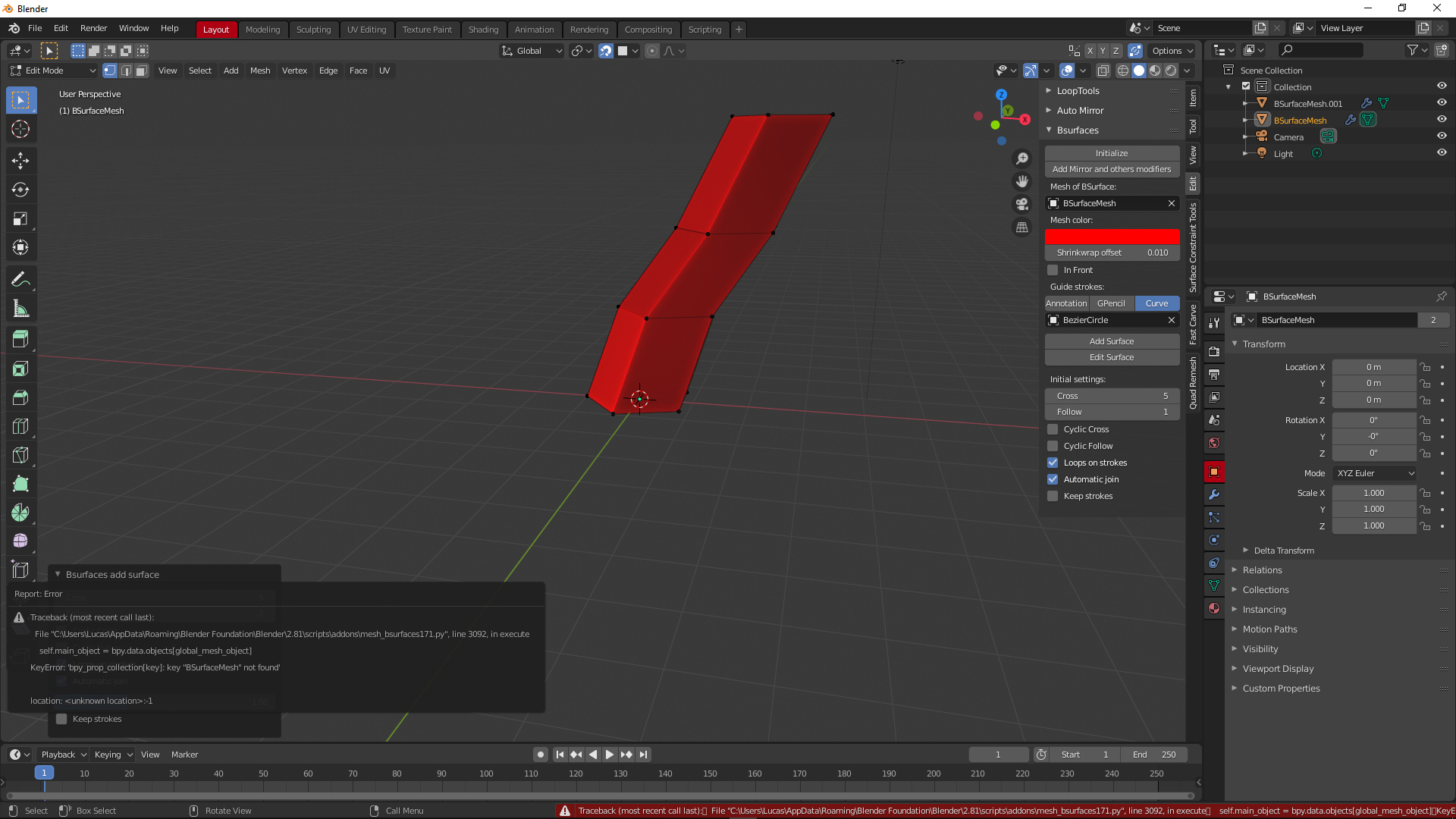
Found how to fix that, Just need to enter edit mode right after pressing initialize. If I press add surface right after initializing it will create the bsurface mesh and enter edit mode but it will error out when using the mini panel. So the solution is to enter edit mode automatically right after pressing initialize. This only happens with curves BTW. Thanks for you hard work @cwolf3d .
2 Likes
Thanks for the work and testing. Corrected the addon.
2 Likes
Hi.
I am getting an error using GPencil workflow, Edit Strokes.
bpy.ops.gpencil.paintmode_toggle()
Traceback (most recent call last):
  File "/media/disk/@Blender_2.8/blender-2.80-linux-glibc217-x86_64/2.80/scripts/addons/mesh_bsurfaces.py", line 3810, in invoke
    self.execute(context)
  File "/media/disk/@Blender_2.8/blender-2.80-linux-glibc217-x86_64/2.80/scripts/addons/mesh_bsurfaces.py", line 3760, in execute
    bpy.ops.object.editmode_toggle('INVOKE_REGION_WIN')
  File "/media/disk/@Blender_2.8/blender-2.80-linux-glibc217-x86_64/2.80/scripts/modules/bpy/ops.py", line 199, in __call__
    ret = op_call(self.idname_py(), C_dict, kw, C_exec, C_undo)
RuntimeError: Operator bpy.ops.object.editmode_toggle.poll() failed, context is incorrect

location: <unknown location>:-1

bpy.context.area.ui_type = 'INFO'
Can you reproduce the problem or do you need more information?
1 Like
Found a new bug, worked fine on 1.6.5 version
https://streamable.com/s/otzal/matcgj
https://streamable.com/s/otzal/gwknyt
also I can confirm Yafu’s report
2 Likes
Fixed edit strokes and crosshatch.
1 Like
Thank you. Now there is no error message when I press the “Edit Strokes” button, but it does not enter to Edit Mode (it remains in Draw mode)
Also getting an error message when Add Surface in GPencil workflow:
Traceback (most recent call last):
  File "/media/disk/@Blender_2.8/blender-2.80-linux-glibc217-x86_64/2.80/scripts/addons/mesh_bsurfaces.py", line 3294, in invoke
    bpy.ops.object.duplicate('INVOKE_REGION_WIN')
  File "/media/disk/@Blender_2.8/blender-2.80-linux-glibc217-x86_64/2.80/scripts/modules/bpy/ops.py", line 199, in __call__
    ret = op_call(self.idname_py(), C_dict, kw, C_exec, C_undo)
RuntimeError: Operator bpy.ops.object.duplicate.poll() failed, context is incorrect

location: <unknown location>:-1
Edit Strokes simply switches to drawing mode.
And for the conversion of strokes into curves and their subsequent editing added a button “Strokes to curves”. I think this is more logical.
I can not reproduce the error. Need a video.
P.S. In the addon, there are a lot of switching from editing mode to object mode and vice versa because of this, these errors appear. We need to test everything.
1 Like
Oh, my misunderstanding maybe.
As you know, BSurfaces could be used to model, among other things as shown in well-known promotional BSurfaces video. Some time ago I made a very simple video to show where to find components of Grease Pencil and BSurfaces in 2.79 (There Edit Strokes entered Edit mode for Grease Pencil strokes):
https://www.youtube.com/watch?v=pHy6nDvyO_E
I have been able to use your BSurfaces addon for 2.8 to do the same manually (previous version of the addon before the last one you published), and in fact I have found it easier and more intuitive than for 2.79:
That’s why I thought Edit Strokes entered Edit mode. Perhaps we could improvise the workflow for modeling with BSurfaces addon if someone else thinks that this is useful?
Edit:
(The promotional Bsurfaces 1.5 video has apparently been removed from Vimeo  )
)
4 Likes
Added edit strokes mode - button: ‘Edit strokes’
2 Likes
Great!
Following the steps I have shown in the video above, I now get the following error when I press Add Surface in Object mode:
Traceback (most recent call last):
  File "/media/disk/@Blender_2.8/blender-2.80-linux-glibc217-x86_64/2.80/scripts/addons/mesh_bsurfaces.py", line 3294, in invoke
    bpy.ops.object.duplicate('INVOKE_REGION_WIN')
  File "/media/disk/@Blender_2.8/blender-2.80-linux-glibc217-x86_64/2.80/scripts/modules/bpy/ops.py", line 199, in __call__
    ret = op_call(self.idname_py(), C_dict, kw, C_exec, C_undo)
RuntimeError: Operator bpy.ops.object.duplicate.poll() failed, context is incorrect

location: <unknown location>:-1
1 Like