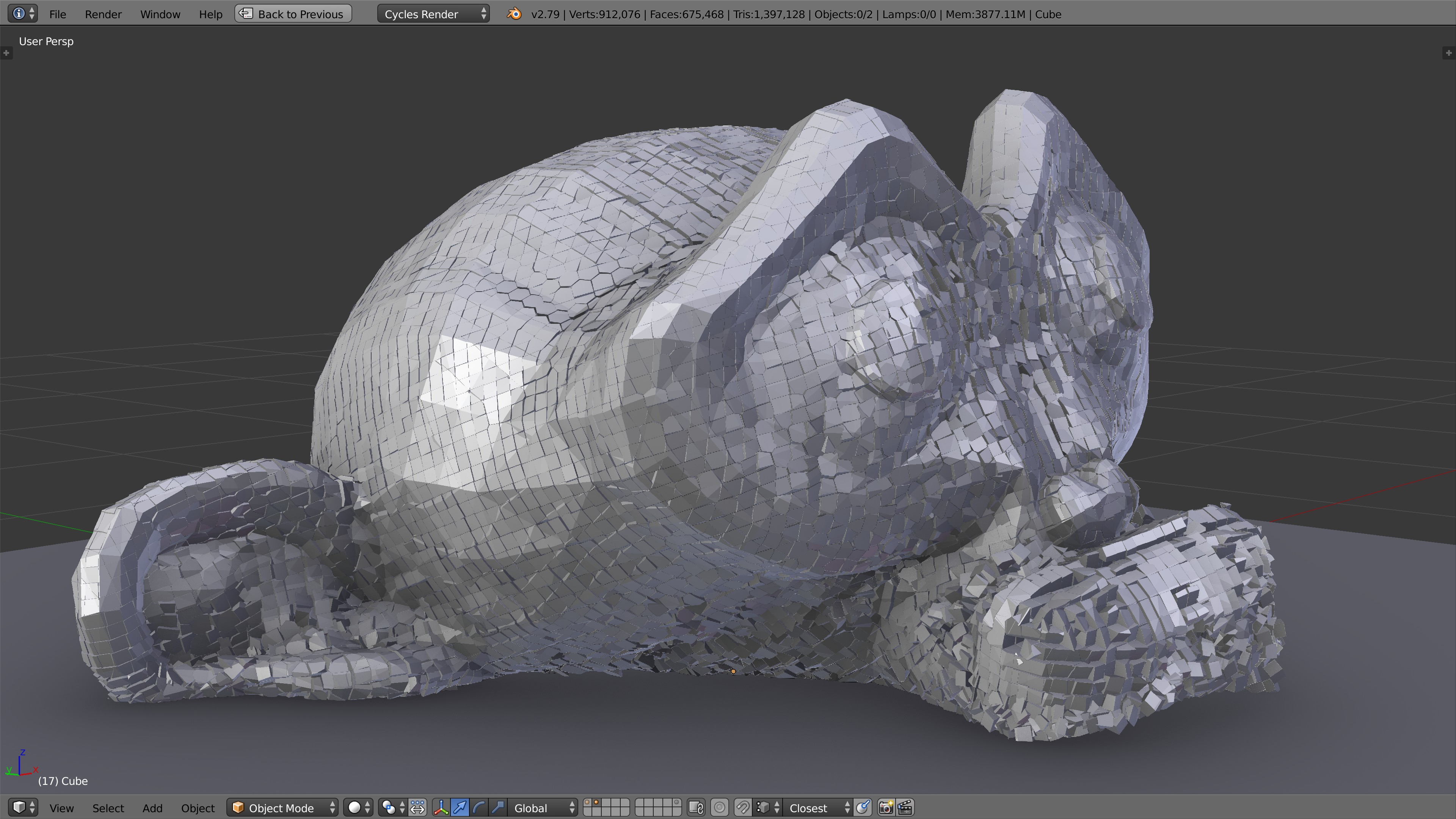
Here’s a build based on a relatively recent version of 2.80. I’ve succesfully rendered a few things on my Win10 machine using an RTX 2070 though I haven’t done any serious fracturing tests yet.
Caution: This is not an official build. It’s likely to be much less stable than other builds.
They´re not pushing back, Fracture modifier is an official goal for 2.8x. Right now it´s not ready for 2.8 anyway, Martin needs help with some of the new depsgraph and CoW stuff from Sergey and co. It´ll get there
@drgci have you read back up this thread to see our prior detailed answers to your question which theApe paraphrased quite well? 2.8 is not stable for many things still and will not be for quite a while if you read and go by the bug reports. Plumber’s patches are being made for things that need to be reworked properly still for 2.81 and beyond. The devs themselves have said this.
We have given some workflows to use 2.79b --> 2.8 but we are not supporting 2.8 FM directly at all so we and Scorp more specifically can maintain our sanity as 2.8 is changing continuously still in ways it affects the FM directly. Repeatedly fixing the FM while chasing the wind with 2.8 being repeatedly and continuously fixed is a waste of time by anyone’s measure. We also are refactoring and have a lot of work to prep FM for inclusion since we have our own list of hacks. We instead are focusing on some new technologies we are implementing for the FM that will blow people away… (pun intended! lol
So I’m curious drgci as to what you want to use the FM for specifically in 2.8 that is creating such a sense of urgency? Are you making destruction animations for games and want the ease of Eevee rendering? Are you inspired by Kai’s work and providing destruction animations to clients? I am and we as a team are really curious to hear what FM users are doing and how it will be used by 2.8 users. This is really important for us in our development and specifically for me as I rework the UI/UX of the helper addon and FM panels with Scorp, plus the new documentation I will have to spend hours upon hours developing.
So help me and the team out and let us know what work you and anyone else will be doing with the FM once it is in 2.8. This is a great chance to give back to the team. Any feedback you guys can give on how we can focus the FM to provide you guys with the best project tool is greatly appreciated and saves us time and effort. We really like hearing from you guys that are using the FM on interesting and important projects.
I’m really curious to see who want’s to use it for gaming animations in 2.8 so is that what you want to do with it drgci? Anybody else also fee free to let us know, we appreciate the feedback.
Where can I go to ask for help or see what I did wrong? the problem is that at a certain stage a blender started flying out of me, I am just learning and I would like to know what I’m doing wrong. At the moment I can’t press play in my project using FM, just close the blender without any error. Where can I drop the file so that you look or how can I act?
What in general are you trying to do? You can post a screenshot image here. You can post a 2.79b FM *.blend file on pasteall.org and then just link it here. You can also post files here but I don’t know the files size limit.
Also, make sure and checkout the documentation we put together. The link is on the fist post of this thread. FM has a lot of features and over 170 settings so it’s good to check the documentation when you start using it for an actual project. It helps you form a more accurate question when we don’t have to go over the basics that the documentation does.
http://pasteall.org/blend/index.php?id=51856 Sorry for the inconvenience, saved with a view of the second scene, if you save it in this file in the first scene, it will not open at all, I really don’t understand what the problem is … mistakes.
p.s maybe you don’t quite understand me, I use a translator, and I have no one to ask except you
Thank you for the link, but on this build there seems to be a lot missing (please correct me if im wrong). Where do i find the main operations menu and all the BCB settings?
Or hopefully there is another build now that supports RTX gpu rendering? I dont mind if its 2.79 or 2.8
Not sure what the “main operations menu” is but if you’re talking about the stuff in the (T)ools menu, that’s not the Fracture Modifier. FM is a modified Blender build. The stuff on the left is part of a supplemental addon called the FM “helper”. Have you read everything on the linked page? This is mentioned there. (Along with anything else I know about it. I’m not involved with the build in any way. I just linked it because I know there are few if any alternatives at this time.)
Thanks for the fast answer. Yes I was talking about the menu on the left but i wasnt aware this wasnt part of the fracture modifier but a seperate helper addon
No problem. You can download the helper from here http://kaikostack.com/fracture/. You might try installing it with the 2.80 build and see if things improve.
109k shards with FM (WIP) - We are currently improving support for purely point-based simulation input, in this case the data comes from the molecular addon (great addon by the way).
Hello
Hmm, usually full objects as shards happen if there have been issues with boolean fracturing.
Otherwise, it would be helpful if you can share the blend where this actually happens.
There can be other sources of errors which are not so obvious on the first look.
Hmm this geometry might be not so good for fracturing (since it is very dense) Carve and BMesh both had some issues with it. I suspect there might be floating point inaccuracies or something. I could not find non-manifolds though, but maybe there is some self intersection somewhere. Fracturing with BMesh and Seed = 0 reveals a spot where 2 shards are “missing”, maybe there is something wrong with the base mesh. Anyway, using Seed = 1 with a different voronoi pattern seemed to solve the issue for now, temporarily. Changing the seed value may help in some situations thus, though.
The wall object is kind of dense, but I thought it won’t be a problem since it is a simpler kind - not some organic mesh, but a box with subdivision surface modifier and then a slight displace modifier applied. I also couldn’t find any non-manifolds or suspicious areas. In the original scenario I was trying to fracture the wall to many more pieces (~500) with another object serving as a particle source, but even 50 pieces with uniform point source doesn’t work out for me.
Unfortunately, I didn’t have any luck with the seed values and different fracture algorithms that I tried either. Nothing seemed to produce the desired results. For example, IIRC voronoi+bisect+fill resulted in thin foil-like fragments as though the object is empty and doesn’t have any volume to it and I expected regular 3D thick fragments like with voronoi+boolean.
What fracture algorithm with seed of 1 seems to work for you? Would it work with many more shards as well?
Initially I tried using the cell fracture add-on, but I had lots of issues. I was so happy when I found out about FM and that it could be a solution, but I’m kind of stuck as well. Is the FM limited in application to non-dense meshes or is it somehow possible to use it on more complex meshes as well? Is there any other way to accomplish this maybe?