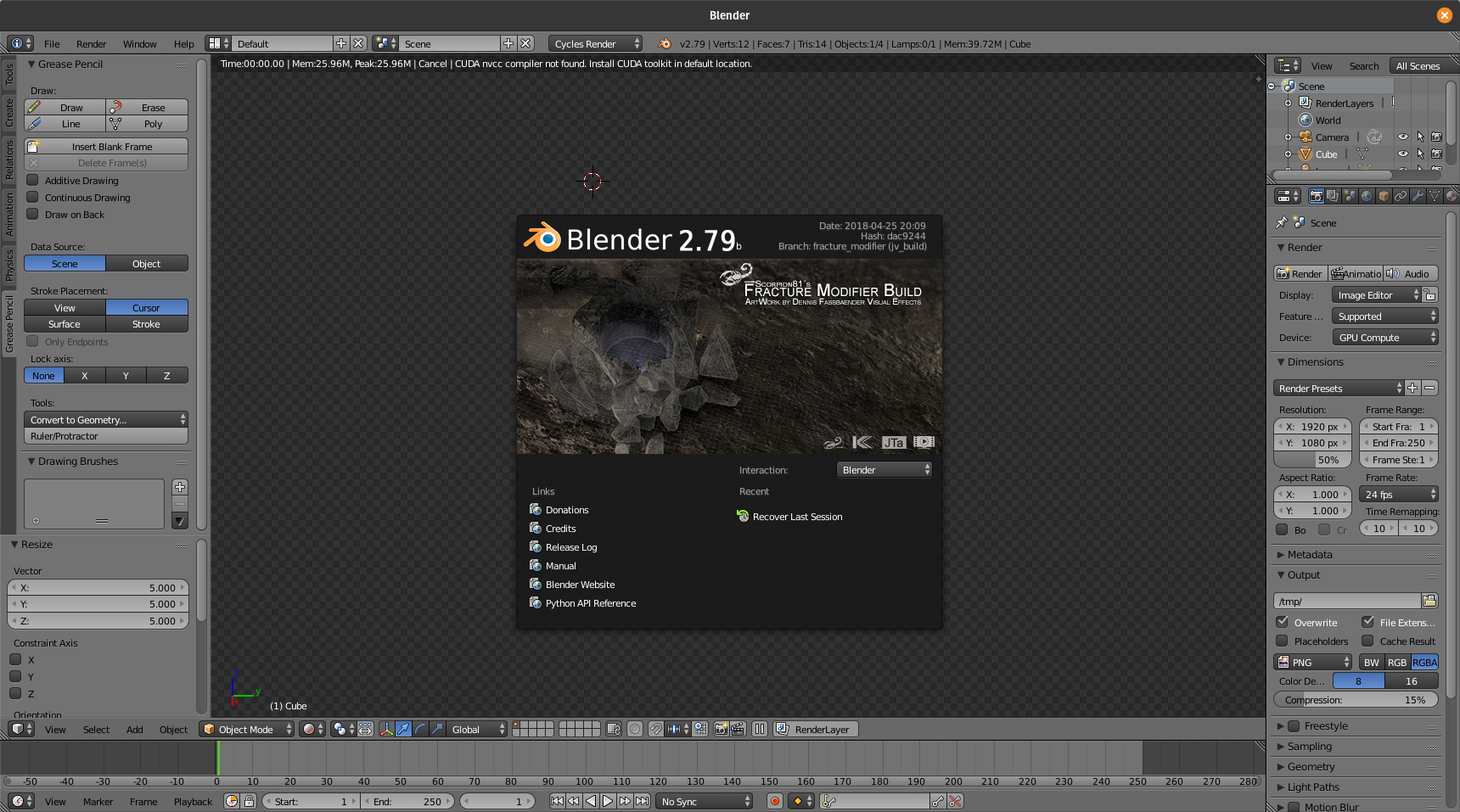
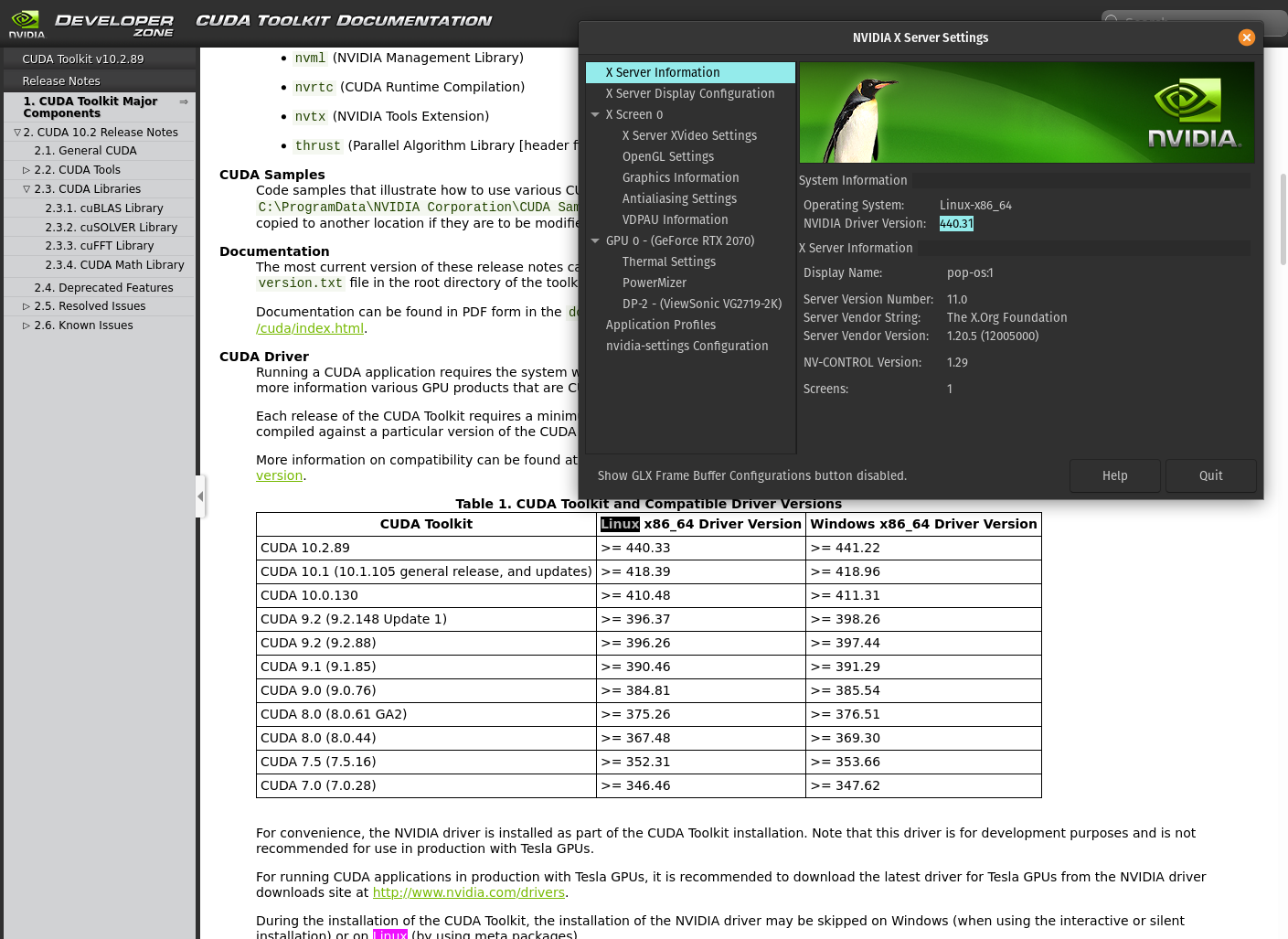
Ah, under linux it may manage to build its own needed cubins if you install the cuda toolkit (10.1 for example). BUT… it also may fail due to cycles in 2.79 being rather outdated from today’s perspective. (being incompatible to recent cuda stuff) I cannot test here since I only have an intel gpu (laptop) here atm.
Its works for the other versions of Blender so I think its related to the build itself… I gonna try emailing Jens Verwiebe he migh manages to rebuilt it to recent graphics cards like @Kai_Kostack did to the Windows one.
in case the blender does not open or show error in terminal: error while loading shared libraries: libtinfo.so.5: cannot open shared object file: No such file or directory
You can run and install libtinfo5 by:
sudo apt-get install libtinfo5
Try again and it should work now. RTX 2070 is running normally here (Pop OS 19.10)
Yep, my dev build from jan. satisfies rtx needs as far as the 2.79 branch is concerned.
Although the rendering is not as optimized as we got used to in later master or 2.8 ff.
The missing of terminfo lib in your distro was just a little unforseeable oddity as it was
present in for example ubuntu/mint since 14.4/17.1 thus i never considered to make it
static.
Anyway there is still a little chance you meet a scene with a shader setup that will not
fully play with that cuda 10.0/blender 2.7 combination, but you might be lucky.
Yes, on my site is the BF release matching 2.70b, whereas the dev build always is a moving target.
This is better for production to make sure vanilla and fm is fully interoperable.
Typically “latest” should be even a 2.8dev version in between ( which i only have in an rudimentary state atm. ) but as the discussion about implementation goes back and forth i guess it will not happen in the near future if anyway.
In between i decided to retire a bit from blender coding so these builds are for now the very last state available as precompiled, but it will be way more easy to compile a fm 2.8x yourself when it comes to reality.
Ok! A side question here: after I’ve baked a smoke simulation, I bring it to 2.8 and I’d like to change it’s position but it doesn’t work. I can rotate and re-scale it, but moving the domain doesn’t move the simulation together, even applying location or parenting it to something else.
Does anybody knows a workaround to repositioning the domain with the simulation baked?
No… Parts of the project are already baked and composed to a shot. I was wondering if I could use the same smoke simulation in different locations of the shot.
That’s a good question about smoke simulations…I can’t answer it but hopefully someone else can…
On a side note, technology development of the FM is still taking place focused on destruction algorithms and techniques. Look to my previous posts on version 2.8x strategy and status.
We are waiting until other things happen regarding blender version, but we are still developing the next wave of FM technology and tool improvements internally.
Here’s a quick video showing our current work on dynamic fracturing and “chipping” as it’s put in Houdini parlance.
Any of you guys that also do Houdini fracturing please let us know your experience, especially with this chipping feature. Thanks
Yes… Its very awkward we can’t repositioning the baked simulation domain.
I don’t have experience in Houdini yet. But I’ve hit play at least 3 times to appreciate this poor default cube been thrown away. Good to see FM will be surfing in 2.8 versions! Great!
I’d assume it’s a limitation we have to live with for now. Though (at least in the long term) there is a streak of silver on the horizon, in so far as there are official plans afair to have a native volume-object in blender and on top of that proper open vdb-support.
But that’s all just plans, after all I know, so don’t hold your breath for it (personally, I’d be surprised if this landed any earlier than blender 2.90).
For now Tangent Animation’s custom blender-branch (the one they used on ‘Next Gen’) might (maybe) be able to do it, but weather or not it is publicly available on their github I don’t know.
So if you really need this, you could check their github or in case of doubt try to politely ask them about said blender-branch. Though be prepared for it to be Linux and 2.7something.
Hi,
is there a way to simulate an object without fracturing it? I have a single mesh that consists of a bunch of rocks and I just want to drop them on to a plane.
There are too many rocks to separate them and use the standard Blender physics, so I tried out the Fracture Modifier which is better performance wise.
I tried using just a single shard but that does not work.
I tired a single shard with “Split Shards to Islands” but that doesn’t work on objects that are too close together.
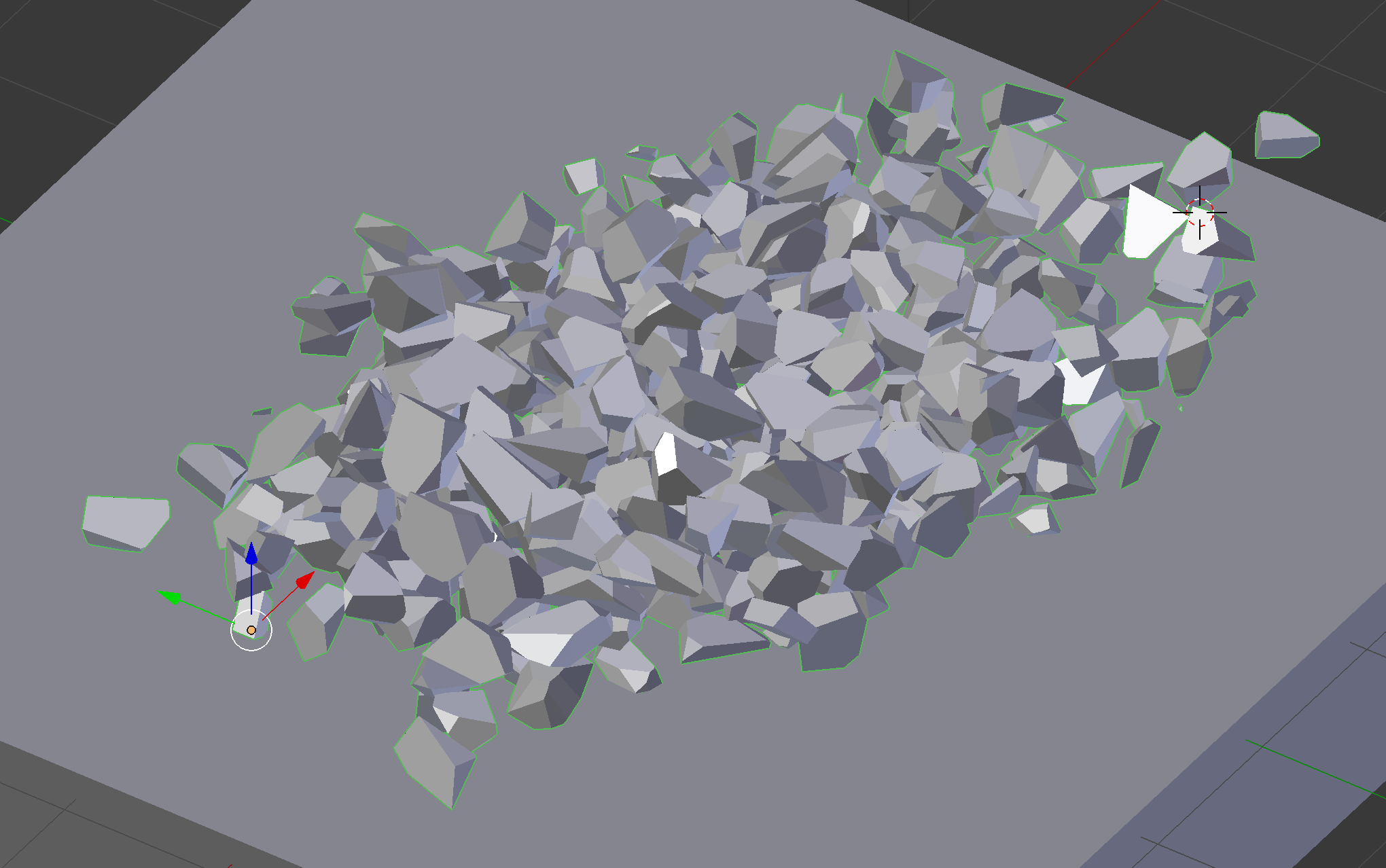
Here is an image. This is my pile of rocks as one single mesh. I would like to use them as they are and simply dump them somewhere else:
for re-using the rocks (which i suppose are kind of mesh islands, means they are not welded / connected to each other) as shards it should be possible to “fracture” the mesh without specifying any source, aka unchecking “Uniform” with shift-click as well. But theoretically “Split shards to islands” should have had the same effect (using a single shard and splitting it).
And for triggering, that works only with objects which are animated / kinematic. The “stop trigger” should be able to freeze shards again (which are touched by it AND whose linear and angular velocities are below the linear / angular velocity values for the deactivation setting. I simply use those values for stop-triggering too, even if their display is greyed out, aka “Deactivate” is not used)
Since the stopped shards should be kinematic again, they might be re-triggered.
Thank you for the quick answer.
It appears to work with unchecking uniform. I didn’t think about that.
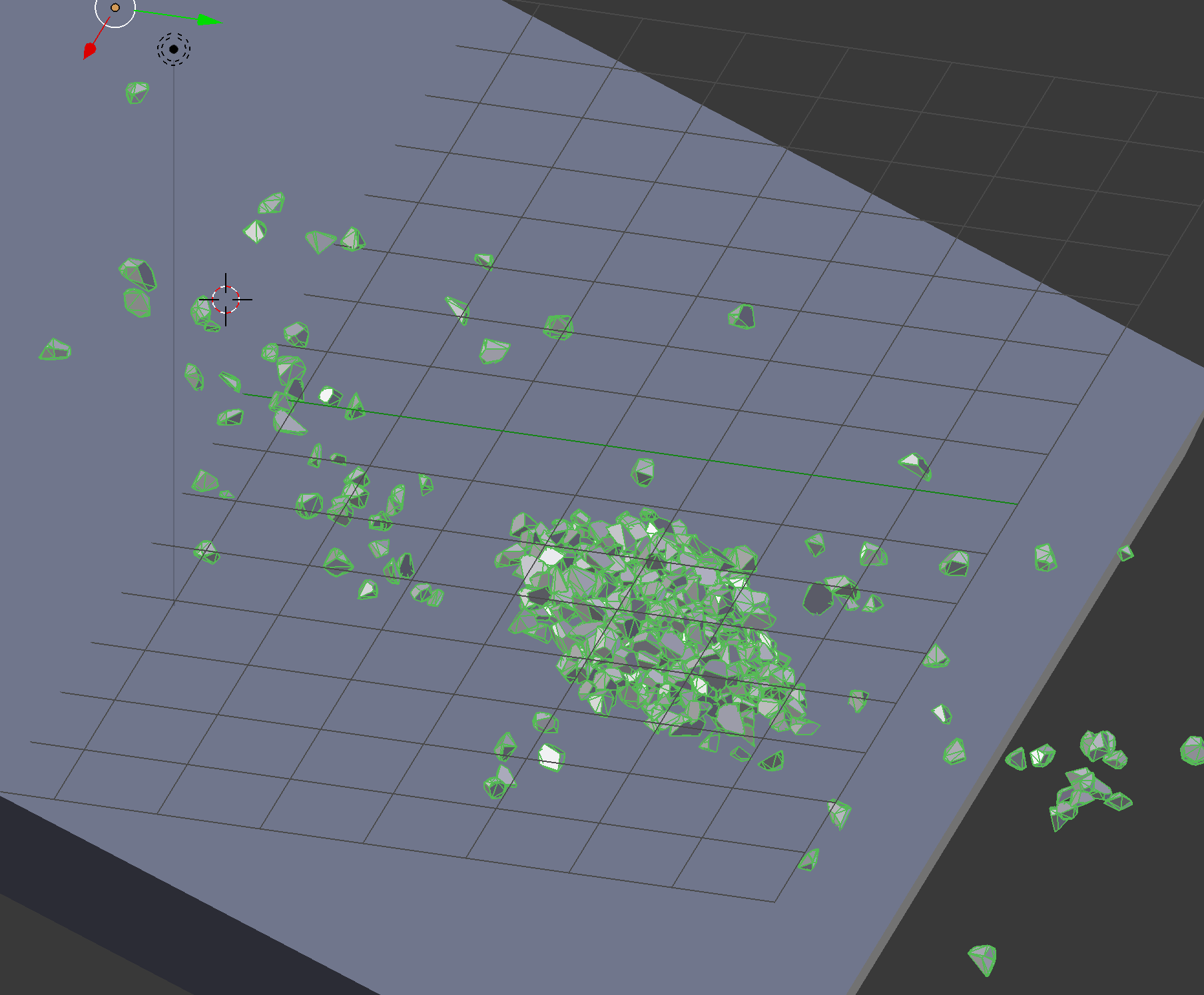
Using split shards to islands with a single shard gives the result in the following image. A couple of rocks are separated but the big pile in the middle is considered one single entity:
ah ok yup i quickly tested here too… lol weird… Didnt expect that. And seems the stop triggers cant be retriggered too in the same simulation run. Hmm. Probably a bug (restoration of kinematic state doesnt seem to work properly or so)
Edit: But if the shards come to rest in a “natural” way, without stop trigger, they should remain active and should be able to collide regularly with other, moving rigidbodies and being pushed away again.
New technology from the FM team -
While the FM team is waiting for the blender 2.8x code base to make internal changes that will allow the FM to effectively be included, we have been continuing on with work integrating new technology in the FM/blender platform.
Check out Scorp and Juan Gea’s work with an OpenVDB mesher/remesher: https://developer.blender.org/D4960
Check out Juan’s branch/download where this technology is being provided at this time.
Notice the Houdini workflow post in D4960. The user’s team starts with blender as a modeler then moves to Houdini utilizing vertex weight maps. Blender and Houdini combined in a workflow is getting mentioned more and more these days.
The integration of a voxel engine as part of FM technology is part of our long term road map. It will also be part of the polygon crushing technology/feature I am working on. There are other voxel based technologies we can add to the FM platform in the future that fit well within our scope of tools. Voxel technology and methods as a whole are developing quite nicely in the industry.
Even though this is primarily a support thread for 2.79x Fracture Modifier, I would like to hear from our users on these topics. Especially if you are also a Houdini user, as we are actively extending FM platform technology and expect more and more its use in combination with Houdini and other apps.
For questions on when FM will be in 2.8x, please scroll back and see my recent posts/updates on that.