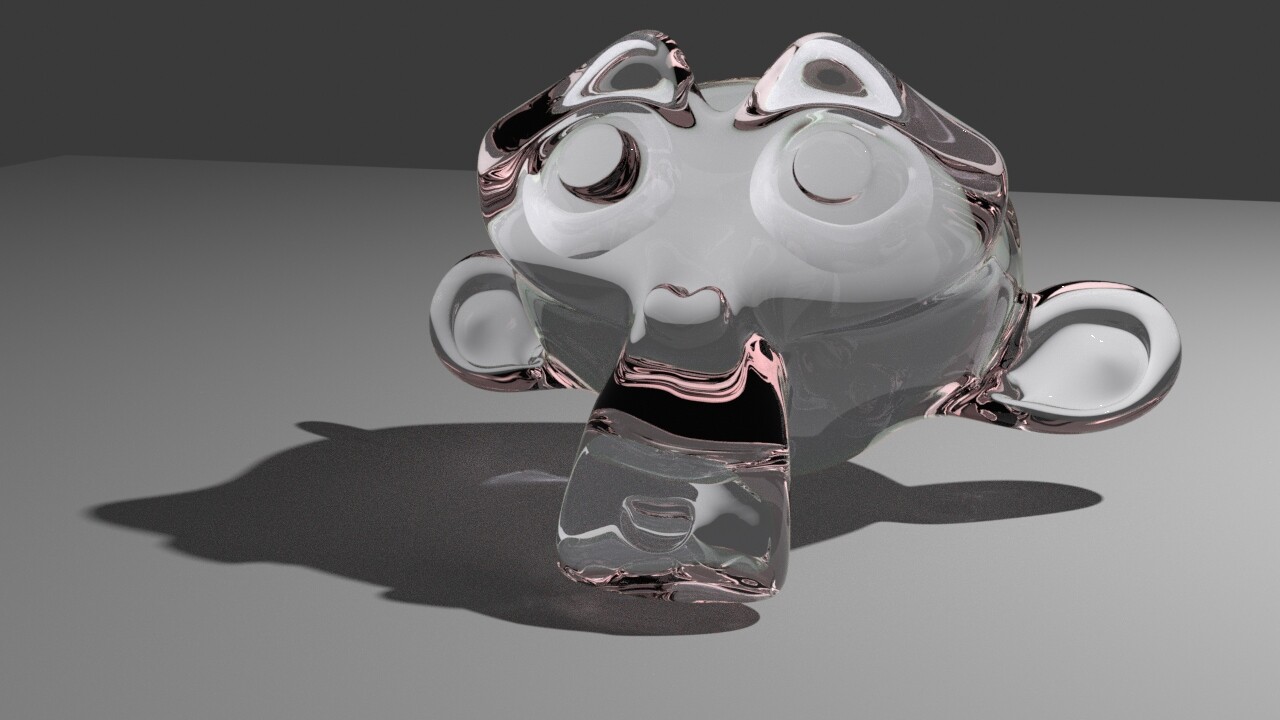
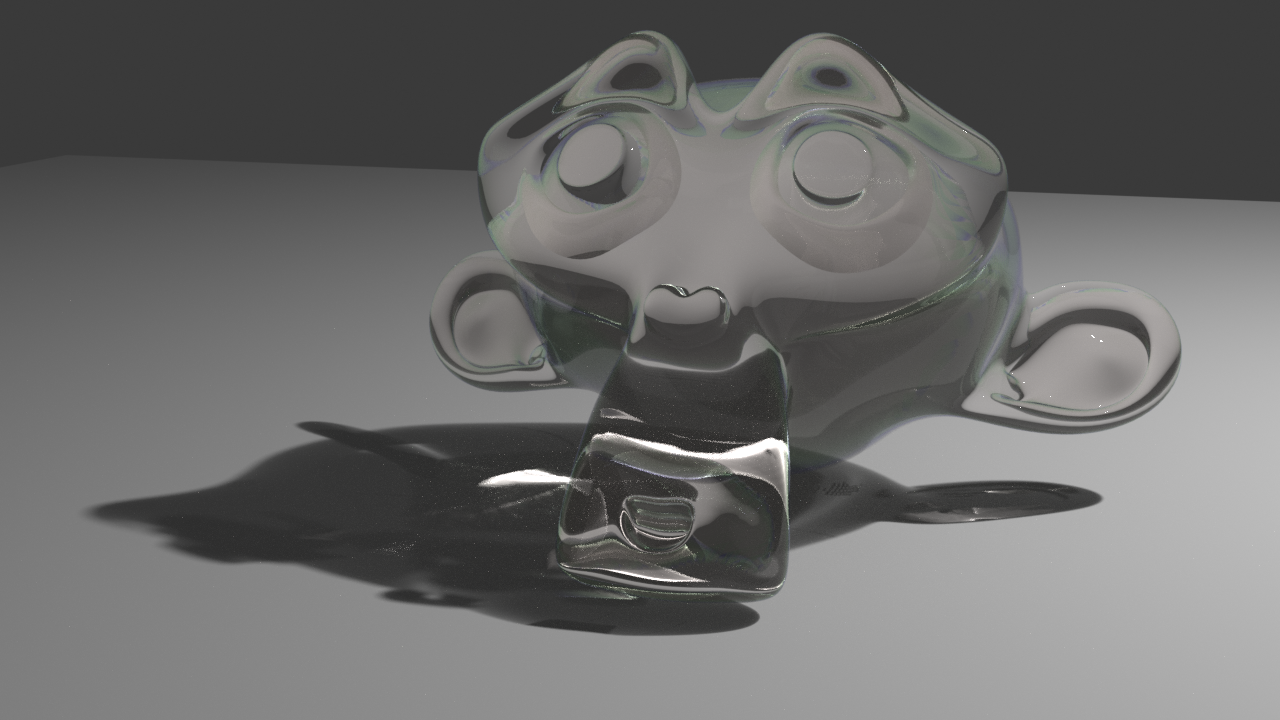
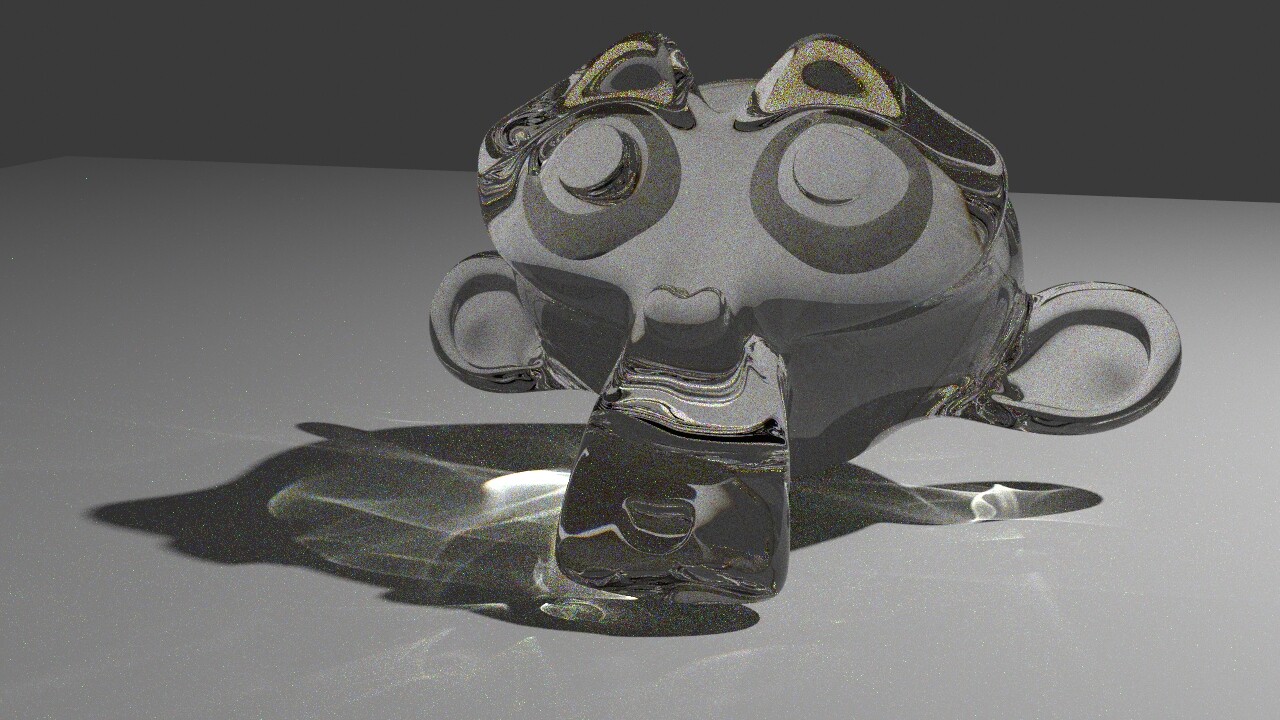
Here is a small test I made with 128s for each picture.
Used default Cycles glass material, Cycles glass with fake dispersion effect and LuxCore glass material with dispersion on. I wonder when will cycles have glass material with realistic dispersion and caustics. Is there a good material setup for Cycles to be close to LuxCore glass realism?


1 Like
Did you try Path Guiding?
I really like the one just before Luxrender.
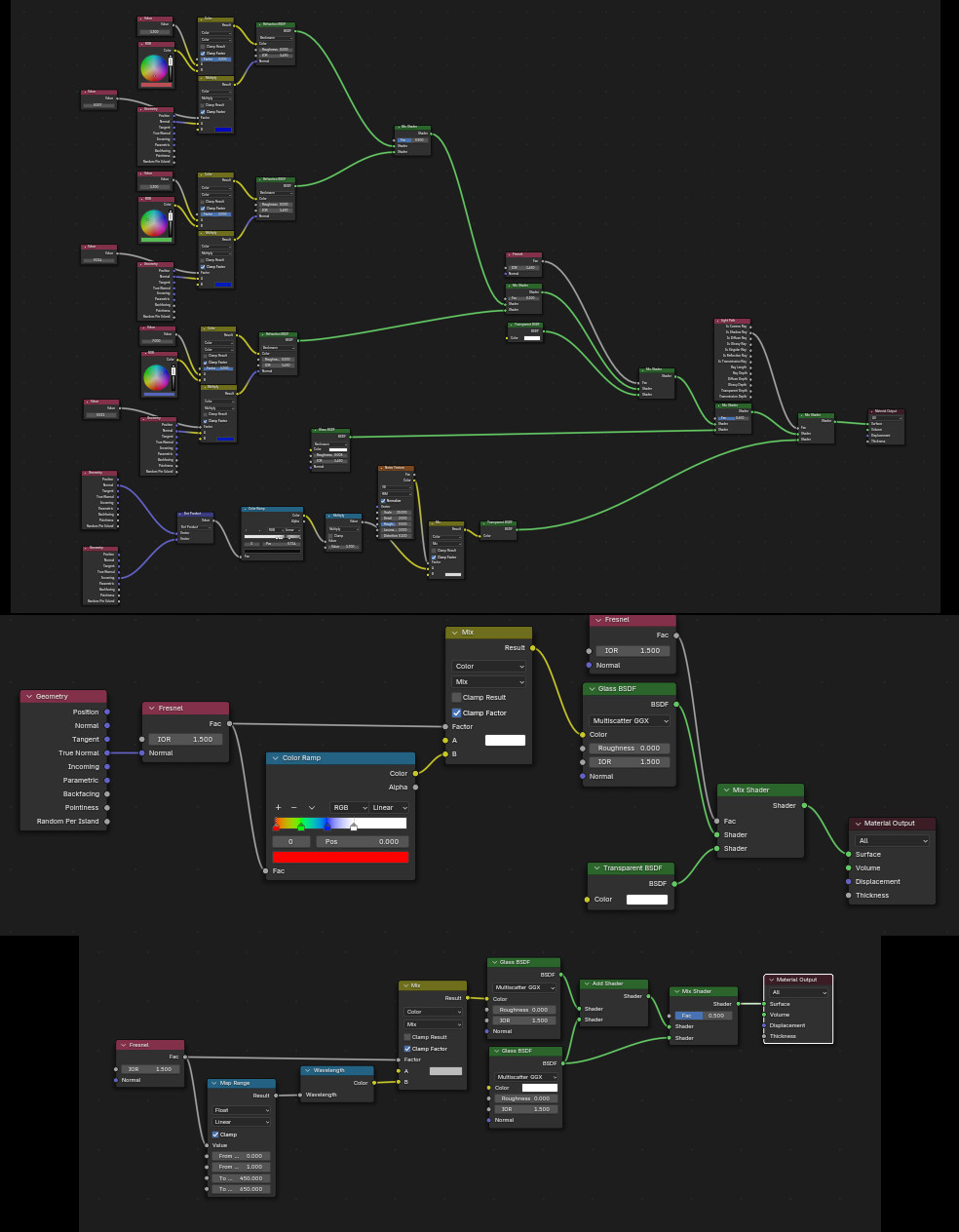
Mind sharing a nodescreen?
Yes I tried Path Guiding but it is only for speeding up rendering and changes nothing in the image itself and works only with CPU.
The one before Lux is just default Cycles glass without dispersion at all.
Here is node setup for all 3 materials:
2 Likes
I have done many experiments with it and got some interesting results (caustics), but you do need loads of samples and it is CPU only - so very long render times.
I have not given up hope on GPU path guiding but do not expect it any time soon (could be years.)
Luxcore is king of caustics I do not think there is a magic setup.
2 Likes
Luxcore is king of caustics I do not think there is a magic setup.
Yes, it is true but if you look at those images even caustics itself are somehow much worse.
1 Like
I see some darkness in the Cycles images. How many glossy bounces are you using? You need to increase them quite a bit to get glass that looks good.
Have you disabled filter glossy and clamping? By default, those settings exist to blur caustics out of existence, because Cycles isn’t good at caustics, being a unidirectional renderer.
Once you have disabled those, path guiding could give a pretty good result, but it would need lots of samples (ideally with noise treshold disabled, because it will mess with complicated light patterns).
An alternative would be to render with something like 100 000 samples on GPU (again with noise treshold disabled). Path guiding is so slow on the CPU that doing the brute force approach like this might actually work better if you have a good GPU.
Here is the default glass with path guiding, no filter glossy and no clamping. Over 3000 samples without noise treshold. There are clear caustics, but it would need hours to be clean enough. Cycles isn’t going to beat Luxcore for caustics anytime soon.
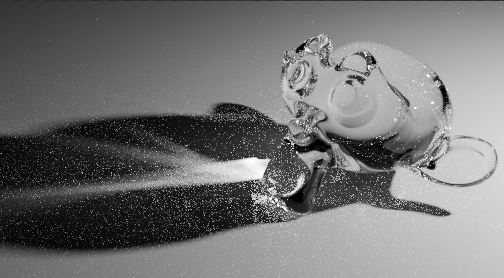
–
For dispersion, it is possible to make a glass material with continuous spectral dispersion:

3 Likes
Hello,
What do you mean ? For BlendLuxCore, Cycles or both ?
It is true LuxCore is far better to render caustics. They look different on Lux than with Cycles. They look better with Lux. More physically accurate.
16 bounces for all factors. After doing everything you mentioned here is result with 1000s and Path Guiding enabled:
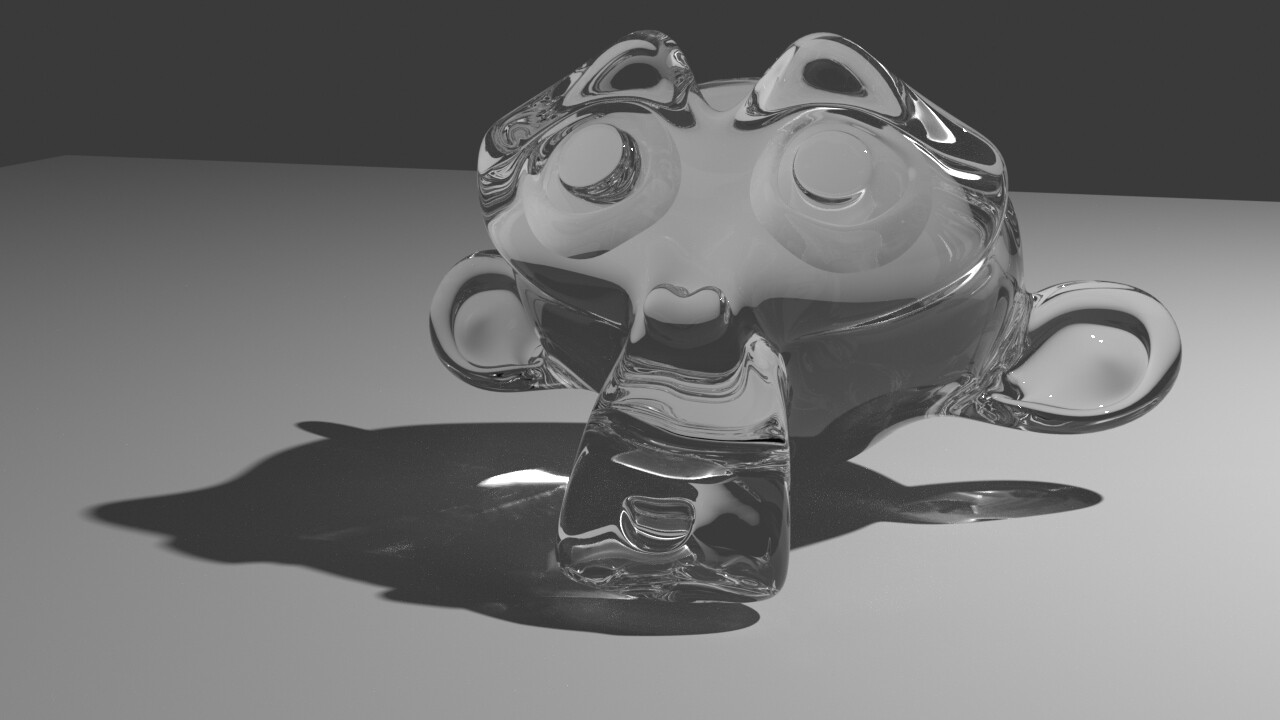
1 Like
I see why your caustics are so weak, it looks like the denoiser gets rid of most of them.
Cycles is technically capable of full caustics, but it would take hours of rendering before the pattern is complete enough that the denoiser doesn’t remove it.
Denoiser is disabled
1 Like
My render was way noisier than this, maybe it’s the position and radius of the light source.
For sure. Here it is with dispersion and 10000s:

Render time - unacceptable 
If Lux had such a good denoiser at 128s, it would look better than Cycles at 10,000s.
1 Like
It looks like you are using the fake shadow caustics option, to get Cycles to render proper caustics turn all that off, they are not compatible with real caustics (emiter, caster, receiver).
This is the default glass shader and default lamp, NO shadow caustics option, yea 20000 samples the caustics are not “attractive” but they are there. Note there are also reflective caustics outside of the shadow. Render time apx 5-6min with an RTX 3060 (it is a cropped render).
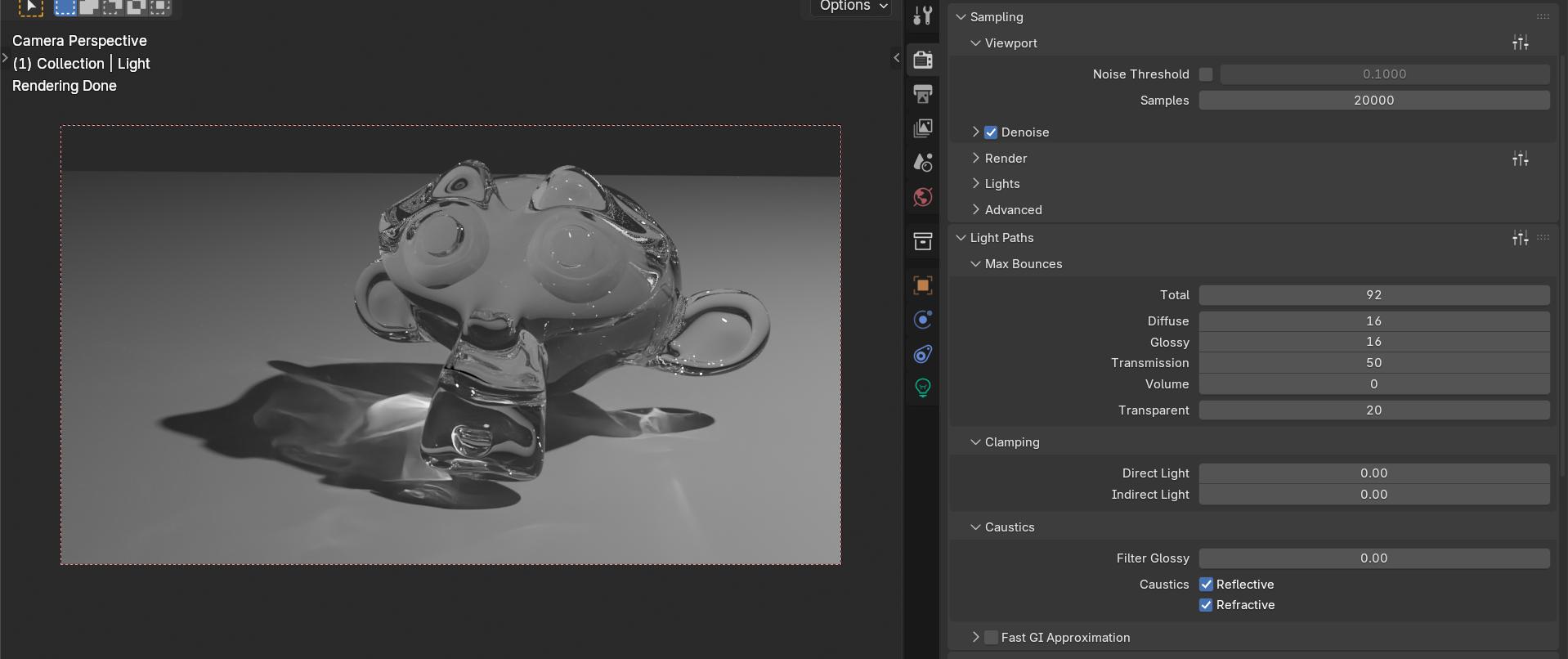
With a dispersion shader, the white noise version (similar to the one that etn249 posted) I made the floor blue 
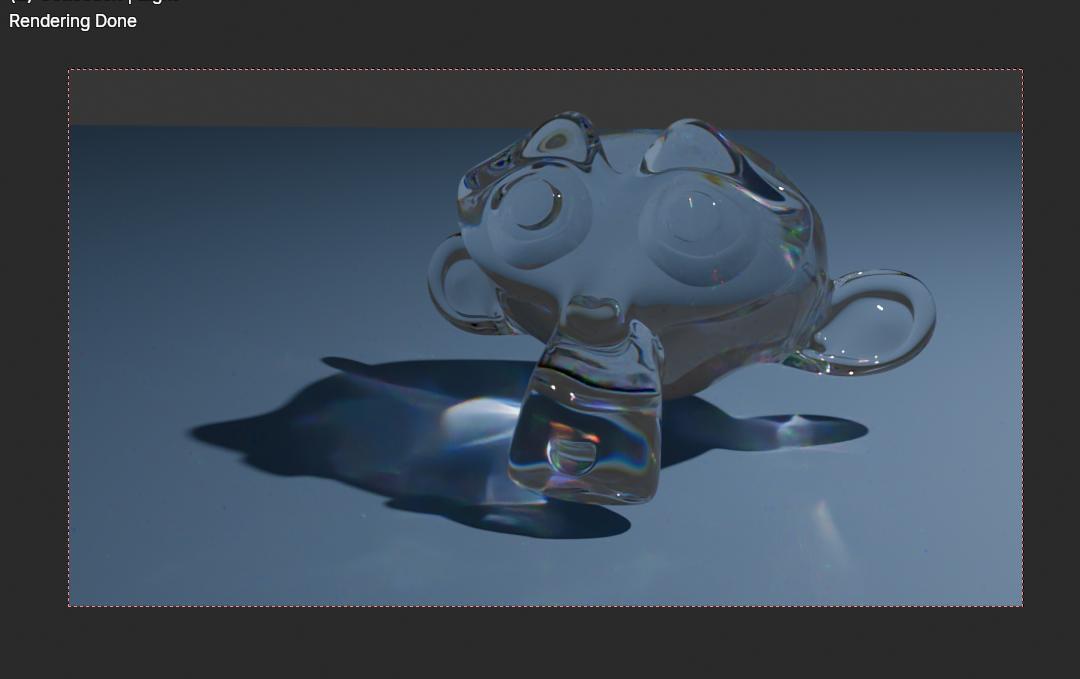
The dispersion does effect the caustics a bit and blend them.
7 Likes
I don’t know any such “fake caustics option” other than enabling cast and receive caustics in object properties.
And this is my result with this shader and denoiser on Cycles (thanks @etn249):
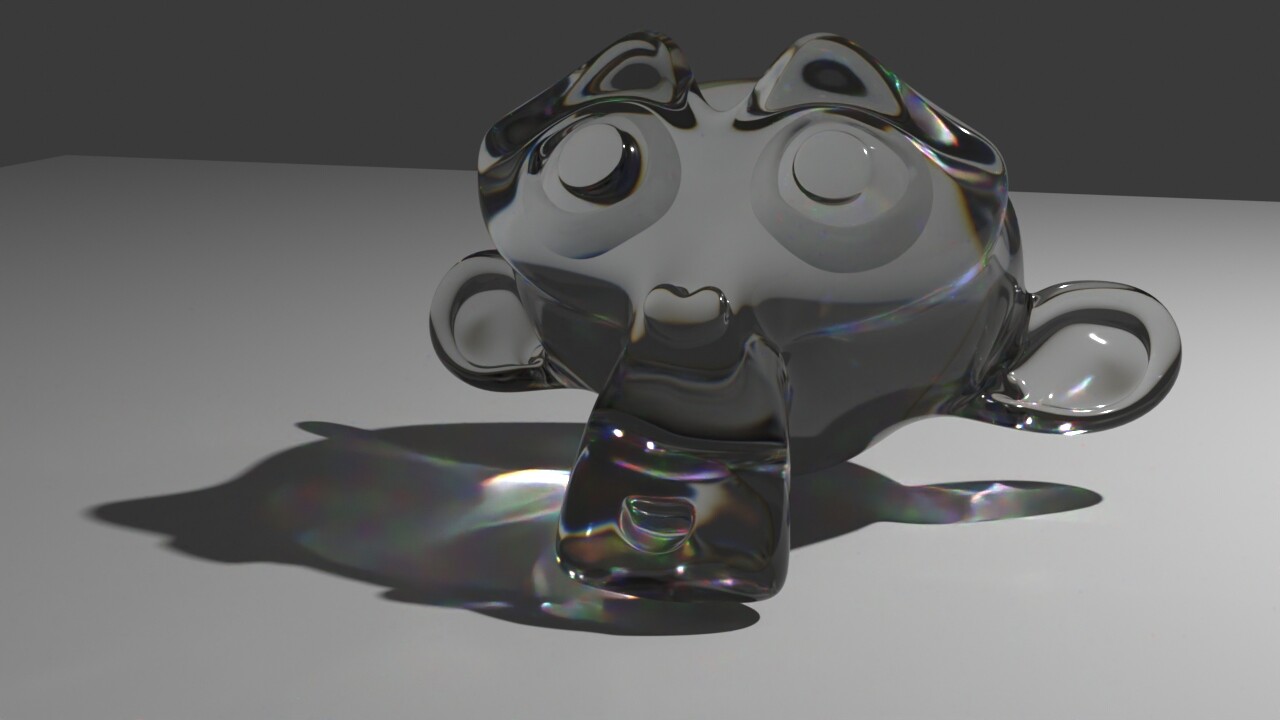
I think currently there is no better option for Cycles caustics and dispersion.
3 Likes
If you use the cast / receive caustics option, you get only refractive caustics and they will be visible only within the shadows. The render I did was without those options, Just a brute force render helped by path guiding. This will give you full caustics, including the reflective ones, but it’s much slower to render and much noisier.
I also think what you are doing is the only somewhat good option Cycles can do, but you have to know its limits.
2 Likes
This is incorrect. Path guiding allows the render to find paths that are difficult or impossible to find otherwise - it doesn’t ‘speed up’ rendering (and in fact comes with a slight performance hit).
Have a look at the experiments on the path guiding test thread:
1 Like
much cleaner image in the same amount of time.
In your own words. I call it speeding up. So guiding is to find faster way to achieve caustics. Yes it can slow down in some cases but it was invented to speed up hard to find light scenarios.
2 Likes
In the case of path guiding, its ability to do caustics is more of an accident (and isn’t reliable enough for an animation). The main use case would be a room lit mostly by indirect light, ex. with a very bright spot of sunlight on the floor acting as the main light source. By default, Cycles doesn’t know it needs to sample that spot and it would take thousands of samples to get a half-decent result.
2 Likes
It would be interesting if there was a step where light sources could trace rays to glossy and refraction closures,and use them in the path guiding training…
It wouldn’t result as a Photo Mapping but it could speed up finding light sources in the “unbiased” sampling.
3 Likes