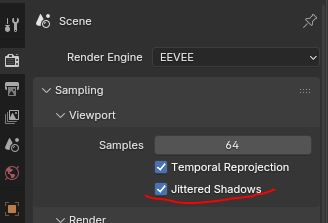
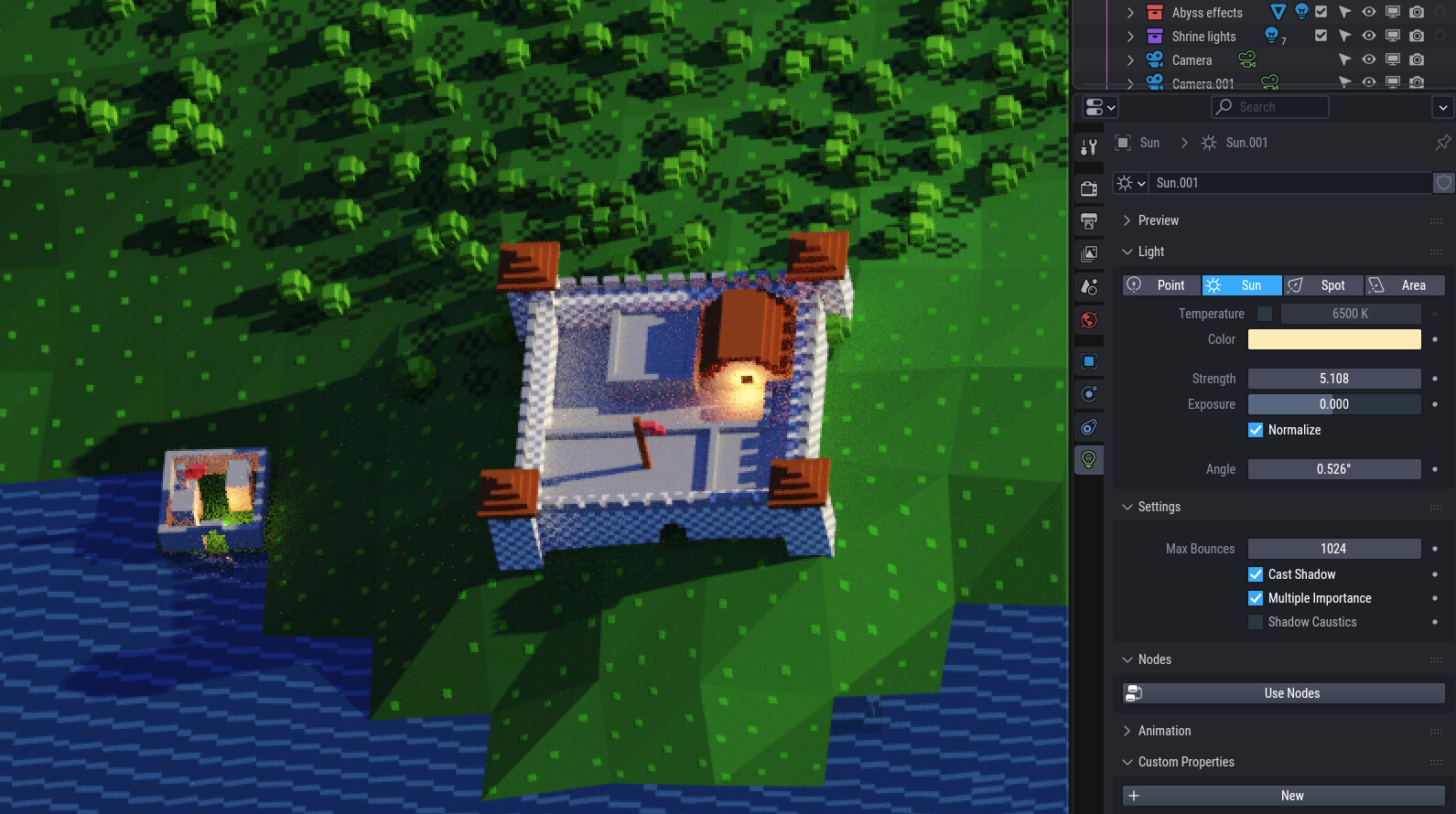
Eevee’s shadows don’t have infinite resolution, so it’s to be expected that they will have lower quality in the distance. There is something that can help though: use jittered shadows on the sun light.
Jittered shadows are the higher quality option. They work by stacking a bunch of slightly different shadows on top of each other until they add up to a realistic result with enough samples. Usually, this is mostly useful to simulate accurate soft shadows, but it does also help here.
You have to enable it on the light itself. In this specific case, I would also recommend lowering the filtering on the shadows so finer details can be captured without too much blurring.
If you want to see the effect this has in the viewport, you need to also activate it in the main render settings. It won’t be perfect, but you should have a bit more detail in the distant shadows.
In the old versions of Eevee (pre 4.2), shadows had lower resolution and this could cause shadows to be disconnected from their meshes, so they had a bias setting to adjust this. There also used to be “contact shadows”, which were calculated in screen space and were intended to close that gap (but would get glitchy if you overdid them).
The new Eevee has enough resolution that these are generally not needed anymore and the settings were removed. Here, you are zooming like crazy on distant, small details. Is there ever going to be a situation where you need to do this? Eevee has limitations, being a fast renderer, and never really could do this well. You have to keep Eevee’s capabilities in mind if you wish to use it.
That’s weird, I can’t get your file under 1mb even if I delete everything. There must be something about the scene itself. If you were to append all the objects in a fresh file, I am guessing this would be fixed.
I wanted to update this map, which is quite large (it’s a 20MB jpeg), using Eevee Next to try to avoid the triangulation effect which I can’t seem to get rid of in Cycles.
However, even with your tips, seems it just can’t be done in Eevee Next… heck, even some lights disappear and AO seems to have given up as well at this distance…
I see, I don’t think Eevee Next can do this. Maybe old Eevee could by abusing its screen space contact shadows to shadow everything. If your map was rendered with an orthographic camera, I would have suggested doing it in smaller sections with multiple cameras, but it doesn’t seem to be the case.
But I know how to make it work in Cycles.
Mark all edges sharp, set the mesh to shade smooth, then add a subdivision modifier in simple mode. This will interrupt the diagonals in the shading while still preserving the square borders.