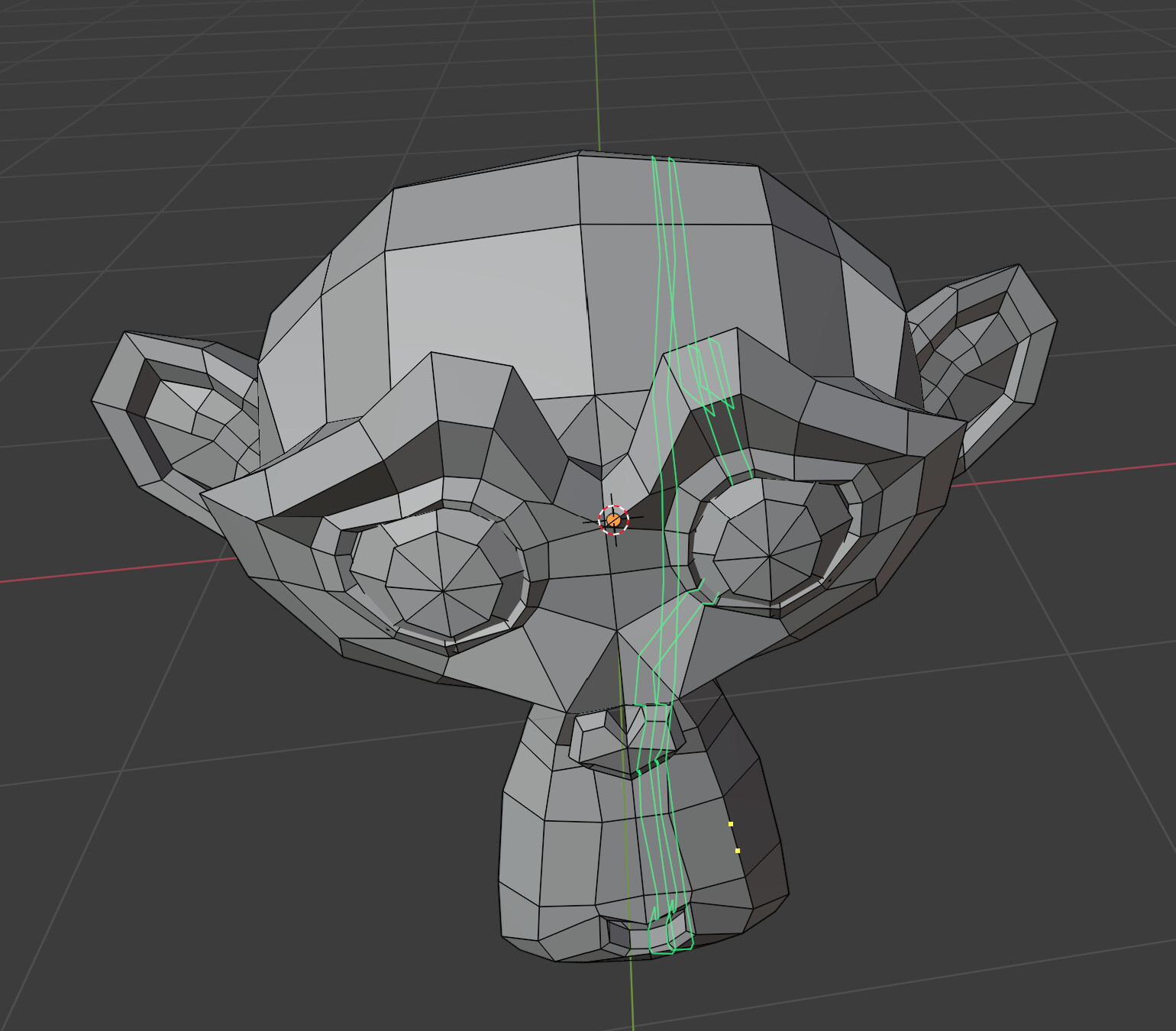
Fast Loop
Version: 0.2.0 beta
Tested with Blender 2.91 - 3.0
What is Fast Loop?
Fast loop makes inserting new loops easy. With the ability to preview the loop(s) before actually inserting them, you dont need to worry about making adjustments afterwards.
With the following modes you can cut the time it takes to insert loops in half or more:
- (S)ingle: Insert a single loop.
- (M)irrored: Insert two loops. Positions are mirrored across the center point of the edge.
- Mutli Loop(N): This one can insert more than one loop.
- There is one option specific to multi loop. That is multi loop offset.
mutli loop offset offsets the loops so that one of the loops is under the cursor. This gives additional control of how/where the loops are placed. - w toggles changes the scale (spacing)
- 1-9 or =,-(+,-) changes number of loops to be inserted
- mousewheel changes viewport zoom
- There is one option specific to multi loop. That is multi loop offset.
All modes support (E)ven and (F)lip Options.
Snapping
-
(s) Enable snap points to snap the loop to evenly spaced points along the edge.
-
(x) Lock the points to prevent them from moving when a loop is inserted, allowing you to add additional loops with the same spacing along the edge.
Locking also keeps it from moving when hovering over different edges. -
When snap divisions is set to one, use the factor slider to set a custom percentage to snap to. You can press F to invert the value to flip to the other side.
Fast loop isn’t just for inserting loops. You can alter exising loops by sliding them around or removing them too.
-
To slide the selected loop or edge(s) press and hold alt to invoke the edge slide operator and then click and drag.
- holding ctrl while pressing alt makes the loop even depending on what side it’s on
- holding shift while pressing alt tries to preserve the loop’s shape
When you are done release alt.
Switch to Select Loop mode to select a different edge.
Remove loops by switching to Remove Loop mode.
See notes down below for more info.
What is Fast Loop Classic?
Fast Loop Classic is a trimmed down version of Fast Loop.
- Click to insert a loop.
- shift+mouse click to insert a loop with flow
- ctrl+mouse click to select a loop
- ctrl+shift+mouse click to remove a loop
- To slide the selected loop or edge(s) press and hold alt to invoke the edge slide operator and then click and drag.
- holding ctrl while pressing alt makes the loop even depending on what side it’s on
- holding shift while pressing alt tries to preserve the loop’s shape
Edge Slide
The operator that both versions of fast loop use can also be a standalone operator.
When invoked directly using the shortcut alt+` it behaves differently and has an additional feature.
-
Click and drag near a vertex to slide selected edges or loops in the desired direction. Sometimes this doesn’t behave very well when selected edges share a vertex.
If you cannot get it to slide in the right direction, rotate the viewport and/or select a different vertex on the loop or edge. -
ctrl+mouse click and drag to make the edge even.
-
shift+mouse click and drag to try to preserve the loop’s shape
-
Edge constraint translation of selected edges or vertices
- Press X, Y or Z to toggle edge constraint slide on their respective axis.
- Press S to toggle selection mode. Warning: This just passes through all input. It’s possible to invoke any operators.
Supported orientations:
- Global
- Local
- View
- Cursor
- Custom
Install:
- Download the zip file from github.
- Open Blender.
- Edit → Preferences → Click Install button and choose the zip file you downloaded.
- Click the Add-ons button on the left and then activate the addon by ticking the checkbox.
To use:
Fast Loop
- Click on either Fast Loop Classic or Fast Loop Toolbar button to activate the active tool version.
- Alternatively, use the shortcut keys: insert or alt+insert for Fast Loop Classic and Fast Loop operators respectively.
Edge Slide
- Use the shortcut alt+`
See the help tab under preferences for each operators hotkeys.
Requires the Edge Flow addon which can be found here:
Get it here:
Jrome90/Fast-Loop (github.com)
Bmesh errors can occur at times.


 it doesn’t do anything, although it is in the menu. I actually do see use of this button in the menu if it works as you would expect it to.
 ). Perfect!
 I’ll keep an eye on it.