Idk if this would ever be possible but i would love a loop knife cut there are times where i want to add some loops to geometry that is not made of quads currently i use a plane and use knife project cut it’s pretty time consuming.
do you have an example that demonstrates what you have in mind?
So this is how 3dsmax does it it uses a plain and projects a cut through the mesh but operates the same way from a UX point of view like loop cuts https://knowledge.autodesk.com/support/3ds-max/learn-explore/caas/CloudHelp/cloudhelp/2017/ENU/3DSMax/files/GUID-CD860CFA-3DFA-4E9A-965F-2F1EE87830B5-htm.html
An other nice option would be a forcefully complete the loop
a lot of time i will be doing hard surface modeling and cleaning up some bool operations and i want to add some loops to assist in topology clean up but it gets stopped because there is a triangle in the way or an ngon.
im not really sure how you would go about doing this but it would be nice if you could force it to complete the loop. and it doesn’t matter if it’s 100% accurate because im using the geometry made from that cut as merging points
I am actually not sure to what extent such a tool would be feasible, considering Swift loop nor any of the native Loop Cut tools in Blender are able to achieve full loop cuts across N-gons.
Perhaps a rudimentary way to go about this is to connect the start/end vertices on either end of a loop (in case a loop is open) using the join vertices operation? These sort of things should be considered as a follow-up on the inserted loop in my opinion, since you would probably need to manually verify the results. So personally, I would consider optional setting (including in a redo last menu with additional tweakable settings if need be). Similarly, the loop preview should show the part of the loop that runs through N-gons in a different colour to indicate problem areas.
What an amazing addon…  Great work.
Small request, would it be possible to change/switch the factor percentage when snapping is enabled into an actual number. This would help a lot when you want to put a loop at a specific distance from one side.
1 Like
Thanks!
In the next update you will be able to change the percentage value of each individual loop. Making the snapping kind of obsolete.
Will it be possible to lets say add a loop at 0.05cm from the start or end vertex of the edge the mouse is hovering?
1 Like
Version 0.0.9
New Features
Fast Loop:
Insert loops into triangle fans.
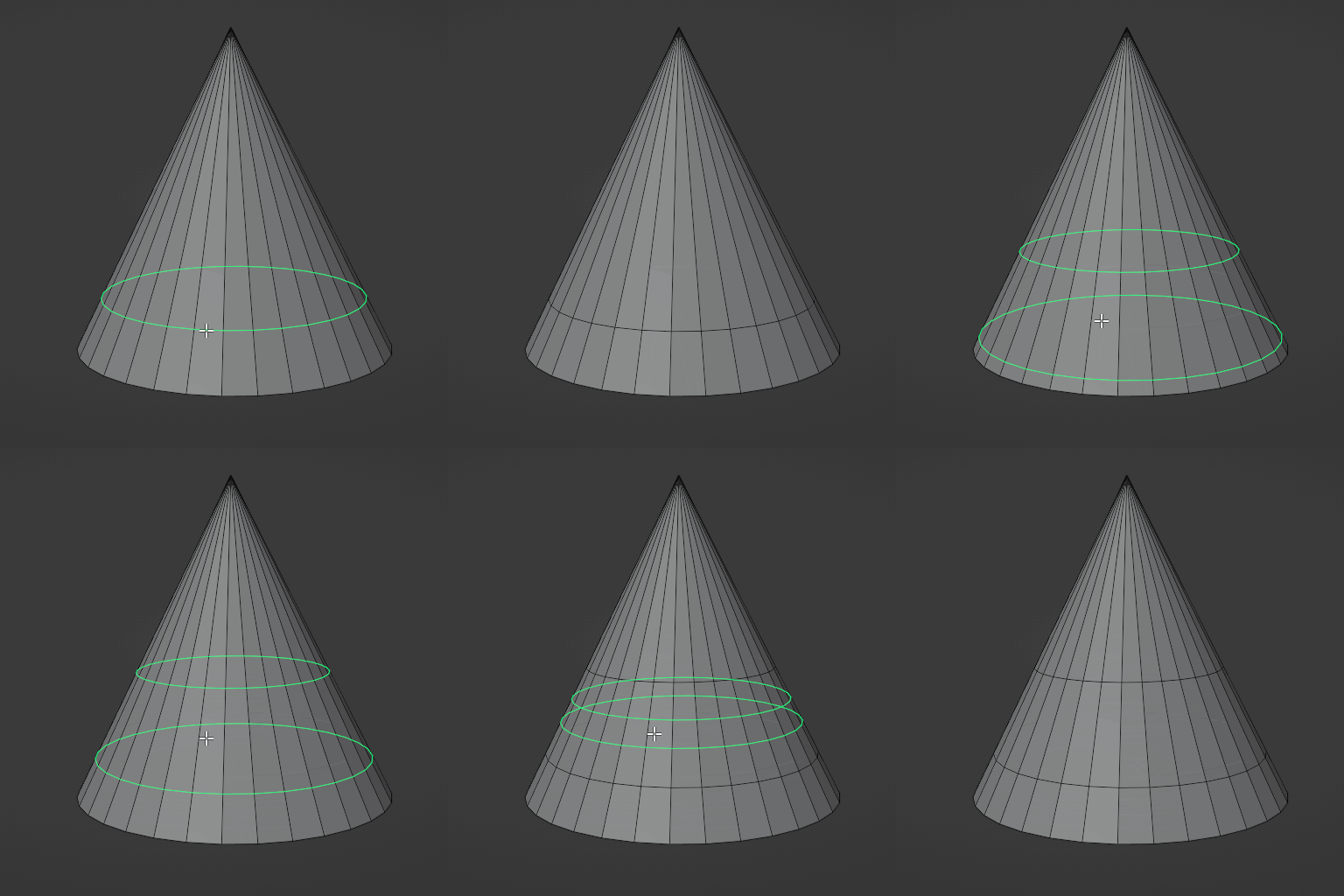
Results vary depending on the face the mouse cursor is over. One side of an edge will give expected result, while the other gives bad results.
Position Override:
Click here for more Info
New submode: Perpendicular. Insert loops perpendicular to the edge. Toggle Hotkey(/)
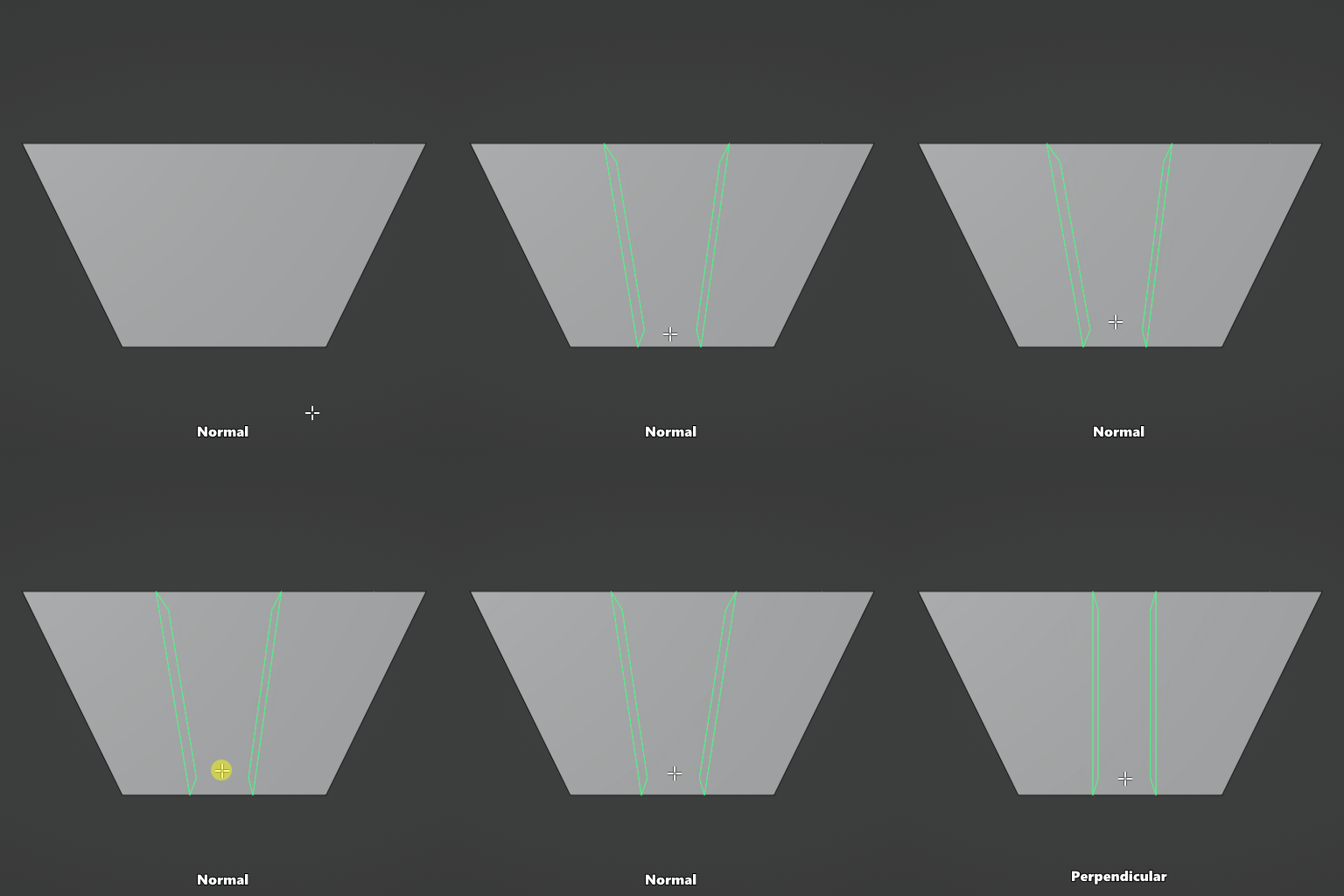
Edge Slide:
Edge Constrained Translation:
Hold shift down while ECT is active to disable constrain to bounding edges.
Changes:
Preferences:
option to toggle edge slide with spacebar to accommodate maya style nav users.
option to not draw lines that are behind geometry.
Fast Loop:
W to toggle change scale (Hold shift while changing scale for better precision)
C to toggle midpoint insertion
O to toggle multi loop offset
ctrl+left click to select a loop
ctrl+shift+left click to remove loops
Changed Lock points hotkey to X Key
Mirrored mode is now a sub mode. It works with both single and multi loop.
Turning on the set flow button in the pie menu or set flow options makes it so that every loop inserted has the flow set.
Holding shift while it is active inverts that behavior.
Added an Option to select the newly created edge loop(s) Toggle Hotkey(Q)
Right Click pie menu:
Activate Edge slide by switching the mode to edge slide in the pie menu.
Bug Fixes:
The advanced variant didn’t swap left and right click when the option to do so was enabled.
Drawing lines had one too many indices resulting in a line going from the last point to the origin.
Undoing while the tool is active caused multiple instances of the modal operator to run simultaneously.
To fix this I needed a way to prevent it from running again. But now if it errors then The running state will get stuck on true.
To remedy this I added a button in the user prefs to reset the state.
This is only needed if you used the Active tool
5 Likes
Very cool!!!
After messing with it a little bit, I had some suggestions/ideas, but feel free to do as you like.
Suggestions:
- Is it possible to double right click to cancel the advanced mode version when inserting loops?
- Is it possible to add pref option to increase the line thickness/change the color when inserting loops?
Can see the preview is hard to see here. Possibly is my scene scale messing with it too?
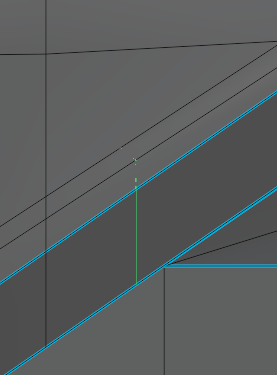
Bug(s):
- Tapping F in simple insert mode, causes my view to zoom-in, because I have that set to Frame the View normally. Maybe my hotkey is overriding yours then?
I’m glad you like it! Thanks for your feedback. I really appreciate it.
Because of the pie menu, I don’t think I can get any mouse events. Instead I will just add another option to the preferences to disable the pie menu, which will make right click cancel instead.
The pie menu isn’t really needed anymore.
I have planned to do that, but it wasn’t a top priority. I’ll add it to the to do list.
Is the “Don’t draw lines behind geometry” box checked?
That is the only time that the line disappears that I am aware of.
I’m not aware of what the scene scale is. Is that the “Unit scale”?
Yeah that’s a bug. Well kinda. I forgot to switch that back to F.
Edit: Pushed the changes to the github repository.
Changed F to flip in classic.
and option to disable pie menu in preferences.
1 Like
great, thank you!
Yeah i have that don’t draw behind checked. When I uncheck, it does appear a bit more visible now I guess.
I’m just using the functionality that Blender has to offer in the bgl API. But it doesn’t work very well.
It would be nice to have if it worked better. Maybe I should just remove it?
I think having that option in there is ok yet. But yeah, if the lines will be thinner/not as visible, maybe could note in there I guess? Strange how that works/might be a bug or limitation?
Even cranking the line width up to 5 or 10 doesn’t fully solve the problem.
If anybody has any ideas how to fix it please let me know.
1 Like
Should it work in 2.92? - doesnt for me…
What doesn’t work?
Edit: Nevermind. I will fix it
1 Like
Pushed changes to fix it for 2.92 to the github repository.
It should work now.
Thanks for letting me know.
2 Likes
Hmmm, I can look at some addons/scripts I made and see if I find anything.
Actually, I found some target weld script and I modified it to let you change the line width/color/etc.
But I’m not sure what you are using now/might be using newer API changes/methods?
def draw_callback_px(self, context):
    if self.started:

        #Take starting Vert, and Convert its 3D Coord to 2D Space, for Line Redrawing, to keep it in place/not drifting around, while panning/etc.
        self.start_vertex = bpy_extras.view3d_utils.location_3d_to_region_2d(bpy.context.region,bpy.context.space_data.region_3d,self.vertCO)

        bgl.glEnable(bgl.GL_BLEND)
        bgl.glLineWidth(self.customLineThickness)
        bgl.glPointSize(self.customVertSize)

        coords = [self.start_vertex, self.end_vertex]
        shader = gpu.shader.from_builtin('2D_UNIFORM_COLOR')
        batch = batch_for_shader(shader, 'LINE_STRIP', {"pos": coords})
        shader.bind()
        shader.uniform_float("color", self.customLineColor)
        batch.draw(shader)

        coords2 = [self.start_vertex, self.end_vertex]
        shader2 = gpu.shader.from_builtin('2D_UNIFORM_COLOR')
        batch2 = batch_for_shader(shader, 'POINTS', {"pos": coords})
        shader2.bind()
        shader2.uniform_float("color", self.customVertsColor)
        batch2.draw(shader2)


    # restore opengl defaults
    bgl.glLineWidth(1)
    bgl.glPointSize(1)
    bgl.glDisable(bgl.GL_BLEND)
1 Like
Version 0.0.9b:
- Added a display settings tab.
- moved option to not draw lines that are behind geometry to the display settings tab.
- Change the size of the preview lines in pixels.
- Customize the colors of the preview lines.
- Draw the points that make up the loops.
- Change their size and customize their color.
- Enable occlusion of the points behind geometry.
By adding an option to show the points along the loops, I hope that makes the poorly visible lines a little more bearable.
4 Likes