Hey everyone, I’ve been stuck on this elbow for a while and could use some fresh eyes.
It’s a chunky, rounded cartoon character with short tube arms that come out from under an overhang. The arms are pretty fat for how short they are, about as thick as the forearm is long. Blender 4.2.
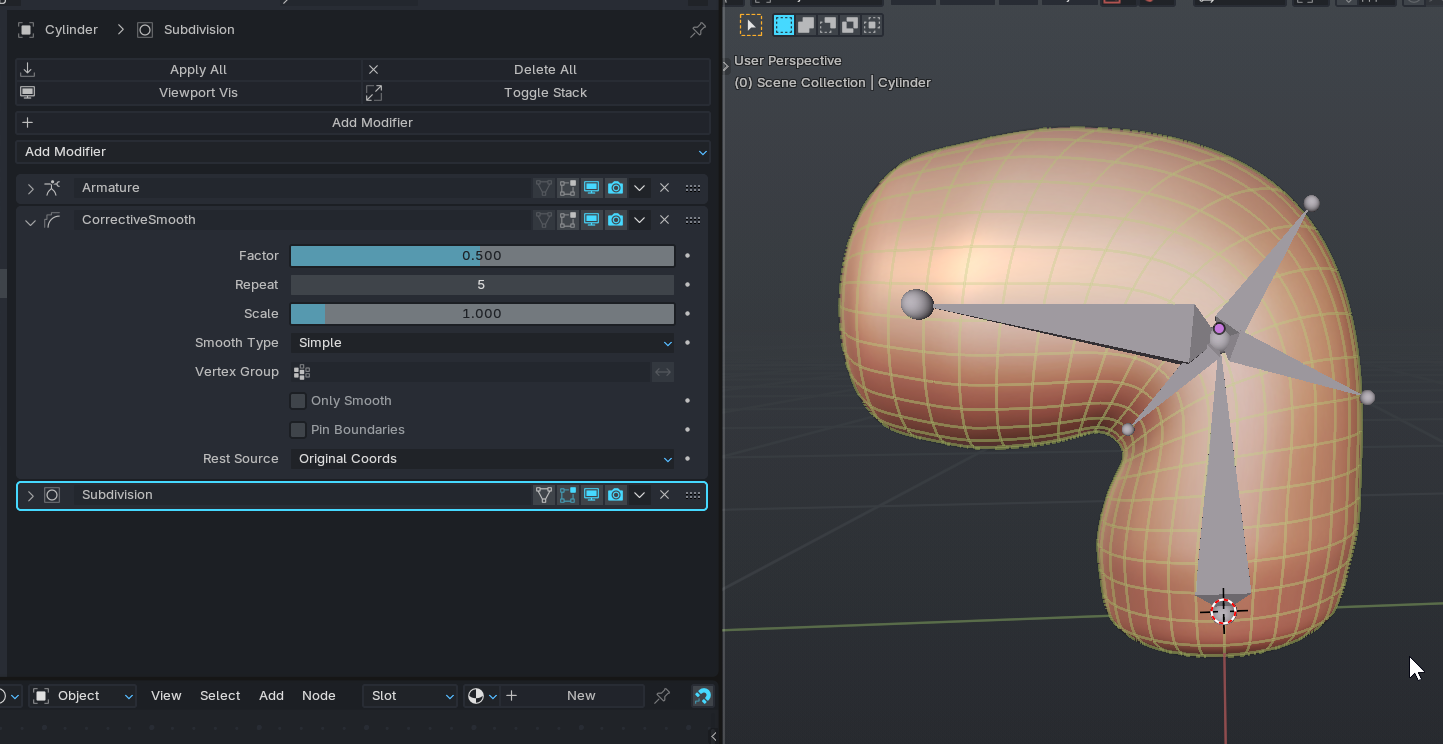
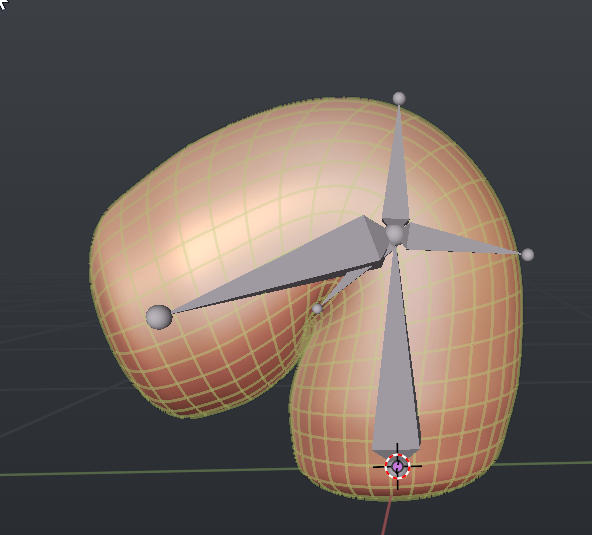
The setup is simple: upper arm and forearm bones, Preserve Volume on, a couple of corrective shape keys for the 45° and 90° bends, and Corrective Smooth on the joint.
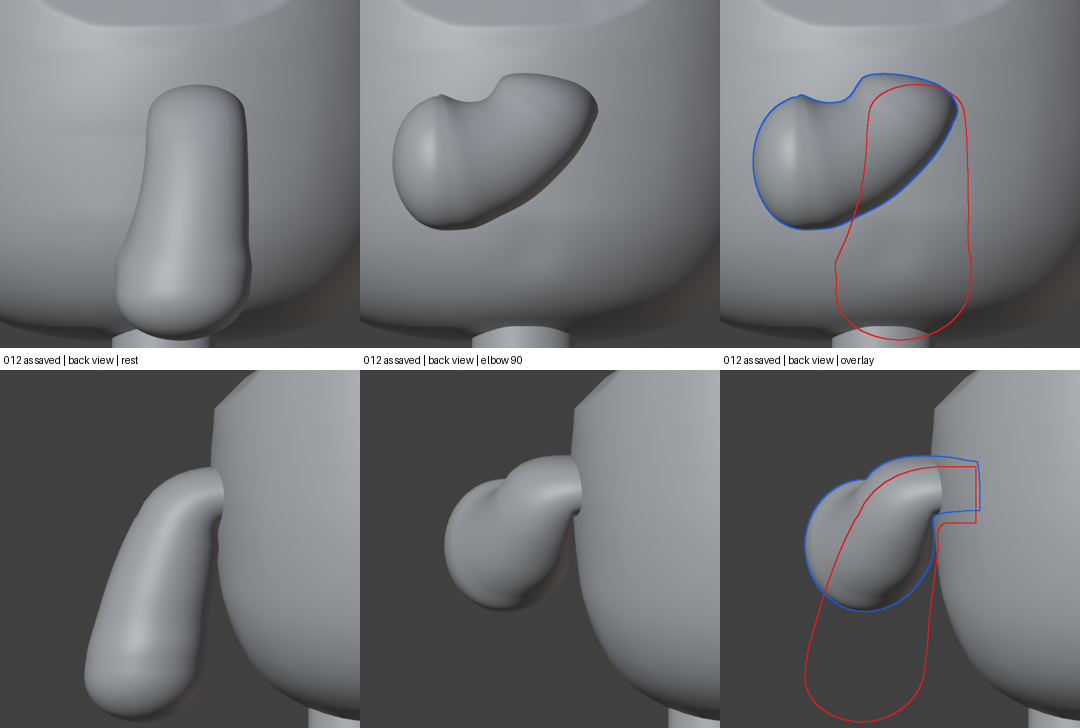
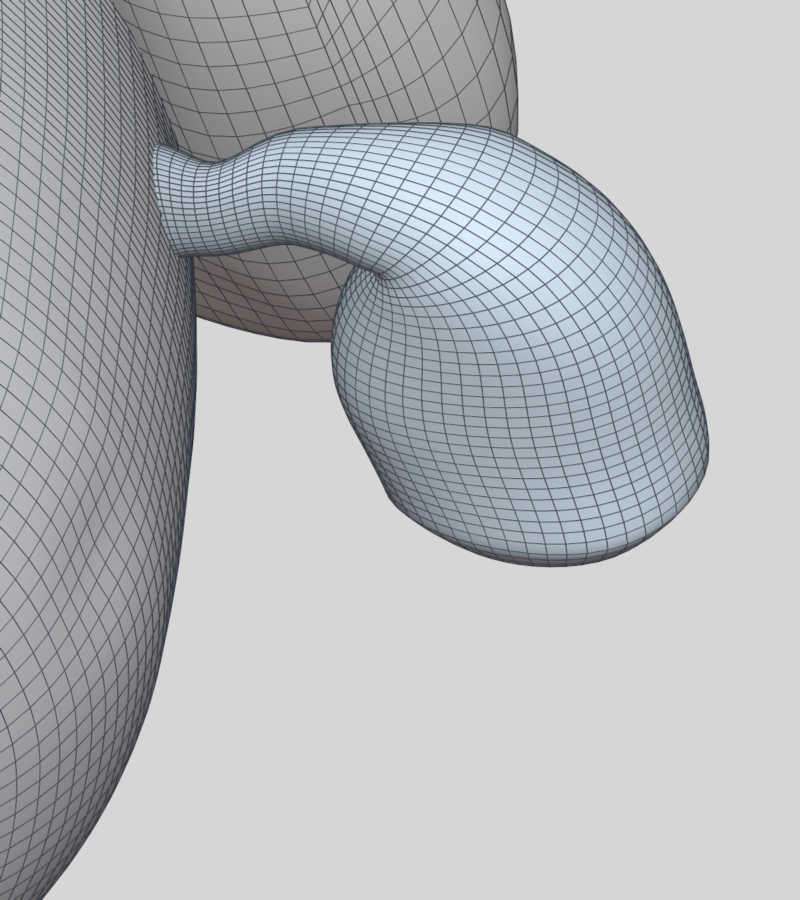
The problem: when the elbow goes to 90°, my corrective key fixes the inside fold but drags the whole upper arm forward. So the back of the arm goes flat and loses a lot of thickness (you can see it in the first image: red is the rest outline, blue is bent). If I turn the key off, the back stays nice and round, but the inside folds into itself. On top of that, Corrective Smooth seems to undo part of whatever I sculpt, so I end up with a faint wavy groove inside the elbow.
Things I’ve already tried: B-Bones, a push bone, different edge flow at the inner elbow, and Subdivision. None of them really fixed it.
A few questions:
For an arm this chunky, what would you do to keep the outside of the elbow round? A helper bone that takes half the bend, a lattice, something else?
How do you stop Corrective Smooth from wiping out a sculpted corrective?
Is it even realistic to keep the arm round all the way around at 90° with these proportions, or should I just aim for a round outside and one soft crease on the inside?
Oh nice, thanks man! Never heard of joint fans, going down that rabbit hole now. Do you mean fanning the edge loops around the elbow, or actual little fan bones at the joint? Or both?
Also, if anyone’s got a sec, a couple more things that are bugging me:
When the elbow bends, my forearm kinda curls back like a hook near the inside of the elbow instead of making one smooth round bend. Is that usually the weights or the corrective key?
When the arm swings back past about 45°, the shoulder starts overlapping itself. Any go-to fix for a stubby arm that comes out from under an overhang?
Has anyone used Corrective Smooth’s bind coordinates to stop it from flattening a sculpted shape key, or do you just mask it off the joint?
This is gold, thank you! Weighting the middle loop fully to the fan bone instead of splitting it half and half makes total sense, trying it right now.
Since I’ve got some good people here, a few animation questions too if anyone feels like chiming in:
For a chill idle on a round chunky character, how do you keep short holds alive without them looking floaty? I’m doing quick-in, long slow drift tails right now.
Doing a fast excited 360 spin into a bouncy landing. Any tips to avoid flips or gimbal weirdness on the root, and how many frames do you usually give the landing settle?
For a looping idle that has to read at tiny sizes (like an app icon), do you push the poses bigger or keep it subtle?
Hey @joseph, quick update! Tried your fan bone setup: one fan bone taking half the bend, middle elbow loop weighted fully to it, fan at 0.4 with Preserve Volume on. It kept the back of the arm nice and thick (about 0.97 of rest) with zero folds, so that part was awesome.
It didn’t fix the hook though. At 60, 75 and 90 degrees the forearm still kinda curls back and makes a little V notch at the elbow.
Any ideas for that one? Or is there a different joint setup or modeling approach you’d try for a soft, rounded cartoon arm like this?
I wasn’t sure when looking up joint fans because it got me a lot of totally not related to 3D “topics” except one mentioning: a new feature for Auto Rig Pro calling it “joints fans” (also on some platform with only one character)..
..but seeing only one of your images it’s now totally clear.. Nice.. i have learnt something new today..