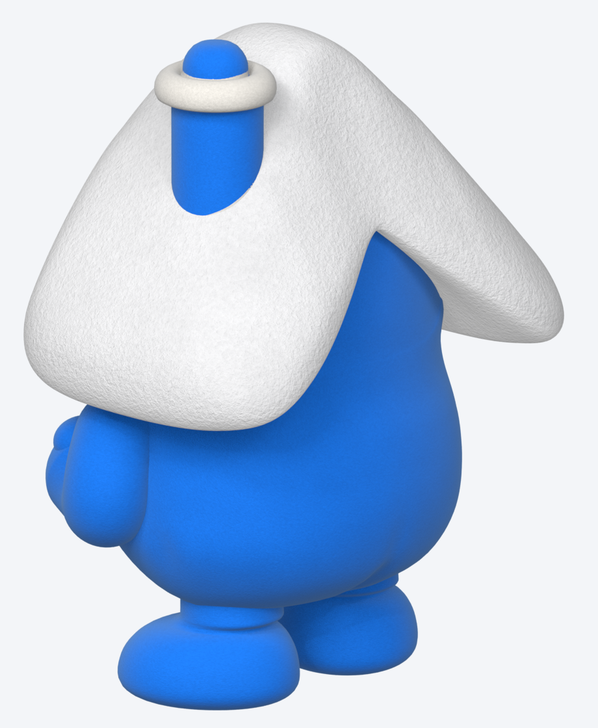
Edit: forgot to mention, he’s an animated character, so the shoulders and elbows need to deform cleanly while he moves (waving, reaching, typing), not just in one held pose.
Hey all! I’ve been building a chubby plush-style toon guy in my spare time and keep hitting little walls, so here’s an “ask anything” post. Tips on any of these are super welcome 
(Follow-up to my earlier thread on the elbows: Fat cartoon arm gets flat on the back when the elbow bends to 90°, any tips? — thanks again to everyone who chimed in there!)
-
Shoulder seam (the big one). The arms are short, thick, separate meshes tucked into a round body. When he waves or holds an orb at his chest, the arm root shows as a separate piece and there’s a notch/gap at the shoulder. What I tried:
- a soft blend band of body verts around the shoulder, weighted to the shoulder bone
- Corrective Smooth on just that band (vertex group)
- stronger band weights
It hides the seam, but the band crumples and wrinkles, and the texture stretches where it meets the arm’s buried root plug. Stronger weights creased badly (images 1–3). What’s the best way to get a seamless, wrinkle-free shoulder here? Should I keep the weighted band (and if so, which Corrective Smooth settings would you use?), or switch to a Surface Deform / Shrinkwrap “skirt” over the joint, a Data Transfer of the body weights onto the arm, metaball/remesh fusing, or Voxel Remesh into one piece plus shape keys?
-
Separate arms vs one fused mesh. For a plush toon like this, would you just make one fused mesh with proper shoulder topology? And what kind of rig works best on stubby limbs: plain deform bones + Corrective Smooth, Rigify, bendy bones, or something else?
-
Elbows. Big thanks to @joseph for the Corrective Smooth + fan bones tip, it really helped the elbows! On these thick short arms they still flatten a bit around 90° though. Any extra trick to keep the bend round? Maybe bendy bones, a driven corrective shape key, or something smarter?
-
Waving under the roof brim. His arms are so short that on a wave the fist runs into the roof brim (image 4). Any clearance tricks? Pushing the shoulder pivot out/forward, a slight arm scale in the pose, a shape key that lifts the brim, or just cheating the angle for the camera?
-
Thumb on a mitten fist. I want a soft thumb lying across the front of the fist, like a rounded pad with a soft groove, not sticking up like mine does now (image 5: target on the left, mine on the right). Would you model it as a separate blob blended in, sculpt it with a crease brush, or build it into the topology?
-
Fuzzy plush material at small sizes. How do you make a fleece/plush material still read as soft at tiny icon sizes like 128 or 64 px (image 6)? Sheen/rim tweaks, bigger fuzz scale, fake edge fuzz, or a totally different approach for small renders?
-
Rear 3/4 roof shape. From rear 3/4 his roof hangs a bit too low and droopy over his back compared to my concept art (image 7 shows where I’m at). What’s the best way to lift and tidy just the back of the roof (lattice, proportional editing, a shape key) without wrecking the front view?
Thanks a ton for reading! Happy to share more angles or a stripped-down .blend if that helps.
Mike
Image 1
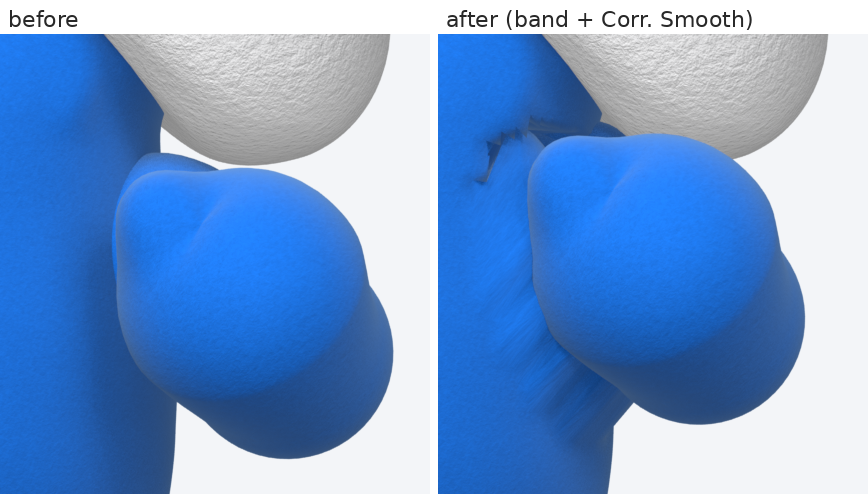
Image 2
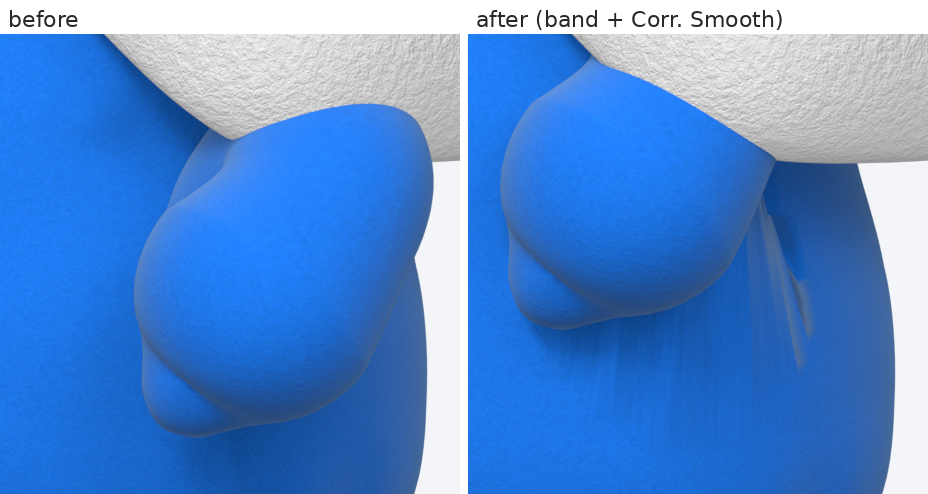
Image 3
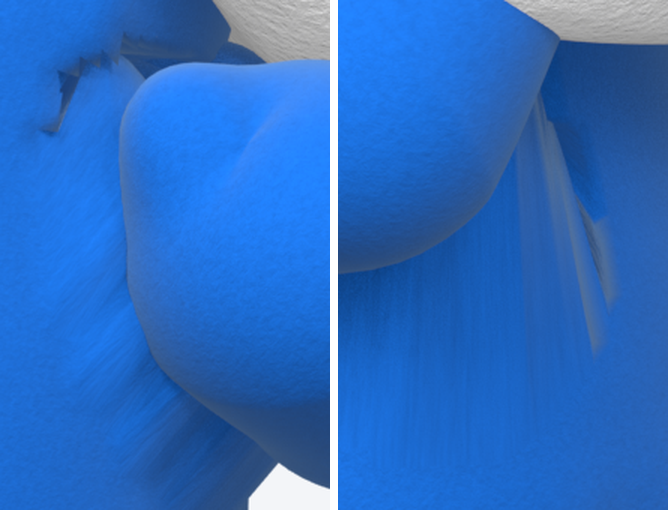
Image 4
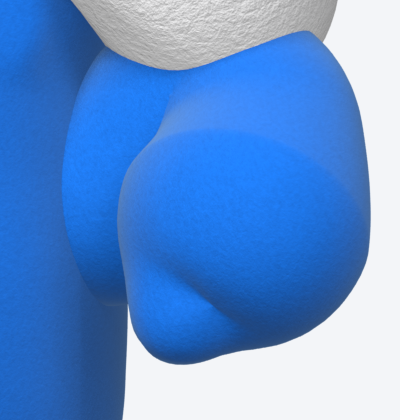
Image 5